
Embrace the next era of design & Manufacturing
What is Autodesk Fusion?
What is Autodesk Fusion?
Fusion is the first and only integrated CAD, CAM, CAE, PCB, data management, and collaboration software platform developed by Autodesk. Learn about features and functionality, various offerings, and pricing options for Fusion.
What is Autodesk Fusion?
What is Autodesk Fusion?
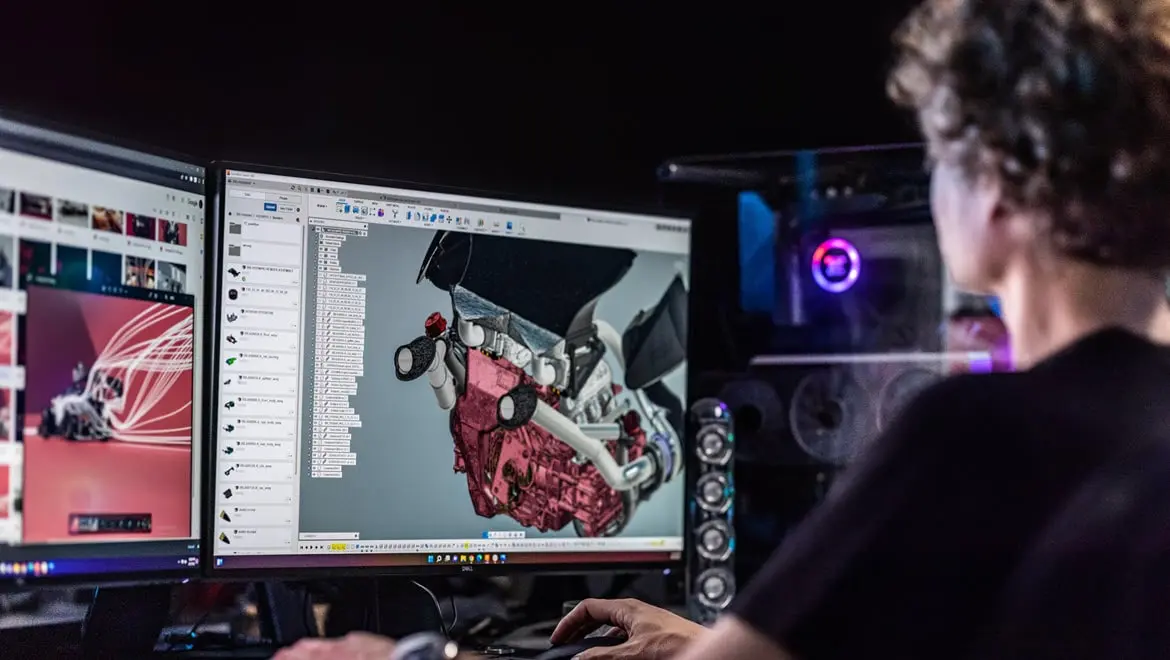
Autodesk Fusion combines CAD, CAM, CAE, PCB, data management, and collaboration into a single, integrated cloud software platform. It includes all the tools that you and your team need to go from design to manufacturing, seamlessly.
With Fusion, you'll be able to:
Explore design iterations with easy to use 3D modeling tools
Produce high-quality CNC machined parts with integrated CAD/CAM
Gain access to unified electronics design
Test the performance of your designs with 3D simulation tools
Explore manufacturing-ready outcomes with generative design
Collaborate and manage your data seamlessly in the cloud
Autodesk Fusion combines CAD, CAM, CAE, PCB, data management, and collaboration into a single, integrated cloud software platform. It includes all the tools that you and your team need to go from design to manufacturing, seamlessly.
With Fusion, you'll be able to:
Explore design iterations with easy to use 3D modeling tools
Produce high-quality CNC machined parts with integrated CAD/CAM
Gain access to unified electronics design
Test the performance of your designs with 3D simulation tools
Explore manufacturing-ready outcomes with generative design
Collaborate and manage your data seamlessly in the cloud
Autodesk Fusion subscription types
Autodesk Fusion plans and pricing
Autodesk Fusion
Autodesk Fusion
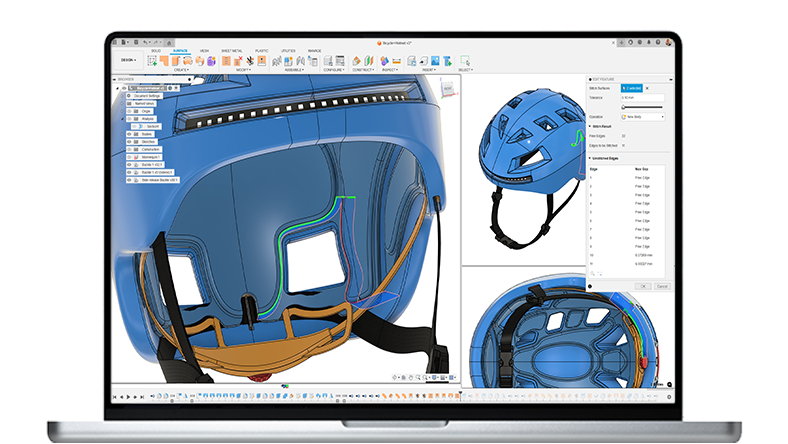
Integrated cloud CAD, CAM, CAE, PCB, and PDM core capabilities ideal for designers, engineers, machinists, and teams working across the product development lifecycle.
Includes:
Fully integrated CAD/CAM
Real-time team collaboration
PCB design alongside mechanical part creation
Drawing automation and design configurations
Integrated cloud CAD, CAM, CAE, PCB, and PDM core capabilities ideal for designers, engineers, machinists, and teams working across the product development lifecycle.
Includes:
Fully integrated CAD/CAM
Real-time team collaboration
PCB design alongside mechanical part creation
Drawing automation and design configurations
{{PRICE}}/{{TERM}} ({{PRICE}} / month, billed annually)
Autodesk Fusion for Manufacturing
Autodesk Fusion for Manufacturing
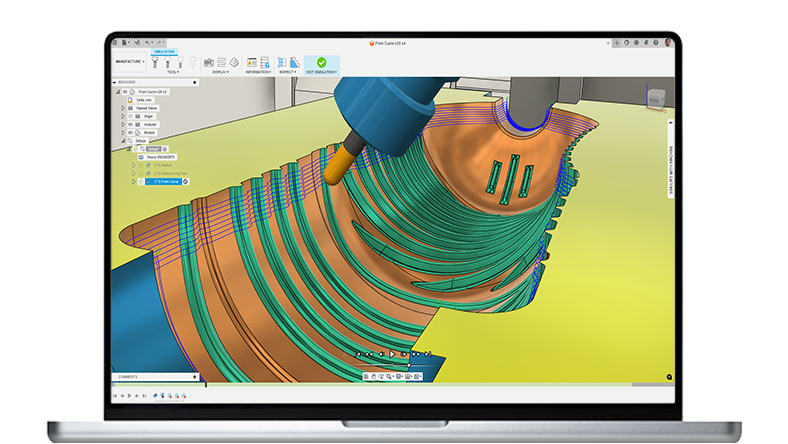
Advanced CAD + CAM tools for manufacturers, machinists, engineers, and teams needing precise high-performance CAM solutions.
Includes advanced manufacturing capabilities:
Comprehensive 2D to 5-axis machining
Cutting, milling, turning, and turn-mill
Manufacturing automation
Part inspection and probing
Free and editable post-processors
Advanced CAD + CAM tools for manufacturers, machinists, engineers, and teams needing precise high-performance CAM solutions.
Includes advanced manufacturing capabilities:
Comprehensive 2D to 5-axis machining
Cutting, milling, turning, and turn-mill
Manufacturing automation
Part inspection and probing
Free and editable post-processors
{{PRICE}}/{{TERM}} ({{PRICE}} / month, billed annually)
Autodesk Fusion for Design
Autodesk Fusion for Design
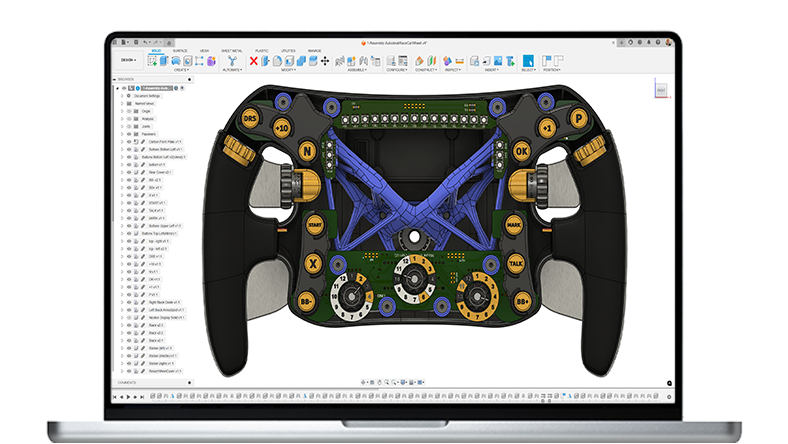
Powerful design, simulation, and lifecycle management tools for engineers, designers, and teams working on complex, high-performing designs.
Go beyond CAD with advanced design tools:
10 additional simulation types
Generative design technology
Advanced mesh editing and surfacing
Additional plastic rules for designs
Integrated lifecycle management
Powerful design, simulation, and lifecycle management tools for engineers, designers, and teams working on complex, high-performing designs.
Go beyond CAD with advanced design tools:
10 additional simulation types
Generative design technology
Advanced mesh editing and surfacing
Additional plastic rules for designs
Integrated lifecycle management
{{PRICE}}/{{TERM}} ({{PRICE}} / month, billed annually)
Autodesk Fusion features

3D design and modeling
3D design and modeling
Fusion offers various 3D design tools that include sketching, direct, surface, parametric, mesh, and free-form modeling, as well as rendering, PCB design integration, sheet metal, and assembly design.
Fusion offers various 3D design tools that include sketching, direct, surface, parametric, mesh, and free-form modeling, as well as rendering, PCB design integration, sheet metal, and assembly design.
Manufacturing
Manufacturing
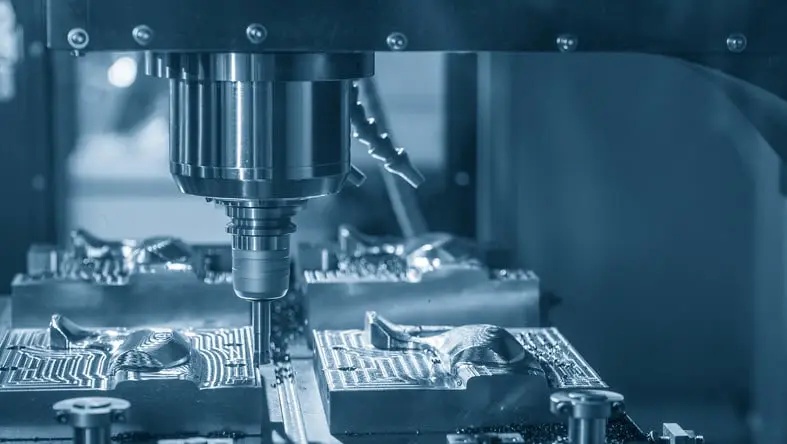
Fusion makes it easy to program CNC machines. Manufacturing features include 2D and 2.5D machining, 3-axis machining, multi-axis positional machining, 4, and 5-axis machining, turning, turn-mill, probing, part inspection, and access to advanced machining capabilities.
Fusion makes it easy to program CNC machines. Manufacturing features include 2D and 2.5D machining, 3-axis machining, multi-axis positional machining, 4, and 5-axis machining, turning, turn-mill, probing, part inspection, and access to advanced machining capabilities.

Electronics
Electronics
Gain access to comprehensive electronics and PCB design tools, including schematic design and PCB layout tools, PCB manufacturing, customizable design rules, SPICE simulation, electronics cooling and more. Fusion allows ECAD and MCAD designers to collaborate on the same design. Your PCB data is your mechanical data.
Gain access to comprehensive electronics and PCB design tools, including schematic design and PCB layout tools, PCB manufacturing, customizable design rules, SPICE simulation, electronics cooling and more. Fusion allows ECAD and MCAD designers to collaborate on the same design. Your PCB data is your mechanical data.
Simulation
Simulation
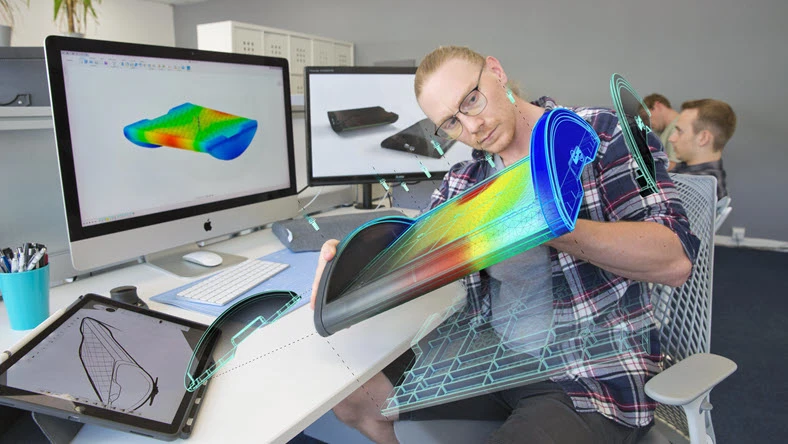
Reduce prototyping costs with the built-in simulation functionality. Gain access to static and thermal stress, modal frequency, buckling, event simulation, shape optimization, and more.
Reduce prototyping costs with the built-in simulation functionality. Gain access to static and thermal stress, modal frequency, buckling, event simulation, shape optimization, and more.

Generative design
Generative design
Generative design technology in Fusion enables you to explore endless manufacturing-ready design concepts and optimize for specific constraints, materials, and production processes.
Generative design technology in Fusion enables you to explore endless manufacturing-ready design concepts and optimize for specific constraints, materials, and production processes.

Collaboration and data management
Collaboration and data management
Fusion enhances teamwork and accelerates product development agility throughout your entire organization. It keeps your data centralized, easy to access, and secure, empowering your team to work more efficiently and with greater intelligence.
Fusion enhances teamwork and accelerates product development agility throughout your entire organization. It keeps your data centralized, easy to access, and secure, empowering your team to work more efficiently and with greater intelligence.
Learn how to use Fusion
There are a variety of learning resources including video tutorials, self-guided courses, and product documentation to help you easily learn how to use Fusion 360.
There are a variety of learning resources including video tutorials, self-guided courses, and product documentation to help you easily learn how to use Fusion 360.
Fusion 360 fundamentals
Fusion 360 fundamentals
The Fusion 360 fundamentals course walks through the basics of Fusion 360 before showing how to get started with 3D modeling. You'll learn how to navigate the user interface, set your preferences, adjust display settings, use the toolbox and more.
The Fusion 360 fundamentals course walks through the basics of Fusion 360 before showing how to get started with 3D modeling. You'll learn how to navigate the user interface, set your preferences, adjust display settings, use the toolbox and more.
Get started with modeling
Get started with modeling
In this series of self-paced video tutorials, you'll learn how to get started with basic sketches and constraints and then learn how to use the solid modeling tools in Fusion 360.
In this series of self-paced video tutorials, you'll learn how to get started with basic sketches and constraints and then learn how to use the solid modeling tools in Fusion 360.
Get started with 3D modeling
Get started with 3D modeling
Take your 2D sketches to 3D design with this introduction to 3D modeling series. You'll learn how to edit 3D models, apply materials and appearances, the difference between direct and parametric modeling and more.
Take your 2D sketches to 3D design with this introduction to 3D modeling series. You'll learn how to edit 3D models, apply materials and appearances, the difference between direct and parametric modeling and more.

Autodesk Fusion for personal, hobby use
Autodesk Fusion for personal, hobby use
Autodesk Fusion is free for personal, hobbyist users. Autodesk Fusion for personal use (formerly known as Autodesk Fusion for hobbyist users) is a limited-featured, free version that may be renewed on a yearly basis and provides limited capabilities.
To qualify, you must generate less than $1,000 USD in annual revenue and use Autodesk Fusion for home-based, non-commercial design, manufacturing, and fabrication projects only.
Autodesk Fusion is free for personal, hobbyist users. Autodesk Fusion for personal use (formerly known as Autodesk Fusion for hobbyist users) is a limited-featured, free version that may be renewed on a yearly basis and provides limited capabilities.
To qualify, you must generate less than $1,000 USD in annual revenue and use Autodesk Fusion for home-based, non-commercial design, manufacturing, and fabrication projects only.

Autodesk Fusion for educators
Autodesk Fusion for educators
Fusion is free for qualifying students and educators giving you access to free professional 3D modeling, CAD, CAM, CAE, and PCB. With Fusion, you can create 3D designs, collaborate, manage data, create toolpaths, and run simulations to validate your designs.
Prepare yourself or your students for careers in design, engineering, and manufacturing.
Fusion is free for qualifying students and educators giving you access to free professional 3D modeling, CAD, CAM, CAE, and PCB. With Fusion, you can create 3D designs, collaborate, manage data, create toolpaths, and run simulations to validate your designs.
Prepare yourself or your students for careers in design, engineering, and manufacturing.
How to install Autodesk Fusion
If you do not have an active autodesk Fusion license, download a free 30-day trial here.
If you have an active Autodesk Fusion subscription or offering, follow these steps to download Fusion:
Sign in to your Autodesk Account to view your Products and Services.
Find Autodesk Fusion.
Click Download now.
If you do not have an active autodesk Fusion license, download a free 30-day trial here. If you have an active Autodesk Fusion subscription or offering, follow these steps to download Fusion:
Sign in to your Autodesk Account to view your Products and Services.
Find Autodesk Fusion.
Click Download now.
Who uses Autodesk Fusion
Hawk Furniture
Hawk Furniture
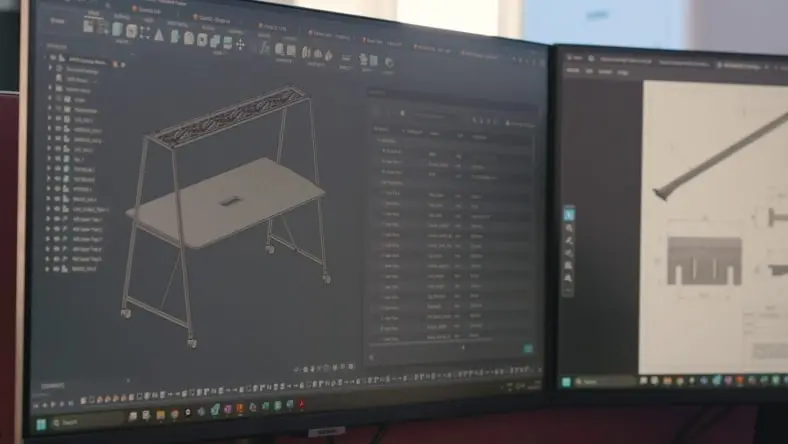
Hawk Furniture streamlines bespoke office solutions using Autodesk Fusion.
Hawk Furniture streamlines bespoke office solutions using Autodesk Fusion.

Lowe Hardware
Lowe Hardware
Lowe Hardware opens new doors for production productivity.
Lowe Hardware opens new doors for production productivity.

Shute Dynamics
Shute Dynamics
Shute Dynamics races to Pikes Peak with generative design in Autodesk Fusion.
Shute Dynamics races to Pikes Peak with generative design in Autodesk Fusion.
How much does Fusion cost?
See plans and pricingWith a Fusion subscription, you’ll get integrated CAD, CAM, CAE, & PCB, data management, and collaboration tools all in a single cloud-based product development platform. You'll also have the ability to gain access to Fusion extensions and consumptive services, such as generative design, cloud simulation, and cloud rendering.
A Fusion subscription gives you access to:
Commercial translators (such as NX, Catia, SOLIDWORKS, Inventor, PTC Creo, etc.)
AnyCAD (nondestructive, native CAD translation and referencing
Fusion is offered as monthly, 1-year, and 3-year subscription terms to meet your teams needs.
With a Fusion subscription, you’ll get integrated CAD, CAM, CAE, & PCB, data management, and collaboration tools all in a single cloud-based product development platform. You'll also have the ability to gain access to Fusion extensions and consumptive services, such as generative design, cloud simulation, and cloud rendering.
A Fusion subscription gives you access to:
Commercial translators (such as NX, Catia, SOLIDWORKS, Inventor, PTC Creo, etc.)
AnyCAD (nondestructive, native CAD translation and referencing
Fusion is offered as monthly, 1-year, and 3-year subscription terms to meet your teams needs.
Fusion 360 resources
Blog
Get the latest product updates, tips, tutorials, community news, and industry trends to keep you in the know.
Get the latest product updates, tips, tutorials, community news, and industry trends to keep you in the know.
Self-paced learning
Get access to video tutorials and self-guided courses.
Get access to video tutorials and self-guided courses.
Events and webinars
Sign up for live and on-demand webinars, and local events.
Sign up for live and on-demand webinars, and local events.
YouTube
Get tips on how to use Fusion 360’s fully integrated multi-disciplinary workspaces, intuitive workflows, and powerful features to grow your business.
Get tips on how to use Fusion 360’s fully integrated multi-disciplinary workspaces, intuitive workflows, and powerful features to grow your business.
Community forums
Connect with your peers and get help from the experts.
Connect with your peers and get help from the experts.
App store
Your portal to both community and professional built add-ins for Autodesk Fusion.
Your portal to both community and professional built add-ins for Autodesk Fusion.
Frequently asked questions (FAQs)
How can I renew my Autodesk Fusion subscription?
If you purchased online from Autodesk, your subscription will automatically renew so long as your payment information is up to date and your autorenew remains turned on in your Autodesk Account. If you have a nonrenewable subscription, before expiry, renewal reminders will be emailed to your Contract Manager. To renew, contact your sales rep or reseller provided in your renewal notification or use the Autodesk Reseller Locator.
What are the system requirements for Autodesk Fusion?
System requirements are updated in every release and posted in the forum at the following links:
Is Fusion the same as AutoCAD?
Fusion and AutoCAD are both CAD software tools. Even though they are both developed by Autodesk, their working ideas and practices are slightly different. Fusion is an integrated 3D modeling, CAD, CAM, CAE, PCB, collaboration, and data management platform whereas AutoCAD is a 2D and 3D CAD drafting software.
Where does Fusion fit in the design process?
Fusion connects your entire product development process in a single cloud-based platform for Mac and PC. Explore and refine the form of your design with sculpting, modeling, and generative design tools. Since your Fusion designs are stored and shared with your team in the cloud, you can iterate on your design ideas in real-time, which increases team productivity. You can optimize and validate your design with assemblies, joint and motion studies, and simulations. Then communicate your design through photorealistic renderings and animations. Finally, you can print a rapid prototype of your design on a 3D printer or generate CAM toolpaths for CNC machines to manufacture your design. Learn more about Fusion for Product Design.
Is Fusion easy to learn?
Fusion includes a variety of resources to help you learn the software quickly in successfully. These include self-paced learning video tutorials, product documentation, in-product learning modules, YouTube tutorials, and quick tip videos, and Forum support from your extensive community of users. With a paid subscription to Fusion you also get access to in-product chat and technical support.
Can I use Fusion on Mac?
Yes, Fusion for Mac delivers unified CAD, CAM, CAE and PCB software in a flexible, complete package available for Mac OS and mobile devices. Fusion for Mac provides a collaborative platform to help streamline the product development process from design to manufacturing.
Can I try Autodesk Fusion before purchasing a subscription?
Yes! Autodesk Fusion offers a fully featured 30-day free trial with no credit card required. This allows you to explore the complete CAD, CAM, CAE, PCB and data management toolset before committing to a subscription?
Can I run Autodesk Fusion on multiple machines?
With a single subscription, you can install Fusion on multiple machine, both Windows and MAC. However, only one active login is allowed per user at a time.
How does Fusion handle software updates and new features?
As a cloud-connected platform, Fusion automatically updates with the latest features, performance improvements, and security patches. Subscribers always have access to the newest tools without manual installation.