FUSION FOR MANUFACTURING

Scale your shop without scaling complexity

Connect every stage of production, reduce programming effort, and keep jobs moving. Take customer-supplied designs to finished parts, faster.

Trusted by precision manufacturers globally

uni-fab-logo
send-cut-send-logo
conturo-prototyping-logo
brown-and-holmes-logo
contract-manufacturing-3-axis-part

When every job is different, consistency matters

  • Customer CAD is never the same twice. Different formats, changing requirements, and constant revisions make consistency difficult.
  • Skilled programmers are stretched thin. More jobs and tighter deadlines put increasing pressure on programming resources.
  • Handoffs create delays. Disconnected tools and manual processes make it harder to keep work moving through production.
  • Mistakes are expensive. Scrap, rework, and machine downtime can turn already-tight margins into missed opportunities.

Fusion for Manufacturing capabilities

contract-manufacturing-connected-CAD

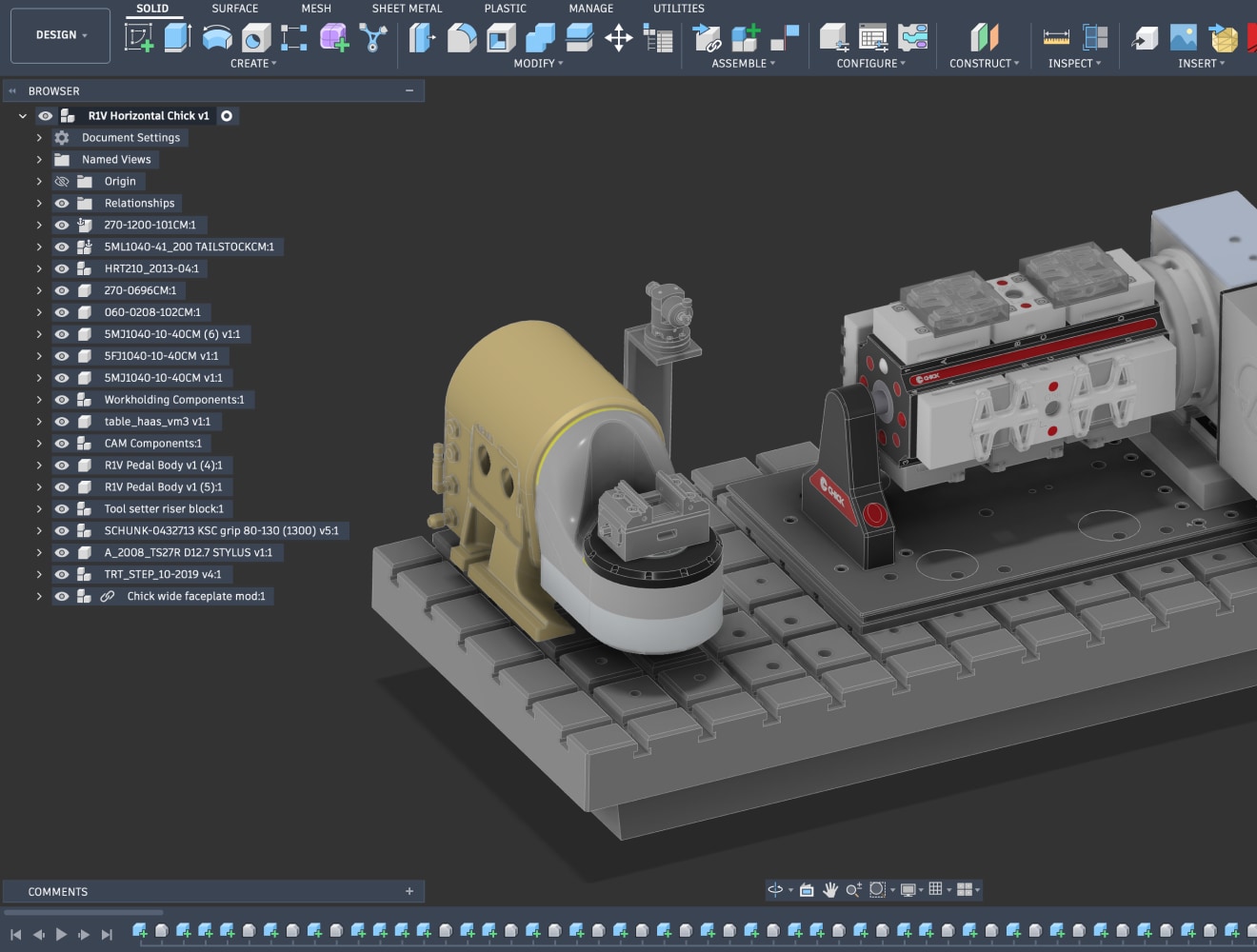
Connected CAD, streamlining manufacturing preparation

Prepare customer-supplied models for manufacturing, create fixture assemblies and custom work-holding, suppress unnecessary features, and generate manufacturing geometry.


Because CAD and CAM remain fully connected, design changes automatically update throughout the manufacturing workflow.


contract-manufacturing-advanced-CAM

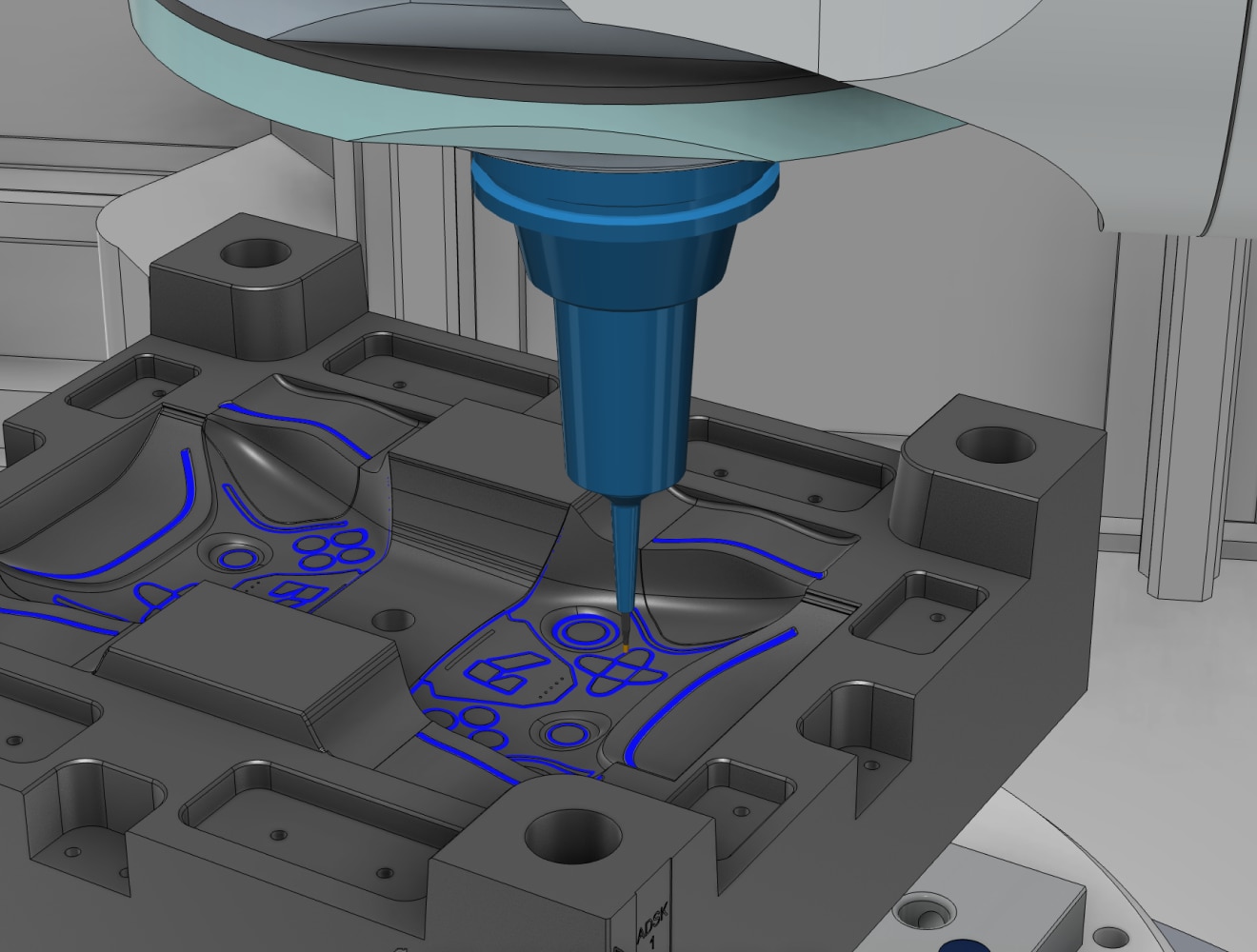
Advanced CAM for complex manufacturing

Take on increasingly complex work with advanced machining capabilities across 2D cutting, 2.5- to simultaneous 5-axis machining, turning, and mill-turn.


Fusion gives manufacturers the comprehensive CAM tools needed to take on more diverse work while maintaining quality, consistency, and throughput.


contract-manufacturing-automated-programming

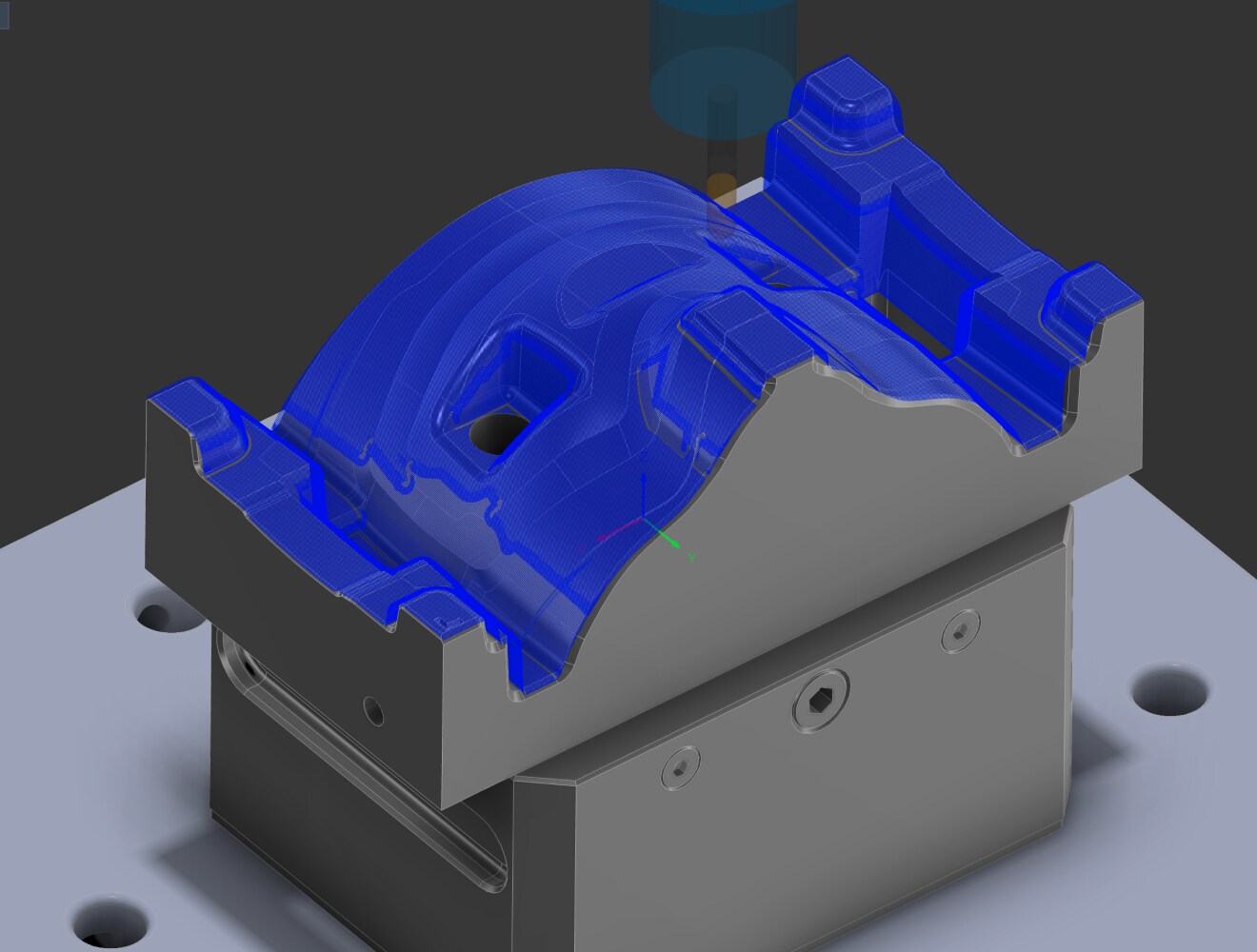
Automated programming, built for high-mix manufacturing

Reduce programming effort with intelligent automation built for high-mix manufacturing. Automated hole recognition, whole-part finishing strategies, and automated deburring help cut repetitive CAM work and manual post-machining processes.


Reuse proven strategies across similar jobs and accelerate workflows with Autodesk Assistant for AI-enabled productivity.


contract-manufacturing-process-validation

Validate operations and quality throughout production

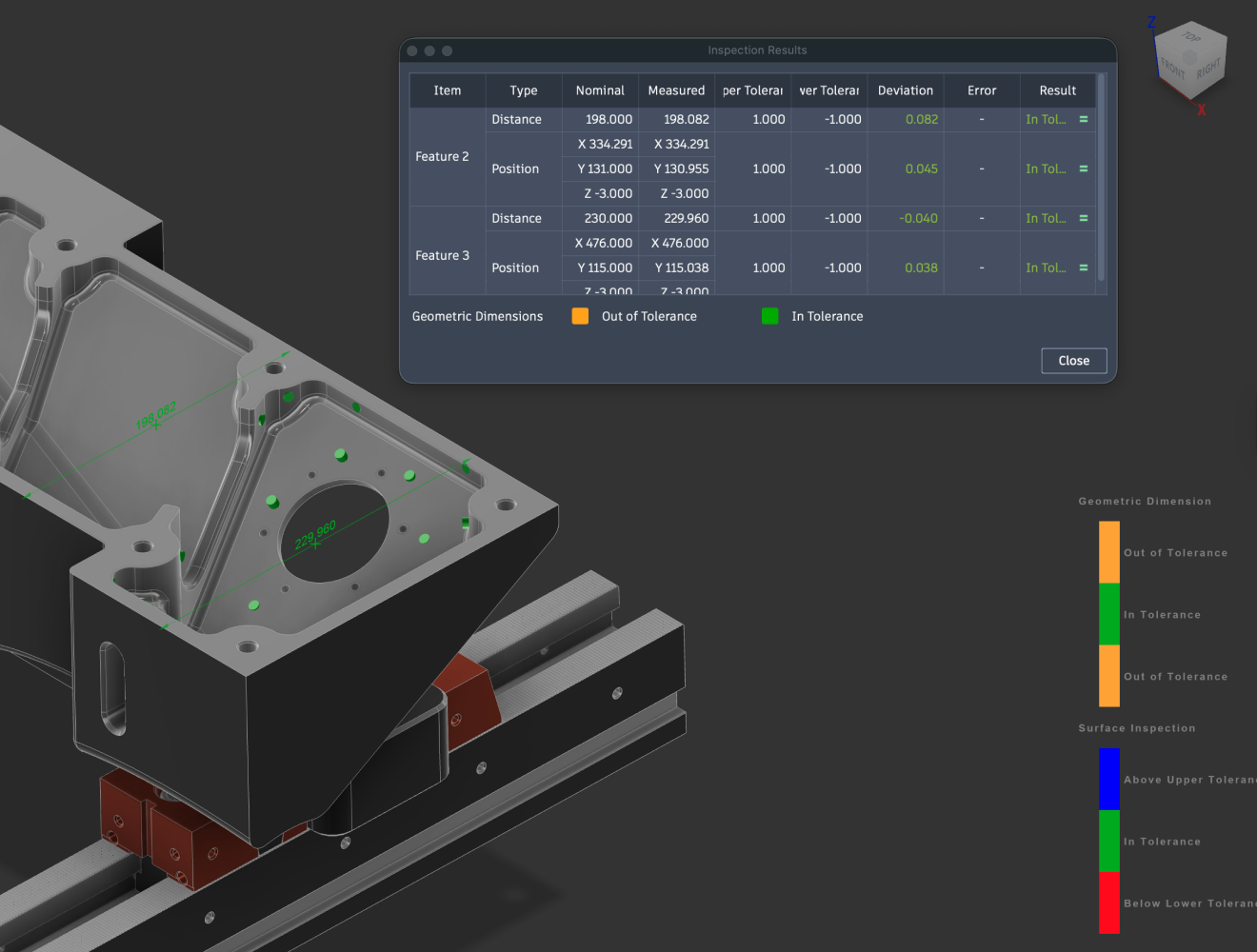
Validate toolpaths, machine motion, and setups before they reach the machine, helping programmers identify issues early and operators run jobs with confidence.


Maintain quality from setup through final inspection with on-machine probing routines that set work offsets, inspect critical features, and verify tolerances throughout production.


contract-manufacturing-manufacturing-libraries

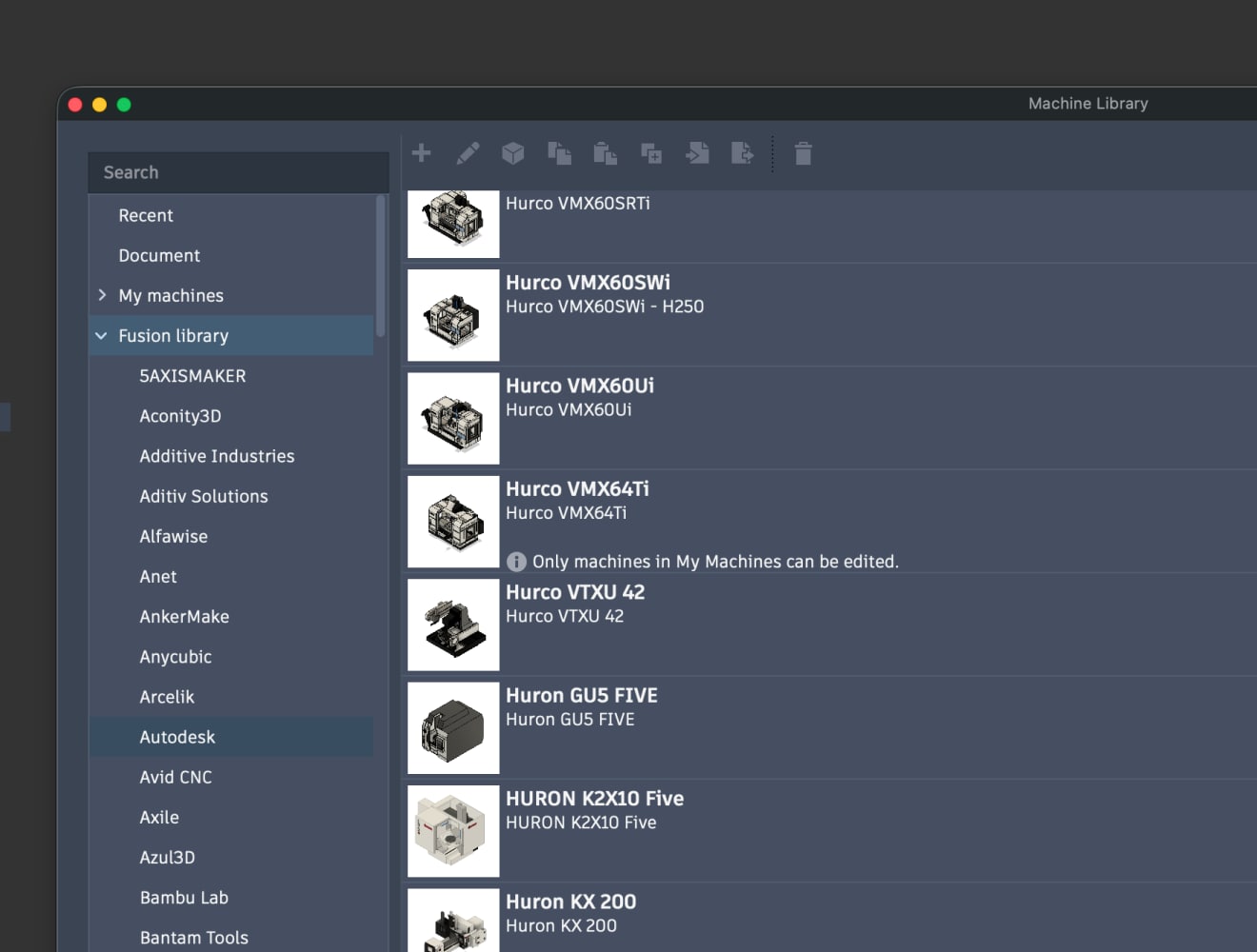
Manufacturing libraries that scale with your shop

Build reusable libraries of machines, tooling and fixtures that can be shared across jobs and teams.


Access free and editable post processors to support new machines, new customers, and new opportunities as your business grows.


On-demand webinars

smarter-manufacturing-3-axis-milling

Smarter manufacturing with 3-axis milling

Learn practical strategies to maximize 3-axis machining performance, reduce programming time, improve toolpaths, and increase shop productivity using Autodesk Fusion for Manufacturing.


work-smarter-with-tooling

Work smarter with tooling: faster, more accurate CAM

In this webinar, you will see how better tooling strategies and integrated tool libraries help optimize machining, reduce setup time, extend tool life, and improve consistency across every CNC job.


increase-quality-and-throughput

Increase quality and throughput

Explore how manufacturers improve quality and throughput by connecting data, workflows and teams to reduce inefficiency, increase machine utilisation and future-proof operations.


barrel-cutters-and-other-advanced-tooling

Barrel cutters and other advanced tooling

Explore advanced tooling capabilities to tackle complex machining challenges, optimize cutting performance, improve surface finish, and increase manufacturing efficiency across your shop.


See what Fusion can do for your shop

Explore connected CAD, advanced CAM, automated programming, and integrated production workflows designed for modern manufacturers.

Fill in the form and a Fusion expert will be in touch.

FAQs

Can Autodesk Fusion work with the CNC machines we already have?

Yes. Fusion works with a wide range of CNC machines through post-processing and supports common machining workflows like milling, turning, and multi-axis operations. Because it generates machine-ready G-code and integrates CAM directly with your design model, it’s built to fit into existing shop environments without requiring a full overhaul of your equipment stack.

How quickly can we go from CAD model to toolpaths using Autodesk Fusion?

Autodesk Fusion shortens the path from design to machining by seamlessly integrating CAD and CAM. Instead of exporting files between systems, toolpaths are generated directly from the model, which reduces setup time and removes translation errors. Give it a try, free for 30-days today.

Does Autodesk Fusion help reduce programming time for CNC jobs?

For most teams, yes. Fusion includes automated toolpath generation and strategies that help reduce repetitive programming work. Because changes to the design automatically update downstream manufacturing setups, programmers spend less time reworking jobs when designs change.

Can Autodesk Fusion help prevent costly machining errors?

Yes. Fusion includes simulation and verification capabilities so teams can visualize material removal, detect collisions, and validate setups before running a job. This helps catch issues early, before they become scrap, rework, or machine downtime.

How well does Autodesk Fusion handle complex parts vs. simple jobs? vs. on-prem?

Fusion can handle basic 2.5-axis work for prismatic parts, as well as more advanced 3D and multi-axis strategies for complex geometries. This flexibility helps contract manufacturers handling diverse part mixes. Try if free for 30-days.

Can we use Autodesk Fusion with our existing CAD files?

Yes. Fusion supports common file formats like STEP and IGES, making it easy to import customer designs or legacy files. This allows shops to work with the formats they already receive without forcing upstream changes.

How does Autodesk Fusion handle design changes mid-project?

Because CAD and CAM are linked in the same system, updates to a design automatically propagate to toolpaths and setups. This reduces the need to manually recreate machining strategies and helps maintain consistency across revisions.

How long does it take to get a team up and running with Autodesk Fusion?

Fusion is designed to be approachable compared to traditional systems. Its interface and integrated workflows reduce the number of systems users need to learn, which can shorten onboarding time. There are also a number of learning resources available to help you get started.

Can Autodesk Fusion help us move faster during quoting and RFQs?

Yes. Because you can simulate toolpaths and estimate machining processes directly from the model, Fusion helps teams more quickly assess manufacturability, estimate cycle times, and respond to RFQs with greater confidence.

Can Autodesk Fusion scale as our shop grows?

Yes. Fusion is designed to help smaller shops scale by supporting multiple manufacturing processes (CNC, additive, fabrication) in one solution. Teams can expand usage without migrating to an entirely new system as their capabilities evolve. See the flexible subscription options here

How can Autodesk Fusion help make us more competitive?

Fusion helps reduce setup time, improve throughput, and minimize errors, all of which contribute to faster turnaround and more consistent quality. Those improvements can translate into winning more work, especially when speed and reliability are the factors that can differentiate you most in the market. See flexible pricing options here

See more FAQ