& Construction

Integrated BIM tools, including Revit, AutoCAD, and Civil 3D
& Manufacturing

Professional CAD/CAM tools built on Inventor and AutoCAD
Enjoy unlimited access to your product for 1 year.
Support your short-term projects with powerful Autodesk products.
Save 33% over the monthly price with an annual subscription.
Available only if you buy direct with Autodesk.
Avoid a long-term commitment.
No-contract option.
Easily respond to temporary staffing increases.
Change to a 1-year or 3-year term anytime in Autodesk Account.
Access to 100+ Autodesk products at a daily rate without a subscription.
$99 is starting amount and token usage varies by product. Rates vary based on the product used.
Use tokens each day a product is open. Once you open a product you will be charged the daily rate. Close to stop addtional token usage.
Share tokens across users and manage usage in Autodesk Account.
Great for occasional use, to try a product, or unlock features from additional products.
Your Autodesk files, project data, and intellectual property are critical to your business. Help safeguard them with trusted cybersecurity protection from CrowdStrike.
CrowdStrike terms and conditions will apply. You will be redirected to the CrowdStrike website.
Flex has many benefits. Not only does it provide a low-commitment payment option for those that don’t need a monthly or annual subscription, it can also be used to unlock features from additional products that compliment existing subscriptions, without purchasing a new subscription.
Flex tokens unlock capabilities from other products.
Great for accomplishing a new task or workflow.
Stack with a subscription to unlock features from other products.
Common workflows to get started:
Unlock full AutoCAD to access 3D modeling when projects demand more.
Deliver BIM-ready work without a full Revit subscription.
Access Inventor Professional for projects that require parametric modeling.
Give your team access to Maya or 3ds Max during production peaks.
Great for team members or individuals who want to try a product or only need occasional access.
New lower price makes it easier to get your project started.
Switch to an annual or monthly subscription any time.
Common workflows to get started:
Create or revise professional CAD drawings in AutoCAD.
Turn scans into existing conditions with Revit and Recap Pro.
Turn CAD files into CNC-ready parts with Fusion.
Use Flex for these common industry projects, and many more. Access 100+ Autodesk products with Flex to mix and match your own solution.
AUTOCAD
Create or revise professional CAD drawings for a client, permit, bid or field project.
Create professional drawings
Clean up existing drawings
Revise drawings for delivery
Prepare client-ready files
Typical usage: 35 tokens for 5 days of AutoCAD.
RECAP PRO & REVIT
Turn captured site data into a usable point cloud and focused model of existing conditions.
Process reality-capture data
Create reusable point cloud
Build existing conditions
Start a Revit model
Typical usage: 34 tokens for 2 days of ReCap Pro paired with 3 days of Revit, up to 100 photos.
INVENTOR PROFESSIONAL
Turn a model into workshop-ready drawings, BOMs, and supplier files with Inventor Professional.
Update a mechanical model
Create manufacturing drawings
Add dimensions and BOMs
Prepare supplier deliverables
Typical usage: 40 tokens for 5 days of Inventor Professional.
MAYA
Model, rig, and animate a character using Al-based MotionMaker workflows in Maya.
Model your character
Create a character rig
Create character animation
Use Al-based MotionMaker
Typical usage: 60 tokens for 10 days of Maya.
Download a free trial to explore the full capabilities of our latest versions of 3D design software.
View, annotate, and share feedback for free across 85+ 2D and 3D file formats – no installation required.
Students can prepare for the jobs of tomorrow with free access to Autodesk software.
Start using cloud APIs for free to customize workflows and build solutions that fit your business.
Yes. Every Autodesk subscription can be billed monthly, annually, or on a 3-year term. Check out our plan options.
You can save over 30% a year by purchasing an annual subscription versus a monthly subscription.
Autodesk Flex lets you pre-purchase tokens to access any product available with Flex for a daily rate. Rates vary based on the product used. Flex is a great option for team members or individuals who want to try a product or only need occasional access. Learn more about Flex.
Go beyond 2D, only when you need to. Unlock full AutoCAD when projects demand more. Your AutoCAD LT subscription handles everyday drafting. When a project calls for 3D modeling or specialized toolsets like Architecture, Mechanical, or Electrical, use Flex tokens to unlock full AutoCAD for the day. No upgrade or purchase of a new AutoCAD subscription required. Pay for what you need. Access what you want.
Software subscriptions and Flex token combination: AutoCAD LT subscription with Flex tokens to access AutoCAD.
Workflow objective: Access 3D capabilities and industry-specific toolsets on a project-by-project basis without upgrading your subscription.
Who it benefits: Small architecture, engineering, and design firms that primarily work in 2D but occasionally need full AutoCAD power.
Recommended token amount:
Get started with 33 tokens.
Professionals tend to use 250 tokens per user per year for this use case.
For more information about using Flex tokens with subscriptions, check out this support article.
Additional Resources

Take on BIM projects without the overhead. Deliver BIM-ready work without a full Revit subscription. Use Flex tokens to access Revit when a project requires 3D building models, coordination, or BIM deliverables. Keep your AutoCAD LT (or Revit LT) subscription for daily work and scale into Revit only when the project calls for it.
Software subscriptions and Flex token combination: AutoCAD LT or AutoCAD Revit LT Suite subscription with Flex tokens to access full Revit.
Workflow objective: Access full Revit for BIM modeling, coordination, and deliverables on select projects without committing to a separate subscription.
Who it benefits: Small architecture, engineering, and construction firms that handle both traditional drafting and occasional BIM work.
Recommended token amount:
Get started with 33 tokens.
Professionals tend to use 200 tokens per user per year for this use case.
For more information about using Flex tokens with subscriptions, check out this support article.
Additional Resources
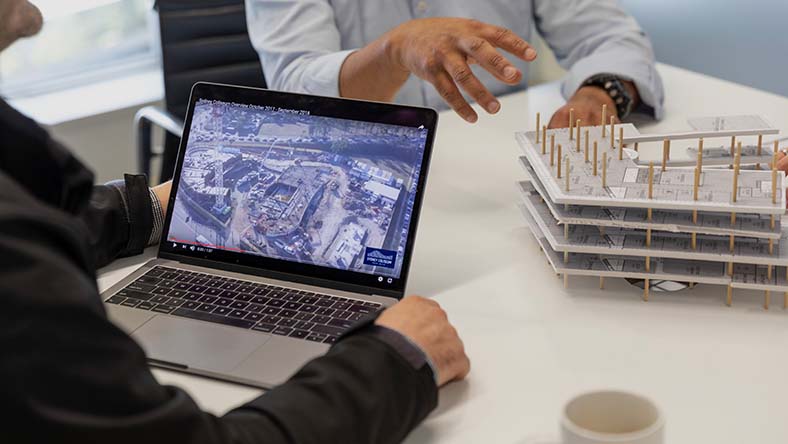
Step into full 3D mechanical design, project by project. Working in Fusion or AutoCAD and need parametric modeling, assembly management, or detailed part design? Use Flex tokens to access Inventor Professional for the projects that require it, then scale back when you're done. Access 3D mechanical design only when you need it.
Software subscriptions and Flex token combination: AutoCAD, Fusion, or Product Design and Manufacturing Collection subscription with Flex tokens to access Inventor Professional.
Workflow objective: Access full 3D mechanical design and parametric modeling capabilities on select projects without a separate Inventor subscription.
Who it benefits: Small manufacturing firms and product designers who primarily use Fusion or lighter tools but periodically need Inventor's depth.
Recommended token amount:
Get started with 33 tokens.
Professionals tend to use 200 tokens per user per year for this use case.
For more information about using Flex tokens with subscriptions, check out this support article.
Additional Resources
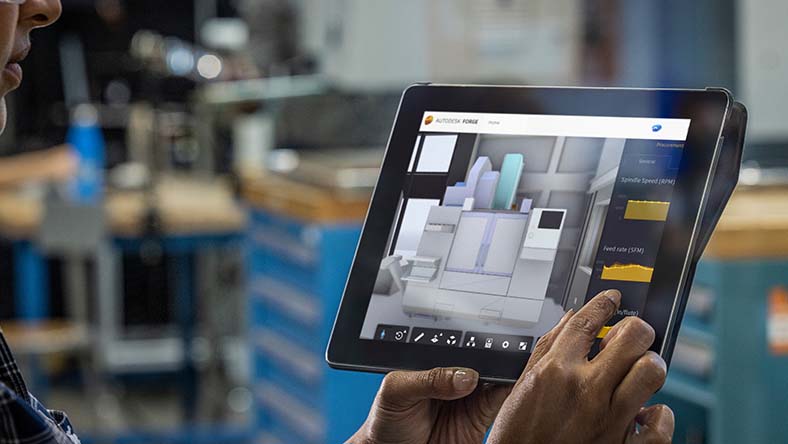
Advanced tools for the projects that need them. Already working in Fusion? Use Flex tokens to access extensions for advanced simulation, cloud rendering, generative design, and advanced CAM. Get the power you need for specific projects without committing to a permanent upgrade. Start with as few as 33 tokens for $99.
Software subscriptions and Flex token combination: Fusion subscription and Flex tokens to access Fusion Extensions for rendering.
Workflow objective: Run advanced simulations, generate photorealistic renders, and access specialized manufacturing tools on a per-project basis.
Who it benefits: Product designers and small manufacturers who need advanced capabilities on select projects but not every day.
Recommended token amount:
Get started with 33 tokens.
Professionals tend to use 33 tokens per user per year for this use case.
For more information about using Flex tokens with subscriptions, check out this support article.
Additional Resources
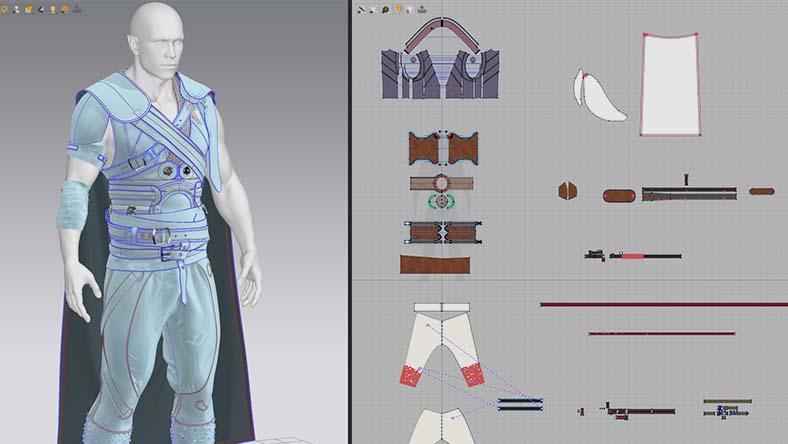
More artists. More tools. No long-term commitment. Scale your creative team during production peaks when production demands fluctuate. Use Flex tokens to give your team access to Maya, 3ds Max, or other creative tools during peak periods. Bring on freelancers, switch between tools, or access Arnold for rendering, and scale back when the project wraps.
Software subscriptions and Flex token combination: Maya or 3ds Max subscription and Flex tokens for additional Media & Entertainment tools or overflow access.
Workflow objective: Scale creative tool access up during production peaks and back down when projects wrap, without extra seats or long-term commitments.
Who it benefits: Studios, freelancers, and small M&E teams managing variable project demands and tight budgets.
Recommended token amount:
Get started with 33 tokens.
Professionals tend to use 275 tokens per user per year in Maya and 100 tokens per user per year for 3ds Max for this use case.
For more information about using Flex tokens with subscriptions, check out this support article.
Additional Resources
All product subscriptions come with included benefits and are offered at local pricing for your region. Upgrading to a Business Success Plan is approximately US $200 SRP for eligible offerings.
You can buy subscriptions online, through an Autodesk representative, or an Autodesk Partner.
There are five common workflows where Autodesk recommends individual professionals and teams combine Flex tokens with their software subscriptions to unlock productivity and value for their projects.
Use Case 1: Unlock Full AutoCAD When Projects Demand More
Going beyond 2D, only when you need to. Your AutoCAD LT subscription handles everyday drafting. When a project calls for 3D modeling or specialized toolsets like Architecture, Mechanical, or Electrical, use Flex tokens to unlock full AutoCAD for the day. No upgrade or purchase of a new AutoCAD subscription required. Pay for what you need. Access what you want.
Software subscriptions and Flex token combination: AutoCAD LT subscription with Flex tokens to access AutoCAD.
Workflow objective: Access 3D capabilities and industry-specific toolsets on a project-by-project basis without upgrading your subscription.
Who it benefits: Small architecture, engineering, and design firms that primarily work in 2D but occasionally need full AutoCAD power.
Recommended token amount:
Get started with 33 tokens.
Professionals tend to use 250 tokens per user per year for this use case.
Use Case 2: Deliver BIM-Ready Work Without a Full Revit Subscription
Take on BIM projects without the overhead. Use Flex tokens to access Revit when a project requires 3D building models, coordination, or BIM deliverables. Keep your AutoCAD LT (or Revit LT) subscription for daily work and scale into Revit only when the project calls for it.
Software subscriptions and Flex token combination: AutoCAD LT or AutoCAD Revit LT Suite subscription with Flex tokens to access full Revit.
Workflow objective: Access full Revit for BIM modeling, coordination, and deliverables on select projects without committing to a separate subscription.
Who it benefits: Small architecture, engineering, and construction firms that handle both traditional drafting and occasional BIM work.
Recommended token amount:
Get started with 33 tokens.
Professionals tend to use 200 tokens per user per year for this use case.
Use Case 3: Access 3D Mechanical Design When You Need It
Step into full 3D mechanical design, project by project. Working in Fusion or AutoCAD and need parametric modeling, assembly management, or detailed part design? Use Flex tokens to access Inventor Professional for the projects that require it, then scale back when you're done.
Software subscriptions and Flex token combination: AutoCAD, Fusion, or Product Design and Manufacturing Collection subscription with Flex tokens to access Inventor Professional.
Workflow objective: Access full 3D mechanical design and parametric modeling capabilities on select projects without a separate Inventor subscription.
Who it benefits: Small manufacturing firms and product designers who primarily use Fusion or lighter tools but periodically need Inventor's depth.
Recommended token amount:
Get started with 33 tokens.
Professionals tend to use 200 tokens per user per year for this use case.
Use Case 4: Level Up with Advanced Simulation, Rendering, and CAM
Advanced tools for the projects that need them. Already working in Fusion? Use Flex tokens to access extensions for simulation, cloud rendering, generative design, and advanced CAM. Get the power you need for specific projects without committing to a permanent upgrade. Start with as few as 33 tokens for $99.
Software subscriptions and Flex token combination: Fusion subscription and Flex tokens to access Fusion Extensions for rendering.
Workflow objective: Run advanced simulations, generate photorealistic renders, and access specialized manufacturing tools on a per-project basis.
Who it benefits: Product designers and small manufacturers who need advanced capabilities on select projects but not every day.
Recommended token amount:
Get started with 33 tokens.
Professionals tend to use 33 tokens per user per year for this use case.
Use Case 5: Scale Your Creative Team During Production Peaks
More artists. More tools. No long-term commitment. Production demands fluctuate. Use Flex tokens to give your team access to Maya, 3ds Max, or other creative tools during peak periods. Bring on freelancers, switch between tools, or access Arnold for rendering, and scale back when the project wraps.
Software subscriptions and Flex token combination: Maya or 3ds Max subscription and Flex tokens for additional Media & Entertainment tools or overflow access.
Workflow objective: Scale creative tool access up during production peaks and back down when projects wrap, without extra seats or long-term commitments.
Who it benefits: Studios, freelancers, and small M&E teams managing variable project demands and tight budgets.
Recommended token amount:
Get started with 33 tokens.
Professionals tend to use 275 tokens per user per year in Maya and 100 tokens per user per year for 3ds Max for this use case.
Additional Resources
You have one year from the purchase date to use your Flex tokens. Since Flex is a prepay model, tokens do not roll over, but you can purchase more at any time. Autodesk will notify you when your token balance is running low.
For products and services charged per day:
When a user opens and signs into an Autodesk product included with Flex, they will be charged a daily rate per product once every 24 hours. Users will not be charged for using multiple versions or reopening the product within the 24-hour period.
For example, Priscilla opens and signs into AutoCAD from 8 AM–5 PM on Monday. Her team is charged 7 tokens. She opens AutoCAD from 7 AM–5 PM on Tuesday. Her team is charged 7 tokens at 8 AM. She closes AutoCAD at 5 PM and does not open it again for the week. She will only be charged for two days of usage use.
For products and services charged per result:
Users will be charged a variable rate based on the type of result (for example, rendering an image in Revit).
View the rates for each product and service available with Flex.
Yes, admins can have users on a mix of subscriptions and Flex.
When a user is assigned to both subscriptions and Flex, subscriptions will be used before tokens. For example, if Priscilla is assigned to Flex and a subscription of AutoCAD, she will use her subscription when she accesses AutoCAD and will not use any tokens. If she accesses Revit without a subscription, she will use tokens.
You can pay with credit card, PayPal, direct debit, Apple Pay, Google Pay, pay by invoice, or pay by bank. Not all payment methods are available for all subscriptions. Contact us if you have a question about payment options.
To receive a full refund for a monthly subscription, you must return it within 15 days of the initial purchase or renewal date.
For a refund on annual or 3-year subscriptions, you must initiate the return within 30 days of the purchase or renewal date.
This policy applies only to purchases and renewals of subscriptions purchased directly from Autodesk or purchased through Cleverbridge on behalf of Autodesk. In addition, this policy doesn’t apply to any other products, services, or offerings. Examples of offerings to which the policy doesn’t apply include, but aren’t limited to, the following: consulting services, platform subscriptions, extra territory rights, cloud credits, mid-term switch, Pay as You Go, and membership or similar fees. Return policies for subscription and subscription renewal charges from third-party retailers or authorized Autodesk partners vary. Contact your seller directly for information about return policies.
Ask the Autodesk Assistant to request a refund.
For a refund on Flex token orders, you must initiate the return within 30 days of the purchase date.