Autodesk AI
AI in Media and Entertainment
AI in Media and Entertainment
More editability. More directability. More control.
The value of AI in Media & Entertainment
The value of AI in Media & Entertainment
Autodesk AI is built for artists who want to move faster without compromising their vision. Our tools are designed to accelerate production while keeping you in full control: editable, directable, and always aligned with your creative intent. Whether you're animating, compositing, or scheduling, Autodesk AI supports your process at every stage of media and entertainment production. And because trust matters, we’re transparent about how our AI is trained and how your data is used, so you can create with confidence.
Autodesk AI is built for artists who want to move faster without compromising their vision. Our tools are designed to accelerate production while keeping you in full control: editable, directable, and always aligned with your creative intent. Whether you're animating, compositing, or scheduling, Autodesk AI supports your process at every stage of media and entertainment production. And because trust matters, we’re transparent about how our AI is trained and how your data is used, so you can create with confidence.
Key Customer Outcomes
Accelerated workflows
Accelerated workflows
Speed up repetitive or technical tasks so artists can spend more time on creative decisions.
Speed up repetitive or technical tasks so artists can spend more time on creative decisions.
Creative control & customization
Creative control & customization
Maintain full artistic ownership with editable, non-destructive AI outputs that adapt to your style.
Maintain full artistic ownership with editable, non-destructive AI outputs that adapt to your style.
Scalable production for any team
Scalable production for any team
From indie creators to AAA studios, our AI tools scale to meet the needs of any production size or budget.
From indie creators to AAA studios, our AI tools scale to meet the needs of any production size or budget.
 At Boxel Studio, Freddy Chvez Olmos and Weverton Alves integrate Autodesk AI like Flow Studio in their pipeline.
Why Autodesk AI
Why Autodesk AI
At Autodesk, we believe AI should serve the artist, not the other way around. That’s why Autodesk AI is built on three core principles: creative control, workflow integration, and trusted transparency. Our tools are designed to fit seamlessly into your pipeline, adapt to your style, and respect your data. That’s why studios and creators around the world trust Autodesk to help them tell their stories.
At Autodesk, we believe AI should serve the artist, not the other way around. That’s why Autodesk AI is built on three core principles: creative control, workflow integration, and trusted transparency. Our tools are designed to fit seamlessly into your pipeline, adapt to your style, and respect your data. That’s why studios and creators around the world trust Autodesk to help them tell their stories.
Autodesk AI tools in Media & Entertainment
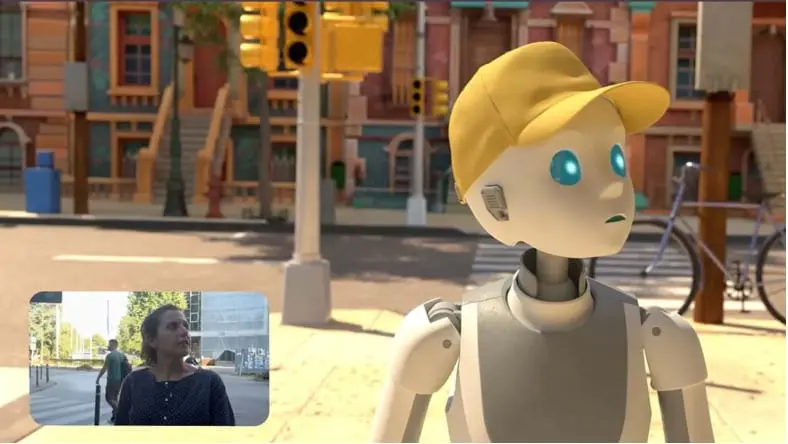
Flow Studio
Flow Studio
Transform live-action footage into editable CG scenes with Flow Studio's cloud-based, AI-powered 3D toolset. No complex setup required. Tell the stories you’ve always imagined with AI that’s fast, accessible, and fully in your control.
Transform live-action footage into editable CG scenes with Flow Studio's cloud-based, AI-powered 3D toolset. No complex setup required. Tell the stories you’ve always imagined with AI that’s fast, accessible, and fully in your control.
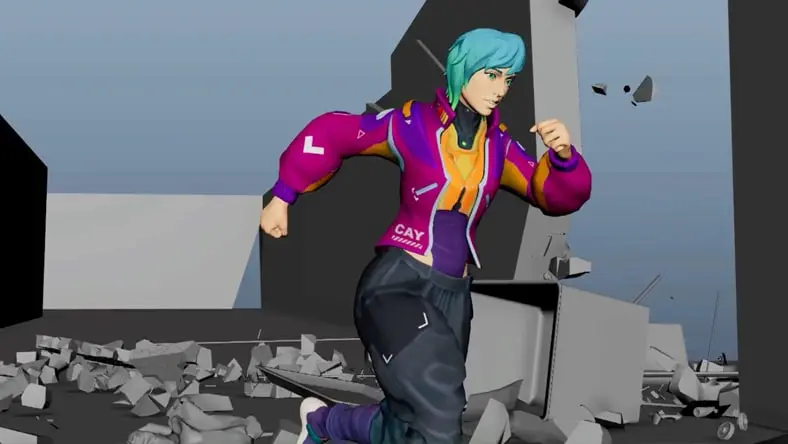
MotionMaker
MotionMaker
Focus on performance and story refinement. MotionMaker blends keyframing, motion capture, and machine learning to quickly generate motion and give you a strong starting point, whether it’s for background characters or a hero shot.
Focus on performance and story refinement. MotionMaker blends keyframing, motion capture, and machine learning to quickly generate motion and give you a strong starting point, whether it’s for background characters or a hero shot.
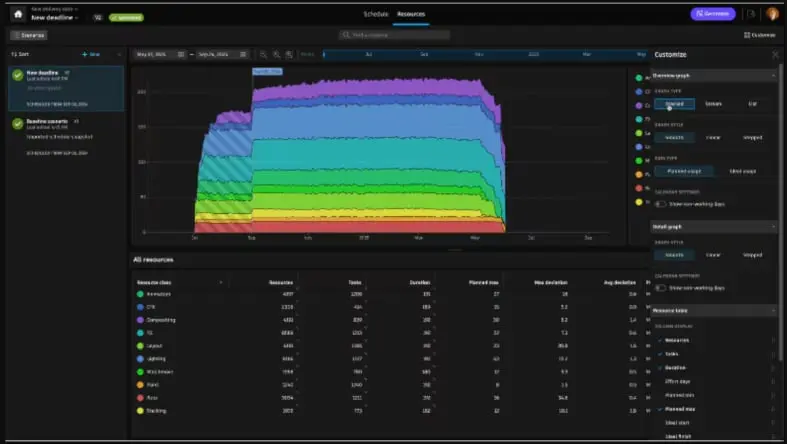
Flow Generative Scheduling
Flow Generative Scheduling
Optimize production timelines with AI that analyzes dependencies, resource availability, and creative priorities. Flow Generative Scheduling helps producers and coordinators make smarter, faster decisions.
Optimize production timelines with AI that analyzes dependencies, resource availability, and creative priorities. Flow Generative Scheduling helps producers and coordinators make smarter, faster decisions.
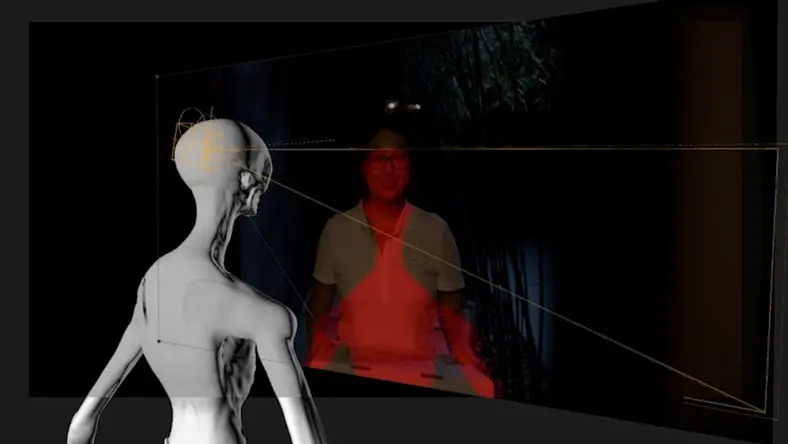
AI-Powered Toolset
AI-Powered Toolset
Generate 3D point clouds to position objects in a scene, create additional frames for slow-motion shots, and more with nearly a dozen of AI-powered VFX and finishing tools in Flame.
Generate 3D point clouds to position objects in a scene, create additional frames for slow-motion shots, and more with nearly a dozen of AI-powered VFX and finishing tools in Flame.
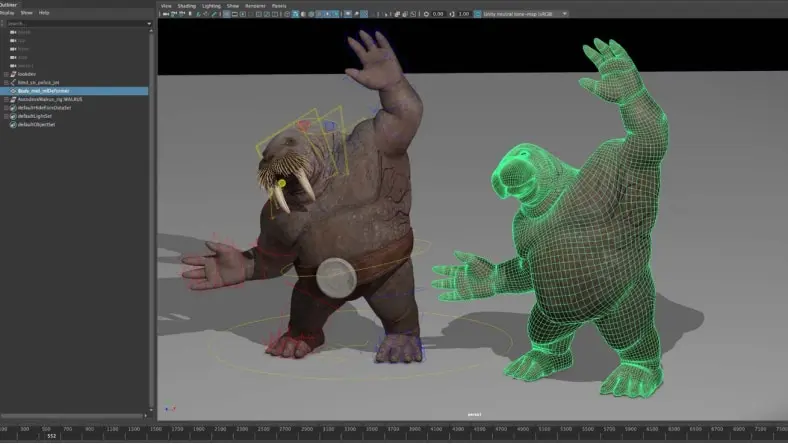
Machine Learning Deformer
Machine Learning Deformer
Approximate complex character deformation with something fast and interactive. Reduce manual weight painting and speed up character setup.
Approximate complex character deformation with something fast and interactive. Reduce manual weight painting and speed up character setup.
How are studios using Autodesk AI today?
How are studios using Autodesk AI today?
Projects like Phantom Sky, a 90-second short, would traditionally take months for a team of artists to complete. With MotionMaker in Maya, Eddie Chew (founder of Griffin Animation Studios) brought multiple characters to life in just six weeks. That shift gave him more time to focus on what matters most: performance, polish, and storytelling. MotionMaker creates a new balance between efficiency and creativity, making it possible to take on more ambitious client projects without sacrificing detail.
Projects like Phantom Sky, a 90-second short, would traditionally take months for a team of artists to complete. With MotionMaker in Maya, Eddie Chew (founder of Griffin Animation Studios) brought multiple characters to life in just six weeks. That shift gave him more time to focus on what matters most: performance, polish, and storytelling. MotionMaker creates a new balance between efficiency and creativity, making it possible to take on more ambitious client projects without sacrificing detail.
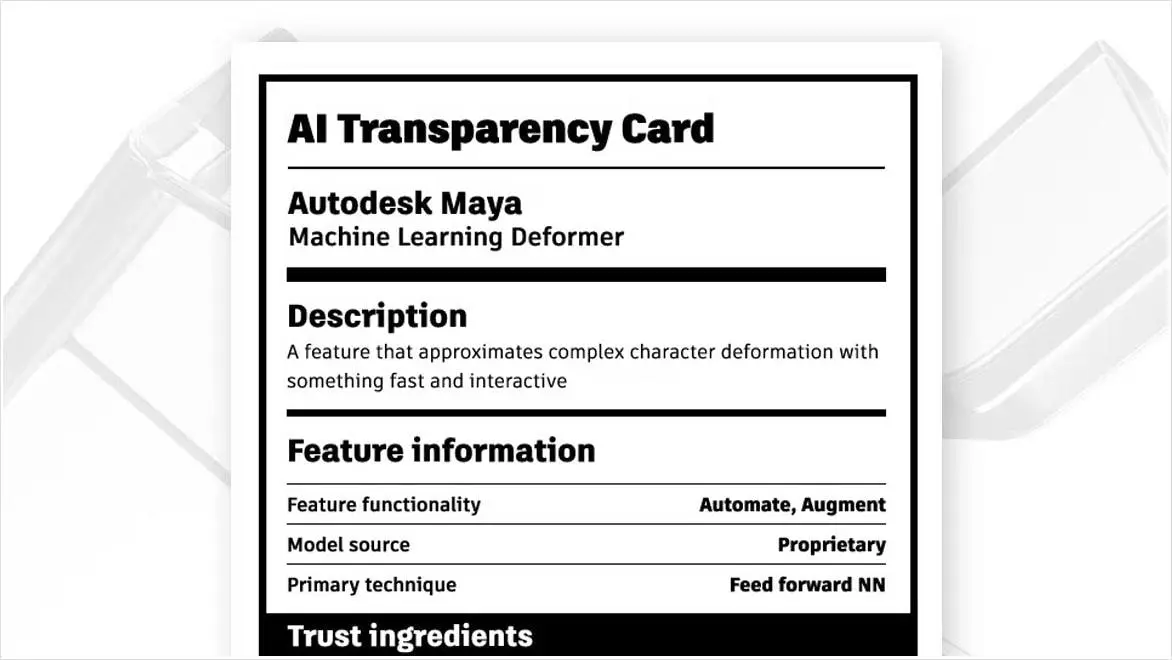
Responsible AI that elevates creative expression
Responsible AI that elevates creative expression
We partner closely with studios, artists, and technologists to ensure our AI tools are transparent, secure, and shaped by the people who use them.
We partner closely with studios, artists, and technologists to ensure our AI tools are transparent, secure, and shaped by the people who use them.
What do Media & Entertainment leaders really think about AI?
What do Media & Entertainment leaders really think about AI?
Discover how AI is empowering artists, streamlining production, and redefining the future of creative work. Industry leaders share why AI is no longer optional - it's essential for boosting innovation, automating tedious tasks, and staying competitive. Download the report to explore exclusive insights, hiring trends, and how top companies are preparing for the next chapter in storytelling with AI.
Discover how AI is empowering artists, streamlining production, and redefining the future of creative work. Industry leaders share why AI is no longer optional - it's essential for boosting innovation, automating tedious tasks, and staying competitive. Download the report to explore exclusive insights, hiring trends, and how top companies are preparing for the next chapter in storytelling with AI.

NEW OFFER - Flex now starting at $99
Autodesk Flex lets you prepay with tokens for flexible access to 100+ Autodesk products for a daily rate. Rates vary based on the product used. Flex is a great option for team members or solopreneurs who want to explore a product or only need project-based access. Combine Flex tokens with Autodesk products on select projects to:
Access 3D capabilities, BIM modeling and industry-specific toolsets.
Run advanced simulations, generate photorealistic renders, and access specialized manufacturing tools.
Scale software access up during production peaks without extra seats or long-term commitments.
Featured Products
Do it all with the M&E Collection
Get Flow Studio, Maya, and more AI-powered tools in a single, cost-efficient purchase.
Get Flow Studio, Maya, and more AI-powered tools in a single, cost-efficient purchase.
Frequently Asked Questions (FAQ)
What Autodesk AI capabilities are currently available in Flow Studio?
Flow Studio provides a wide range of AI-powered tools designed to speed up your creative process. Key features include: markerless motion capture, Video-to-3D Scene technology, and automatic generation of essential elements like camera tracking, clean plates, alpha masks, and character passes. Everything is export-ready for your preferred 3D tools—like Maya, Blender, or Unreal—so you can easily refine and build on your work with full creative control. Learn more here.
What Autodesk AI capabilities are currently available in Maya?
Autodesk AI features like MotionMaker and the Machine Learning (ML) Deformer are available in Maya. MotionMaker generates character motion from just a few keyframes or a motion path, significantly speeding up animation workflows. The ML Deformer approximates complex character deformation in a way that is fast and interactive. Both tools automate repetitive tasks, allowing artists to stay focused on the creative process. Learn more here.
What Autodesk AI capabilities are currently available in Flame?
Autodesk Flame includes a growing list of AI-powered features to reduce manual effort and increase overall efficiency in visual effects and finishing. Current features include:
Camera Analysis: Generates 3D point clouds from 2D camera sequences to position objects in a scene, apply masks, and color grade.
Human Body Semantic Keyer: Isolates the human body in a moving video and extracts a matte for compositing purposes.
Human Face Semantic Keyer: Detects and automatically isolates various parts of the human face, isolates the human head in a moving video, and extracts a matte for compositing purposes.
ML Depth: Analyzes an image and computes a depth data pass to ease workflows, such as matte isolation for color grading based on camera depth.
ML Morph: Solves tricky jump cut edits by morphing frames together or blending effects.
ML Timewarp: Automatically creates additional frames for slow-motion shots.
ML Upscale: Augments the resolution and quality of video sequences for archive restoration, pan and scan, and content delivery.
Salient Keyer: Detects an object within a bounding box in a moving video and extracts a matte for compositing purposes.
Sky Extraction Keyer: Detects and automatically isolates skies in a moving video and extracts a matte for compositing purposes.
Learn more here.