VFX AI

AI VFX with Autodesk Flow Studio

Create cinematic visual effects faster with AI-powered workflows.

Flow Studio overview (video: 1:08 min.)

Introducing AI VFX in Flow Studio

Autodesk Flow Studio brings the power of AI to VFX creation, making complex workflows simple, fast, and accessible. Whether you’re a studio producing high-end sequences or an indie creator making content for social media, Flow Studio helps you deliver stunning results without expensive gear or complicated setups.

Flow Studio uses AI to automate time-consuming VFX tasks like motion tracking, compositing, and scene generation. Upload your footage, and Flow Studio identifies actors, applies motion to CG characters, and generates editable VFX elements for seamless integration into your pipeline.

Flow Studio’s AI VFX features

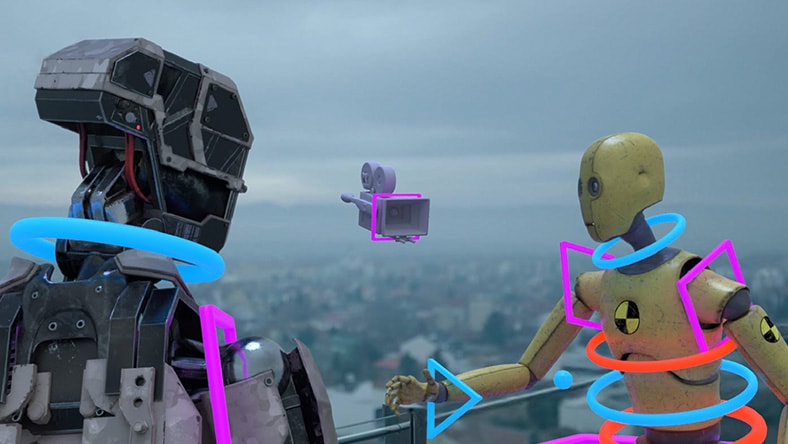
Two robots interacting with a floating camera, highlighted by neon shapes, overlooking a cityscape.

Streamlined markerless workflows for effortless motion capture

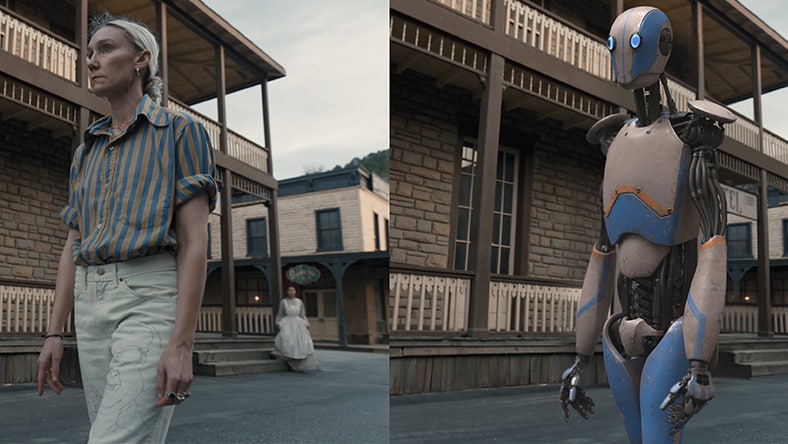
Capture motion from standard video without suits, markers, or green screens.


Side-by-side view of a person and a humanoid robot standing on a street in front of old-style wooden buildings.

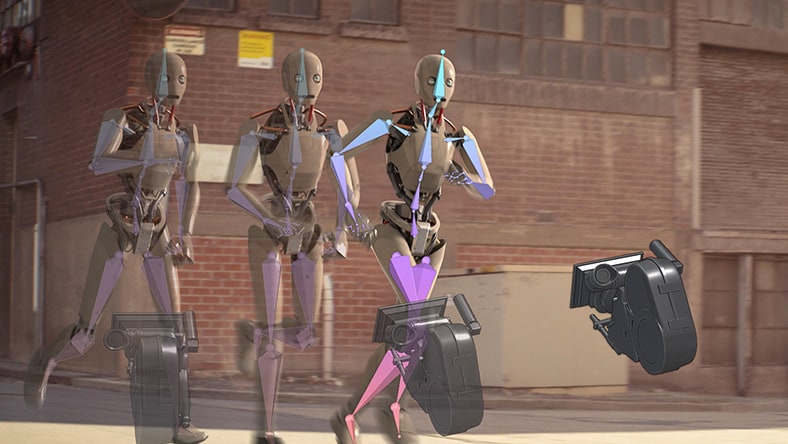
Realistic movement without manual keyframing

Generate motion capture, camera tracking, and compositing in a fraction of the time.


Three humanoid robots running on a street with mechanical parts and neon highlights.

Editable exports for complete creative control

Access mocap data, clean plates, alpha masks, and camera tracking for refinement.


Cartoon-style robot wearing a yellow cap standing on a sunny city street near a bicycle.

Cloud-based processing for speed and collaboration

Accelerate turnaround times and enable remote teamwork with secure cloud tools.


Benefits of using Flow Studio for your AI VFX workflows

Integrates seamlessly with your existing pipeline

Export in USD and FBX for Maya, Blender, Unreal Engine, and 3ds Max.


Cuts production time and reduces costs significantly

Eliminate traditional bottlenecks with AI-powered automation and cloud workflows.


Scales easily for projects of any size

Flexible plans for individuals, small teams, indie studios, and enterprise studios.


Empowers creators with intuitive, accessible tools

No specialized hardware or equipment required, just upload and start creating stunning VFX.


Flow Studio’s pricing tiers

Whether you're an independent creator or a team of VFX pros, find the perfect plan for your next creative project—big or small. Flow Studio is also included in the M&E Collection, along with Maya, 3ds Max, Arnold, Golaem, and more.

Outdoor living room setup with sofa, chandelier, rug, lamp, TV, and radio on grass.

Free

For curious creators exploring AI-powered VFX. No credit card required.

  • 300 Credits/Month
  • Max Export Resolution 720p
  • 1GB Storage Space
  • 100MB Max Video Upload Size
  • 3 Custom Character Uploads
  • 1 Person Motion Capture


FREE

Humanoid robot floating underwater with light rays above.

Lite

For creators ready to unlock advanced AI features and bring projects to life with greater flexibility.

  • 2100 Credits/Month
  • Max Export Resolution 1080p
  • 5GB Storage Space
  • 250MB Max Video Upload Size
  • 6 Custom Character Uploads
  • 2 Person Motion Capture


/month

Animated character at desk with laptop and humanoid robot behind.

Standard

For creators and small teams needing more export options and rapid prototyping - prove value fast and scale with confidence.

  • 6000 Credits/Month
  • Max Export Resolution 4K
  • 20GB Storage Space
  • 500MB Max Video Upload Size
  • 15 Custom Character Uploads
  • 3 Person Motion Capture


/month

Split-screen of a person and animated character with hands raised.

Pro

For large teams producing at scale - unlock all features to support complex, production-ready projects.

  • 12,000 Credits/Month
  • Max Export Resolution 4K
  • 80GB Storage Space
  • 2,000MB Max Video Upload Size
  • 50 Custom Character Uploads
  • 4 Person Motion Capture


/month


Contact us to explore our Enterprise tier.

Start creating with AI-powered VFX today.

AI VFX use cases for Flow Studio

For technical professional creators

Freelance VFX artists, Unreal Engine users, and 3D generalists can speed up tedious tasks like rotoscoping and motion tracking. Flow Studio integrates with Maya, Blender, and Unreal Engine for seamless pipeline compatibility, assisting with tasks to meet tight deadlines.

For content creators

Emerging filmmakers, influencers, and social media creators can elevate storytelling with accessible cinematic visuals. Flow Studio lowers the barrier to entry with easy-to-use AI tools, fast previz for pitching, and workflows that fit naturally alongside Premiere and After Effects - ideal for YouTube, TikTok, and episodic content.


For indie game developers and virtual production specialists

Accelerate character animation and game or scene prototyping without expensive mocap suits or render farms. Flow Studio’s automation and cloud scalability make it a cost-effective solution for small teams.


For digital and marketing teams

Produce high-quality VFX for campaigns and advertisements quickly, even with limited resources. Flow Studio empowers creative teams to deliver studio-grade visuals without technical complexity.


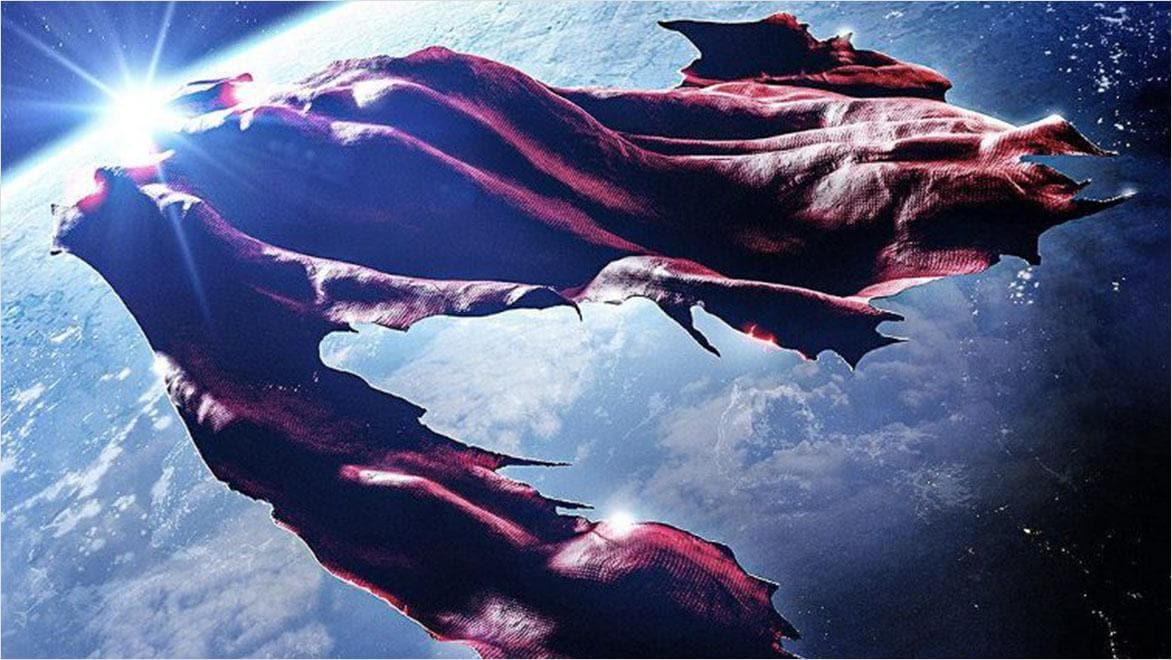
Tattered Superman cape floating in space above Earth with the Superman & Lois logo

How Boxel Studio used Flow Studio for Superman & Lois

Boxel Studio took on the challenge of delivering high-end visuals for Superman & Lois with less time and a smaller budget than the previous season. By bringing AI-powered Autodesk Flow Studio’s AI-powered tools into their pipeline, they transformed live-action footage into editable CG scenes — showing that even with fewer resources, they can tell the best stories imaginable.

Person on a swing ride at an amusement park with another rider in the background under a cloudy sky.

Flow Studio is free for students and educators

Students and educators can get free access to all features in Flow Studio’s Lite tier. You’ll have AI-powered motion capture and USD scene export (normally unavailable in the Standard tier), automated export elements like camera tracking, clean plates, alpha masks and more – ready to refine in Maya, 3ds Max (via USD), or your tool of choice.

Frequently asked questions about Flow Studio

What is Flow Studio?

Autodesk Flow Studio is AI-powered software for creating VFX and animation and motion capture without specialized hardware.

Do I need a motion capture suit or green screen?

No, Flow Studio uses markerless AI technology, so you can capture motion from regular video footage.

What file formats are supported?

Flow Studio supports MP4 export for video, and USD and FBX exports for 3D compatibility with standard DCC tools like Maya, Blender, Unreal Engine, and 3ds Max.

Can I edit VFX elements after export?

Yes, all elements are fully editable in your preferred DCC (digital content creation) tools.

What’s included in the Flow Studio Free plan?

The Free tier gives you basic AI VFX tools, limited exports, and introductory cloud processing - perfect for testing workflows.

Which Flow Studio plan is best for social media creators?

The Lite plan is ideal for indie content creators producing short-form content for platforms like TikTok, Instagram, and YouTube.

How does Flow Studio help professional studios?

Studios use Flow Studio for rapid previsualization, proof-of-concept development, and scalable VFX production without costly setups.

What is Autodesk doing to ensure the responsible and ethical use of AI and Machine Learning (ML)?

Autodesk is committed to responsible and ethical AI and ML capabilities from design to development, and beyond, including continuous monitoring and review after becoming available to our users.


To that end, we’ve created a Trusted AI program to govern and oversee our development and use of AI. Learn more by visiting the Autodesk Trust Center and read about what Autodesk is doing to build your trust, secure and protect your assets, respond to security incidents, and more.

How is my data being used by Autodesk?

At Autodesk, we’re committed to using AI responsibly, ethically, and securely. We have strong governance in place to protect your personal and content data every step of the way. Want to learn more? Check out section 8.5 of the Autodesk Terms of Use, and Autodesk Trust Center to learn about our Trusted AI program.

See more FAQ