Frequently Asked Questions
Revit subscriptions and license information
Revit subscriptions and license information
With a Revit subscription, you can design and visualize buildings and infrastructure in 3D with precision, collaborate seamlessly across project teams, and stay up-to-date with the latest Revit versions and features.
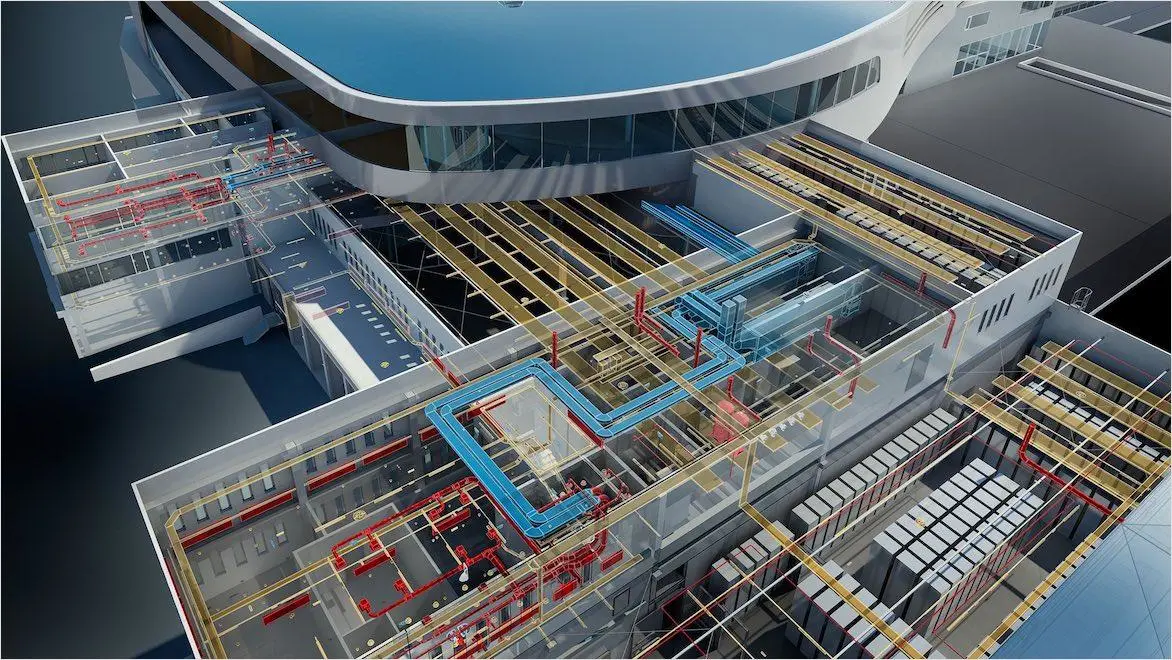
Image courtesy of Botswana Innovation Hub - SHoP Architects
 Subscription plans allow teams of any size to access the latest version Revit. Image courtesy of BNIM.
Where can I buy or subscribe to Revit?
Where can I buy or subscribe to Revit?
An Autodesk Revit subscription is a flexible way to access the latest version with lower upfront costs and the option to pay monthly or annually. Individuals and smaller teams can buy a standard subscription online. Medium to extra-large teams can purchase premium and enterprise plans by contacting Autodesk or authorized resellers.
When purchasing Revit, you can select a plan and subscription duration that aligns with your requirements. Choose the Flex option, where you pay on a usage basis, or explore financing alternatives that offer additional payment flexibility for eligible businesses. Effortlessly handle your subscription details within your Autodesk Account and discover potential cost savings when you renew.
An Autodesk Revit subscription is a flexible way to access the latest version with lower upfront costs and the option to pay monthly or annually. Individuals and smaller teams can buy a standard subscription online. Medium to extra-large teams can purchase premium and enterprise plans by contacting Autodesk or authorized resellers.
When purchasing Revit, you can select a plan and subscription duration that aligns with your requirements. Choose the Flex option, where you pay on a usage basis, or explore financing alternatives that offer additional payment flexibility for eligible businesses. Effortlessly handle your subscription details within your Autodesk Account and discover potential cost savings when you renew.
How much does a Revit subscription cost?
How much does a Revit subscription cost?
A standard Autodesk Revit subscription costs $380 monthly, $3,005 annually, or $9,020 for a 3-year term. Medium, large, and extra-large teams can contact Autodesk or an authorized reseller to explore subscription options.
Revit can also be purchased in the Autodesk AEC Collection. The AEC Collection integrates BIM and CAD tools like Revit, Civil 3D, and AutoCAD with a cloud-based data environment. It unlocks workflows for designers, engineers, and contractors, and costs $380 monthly, $3,005 annually, or $9,020 for a 3-year term.
A standard Autodesk Revit subscription costs $380 monthly, $3,005 annually, or $9,020 for a 3-year term. Medium, large, and extra-large teams can contact Autodesk or an authorized reseller to explore subscription options.
Revit can also be purchased in the Autodesk AEC Collection. The AEC Collection integrates BIM and CAD tools like Revit, Civil 3D, and AutoCAD with a cloud-based data environment. It unlocks workflows for designers, engineers, and contractors, and costs $380 monthly, $3,005 annually, or $9,020 for a 3-year term.
What are the benefits of a Revit subscription?
Latest updates and versions
Latest updates and versions
Revit subscribers can access the latest versions and incremental updates immediately upon release, ensuring they consistently are working with cutting-edge tools and features. Revit subscribers receive notifications about available product updates through the Autodesk Access app or the Check for Updates function in the Revit help menu. Users can also download updates directly from their Autodesk account portal. Keeping Revit updated is crucial for accessing new features, enhancing performance and stability, and addressing security vulnerabilities, ensuring an optimal user experience.
Revit subscribers can access the latest versions and incremental updates immediately upon release, ensuring they consistently are working with cutting-edge tools and features. Revit subscribers receive notifications about available product updates through the Autodesk Access app or the Check for Updates function in the Revit help menu. Users can also download updates directly from their Autodesk account portal. Keeping Revit updated is crucial for accessing new features, enhancing performance and stability, and addressing security vulnerabilities, ensuring an optimal user experience.
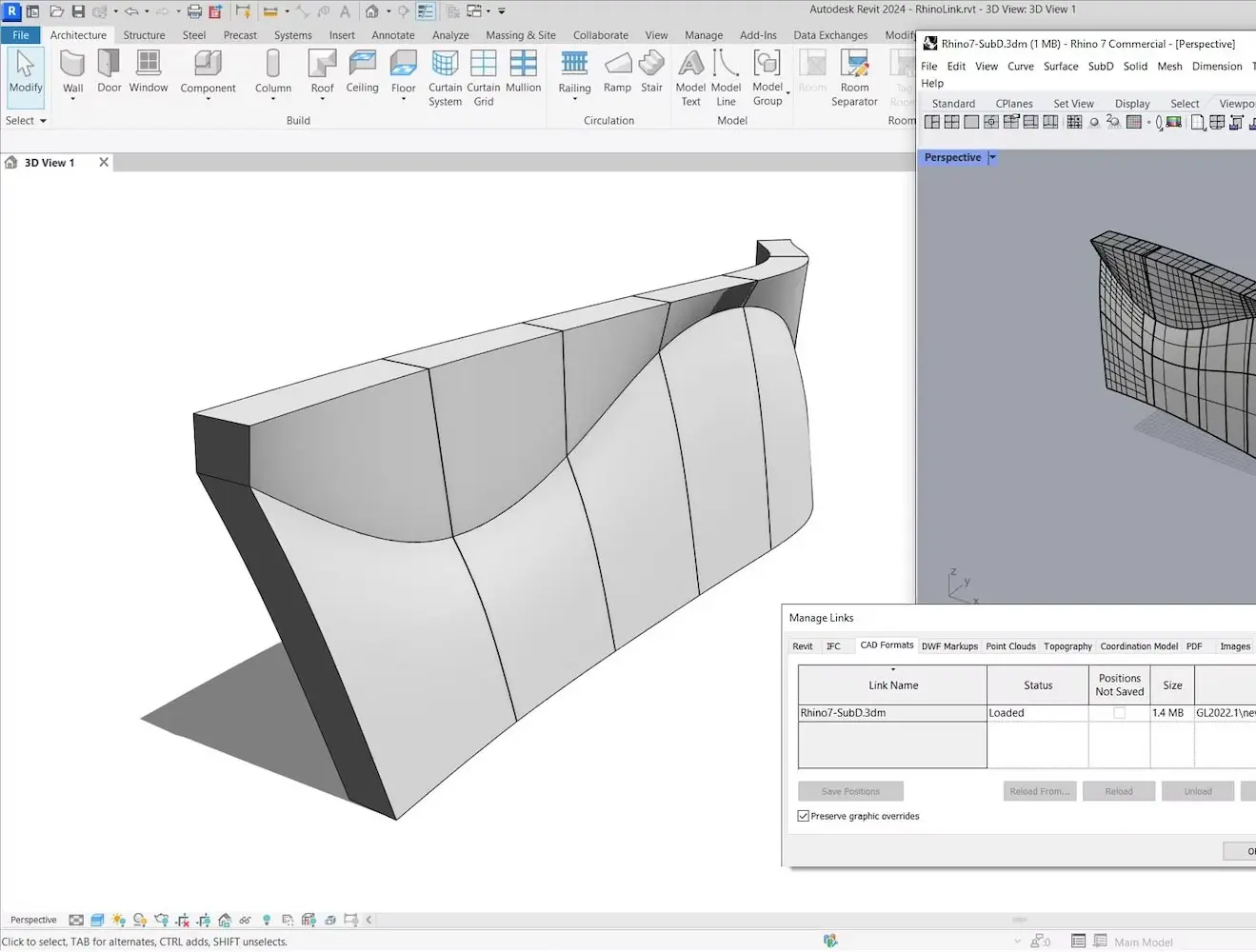
Subscribe to Revit software
Unlock educational access to Autodesk software
Unlock educational access to Autodesk software
Autodesk is committed to helping educate tomorrow's leaders. Get free access to our entire portfolio of products with the Autodesk Education plan.
Autodesk Payment Options
Purchase Autodesk products your way via our store, sales team and authorized partners. Choose between monthly, annual and 3-year subscriptions. Alternatively, check out our flexible payment scheme, for consumption-based software access that allows you to use any product whenever you need to on a pay-as-you-go basis.
Purchase Autodesk products your way via our store, sales team and authorized partners. Choose between monthly, annual and 3-year subscriptions. Alternatively, check out our flexible payment scheme, for consumption-based software access that allows you to use any product whenever you need to on a pay-as-you-go basis.
Ways to buy
We make it easy for you to buy an Autodesk subscription by offering three options: buy online, buy with our expert sales team, or buy with an authorized partner. All purchases are secure and come with our money-back guarantee.
We make it easy for you to buy an Autodesk subscription by offering three options: buy online, buy with our expert sales team, or buy with an authorized partner. All purchases are secure and come with our money-back guarantee.
Autodesk subscription plans at a glance
Select a subscription plan that best fits your individual or company needs. Each plan has a different level of security, reporting, automation, and support features.
Select a subscription plan that best fits your individual or company needs. Each plan has a different level of security, reporting, automation, and support features.
Pay as you go with Flex
Autodesk Flex is the perfect solution for occasional use and special projects. Purchase Flex tokens to access eligible products for a 24-hour period and explore new design products without committing to a long-term contract.
Autodesk Flex is the perfect solution for occasional use and special projects. Purchase Flex tokens to access eligible products for a 24-hour period and explore new design products without committing to a long-term contract.
Frequently asked questions (FAQ) about Revit subscription and pricing
What does a Revit subscription include?
A Revit subscription gives you access to Autodesk’s BIM (Building Information Modeling) software on a monthly, annual, or 3 year basis. With a subscription, you can install and use Revit, receive product updates, access previous versions, and use Autodesk cloud services and support. Revit helps you plan, design, and coordinate buildings using a model-based approach that improves accuracy and project collaboration.
Does Revit require a subscription or license?
Yes. Revit requires a subscription to install and use the software. Each subscription is assigned to a named user through an Autodesk account. Once assigned, the user can sign in to Revit and access the software and related services. Autodesk no longer sells perpetual licenses for Revit. All new access is provided through subscription.
Is Revit a monthly subscription?
Yes. Revit is available as a monthly subscription, as well as annual and 3-year plans. The monthly option provides flexibility for short-term projects or temporary staffing needs. Annual and 3-year subscriptions are typically used for ongoing work and longer-term planning. You can manage or turn off automatic renewal at any time in your Autodesk account.
What types of Revit subscriptions are available?
Revit is available through several subscription options depending on your needs. You can choose:
Monthly, annual, or 3-year subscriptions for individuals and teams
for occasional use
Revit is also included in the AEC Collection, which provides access to additional tools such as AutoCAD and Civil 3D.
Are there different tiers or types of Revit subscriptions available?
Four different types of Revit subscriptions are available: Standard, Premium, Enterprise, and Education. The Standard plan is included with every Revit subscription and can be purchased on a monthly, annual, or 3-year basis. The Premium plan is prepaid and available on either a 1-year or 3-year term. The Enterprise plan is designed for larger organizations and offers features like single sign-on (SSO) and product usage reporting with user-level details. The Education plan is available to students, educators, and academic institutions and provides access to the same features as the Standard plan.
Autodesk Flex offers a pay-as-you-go option allowing users to pre-purchase tokens at varying increments for daily access to any eligible product, making it an ideal choice for individuals or team members seeking occasional or trial access.
Revit LT is a more cost-effective BIM solution that emphasizes architectural design and documentation. It offers many of the same capabilities as Revit, but doesn’t include worksharing, energy analysis capabilities, in-product rendering, MEP and structural modeling, or extensive customization.
Can you use Revit with Autodesk Flex?
Yes. You can access Revit using Autodesk Flex. Flex is a pay-as-you-go option where you purchase tokens and use them for 24-hour access to supported Autodesk products. Flex is a good option if you need Revit occasionally or for specific tasks, while a full subscription is better for regular use.
What is the price of Revit 2026, 2025, or 2024?
The price of an annual Revit subscription is $3,005/year for 1 user (pay annually) and the price of a monthly Revit subscription is $380/month. Only the newest version of Revit is available for download. Current Revit version 2027 will open files from previous versions.
Can I buy Revit without a subscription?
You cannot buy Revit without a subscription. Autodesk software is only available as a subscription. Learn more about the benefits of an Autodesk Revit subscription.
When did Revit become subscription-based?
Autodesk began transitioning Revit and other Autodesk products to a subscription model in 2016. Since then, new Revit licenses have been available through subscription rather than perpetual purchase. This model provides ongoing access to the latest software, updates, and services.
Frequently asked questions (FAQ) about Revit licensing and user access
Can multiple users share a Revit subscription?
No. A Revit subscription is assigned to one named user. The assigned user can install Revit on multiple devices and sign in as needed, but only one user can access the subscription. Please refer to the software license agreement for more information. If multiple people need Revit, you can purchase additional subscription seats and assign them to users through your Autodesk account.
Can I use my Revit subscription on multiple computers?
You can install single-user subscription licensed software on up to three computers. However, you can only sign in and use that software on a single computer at any given time. If you need to move Revit software to a new computer, you will need to deactivate it from the old computer first.
Where can I get a Revit personal license for single-user use?
You can buy a Revit personal license for single-user use online, by chat with sales, or from an authorized reseller.
Where can I get a Revit multi-user license?
Autodesk no longer sells new Revit subscriptions with multi-user access. Read about our trade-in offers for multi-user subscribers, as well as standalone maintenance and network maintenance.
Where can I get a Revit perpetual license?
As of January 2016, Autodesk stopped selling new perpetual licenses. In May 2017, we stopped selling maintenance plans. All Autodesk software is available to buy as a subscription on a plan. Learn more about our software licensing options.
How do I manage users and permissions within my Autodesk Account for Revit?
To manage users and permissions in Autodesk Account for Revit:
Sign in at autodesk.com
Select User Management.
Choose By User.
Click Invite Users.
Enter the required details for individual user addition. For bulk addition, create a CSV file with up to 5,000 users and upload it under the Import tab.
To assign product access to users:
Select User Management.
Select By Product.
Choose a product.
Click Assign Users to add users.
To remove users:
Select User Management.
Select By User.
Choose a user.
Click the Remove User icon.
Confirm the removal in the prompted window.
These steps streamline the user management and access control process for Autodesk Revit.
Frequently asked questions (FAQ) about Revit subscription management and support
How do I renew my expired Revit license?
After your Revit subscription expires, you cannot renew it. To purchase a new Revit subscription online, visit the Revit product page.
Will my Revit software stop working if I don't renew my subscription?
When your Revit subscription expires, you can no longer access your software or cloud services. However, you can still view and share your projects using our free viewers.
What happens to my data if I cancel my Revit subscription?
If you cancel your Revit subscription, you will still have access to view your project files on your device using a free Autodesk viewer. However, you may lose access to any cloud storage that was granted by the subscription after 30 days.
Will I have access to previous versions of Revit if I subscribe to the current version?
Yes. All maintenance plans and subscriptions (including education and commercial licenses) are eligible for previous version rights as long as they are listed on the applicable subscription or maintenance plan list. Read more about previous version rights.
How do I access technical support for Revit under my subscription?
To access technical support for Revit under your subscription, you can sign into your Autodesk account and browse self-service options for your product subscription, education, or trial software. Alternatively, you can contact Autodesk support by visiting https://www.autodesk.com/support.
Frequently asked questions (FAQ) about Revit compatibility, file access, and education
Does Revit run on Mac?
No. Revit does not run natively on macOS. It is designed for Windows. To use Revit on a Mac, install Windows and run it in a virtual machine or dual-boot configuration.
Can you view Revit files without a subscription?
Yes. You can view Revit files without a subscription using the Autodesk Viewer. Autodesk Viewer is a free, browser-based tool that allows you to open and review Revit (.rvt) files without installing software. You can view models, inspect properties, and share designs with others. This is useful if you need to review project files or collaborate with stakeholders who do not have a Revit subscription.
Is there a free Revit viewer?
You can view Revit files for free using Autodesk Viewer. Autodesk Viewer is a browser-based viewer for viewing and sharing Revit files (.rvt).
Is a Revit subscription free for students?
Educational access to Revit and Revit Generative Design is available for free for students and educators who confirm eligibility.
Legal terms and conditions
Free Autodesk software and/or cloud-based services are subject to acceptance of and compliance with the terms and conditions of the terms of use and/or other terms that accompany such software or cloud-based services. Software and cloud-based services subject to an Educational license or subscription may be used by eligible users solely for Educational Purposes and shall not be used for commercial, professional or any other for-profit purposes.