 BIM Collaborate Pro for Government
 BIM Collaborate Pro for Government
The collaboration solution for complex design projects with advanced security requirements

What is BIM Collaborate Pro for Government?
BIM Collaborate Pro for Government provides a secure cloud-based design collaboration tool that enables teams to:
Work together on increasingly complex projects with advanced security requirements.
Organize project data, manage access, and connect teams.
Improve project visibility to deliver projects on time.
Co-author in Revit.
What is BIM Collaborate Pro for Government?
BIM Collaborate Pro for Government provides a secure cloud-based design collaboration tool that enables teams to:
Work together on increasingly complex projects with advanced security requirements.
Organize project data, manage access, and connect teams.
Improve project visibility to deliver projects on time.
Co-author in Revit.

Design collaboration

Realtime co-authoring with Revit Cloud Worksharing

Document management
Design collaboration
Realtime co-authoring with Revit Cloud Worksharing
Document management
Features
Design collaboration
Manage real-time, multidiscipline data using project-based workflows in one environment. Share and view statuses of packages across different project roles, leading to better connectivity, communication, and project transparency.
Secure shared access to design data
Easily review designs in a web browser. Administer teams, projects, and accounts in one place. Secure access to relevant data with automated control to keep teams focused by using robust access permissions.
Centralized issue tracking
Increase accountability and track and resolve issues from a single centralized list. Connect design, coordination, and construction throughout the project's lifetime.
Project activity tracking
Use the timeline view to let design leads easily see dates and view the contents of shared design packages and data. Create and consume packages on multidisciplinary projects using one interface.
Revit Cloud Worksharing
Move worksharing to the cloud for faster, smoother Revit co-authoring. Use BIM data to improve downstream constructability.
Product User Guide
 BIM Collaborate Pro for Government
BIM Collaborate Pro for GovernmentGet all the information you need to get the most out of BIM Collaborate Pro for Government.
Get all the information you need to get the most out of BIM Collaborate Pro for Government.
Which product is right for you?
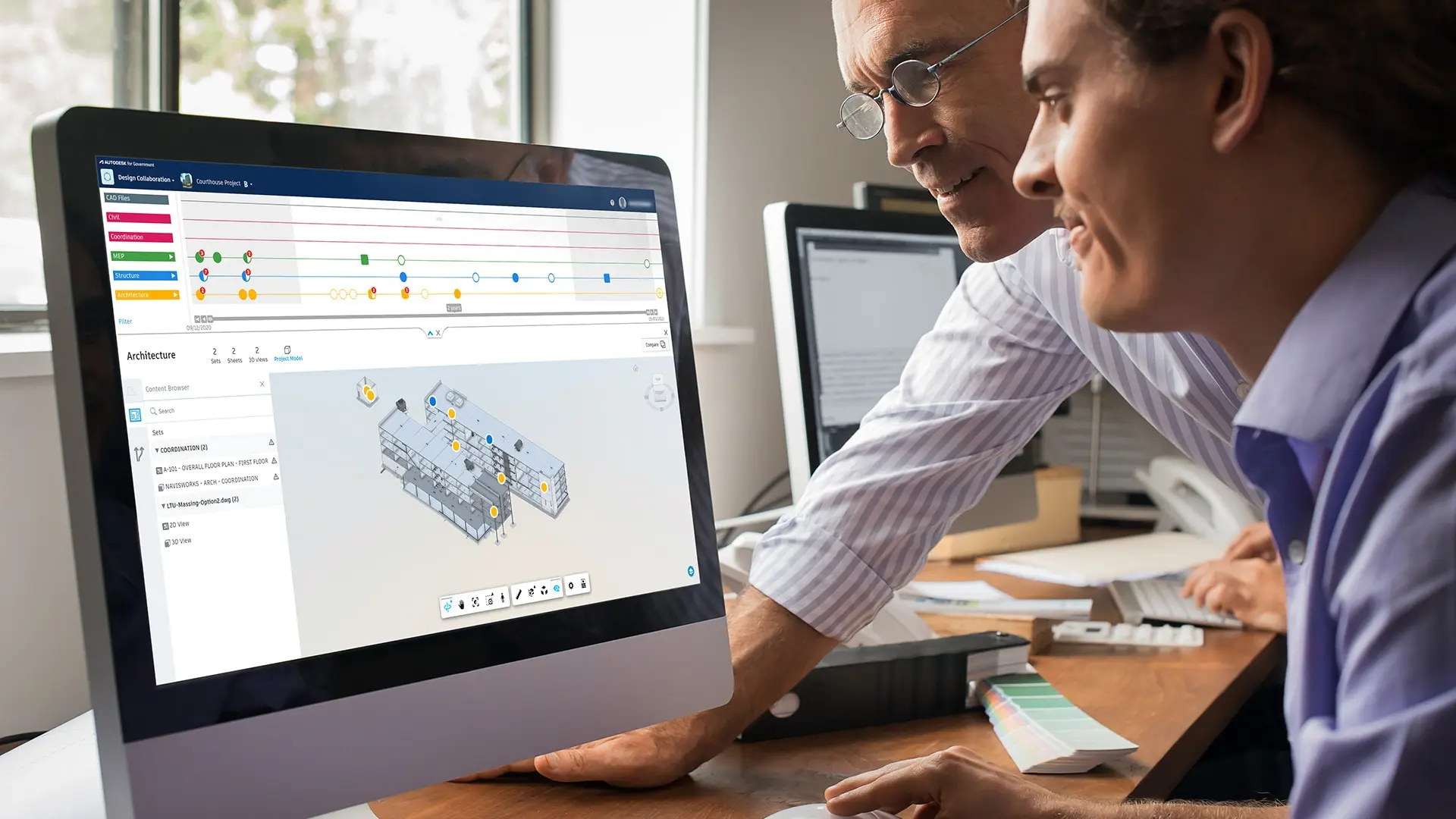
BIM Collaborate Pro for Government
A FedRAMP® Moderate authorized cloud-based design collaboration solution for complex and secure projects.
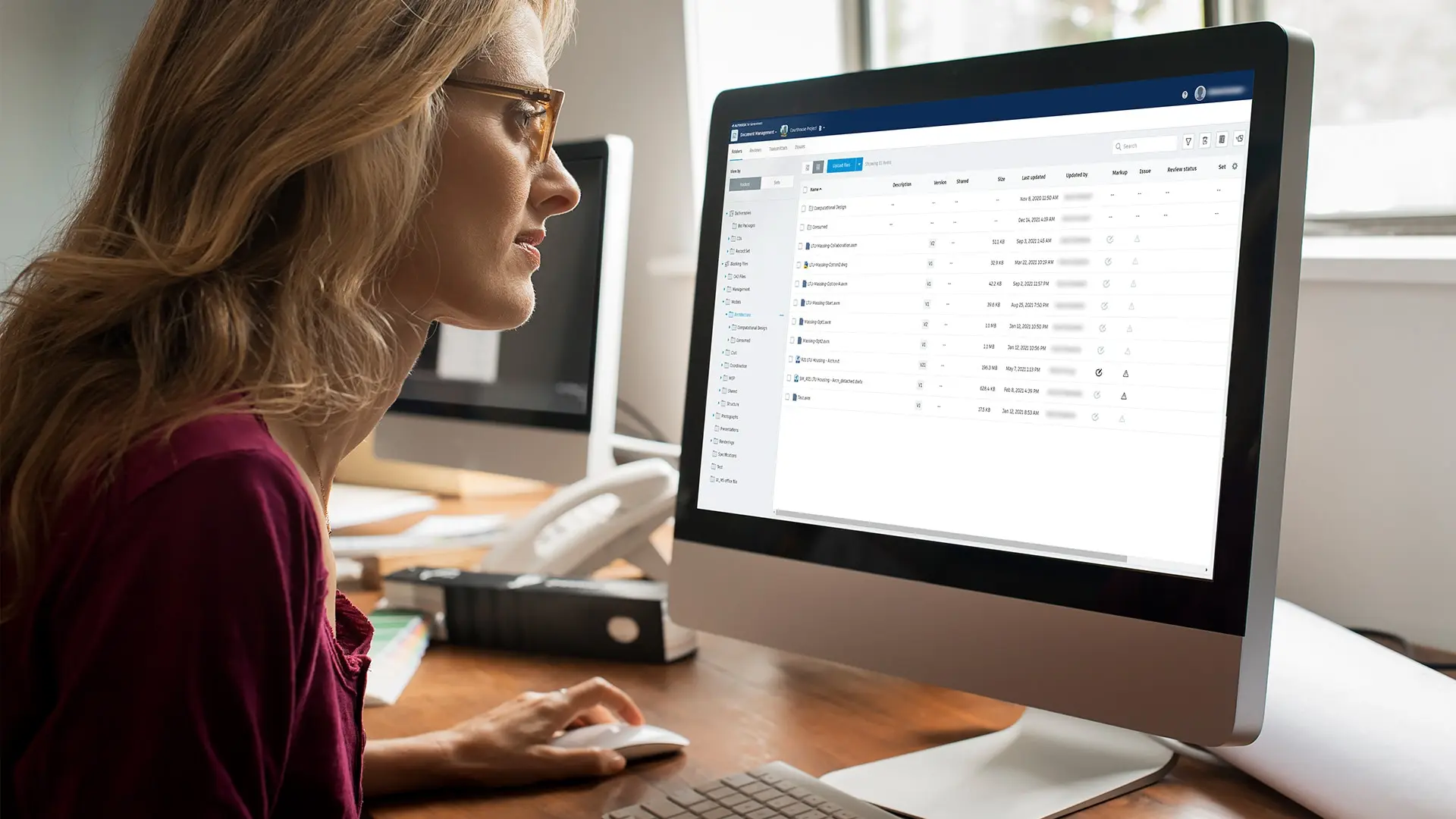
Autodesk Docs for Government
A FedRAMP® Moderate authorized cloud-based document management solution and common data environment.
Questions? We have answers.
What is BIM Collaborate Pro for Government used for?
BIM Collaborate Pro for Government connects architecture, engineering, and construction teams on a single platform to make collaboration simpler. It improves communication, accelerates project timelines, and reduces rework.
Who uses BIM Collaborate Pro for Government?
BIM Collaborate Pro for Government is used by AEC teams across disciplines but is particularly useful for project managers, architects, BIM leads, and digital practice managers working on federal building projects.
How does BIM Collaborate Pro for Government compare to the commercial offering, BIM Collaborate Pro?
BIM Collaborate Pro for Government is a FedRAMP® Moderate-authorized offering that has been developed with stronger cybersecurity controls. BIM Collaborate Pro for Government does not have full feature parity with the commercial comparable offering BIM Collaborate Pro.
What versions of Revit are supported for Revit Cloud Worksharing?
Revit Cloud Worksharing is only supported for Revit 2023.1 and later versions for BIM Collaborate Pro for Government.
Can users share projects between BIM Collaborate Pro for Government and the commercial offering, BIM Collaborate Pro?
No, security requirements call for Autodesk for Government to be a standalone cloud environment. Sharing data between commercial and authorized environments would violate these security requirements.
What level of Support is provided for BIM Collaborate Pro for Government?
Autodesk will resolve issues with your subscriptions to BIM Collaborate Pro for Government as described in the included Success Benefits and associated Special Terms. Please note that this level of Support may differ from the level of Support provided for your subscriptions to other Autodesk offerings or from the description of subscription benefits otherwise associated with your Autodesk plan.
Certain operational or procedural requirements or limitations may apply to BIM Collaborate Pro for Government. For more information, please refer to the Special Terms for BIM Collaborate Pro for Government, the Autodesk Knowledge Network article available here, and other operational guidance and procedures that Autodesk may provide from time to time.
Do I need a subscription to Revit to use BIM Collaborate Pro for Government?
You will need active subscriptions to Revit and BIM Collaborate Pro for Government in order to use the Revit Cloud Worksharing feature. You may use all other features of BIM Collaborate Pro for Government without a subscription to Revit.
Products you can trust
From payment flexibility to always-on support, expect excellence.

