TEXTURE MAPPING
Texture mapping: Elevating creations with visual depth
Texture mapping: Elevating creations with visual depth
Unveil the magic of 3D texture mapping. Apply colors, patterns, and surface details to bring virtual objects to life.
Image courtesy of Mohanad Hossam
 A rendering of an animated character illustrates the texture of its skin, image courtesy of Johan Vikstrom
What is texture mapping?
Texture mapping is a fundamental technique in computer graphics used to apply detailed surface appearances to 3D models. It involves projecting a 2D image, known as a texture, onto the surface of a 3D object.
 Character model of woman rendered with Autodesk Arnold shows texture and depth, image courtesy of Enrique Sagasta
3D texture mapping techniques
Texture mapping in animation involves various techniques to enhance the visual quality of 3D models. Different types of texture mapping serve specific purposes in creating more realistic and visually appealing animations:
Diffuse mapping: This is the most basic type of texture mapping. It involves applying color and texture to the surface of 3D models, giving them their base appearance. In animation, diffuse maps are used to add basic colors, patterns, and textures to surfaces, making objects look more realistic by mimicking their real-world appearance.
Normal mapping: Normal maps are used to simulate complex surface details without adding extra geometric complexity to the model. These maps encode surface-normal information, giving the illusion of surface detail and depth by affecting how light interacts with the surface. This is widely used in animation to create intricate textures, such as adding bumps, grooves, or fine surface details to objects without altering their geometry.
Specular mapping: Specular maps define the shininess or reflectivity of a surface. In animation, this type of mapping is used to determine areas that appear more reflective or shiny on an object. By adjusting the specular map, animators can control where highlights and reflections occur, adding realism and depth to the materials being represented.
Bump mapping: Like normal mapping, bump maps simulate surface details. However, instead of altering the direction of the surface, bump maps modify the surface’s apparent depth, creating the illusion of bumps, dents, or roughness on a surface. This technique is widely used in animation to add texture and depth to surfaces without the need for additional geometry.
Benefits of texture mapping software
Texture mapping software offers several benefits for 3D artists and designers in the field of computer graphics:
Texture mapping software offers several benefits for 3D artists and designers in the field of computer graphics:
Enhanced visual realism
Texture mapping software allows the creation and application of detailed textures to 3D models, significantly enhancing visual appearance and realism. It enables artists to add surface details, colors, patterns, and other attributes that make the models look more lifelike and natural.
Texture mapping software allows the creation and application of detailed textures to 3D models, significantly enhancing visual appearance and realism. It enables artists to add surface details, colors, patterns, and other attributes that make the models look more lifelike and natural.
Time efficiency
Using texture mapping software speeds up the process of applying textures to 3D models. Rather than manually painting textures or detailing every aspect of a model, artists can use pre-made or custom textures and apply them efficiently using the software tools, saving time and effort.
Using texture mapping software speeds up the process of applying textures to 3D models. Rather than manually painting textures or detailing every aspect of a model, artists can use pre-made or custom textures and apply them efficiently using the software tools, saving time and effort.
Flexibility and customization
Texture mapping software provides a wide range of tools and options for customization. Artists can adjust and manipulate textures to fit the specific needs of a project, altering colors, patterns, reflections, and other attributes to achieve the desired visual effect.
Texture mapping software provides a wide range of tools and options for customization. Artists can adjust and manipulate textures to fit the specific needs of a project, altering colors, patterns, reflections, and other attributes to achieve the desired visual effect.
Reduction of geometric complexity
By using texture mapping software, artists can create the illusion of intricate details on surfaces without the need for additional geometric complexity. Techniques such as normal mapping and bump mapping allow the representation of complex details on surfaces without increasing the model’s polygon count.
By using texture mapping software, artists can create the illusion of intricate details on surfaces without the need for additional geometric complexity. Techniques such as normal mapping and bump mapping allow the representation of complex details on surfaces without increasing the model’s polygon count.
Consistency and reusability
Textures created or applied using mapping software can be saved and reused across different projects or applied to multiple elements within the same project. This ensures consistency and streamlines the workflow, as artists can access a library of textures and apply them when needed.
Textures created or applied using mapping software can be saved and reused across different projects or applied to multiple elements within the same project. This ensures consistency and streamlines the workflow, as artists can access a library of textures and apply them when needed.

NEW OFFER - Flex now starting at $99
Autodesk Flex lets you prepay with tokens for flexible access to 100+ Autodesk products for a daily rate. Rates vary based on the product used. Flex is a great option for team members or solopreneurs who want to explore a product or only need project-based access. Combine Flex tokens with Autodesk products on select projects to:
Access 3D capabilities, BIM modeling and industry-specific toolsets.
Run advanced simulations, generate photorealistic renders, and access specialized manufacturing tools.
Scale software access up during production peaks without extra seats or long-term commitments.
Autodesk solutions for texture mapping
 OpenPBR is a shading model that briges software packages by using an open standard
OpenPBR
OpenPBR
OpenPBR, developed by Autodesk and Adobe, is an open-source shading model under the governance of the Academy Software Foundation (ASWF). Both companies are directing development efforts toward OpenPBR, which bridges software packages by using an open standard. It builds on MaterialX, providing an interface to describe physical surface properties, allowing data transfer with minimal conversion between assets. OpenPBR ensures compatibility with anything supporting MaterialX, requiring no separate implementations. You can contribute to OpenPBR on GitHub.
OpenPBR, developed by Autodesk and Adobe, is an open-source shading model under the governance of the Academy Software Foundation (ASWF). Both companies are directing development efforts toward OpenPBR, which bridges software packages by using an open standard. It builds on MaterialX, providing an interface to describe physical surface properties, allowing data transfer with minimal conversion between assets. OpenPBR ensures compatibility with anything supporting MaterialX, requiring no separate implementations. You can contribute to OpenPBR on GitHub.
 LookdevX is a plugin that enables unified material creation across tools
LookdevX
LookdevX
LookdevX is Autodesk’s agnostic material-authoring plugin that currently supports the OpenUSD (Universal Scene Description) data model natively in Autodesk Maya. It supports multiple formats such as Arnold and MaterialX, ensuring consistent look development across platforms and products by using OpenUSD shade graphs. This enables efficient, unified material creation and portability across various content creation tools and renderers.
LookdevX is Autodesk’s agnostic material-authoring plugin that currently supports the OpenUSD (Universal Scene Description) data model natively in Autodesk Maya. It supports multiple formats such as Arnold and MaterialX, ensuring consistent look development across platforms and products by using OpenUSD shade graphs. This enables efficient, unified material creation and portability across various content creation tools and renderers.
Get inspired by these customer stories
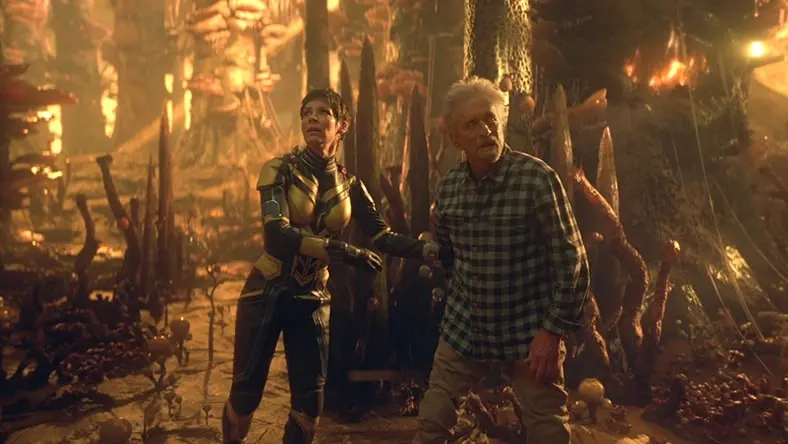
Streamlining VFX delivery
Streamlining VFX delivery
Virtual production, visualization, and visual effects company uses Bifrost for Maya to produce tentpole projects.
Virtual production, visualization, and visual effects company uses Bifrost for Maya to produce tentpole projects.
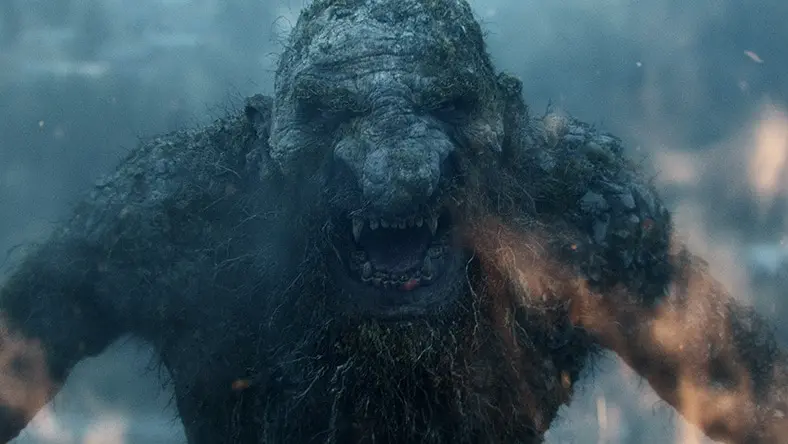
Developing an ancient troll for Netflix
Developing an ancient troll for Netflix
Award-winning visual effects house uses Maya to bring a massive main character to the small screen.
Award-winning visual effects house uses Maya to bring a massive main character to the small screen.
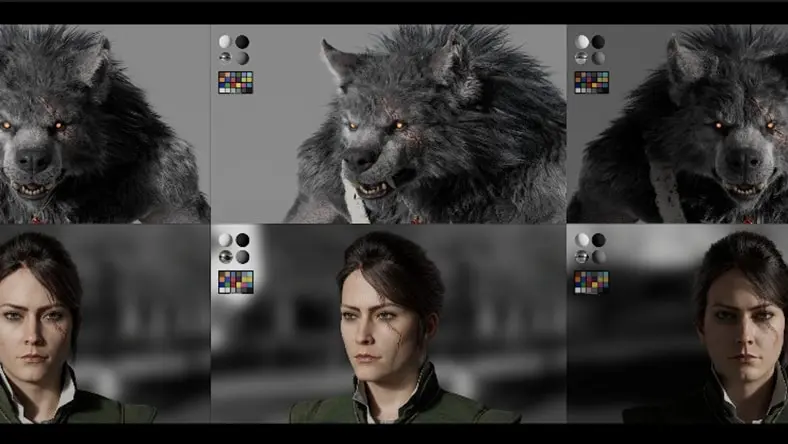
Delivering nightmarish cinematic trailers
Delivering nightmarish cinematic trailers
Animation and VFX studio creates viral trailers for Magic: The Gathering’s Innistrad with Maya and Arnold.
Animation and VFX studio creates viral trailers for Magic: The Gathering’s Innistrad with Maya and Arnold.
Texture mapping resources
A gothic period piece
Learn how a filmmaking duo created an award-winning animated short with Maya and Arnold.
Learn how a filmmaking duo created an award-winning animated short with Maya and Arnold.
Building an open-world RPG
See how Warner Bros. Games | Avalanche developed spectacular animations, characters, and cinematics with Maya and MotionBuilder.
See how Warner Bros. Games | Avalanche developed spectacular animations, characters, and cinematics with Maya and MotionBuilder.
Creative creature design
See how Adrian Bobb created otherworldly creatures for an independent sci-fi short with Maya and Arnold.
See how Adrian Bobb created otherworldly creatures for an independent sci-fi short with Maya and Arnold.
Frequently asked questions (FAQ) about texture mapping
What is texture mapping?
Texture mapping is a foundational technique in computer graphics that involves applying a two-dimensional image, called a texture, onto the surface of a three-dimensional model. This process enhances the visual realism of the model by simulating surface details, colors, and patterns without the need for additional geometric complexity. The texture is mapped onto the model using coordinates corresponding to specific surface points. Texture mapping is widely used in animation, gaming, virtual reality, and other computer graphics applications to achieve lifelike and visually appealing visualizations.
What are texture maps used for?
Texture maps are essential elements in computer graphics used to enrich the visual quality of 3D models by providing surface details, colors, and textures. They serve various functions: adding intricate surface details like woodgrains or fabric patterns, offering base colors and textures to mimic real-world objects, defining reflective properties on surfaces, creating illusions of depth without additional geometry through normal and bump maps, and simulating realistic lighting and shadows with maps like ambient occlusion. These maps play a fundamental role in enhancing the realism and visual appeal of 3D models without significantly increasing their geometric complexity.
How many types of texture mapping are there?
Texture mapping encompasses various techniques in computer graphics to enhance the appearance of 3D models. The primary types of texture mapping techniques include: diffuse mapping, which applies basic colors and textures to the model’s surface; normal mapping, creating the illusion of complex surface details through encoded normal information; specular mapping, determining reflective areas on a surface; bump mapping, simulating surface details without altering geometry; displacement mapping, physically altering the model’s geometry; ambient occlusion mapping, adding realistic soft shadows; and emissive mapping, controlling areas that emit light.
What are the techniques of texture mapping?
Texture mapping techniques in computer graphics enhance the visual quality of 3D models by applying different methods to simulate surface characteristics. Diffuse mapping provides base colors and textures, while normal mapping simulates intricate details through surface normal information. Specular mapping determines reflective areas, and bump mapping creates the illusion of depth using grayscale textures. Displacement mapping physically alters geometry for significant changes in structure, while ambient occlusion mapping simulates realistic shadows. Emissive mapping controls light emission areas. Collectively, these techniques contribute to creating realistic 3D models by simulating diverse surface properties and interactions with light.
Are there any alternatives to traditional texture mapping techniques?
In addition to traditional texture mapping techniques, various alternatives have emerged in computer graphics. Procedural texturing uses algorithms to dynamically generate textures, offering infinite detail without relying on static images. Photogrammetry involves capturing real-world objects through photographs to create realistic textures. Vertex painting enables artists to paint colors or attributes directly onto the vertices of 3D models. Dynamic procedural generation allows for real-time variations in textures based on user interactions or environmental factors. Machine learning-based texturing involves training algorithms to generate textures, offering a realistic outcome without manual intervention.
Is texture mapping the same as UV mapping?
Texture mapping is a comprehensive term in computer graphics, referring to the placement of 2D images or textures onto 3D models. It involves various techniques, such as diffuse and normal mapping, to enhance visual realism. On the other hand, UV mapping is a specific aspect of texture mapping that deals with how 2D texture coordinates (UV coordinates) are mapped onto the 3D surface. UV mapping ensures accurate and distortion-free application of textures to the model by establishing the relationship between these coordinates and the model’s vertices.
What is mipmapping and how does it improve texture quality?
Mipmapping is a graphics optimization technique that involves creating a series of progressively lower-resolution versions of a texture, known as mipmaps. As a 3D object is viewed from varying distances, mipmapping ensures that the renderer uses an appropriate mipmap level to represent the texture, reducing computational load and enhancing performance. This technique minimizes artifacts such as aliasing and ensures smooth transitions in texture quality as objects move or change size. By using lower-resolution mipmaps when detailed information is unnecessary, mipmapping improves rendering efficiency while maintaining clear and visually pleasing textures in computer graphics.