& Construction

Integrated BIM tools, including Revit, AutoCAD, and Civil 3D
& Manufacturing

Professional CAD/CAM tools built on Inventor and AutoCAD
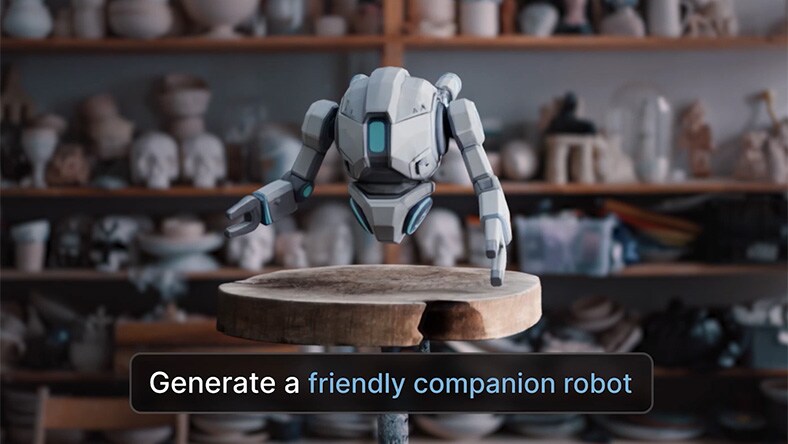
An AI 3D model generator turns a text prompt or reference image into a 3D asset. Instead of modeling from scratch, you get a starting point you can refine until it matches your vision — but that only works if the asset is actually editable. The best tools let you export and keep working on what they generate, not just view or render it. They also go beyond single objects, helping you build characters, props, and environments as part of a larger project, so you can keep directing the result instead of settling for the first output.
Autodesk Flow Studio does both. Use Wonder 3D to generate editable 3D characters and assets you can bring into Maya, Blender, Unreal Engine or the software you already work in. Or stay inside Flow Studio's 3D Editor + Canvas to build out full scenes — characters, animation, environments, and camera movement included.
Most AI 3D model generators start with a text prompt, reference image, or concept sketch. AI models analyze that input and generates a 3D asset you can review, refine, and adapt. Flow Studio takes it further. Export your editable Wonder 3D assets into the software you already use, or keep building inside Flow Studio's 3D Editor + Canvas — where you can assemble full scenes, animate characters, direct camera movement, and shape every shot.
AI 3D model generators offer another way to explore ideas and turn text prompts or reference images into 3D assets. With Flow Studio, those results are editable, so you can review, refine, and continue developing them as your ideas evolve. For characters, you can also move from generation into rigging and animation workflows.
Whether you're exploring AI-powered 3D creation, building commercial projects, or learning professional creative workflows, Flow Studio offers flexible plans to help you create your way.
Perfect for exploring AI-powered 3D creation.
Ideal for creators, freelancers, and indie studios ready to take their work further.
Learn professional AI-powered 3D workflows with free access to Flow Studio.
From single assets to finished visual stories, Flow Studio helps creators turn ideas into content ready for games, animation, marketing, and more.
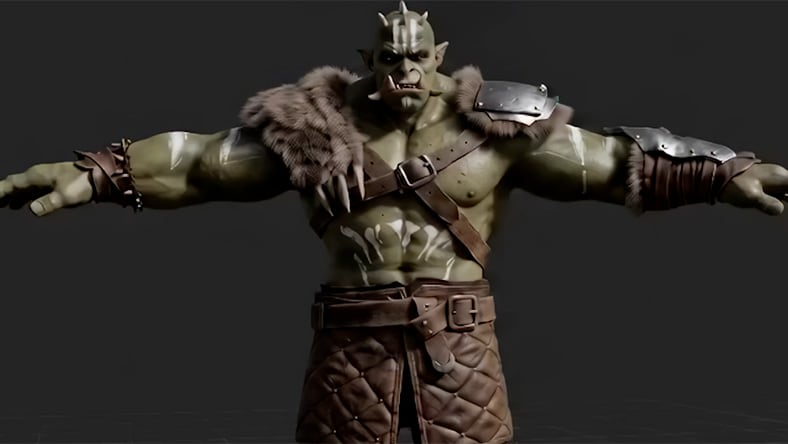
Generate textured 3D characters and creatures from text prompts or reference images. Continue refining the editable results and prepare characters for animation when your project calls for it.
Turn descriptions, sketches, concept art, or reference images into editable 3D props and objects. Explore different ideas and refine the geometry as your concept develops.
Create characters, creatures, and props for game and animation workflows. Rig characters in Flow Studio, drive performances with AI Motion Capture, or export editable assets to your tool of choice.
Explore early ideas in 3D before settling on a creative direction. Generate different characters, creatures, and objects, then review and refine the results as your concept takes shape.
Generating a 3D model is just the start. Look for tools that let you refine, animate, export, and keep working with what you create.
Turn a written prompt into a textured 3D character, creature, or prop—giving you a fast way to explore ideas directly in 3D.
Use sketches, concept art, or reference images to create editable 3D geometry you can continue developing.
Look beyond the initial result. Generated assets are more useful when you can edit and adapt them for your project.
Make sure you can reshape generated geometry for downstream use, including remeshing to quads or triangles at the level of detail you need.
For characters, consider what happens after generation. Rigging and motion capture can turn a static asset into something ready to animate.
From single assets to finished visual stories, Flow Studio helps creators turn ideas into content ready for games, animation, marketing, and more.
Flow Studio isn't just about generating a model — it's about getting to a result you're happy with, faster and with creative control.
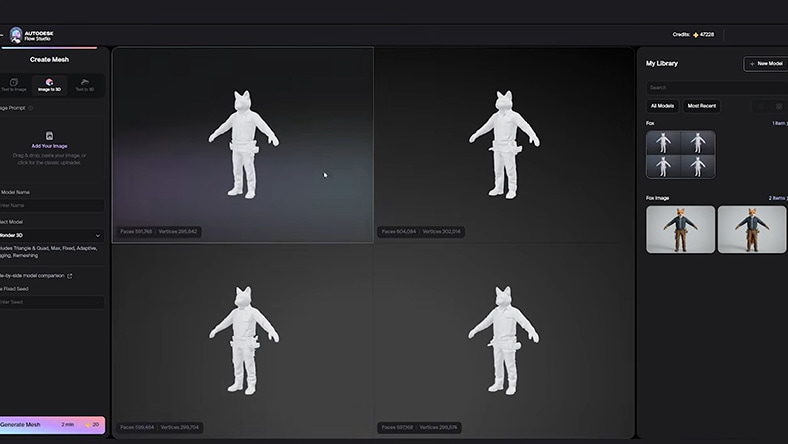
Generate several variations from a single prompt, so you can compare options before committing to a direction.
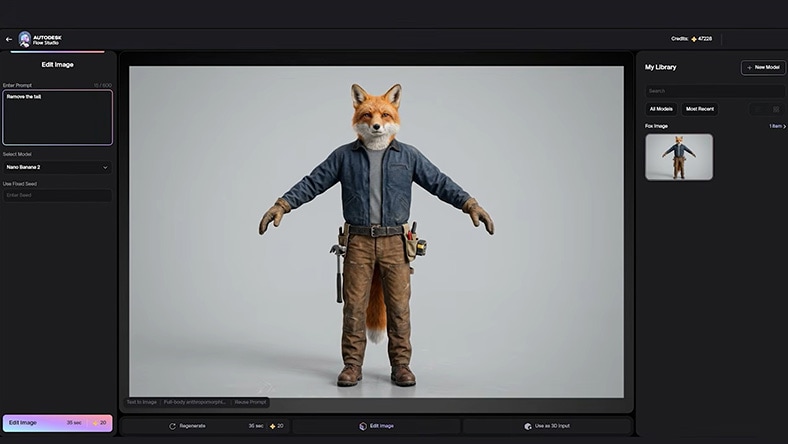
Edit and adjust your generated character instead of settling for whatever the AI gives you first.
See your characters in real, finished scenes — not just isolated renders sitting on their own.
AI 3D generation in Flow Studio lets you start with a text prompt or reference image, then create an editable 3D asset you can explore, refine, animate, and bring into your existing 3D workflow.
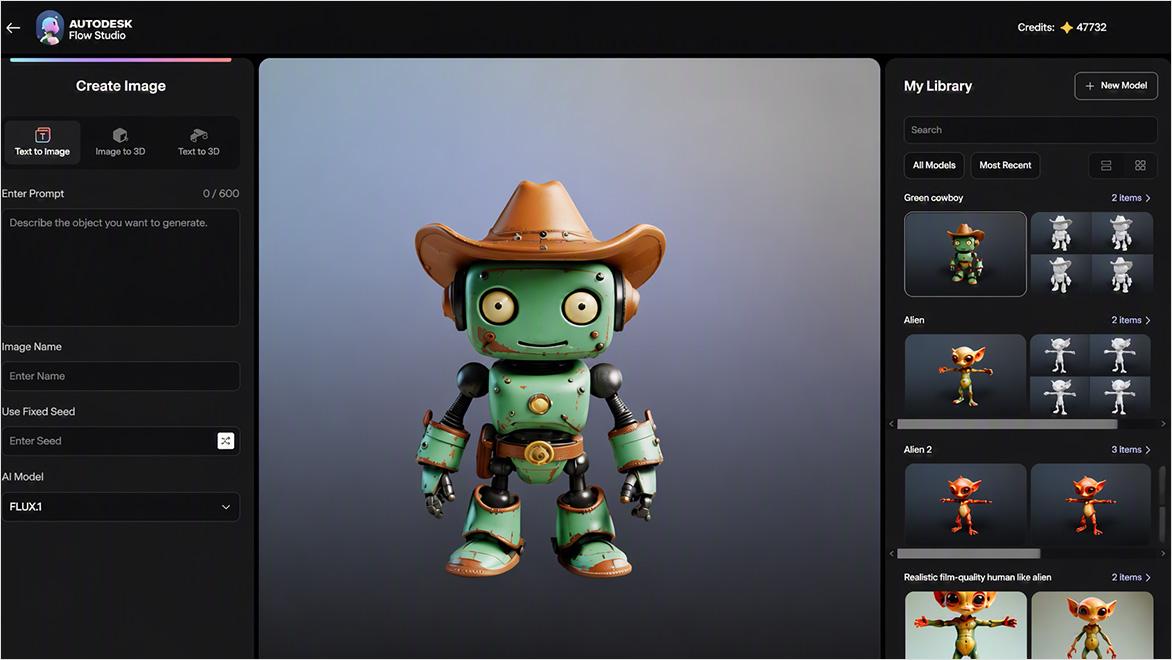
Describe the character, creature, or prop you want to create, or use a sketch, concept, or reference image as your starting point.
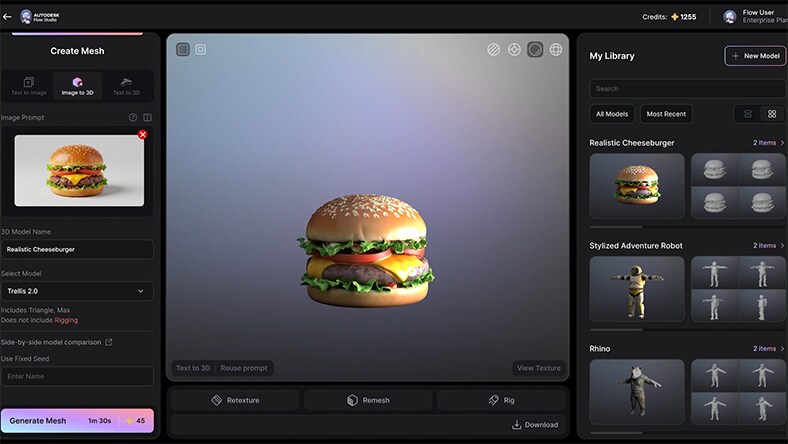
Use Text to 3D or Image to 3D to turn your input into a textured, editable 3D asset you can continue developing.
Generate variations and compare results to find the direction that best fits your idea. Keep iterating as your concept evolves
Prepare your asset for your workflow with Remeshing tools that convert geometry into quads or triangles at your chosen level of detail.
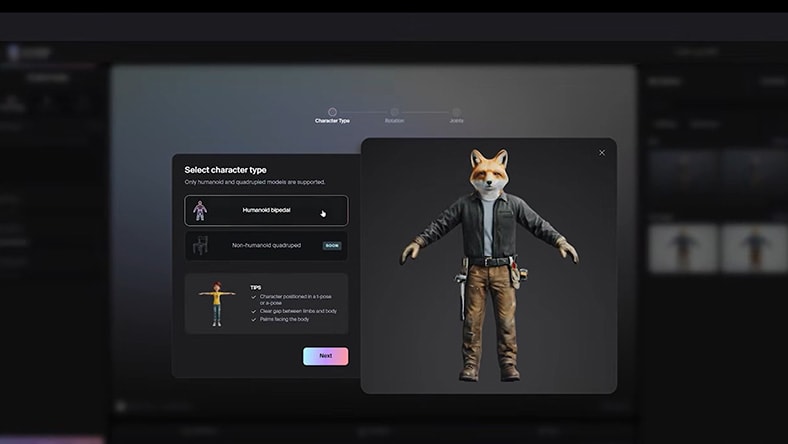
Use AI Rigging to prepare generated characters for animation, then add body, face, and hand movement with markerless AI Motion Capture.
Learn how Flow Studio turns text prompts and reference images into editable 3D characters, creatures, and objects.
Explore how AI Rigging and Neural Layer help creators prepare generated 3D characters for animation and refine their results.
Learn how 3D Editor + Canvas expands Flow Studio with tools for assembling, directing, and refining creative work.
Get practical tips for working with Flow Studio and getting more from your AI-assisted creative and model generation workflows.
Join the Autodesk Creators community to ask questions, share your work, exchange ideas, and learn from other creators.
Watch this four-minute tutorial on an AI-powered character animation workflow using Flow Studio.
The best AI 3D model generator depends on what you want to create and how much creative control you need. Look for software that supports text-to-3D and image-to-3D generation, editable 3D assets, scene creation, and production-ready workflows. Autodesk Flow Studio combines these capabilities in one connected creative platform.
Yes, Flow Studio includes a free commercial tier so you can explore AI 3D model generation before upgrading. Eligible students and educators can also access Flow Studio through Autodesk Education at no cost.
Yes, Flow Studio creates editable 3D assets that you can continue refining as your project evolves. Instead of starting over each time you need a change, you can update models, build scenes, and prepare content for production.
Many AI 3D model generators focus on creating individual assets. Flow Studio goes further by helping creators generate editable models, build scenes, direct creative decisions, and refine content within a connected workflow designed for professional production.
Yes, Flow Studio helps creators generate and refine assets for games, animation, marketing, visualization, and digital content. Its connected workflow makes it easier to move from concept to finished content while maintaining creative control.
Yes, Flow Studio supports workflows that extend beyond individual asset generation. Creators can bring together characters, props, environments, and camera direction to develop complete scenes for storytelling and visualization. When you're ready to continue production, you can export assets and scenes to industry-standard DCC tools, including Maya, 3ds Max, Blender, and Houdini, for additional editing, animation, visual effects, and rendering.
AI-powered 2D-to-3D tools analyze a reference image and generate a 3D model that creators can refine and build upon. Flow Studio supports 2D-to-3D workflows by transforming images into editable 3D assets, helping creators accelerate concept development, game asset creation, animation, and digital content creation (DCC).
Indie creators often need software that is affordable, easy to learn, and flexible enough for professional-quality work. Flow Studio offers free and low-cost options that help freelancers, independent artists, and small studios create, refine, and deliver 3D content more efficiently.
Yes, Flow Studio is well suited for indie game developers, small animation studios, and creative teams that want to accelerate asset creation and iterate faster. As your projects grow, you can export assets to Maya Creative with Flex tokens or Maya Indie—a lower-cost version of the full Maya software available to eligible users—for advanced animation, rigging, and production workflows.
Yes, Flow Studio offers a free commercial tier so you can explore its AI-assisted 3D creation tools before choosing a paid plan.
Flow Studio offers multiple plans, including a free commercial tier, Lite, and additional subscription options for more advanced workflows. Learn more about Flow Studio current pricing and plan details.
Yes, eligible students and educators can access Flow Studio through Autodesk Education. Educational access helps learners build professional skills, complete coursework, and develop portfolio-ready projects using industry tools.
An AI 3D model generator uses artificial intelligence to create 3D assets from text prompts, photos, reference images, or other inputs. These tools help creators accelerate concept development, asset creation, and visualization for games, animation, product design, and digital content.
AI 3D model generators use artificial intelligence to transform text prompts, images, or other inputs into 3D assets. Depending on the software or app, creators can continue refining models, build complete scenes, and prepare assets for animation, games, marketing, and other production workflows.
Look for software that supports text-to-3D and image-to-3D generation, editable 3D assets, scene creation, creative control, and production-ready workflows. Free access, flexible pricing, and export options are also important when choosing an AI 3D model generator.