Autodesk flexsim for factory simulation

Factory simulation software to design, test, and optimize production

Simulate and optimize your factory before you spend a dollar on the floor. Test layouts, remove bottlenecks, and boost throughput with Autodesk FlexSim.

Factory simulation software, Autodesk FlexSim

What is factory simulation?

Factory simulation is the use of computer‑based models to represent, analyze, and optimize real‑world manufacturing systems. Instead of experimenting physically on the factory floor, teams use simulation tools to explore virtual versions of their production processes.

Factory simulation software automates this modeling, allowing users to visualize workflows, test what‑if scenarios, and predict how changes will impact throughput, resources, and overall performance. It provides a risk‑free environment to evaluate design decisions, identify bottlenecks, and optimize operations before making real‑world investments.

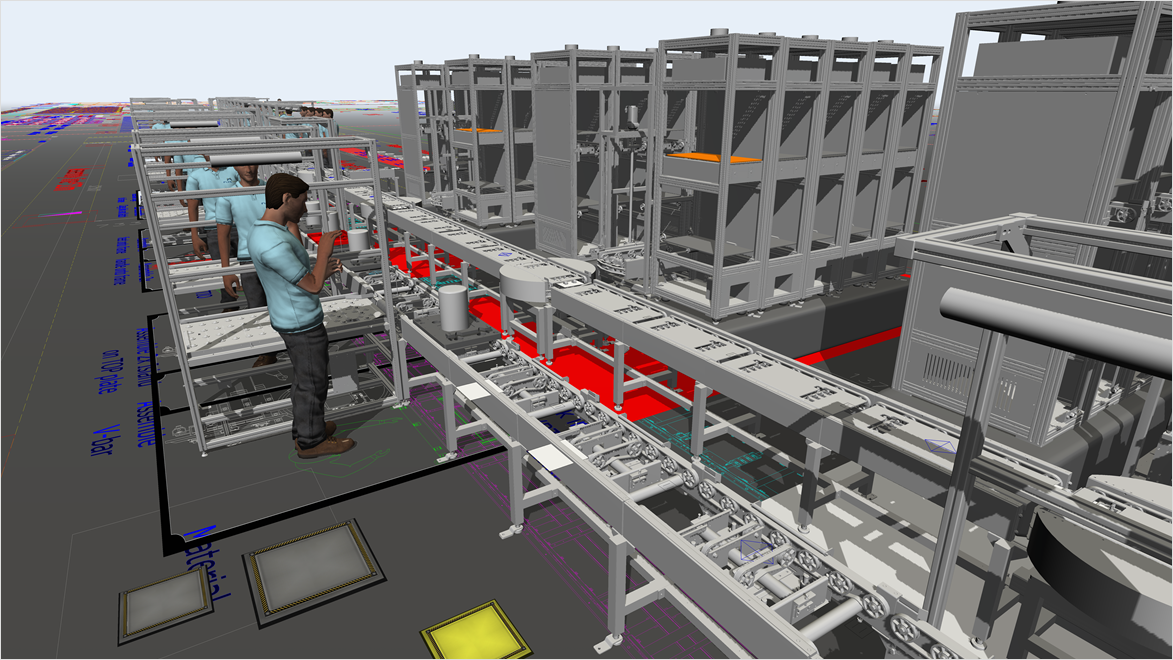
Autodesk FlexSim screenshot of factory simulation

Why use Autodesk FlexSim for factory simulation

Autodesk FlexSim is a leading factory simulation software solution because it combines ease of use, high‑end 3D modeling, and powerful analytics in a single, intuitive platform. FlexSim is designed to help teams model, visualize, and optimize production systems before making real‑world changes.

FlexSim provides a fast, accurate simulation engine wrapped in drag‑and‑drop controls, object libraries, and intuitive logic‑building tools. This makes it accessible, while still offering the depth to perform sophisticated analyses. Models are automatically built to scale and rendered in rich 3D visuals, making it easy to spot bottlenecks, inefficiencies, or layout issues at a glance.

Beyond visualization, FlexSim delivers robust statistical reporting and scenario experimentation, giving decision makers the data they need to validate assumptions and quantify the impact of proposed changes. Teams can run “what‑if” scenarios, compare system configurations, and make confident, evidence‑based decisions to optimize throughput, and reduce operational costs.

Benefits of factory simulation software

Factory simulation delivers the insights manufacturers need to improve performance. It helps teams predict outcomes, minimize risk, and visualize improvements long before implementing them in the real world.

Accurate, data-driven predictions

Use evidence‑based simulation models to forecast how changes in equipment, staffing, or workflows will impact production before committing time or budget.


Reduced risk with virtual testing

Run "what‑if" scenarios in a safe digital environment to identify bottlenecks, evaluate alternatives, and validate decisions without disrupting real‑world operations.


Clear alignment through 3D insight

Use realistic 3D models and process visuals to clearly communicate system behavior, build stakeholder confidence, and create a shared understanding of the factory’s performance.


Features of factory simulation software

Explore the powerful tools that help you rapidly build realistic simulations, test ideas safely, and uncover the best path to optimized factory performance.

Drag-and-drop model builder

Build accurate simulations fast with drag‑and‑drop layout, a rich object library with pre‑built logic, and a code‑free logic environment that cuts model authoring time dramatically.

Data-connect parameters

Ingest live or historical production data (rates, cycle times, downtime, orders) to keep models evidence‑based and aligned with real‑world performance.

Process logic designer

Define stations, routings, buffers, shifts, and constraints with fine‑grained control to mirror actual factory behavior and policies.


True-to-scale 3D visualization

Render layouts and flows in realistic 3D to spot bottlenecks and collisions quickly, and align stakeholders around a shared, visual source of truth.


Scenario & experiment manager

Run side‑by‑side what‑if tests (layouts, staffing, batch sizes, AGV logic) and compare KPIs to select the highest‑impact option with confidence.


Results dashboard and reporting

Track throughput, utilization, WIP, and wait times with exportable charts/tables that make data‑driven decisions fast and defensible.


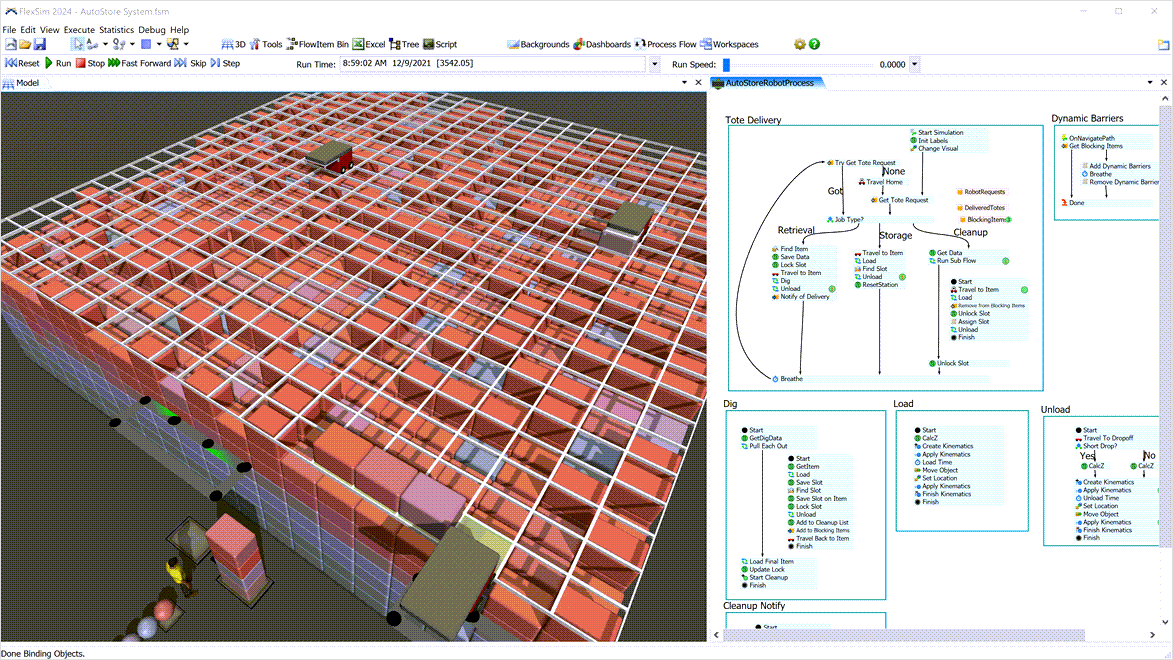
Autodesk FlexSim high density grid storage

How does Autodesk FlexSim for factory simulation work?

Autodesk FlexSim is 3D discrete‑event simulation (DES) software used to model and analyze how a factory operates over time. Using DES, FlexSim represents production as a sequence of events, rather than relying on averages or static calculations. Examples include parts arriving, machines starting or stopping, workers becoming available, or queues forming. Users build a to‑scale digital model of the factory with drag‑and‑drop objects (machines, conveyors, buffers, people), define process rules like processing times and routing, and then simulate how materials, equipment, and labor interact under real‑world constraints. This approach makes it possible to visualize bottlenecks and system behavior as it actually emerges from those events, not just how it looks on paper. 

Once the model is running, FlexSim collects detailed performance data, including throughput, cycle time, utilization, and waiting time, and presents it through built‑in charts and dashboards. Teams can then use the Experimenter to run multiple “what‑if” scenarios, such as changing staffing levels, layouts, or machine reliability, and compare outcomes without disrupting live operations. FlexSim is often paired with Factory Design Utilities, linking accurate factory layouts to DES‑based operational simulation so manufacturers can test, optimize, and justify decisions before making physical changes on the shop floor.

Get started with factory simulation using Autodesk FlexSim

Industries that use factory simulation software

How factory simulation powers smarter operations in every major sector.

Factory simulation for the manufacturing industry

Manufacturing

Factory simulation software helps manufacturers optimize production lines, reduce bottlenecks, and validate layout changes before they hit the shop floor. It enables teams to test scenarios, improve throughput, and make data‑driven decisions with greater confidence.

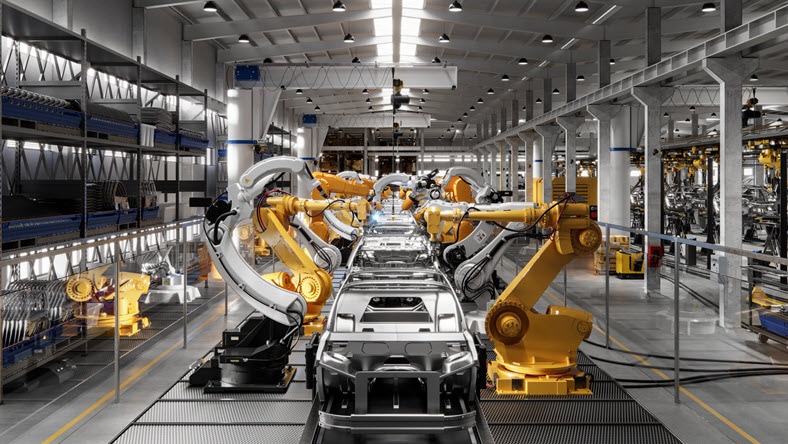
Automotive industry for factory simulation

Automotive

Automotive companies use factory simulation software to streamline assembly operations, model complex workflows, and support the shift toward electric and autonomous vehicle production. It reduces costly trial‑and‑error by predicting performance and capacity outcomes upfront.


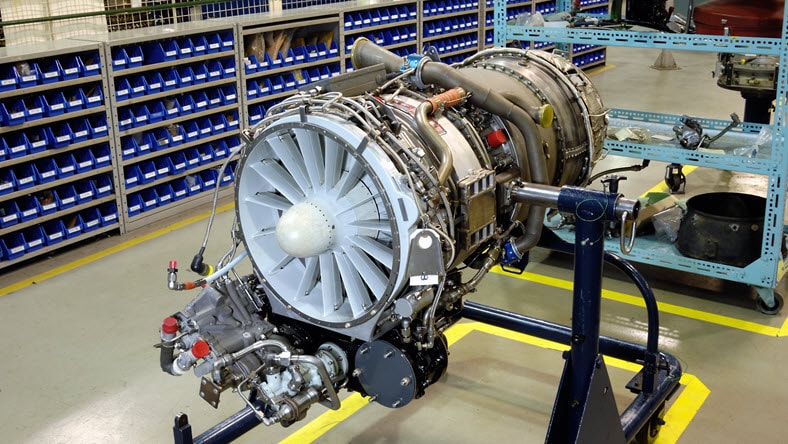
Aerospace industry for factory simulation

Aerospace & defense

In aerospace and defense, factory simulation software models highly complex production environments, ensuring safety, precision, and efficiency. It supports planning, resource allocation, and scenario testing without disrupting mission‑critical operations.

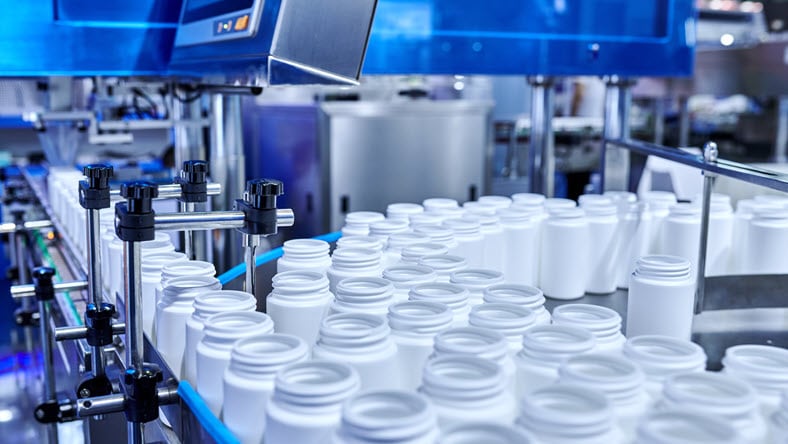
Healthcare & pharmaceuticals industry for factory simulation

Healthcare & pharmaceuticals

Healthcare and pharmaceutical organizations use factory simulation software to improve production lines for medical devices, optimize lab and facility workflows, and model processes that must meet strict regulatory and quality requirements.


Factory simulation resources

Advanced factory simulation tools boost efficiency, spark innovation, and strengthen competitiveness by helping manufacturers optimize processes, design better layouts, and stay agile.

Factory simulation software tools like Autodesk FlexSim help healthcare teams analyze and optimize patient‑focused processes, improving care quality, efficiency, and overall outcomes.

Explore how factory simulation and virtual reality enhance manufacturing by streamlining production workflows and improving operational efficiency. Learn the key advantages of using manufacturing simulation software.


Frequently asked questions (FAQ) on factory simulation and factory simulation software

What is factory simulation and how does it work?

Factory simulation is the use of a computer‑based, digital model to represent a real manufacturing system so teams can understand, analyze, and improve how it operates. It allows manufacturers to study materials, equipment, and people together in a virtual environment, reducing the need for costly or disruptive physical testing while supporting data‑driven decision‑making. 


Most factory simulation tools use discrete‑event simulation (DES), which models production as a sequence of events, such as parts arriving, machines starting or stopping, or queues forming over time. By running the simulation and testing “what‑if” scenarios, teams can identify bottlenecks, compare alternatives, and predict how changes to layouts, staffing, or processes will impact throughput and efficiency before making real‑world changes.

What is factory simulation software?

Factory simulation software, like Autodesk FlexSim, is a type of computer software used to create a digital model of a real manufacturing facility so teams can understand, analyze, and improve how the factory operates before making physical changes. It represents machines, materials, people, and workflows together in a virtual environment, allowing manufacturers to study production behavior without disrupting live operations.

What are the benefits of factory simulation software for manufacturers?

The top three benefits of factory simulation software include:

  1. Reduced risk and cost through virtual testing: Factory simulation software allows manufacturers to test process changes, layouts, and investments in a virtual environment instead of on the shop floor. This enables risk‑free experimentation, reduces costly trial‑and‑error, and helps avoid downtime, rework, and late‑stage design changes before physical implementation.
  2. Identification and elimination of bottlenecks: By modeling machines, materials, and labor together, often using discrete‑event simulation (DES) factory simulation software reveals bottlenecks, inefficiencies, and resource constraints that are difficult to see with spreadsheets or static analysis. This visibility helps teams improve throughput, balance workloads, and optimize overall production performance.
  3. Better, data-driven decision makingFactory simulation software provides quantitative performance metrics such as throughput, cycle time, utilization, and wait times across different “what‑if” scenarios. This enables manufacturers to compare alternatives objectively, justify decisions with data, and make more confident choices about staffing, equipment, layouts, and capacity planning.

What problems can factory simulation solve in production and warehousing?

Factory simulation software, like Autodesk FlexSim, can help solve key problems in production and warehousing, including:

  • Hidden bottlenecks and congestion
  • Poor resource utilization
  • Inefficient layouts and material flow
  • Uncertainty around change and growth
  • Missed service-level and throughput targets

What industries use factory simulation software the most?

Factory simulation software is used most heavily in industries where complex operations, variability, and high capital risk make trial‑and‑error impractical, including:

  • Manufacturing
  • Warehousing, logistics, and distribution
  • Automotive
  • Aerospace & defense
  • Healthcare & pharmaceuticals
  • Food & beverage

Is Autodesk FlexSim a factory simulation software solution?

Yes, Autodesk FlexSim is a factory simulation software solution. It's used to model, simulate, and optimize production, material flow, and logistics processes in factories and logistics centers. It enables users to build virtual factory models, run “what‑if” scenarios, and analyze throughput, capacity, and resource utilization before making real‑world changes.

How do I choose the right factory simulation software solution?

The right factory simulation software should:

  • Use discrete‑event simulation for realistic production behavior
  • Match your specific operational problems
  • Balance usability and modeling power
  • Integrate with your existing factory data and tools
  • Scale with your long‑term digital factory strategy

Learn more about Autodesk FlexSim for factory simulation.

Can I try Autodesk FlexSim?

Yes, you can download a free trial of Autodesk FlexSim here.

See more FAQ