ADVANCED 2D + INTRODUCTORY BIM

AutoCAD Revit LT Suite

Great design workflows require both precision and coordination. Autodesk combines AutoCAD LT and Revit LT in one cost-effective bundle for architects and small teams working across 2D drafting and introductory BIM.


Image courtesy of Benny Chan

Commercial building rendering for AutoCAD Revit LT Suite

What is AutoCAD Revit LT Suite?

Autodesk AutoCAD Revit LT Suite is a bundled subscription that includes AutoCAD LT for 2D drafting and Revit LT for BIM based documentation, enabling small teams or solo practitioners to produce both detailed DWG drawings and coordinated BIM documentation across as connected CAD and BIM workflow.

The suite works across two dedicated applications working alongside each other. Autodesk AutoCAD LT supports precise 2D drafting and layout control, while Autodesk Revit LT develops model-based views, schedules, and sheets that remain consistent as the design evolves. This approach ensures accurate documentation across both drafting and modeling environments.

Residential building rendering for AutoCAD Revit LT Suite.

Introduction to AutoCAD Revit LT Suite

AutoCAD Revit LT Suite is designed for small architecture practices that want to adopt BIM without disrupting existing workflows. It allows users to continue producing detailed drawings in AutoCAD LT while introducing model-based coordination in Revit LT, where changes update across views, sheets, and schedules.

This bundle is built for solo practitioners and small firms managing residential, interior, and light commercial projects that require both DWG deliverables and structured BIM documentation. It provides a controlled path to BIM adoption while maintaining compatibility with consultant and client requirements.

Core features of AutoCAD Revit LT Suite

Work in 2D and BIM

AutoCAD Revit LT Suite enables drafting in AutoCAD LT alongside model-based design in Revit LT. Teams can develop design intent in BIM while producing detailed 2D drawings required for project delivery.

Keep documentation aligned

Revit LT model data drives views, sheets, and schedules through shared parameters. Changes update across plans, elevations, and quantities, maintaining consistency within the documentation set.


Produce accurate DWG drawings

AutoCAD LT enables precise 2D drafting and documentation for detail drafting, sheet composition and CAD deliverables. This ensures consistent DWG outputs for detailing, plotting, and issued drawing sets.

Exchange files reliably

Both tools work with DWG, PDF, and DWF formats for documentation exchange. This maintains compatibility with consultants, clients, and approval workflows across the project lifecycle.

Autodesk AutoCAD Revit LT Suite software

Get Revit LT and AutoCAD LT together at a great value


Simplified 3D BIM tool for producing 3D architectural designs and documentation


Best-in-class tool for 2D CAD drafting, drawing, and documentation. Subscription includes AutoCAD LT on desktop, web, and mobile.


Comparing main features of Revit LT vs. AutoCAD LT

Revit LT and AutoCAD LT serve different roles in the design process. Revit LT is a parametric BIM tool that generates coordinated views, schedules, and documentation from a model, while AutoCAD LT focuses on precise 2D drafting using DWG-based workflows. Together in AutoCAD Revit LT Suite, they deliver both model-driven design and detailed drawing production.

Revit LT

AutoCAD LT

Parametric BIM modeling

Model-based views and sheets

Tabular schedules (data-driven)

Basic visualization (model views)

IFC interoperability

DWG interoperability

2D drafting and detailing

Annotation and dimensions

Layouts and plotting

TrustedDWG file reliability


AutoCAD Revit LT Suite combines Revit LT and AutoCAD LT to integrate model-based coordination with drawing based workflows. Revit LT uses parametric models to drive coordinated views, sheets, and schedules, whereas AutoCAD LT focuses on precise 2D drafting with annotation, layout tools, and TrustedDWG technology for reliable DWG outputs.


Both support DWG, PDF, and DWF formats, ensuring consistent documentation exchange across project teams.

Commercial office building rendering with glass facade.
Image courtesy of BNIM

How AutoCAD Revit LT Suite combines 2D drafting and BIM

AutoCAD Revit LT Suite connects 2D drafting and model-based workflows within the same project environment. AutoCAD LT handles detailed 2D DWG drafting and layout control, whereas Revit LT manages BIM models, schedules, and coordinated sheets driven by project data.

Building Information Modeling (BIM) is a process for designing and documenting buildings using intelligent 3D models that contain both geometry and data. In this workflow, model changes drive updates across views, sheets, and schedules.

Projects often begin with 2D plans developed in AutoCAD LT, followed by BIM model development in Revit LT, where documentation is generated and maintained from the model.

Typical workflow:

  • Develop 2D plans and layouts in AutoCAD LT (DWG)
  • Link or import DWG files into Revit LT as references or underlays
  • Build the BIM model with coordinated views, sheets, and schedules 
  • Export model views or sheets to DWG when required 
  • Publish documentation to PDF or DWF for sharing and approval

Learn how to convert 2D drawings to 3D information models

Comparing AutoCAD Revit LT Suite with Revit LT alone

AutoCAD Revit LT Suite extends the value of BIM by adding 2D drafting and DWG-based documentation. Revit LT alone supports model-based design, coordinated views, and schedules, but does not include a dedicated CAD environment for detailed drafting or layout control.

For projects that require both BIM coordination and precise 2D deliverables, the suite provides a more complete workflow while remaining more economical than purchasing both tools separately.


When to choose AutoCAD Revit LT Suite

  • Mixed CAD and BIM workflows: Work across model-based design and detailed 2D drafting within the same project
  • DWG-base deliverables required: Produce and manage drawings using established CAD standards
  • Cost-efficient dual capability: Access both BIM and CAD tools under a single subscription

AutoCAD Revit LT Suite is designed for projects that require both BIM coordination and detailed DWG documentation, while Revit LT alone fits workflows centered on model-based design and documentation.


When Revit LT alone is sufficient

  • BIM-focused workflows: Develop coordinated models, views, and schedules without separate CAD tools
  • Limited 2D drafting needs: Produce documentation directly from the model without extensive detailing


Who benefits from using AutoCAD Revit LT Suite

Solo practitioners

Manage both drafting and BIM deliverables within a single workflow. Produce DWG drawings alongside coordinated models, schedules, and sheets without relying on multiple tools


Small architecture firms

Deliver residential and light commercial projects that require both CAD documentation and BIM outputs. Maintain established AutoCAD workflows while introducing model-based coordination.


Architectural designers and technicians

Develop design intent through BIM models while producing detailed 2D drawings for documentation. Control schedules, quantities, and sheet outputs alongside drafting requirements.

Teams transitioning to BIM

Introduce model-based workflows while continuing to produce DWG deliverables. Meet project requirements that include BIM without replacing existing CAD-based processes.


AutoCAD Revit LT Suite is designed for practitioners and small teams working across both 2D drafting and introductory BIM. It enables project delivery that includes coordinated model outputs while maintaining established DWG-based workflows. This allows firms to meet BIM deliverable requirements without replacing existing CAD standards used across consultants and clients.


Typical project types

  • Residential and light commercial architecture
  • Interior design and space planning
  • Renovation and fit-out documentation
Residential building rendering created in Revit LT.

Designed for your budget, built for your workflow

AutoCAD Revit LT Suite includes both AutoCAD LT and Revit LT under a single subscription, at a lower combined cost than subscribing to each product separately. It covers projects that require both 2D drafting and BIM without maintaining separate licenses.

The subscription includes access to the latest software updates, cloud rendering capabilities in Revit LT, cloud storage, and Autodesk technical support. These services maintain ongoing project delivery, visualization, and skill development.

What’s included

  • AutoCAD LT for 2D drafting and DWG documentation
  • Revit LT for BIM modeling, views, and schedules
  • Regular product updates
  • Cloud rendering (Revit LT)
  • Forma Data Management Essentials
  • Autodesk technical support

Work faster with built-in automation and AI

  • AutoLISP (AutoCAD LT) to automate repetitive drafting tasks and enforce consistent standards
  • Autodesk Assistant for in-product, AI-guided support, contextual guidance, and faster issue resolution

AutoCAD Revit LT Suite vs individual products

AutoCAD Revit LT Suite

Revit LT alone

AutoCAD LT alone

BIM modeling and schedules

2D drafting and detailing

Limited

DWG-based workflows

Import/export only

Coordinated CAD + BIM workflows

Access to Forma Data Management (FDM) Essentials

Single subscription access


AutoCAD Revit LT suite combines both model-based coordination and detailed DWG documentation in a single subscription, making it a practical option for projects that require both BIM and CAD deliverables.

Modern residential structure exterior rendering created in Revit LT

Limitations and considerations for AutoCAD Revit LT Suite users

AutoCAD Revit LT Suite is designed for individual practitioners and small teams working across 2D drafting and introductory BIM workflows. It combines model-based design with coordinated documentation within a focused project scope. Revit LT focuses on core architectural BIM workflows and does not include MEP system modeling, multi-user worksharing, multidisciplinary design capabilities, or advanced analysis tools available in full Revit.

For projects that extend beyond this scope, Revit provides additional capabilities:

  • Multidisciplinary modeling: Extend workflows to include structural and MEP systems within a unified BIM environment
  • Team-based collaboration: Work across teams using shared models and coordinated project environments
  • Advanced analysis and design: Extend workflows to include performance-driven design and more detailed modeling
  • Large-scale project coordination: Manage complex projects involving multiple disciplines and stakeholders

For drafting workflows that require automation, customization, or 3D tools, AutoCAD extends beyond AutoCAD LT with a broader set of design and productivity features.

Teams adopting BIM workflows may also need to establish project templates, manage view graphics, and structure models early to maintain consistent documentation outputs.

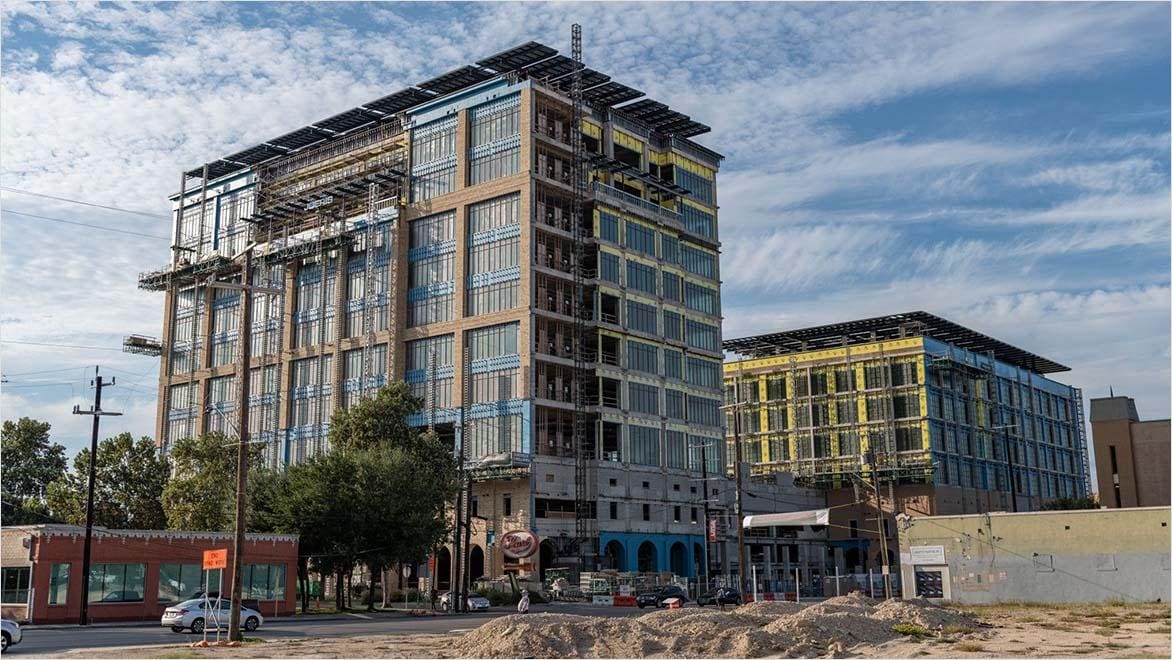
Commercial building under construction exterior.

Workflow integration and transition support

AutoCAD Revit LT Suite provides a structured transition from 2D drafting to model-based design by allowing both workflows to run in parallel. Teams can continue producing DWG drawings in while introducing coordinated BIM models, schedules, and sheets in.

A phased approach helps maintain consistency during this transition. This includes establishing BIM fundamentals, defining office standards, and gradually shifting project documentation from drafting to model-based outputs.

Transition approach

  • Train teams in BIM basics and model-based documentation
  • Define office standards for naming, graphics, and sheet organization
  • Start with hybrid workflows before moving to full model-based delivery

Hybrid workflow best practices

  • Use AutoCAD LT for detail drafting and drawing control
  • Use Revit LT for model coordination, schedules, and sheet generation
  • Link or reference DWG files during early project stages
  • Transition key deliverables from drawings to model-driven outputs
  • Maintain DWG exports for consultant and client requirements

Frequently asked questions about AutoCAD Revit LT Suite

What is AutoCAD Revit LT Suite?

AutoCAD Revit LT Suite is a bundled subscription that includes both AutoCAD LT for 2D drafting and Revit LT for Building Information Modeling (BIM).


It combines detailed DWG drawing production with coordinated BIM models, schedules, and sheets. The two applications are used together, allowing users to work across drafting and model-based documentation within the same project.

Who uses AutoCAD Revit LT Suite?

AutoCAD Revit LT Suite is used by solo practitioners and small to mid-size architecture practices firms, and design professionals that need both 2D drafting and introductory Building Information Modeling (BIM) within the same workflow.

It fits professionals working across design, documentation, and visualization without requiring advanced team collaboration tools.

Typical users include:

  • Architects and designers: Develop BIM models and documentation
  • Small firms and solo practitioners: Manage CAD and BIM deliverables
  • Interior designers: Plan, visualize, and document spaces
  • Draftspersons and technicians: Produce DWG drawings alongside BIM outputs
  • Independent consultants: Deliver projects without multi-user workflows

In practice, the suite supports users transitioning from CAD to BIM while maintaining established drafting workflows.

What are the benefits of using AutoCAD Revit LT Suite compared to using AutoCAD LT and Revit LT separately?

AutoCAD Revit LT Suite includes both AutoCAD LT and Revit LT under a single subscription, combining both 2D drafting and Building Information Modeling (BIM) within the same project workflow.

This combined setup offers several practical advantages:

  • Cost efficiency: A single subscription is more economical than maintaining separate licenses
  • Integrated workflows: Work across 2D drafting and BIM without recreating information
  • Simplified licensing: Manage one subscription instead of multiple products
  • Consistent documentation: Maintain alignment between DWG drawings and BIM outputs
  • Gradual BIM adoption: Introduce model-based workflows while continuing CAD-based production

In practice, teams can develop coordinated BIM models in Revit LT while continuing to produce detailed 2D drawings in AutoCAD LT, bringing model-driven design and drawing-based deliverables into a single workflow.

What is the cost of AutoCAD Revit LT Suite?

The price of an AutoCAD Revit LT Suite subscription varies by term. An annual subscription is priced at /year for 1 user, while a monthly subscription is available at  /month for 1 user per month. Multi-year subscription options may also be available depending on your region.


The total cost depends on your subscription term and location. Please check your local Autodesk website or authorized reseller for the most accurate and up-to-date pricing.

What are the main differences between Revit LT and full Revit?

Revit LT is a BIM tool designed for single-user, architecture-focused workflows, while Revit includes additional capabilities for multidisciplinary design and team collaboration.


Revit LT is intended for simplified BIM workflows for architectural design and documentation, including interoperability, data management, presentation features, and basic structural modeling. Full Revit extends this with advanced structural and MEP modeling, multi-user worksharing, and advanced analysis tools, making it suitable for larger and more complex project environments.

Can AutoCAD Revit LT Suite support collaborative BIM workflows?

AutoCAD Revit LT Suite provides coordinated BIM workflows for individual users but does not include multi-user worksharing or shared model environments.


Projects can be coordinated through file exchange, linked models, and documentation workflows. For real-time collaboration across teams, Revit provides shared model and cloud-based coordination capabilities.

Is AutoCAD Revit LT Suite suitable for complex multidisciplinary projects?

AutoCAD Revit LT Suite fits small to mid-size architectural projects that require both drafting and introductory BIM workflows.


It focuses on coordinated models and documentation but does not include tools for structural, MEP, or multidisciplinary BIM. Projects involving multiple disciplines and large teams typically require the extended capabilities available in Revit.

How does AutoCAD Revit LT Suite facilitate the transition from CAD to BIM?

AutoCAD Revit LT Suite enables a gradual transition from CAD to BIM by allowing drafting and model-based workflows to run in parallel.


Teams can continue producing 2D drawings in AutoCAD LT while introducing BIM models, schedules, and coordinated sheets in Revit LT. This facilitates adoption of model-based design without changing existing documentation processes.

What are the subscription options available for AutoCAD Revit LT Suite?

AutoCAD Revit LT Suite is available as a subscription that includes access to both AutoCAD LT and Revit LT under a single license.


The subscription includes regular software updates, cloud rendering capabilities in Revit LT, cloud storage services, and Autodesk technical support, for ongoing project delivery and workflow adoption.

See more FAQ