The Mechanical toolset is included with AutoCAD 2027

Increase productivity by up to 55%* with industry-specific tools for mechanical engineering, including 700,000+ intelligent parts and features. With the Mechanical toolset, you can:

  • Access our library of standards-based parts, tools, and custom content

  • Customize properties of object types and create them on custom layers

  • Automate tasks such as creating bills of materials (BOMs)


Mechanical door glide designed with the AutoCAD Mechanical toolset

Mechanical toolset features

New features in AutoCAD Mechanical 2027

Edge symbol revision ISO 13715: 2017

The ISO standard now supports the latest revisions of ISO13715: 2017 for the Edge Symbol. You can create new Edge Symbols using the latest or legacy revision.


Feature control frame symbole revision ASME Y14.5M-2018 (R2024)

The ASME standard now supports the latest revisions of ASME Y14.5M-2018 (R2024) for the following Symbols: Feature control frame, Datum target, Datum identifier. You can create new Symbols using the latest or legacy revisions.


Enhanced content library plus

More than 800 mechanical standard parts and features are updated to the latest revision in the content library. These parts are available in English and all other supported languages in AutoCAD Mechanical.


Discover industry tools for mechanical engineering

Latest revisions of ISO standards

By supporting the ISO 1101:2017(E) standard revision, users are able to annotate documents created in AutoCAD Mechanical 2026 using the latest revision. The updated symbols are; Feature Control Frame, Datum and Feature Identifier and Datum Target.


Connected Support Files

Support files are now connected, which means that all drawings and collaborators in an Autodesk Docs project can share one set of support files.


Find and replace options (AMNOTE)

The FIND command can now search and replace the text in AMNOTE, and the find and replace option is added in the Leader Note ribbon contextual tab.


700,000+ standard parts and features

Produce accurate drawings with standard components to support ISO, ANSI, DIN, JIS, BSI, CSN, and GB standards. Create and save custom content through the Content Manager, which enables you to add a part or feature to a content library.


Customized layer management

Save time with commands that create mechanical layers—so you don’t have to do it manually.


BOMs

Use commands to automate mechanical engineering tasks and simplify your work. Gain more control over BOMs, part lists, associative balloons, and part reference.


Power and automatic dimensioning

Get more work done in less time. Use abbreviated dialog boxes to set preferences for power dimension commands for the current standard.


GD&T symbols/annotations

Pre-configure symbols and save them to the symbol library for reuse. You can also access symbol libraries for welding, surface texture, and more.


Leader notes (AMNOTE)

Get the most out of your notes with formulas that automatically apply to an object. Use a template from a predefined set to display meaningful context-sensitive information immediately, instead of having to do it yourself.


Drawing border and title blocks

Customize drawing borders and title blocks to work with your system. Each of these items exists as separate DWG files, which you can copy and modify to optimize your configuration.


Drawing detailing

Use intelligent drafting tools made specifically for mechanical design. Boost drawing productivity and efficiency with reusable detailing tools such as Centerline, AMSHIDE, Hole Charts, and Scale Area for Viewports.


2D calculations

Combine automatic part creation with drawing automation to get the best value. Efficiently analyze designs and perform 2D calculations such as FEA, Shaft Calc, and Moment of Inertia.


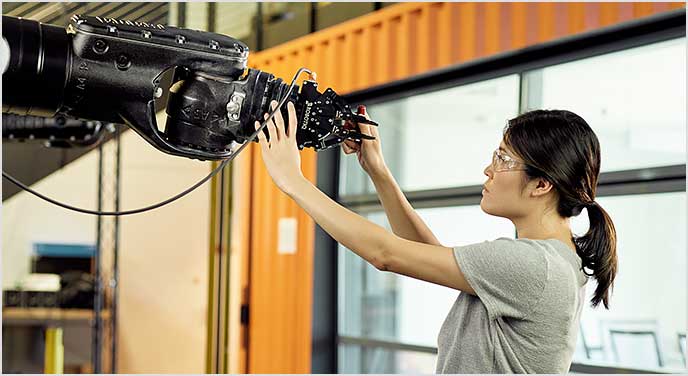
Woman working with AutoCAD and robotics

Benefits of the Mechanical toolset

In this study, the Mechanical toolset boosted productivity by up to 55%,* bringing dramatic time savings to common AutoCAD mechanical design tasks.

*Disclaimer

Productivity data based on a series of studies commissioned by Autodesk to an outside consultant. The seven toolset studies compared basic AutoCAD to the specialized toolsets within AutoCAD when performing tasks commonly done by experienced AutoCAD users. As with all performance tests, results may vary based on machine, operating system, filters, and even source material. While every effort has been made to make the tests as fair and objective as possible, your results may differ. Product information and specifications are subject to change without notice. Autodesk provides this information “as is,” without warranty of any kind, either express or implied.