AUTODESK WORKSHOP XR

Try Workshop XR free for 30 days

Experience powerful features, faster workflows, and smarter results—risk free for 30 days.


(Requires a Meta Quest 2, 3, 3S, or Pro)

What to expect with your Workshop XR trial

Full VR and web features

Access via headset or web browser.

Learning resources

Access learning resources created by product experts.

Get advice before you buy

Our team is here to answer any questions you may have.

Workshop XR Community

Ask the experts and connect with your peers.

What you can do with Autodesk Workshop XR

Meet inside your AEC projects to align faster

Key use cases:

  • Human-scale design review
  • Multi-discipline coordination
  • Constructability and access checks
  • Safety and risk walkthroughs
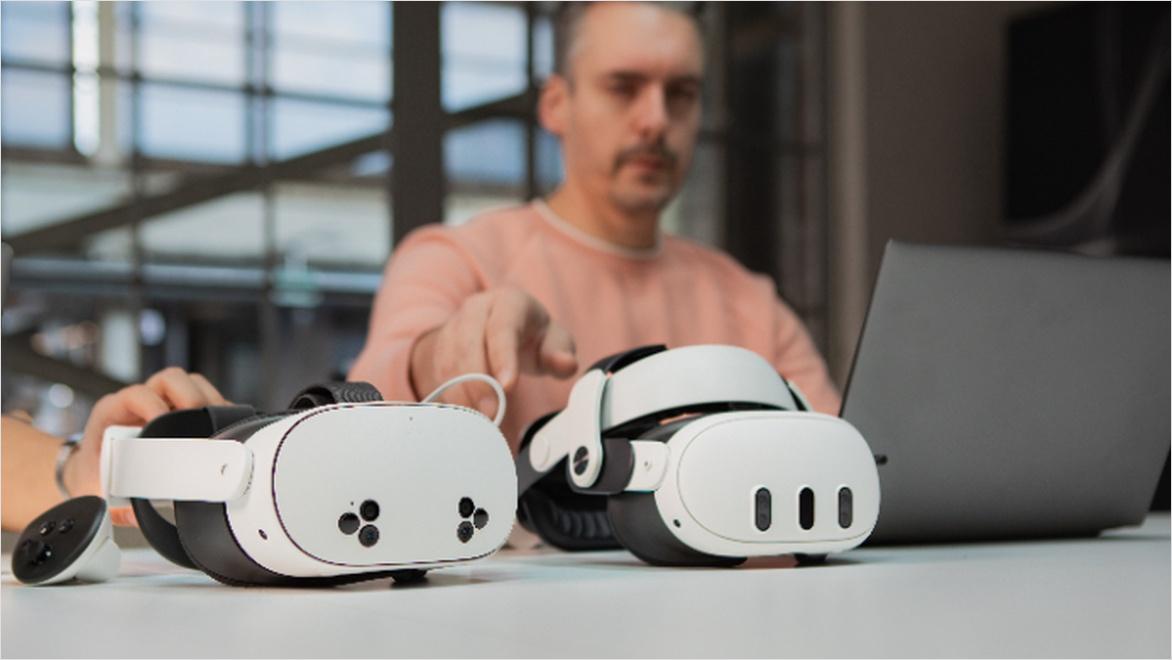
Two VR headsets sitting on a table

Who uses Workshop XR?

Workshop XR is used by BIM and VDC professionals, building engineering, and architecture teams to validate constructability, access, and safety at true human scale before issues become RFIs or site problems. 

Are you ready to start your Workshop XR trial?


Experience immersive design reviews at human scale inside your own projects

Autodesk Workshop XR enables AEC teams to run issue-driven, human-scale design reviews together—directly through Forma Data Management.

Get help and discover learning resources

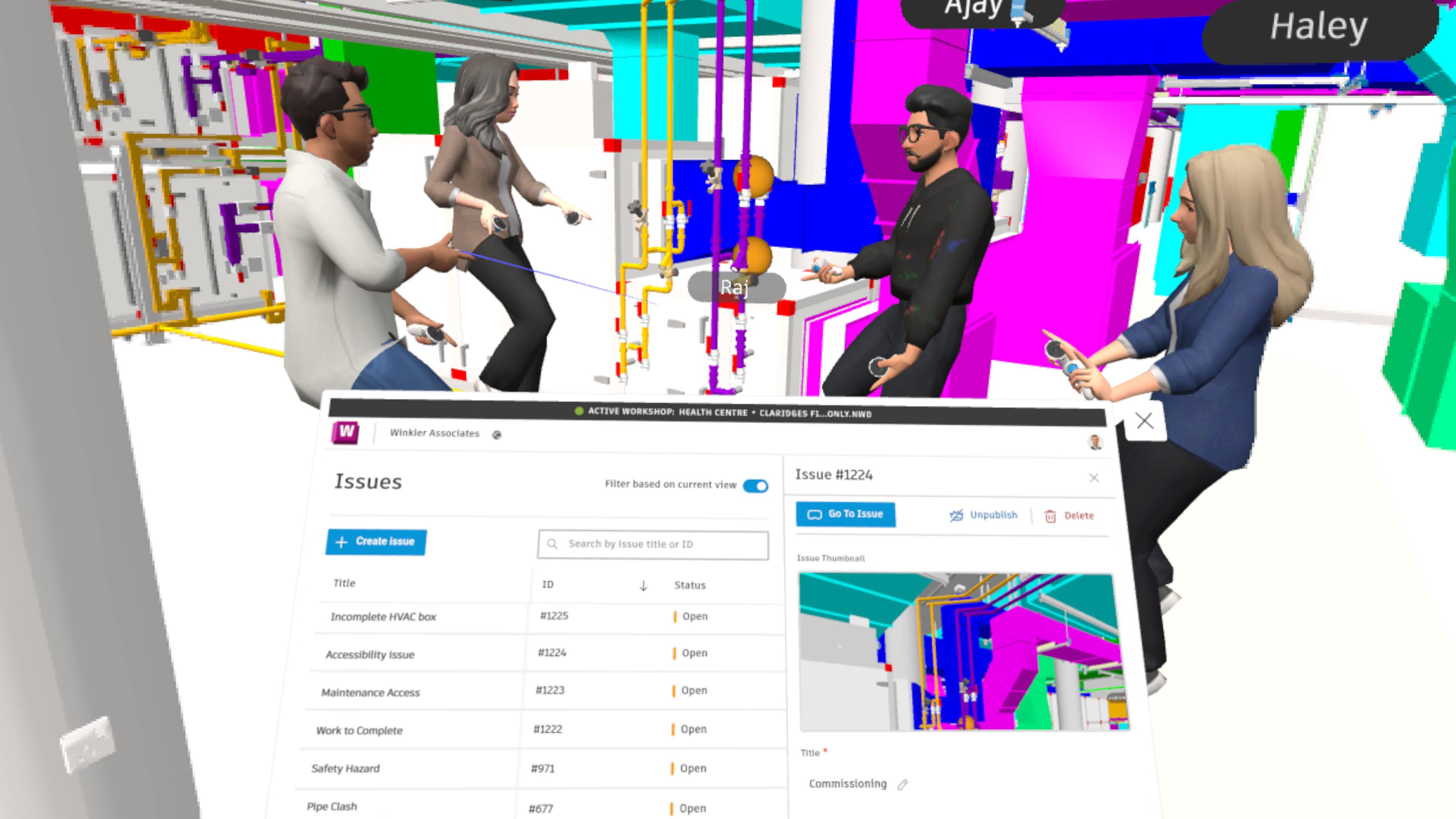
In app screenshot of avatars inside a model

Tutorials and videos

Explore how-to videos and guides.


three people sitting at table with laptop and vr headsets

Get help

Browse Help Center for assistance and hardware requirements.


4 people standing around a table in an office talking

Community & Forum

Learn from others, share your experience.


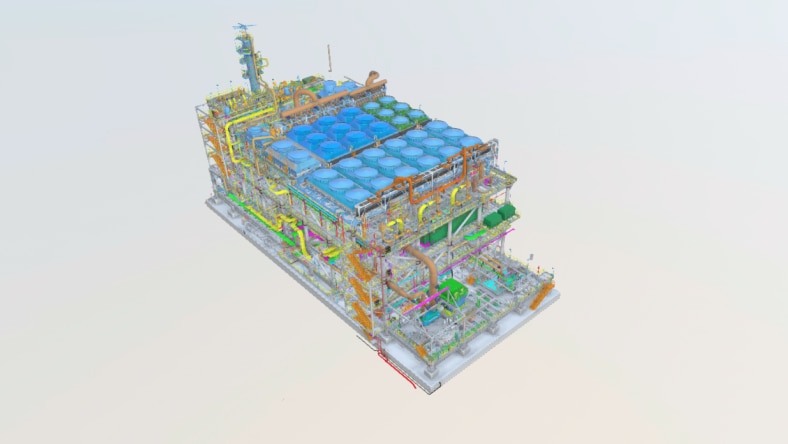
3d model of a large building with MEP details

Sample models

Download sample 3D datasets for projects.


Workshop XR trial download frequently asked questions (FAQs)

1. Do I need a VR headset to use Workshop XR?

No — a VR headset is not required. Workshop XR works on both VR headsets and standard desktop web browsers. With a license, users on either platform can create, join, and participate in collaborative design reviews. The Web App supports model navigation, file swapping, multi-user audio, and issue interaction — no headset required. For full immersion and enhanced spatial awareness, VR is encouraged. Workshop XR supports Meta Quest 2, 3, 3S, and Pro headsets.

2. Will I need a Facebook account to use Workshop XR?

No. You don’t need a Facebook account to access Workshop XR. However, in order to use the supported Quest headsets, you will need a Meta account.

3. Do I need to have Autodesk Forma to use Workshop XR?

The automatic data connectivity and synced issue tracking features of Workshop XR are made possible with Autodesk Forma. Workshop XR connects to Forma via Autodesk Forma Data Management. This gives you direct access to projects, files, members, and issues.

4. What file types are supported by Workshop XR?

Autodesk Revit and Autodesk Navisworks are supported. IFC files are also supported.

5. What are the Workshop XR hardware requirements?

Workshop XR is an untethered VR solution meaning that it does not require a PC connection. Everything runs on a standalone Meta Quest headset (Meta Quest 2, 3, 3S, and Pro). High-speed Internet or Wi-Fi with at least 30 mbps download speed is recommended for optimal performance.

See more FAQ

Connect with Sales to learn more

Still have questions? Request a callback from one of our product specialists to discuss your current business needs and learn how to get started with Autodesk Workshop XR to achieve your goals.