 Informed Design for Inventor
 Autodesk Informed Design for Inventor: Confirm manufacturability and customer satisfaction
Autodesk Inventor 2024 or a more recent version, as well as Forma Data Management are required to use Informed Design for Inventor.
What is Informed Design for Inventor?
Unlock the full potential of your building products with Informed Design for Inventor.
Seamless collaboration: Collaborate effortlessly with designers by creating parametric models of your building products. Confirm that only compliant versions of your products are used, thanks to built-in constraints and rules.
Powerful BIM content creation: Define BIM content confirming that your building products meet project requirements, compatibility with other components, and industry standards.
Streamlined product documentation: Simplify the generation of product documentation at scale and effortlessly generate the necessary outputs for fabrication.
What is Informed Design for Inventor?
Unlock the full potential of your building products with Informed Design for Inventor.
Seamless collaboration: Collaborate effortlessly with designers by creating parametric models of your building products. Confirm that only compliant versions of your products are used, thanks to built-in constraints and rules.
Powerful BIM content creation: Define BIM content confirming that your building products meet project requirements, compatibility with other components, and industry standards.
Streamlined product documentation: Simplify the generation of product documentation at scale and effortlessly generate the necessary outputs for fabrication.

Author manufacturing constraints

Preview manufacturing constraint rules

Set output type availability

Manage work-in-progress versions
Author manufacturing constraints
Preview manufacturing constraint rules
Set output type availability
Manage work-in-progress versions
"When our architects know whats manufacturable and fits the building, that saves us all time and improves our project quality."
Informed Design for Revit and Inventor workflow
See how Informed Design for Revit and Inventor combine for design certainty.
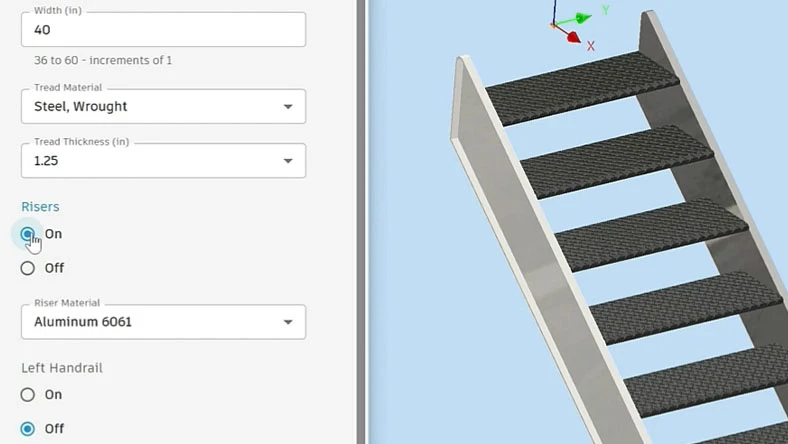
Author and publish building products
Building product manufacturers author and publish customizable, repeatable products using Autodesk Informed Design for Inventor.
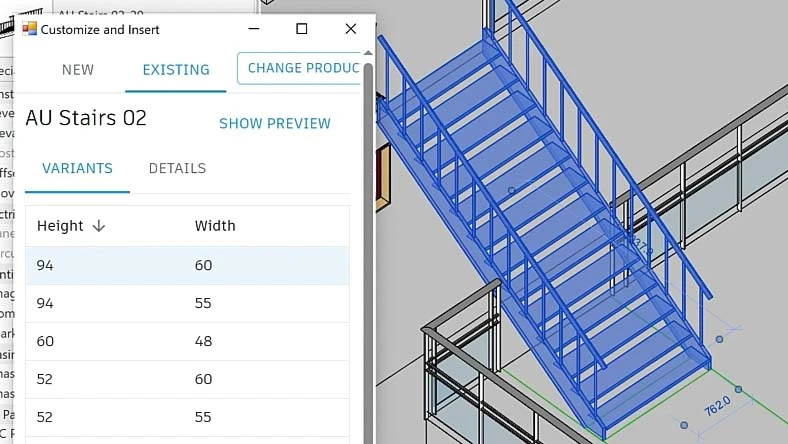
Customize and Place building products in design files
Access, customize, and place building product templates in design files while respecting manufacturers' guardrails.
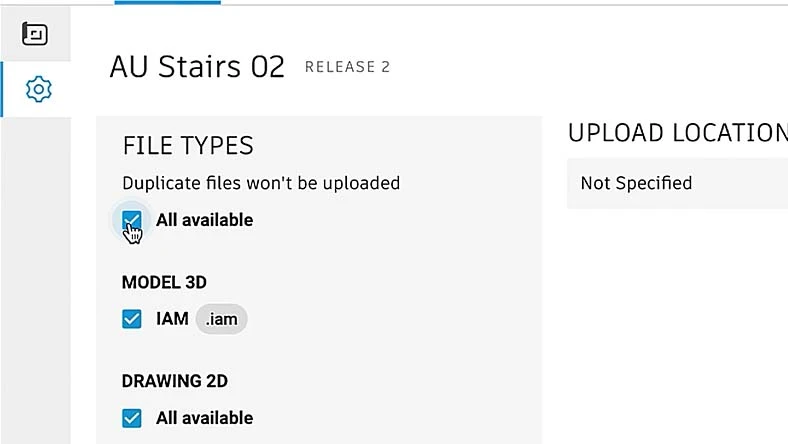
Automatically create output documentation
Using the Informed Design web portal, manufacturers can seamlessly generate all manufacturing documentation automatically.
Questions? We have answers.
What is Informed Design for Inventor used for?
Autodesk Informed Design for Inventor is an add-in for Autodesk Inventor that empowers product managers and product engineers to efficiently create parametric models, define BIM content, establish product rules, and seamlessly share their products with building design stakeholders through cloud-based collaboration. This add-in streamlines the design process, enabling enhanced collaboration and communication among all parties involved in building design projects.
Who uses Informed Design for Inventor?
Informed Design for Inventor is used by product managers and/or product engineers at either a vertically integrated contractor company or a building product manufacturing firm.
What is the difference between Inventor and Informed Design for Inventor?
Autodesk Inventor is a 3D computer-aided design (CAD) software that is widely used for mechanical design, simulation, and documentation. It provides a comprehensive set of tools for creating and editing 3D models, generating 2D drawings, and performing various engineering analyses.
Informed Design for Inventor is an add-in specifically designed to extend the functionality of Autodesk Inventor. This add-in enables product managers and product engineers to create parametric models, define BIM content, author product rules, and publish their products to the cloud for improved collaboration with building design stakeholders.
Are there any prerequisites for using Informed Design for Inventor?
In order to utilize Informed Design for Inventor, users must have Inventor and Autodesk Docs for seamless cloud-based data sharing and building product template integration. While Informed Design for Revit is not a prerequisite, effective collaboration with the design stakeholder using Informed Design for Revit, Inventor and Autodesk Docs is essential for optimal usage and synchronization.
How much does Informed Design for Inventor cost?
Informed Design for Inventor is an add-in for Inventor that can be downloaded and installed free of charge. As of now, generating manufacturing documentation through Informed Design does not incur any token charge. However, please note that after the zero token charge period, generating documentation via Informed Design will incur a nominal fee. Terms and conditions apply and prices are subject to change.
What version of Inventor can I install Informed Design for Inventor on?
Informed Design for Inventor can only be installed on Inventor 2024 and upcoming releases.
Which operating system does Informed Design for Inventor run on?
Informed Design runs on the same OS as Inventor 2024. See Inventor 2024 system requirements for details.
Can I install Informed Design for Inventor on multiple computers?
Please refer to the Software License Agreement for more information.
Products you can trust
From payment flexibility to always-on support, expect excellence.

