Autodesk Flow Studio

Create animation-ready characters with AI you control

Move from concept to screen faster with AI-powered tools that speed up your workflow without compromising creative control.

Join an activity. Get Flow Studio Pro for free.

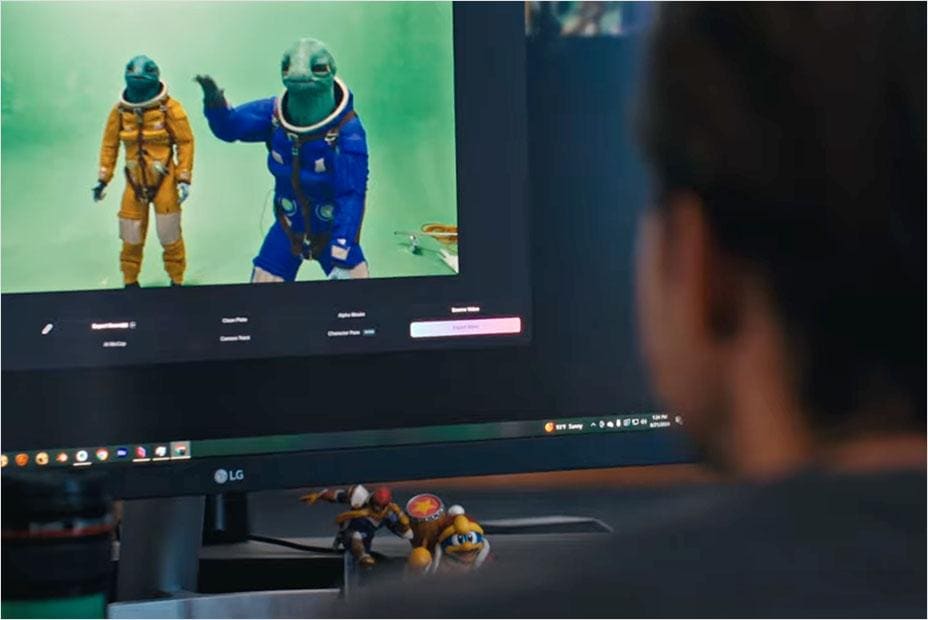
Making "Daughter of the Inner Stars"

Join Inferstudio as they walk through how they used Flow Studio's AI mocap in their recent project.


How to build your dream project with Flow Studio

Join the workshop and learn how to use AI tools that don't compromise your creative control.


Connect with other creators at Annecy

Discover Flow Studio and leave inspired with new connections over bites and drinks


Flow Studio overview (video: 1:08 min.)

What is Flow Studio?

Flow Studio is an AI-powered 3D toolset that turns the stories you imagine into the ones you make, removing friction from your animation workflow so creativity stays front and centre.

  • Go from concept to animation-ready 3D characters in one tool.
  • Transform footage into fully controllable CG scenes.
  • Refine every detail with editable outputs, including mocap, camera tracking, and clean plates.
  • Bring your work into Maya, Blender, Unreal Engine, USD, and more.

Join an activity.
Get Flow Studio Pro for free.

Catch up on the Annecy fun. Sign up for recordings and exclusive content.

Frequently asked questions (FAQs)

How can I claim a free Pro license of Autodesk Flow Studio?

Attend any of the following in-person activities (registration required) to receive a free 1-month Pro license:

Please note: the license is valid for 1 month, and each person may claim only one license. Activation steps for your license will be provided within each activity.

I missed the activities. What should I do?

Get access to session recordings, recaps, and exclusive content after the event by filling out the form on this page. You can also try Flow Studio with the Free tier, which includes access to features like AI mocap, text- or image-to-3D prompting, AI rigging preview, and more. See what’s included.

What AI features are available in Flow Studio?

Flow Studio provides a wide range of AI-powered tools designed to speed up your creative process. Key features include: markerless motion capture, Video-to-3D Scene technology, and automatic generation of essential elements like camera tracking, clean plates, alpha masks, and character passes.


Everything is export-ready for your preferred 3D tools—like Maya, Blender, or Unreal—so you can easily refine and build on your work with full creative control.

What is Autodesk doing to ensure the responsible and ethical use of AI and Machine Learning (ML)?

Some Autodesk AI features do not leverage machine learning and so do not require data for training of the underlying models. When an AI feature does require data for training, Autodesk uses different data sources depending on the feature. You can learn more about whether an Autodesk AI feature relies on machine learning and what data sources are used for training on the feature’s AI transparency card, located within the Trusted AI section of Autodesk's Trust Center. Note: Additional transparency cards are coming soon.

What makes Flow Studio different from other AI tools?

Many traditional AI tools can feel like a black box - a one-click solution where you don’t have much control over the outcome. Flow Studio is different. It’s designed to work with you, not just for you. Flow Studio offers controllable, directable AI that puts you in charge. You can guide the process, refine the results, and shape the final output so it truly reflects your creative vision. It’s not about pressing a button and hoping for the best—it’s about having the right tools to bring your ideas to life, with AI as your creative enabler.

Are there any age restrictions to using Flow Studio?

To access Flow Studio commercial or educational license, you must be 18 years or older. 

See more FAQ