Architecture, Engineering
& Construction
& Construction

Integrated BIM tools, including Revit, AutoCAD, and Civil 3D
Top products
Product Design
& Manufacturing
& Manufacturing

Professional CAD/CAM tools built on Inventor and AutoCAD
Top products

Discover
How to buy


 (Place a Component)
 Load Family. Then navigate to the appropriate category folder in the Load Families dialog, select the family, and click Open to add the family to the Type Selector.
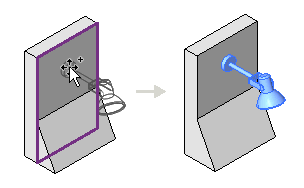
 Place on Vertical Face. This option is only available for some components and allows placement only on vertical faces.
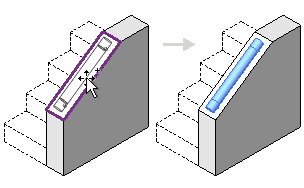
 Place on Face. This option allows placement on faces regardless of orientation.
 Place on Work Plane. This option requires an active work plane to be defined in the view (see