Set local folders in InfoAsset Manager
Step-by-step guide
In InfoAsset Manager, local folders are directories where working copies of files are stored.
There are two types of local folders:
- The working folder is used to store transitory data—working copies of version-controlled items and other temporary working files.
- The results folder is used to store local copies of result files.
Only one of each local folder is required, even when working with more than one database. Data for each database is stored in a sub-directory of the local folder.
Local folders should reside on your machine. Accessing local folders via a network will seriously degrade the performance of InfoAsset Manager and may also affect the performance of the network.
To set the local folder locations:
- From the Tools menu, select Options.
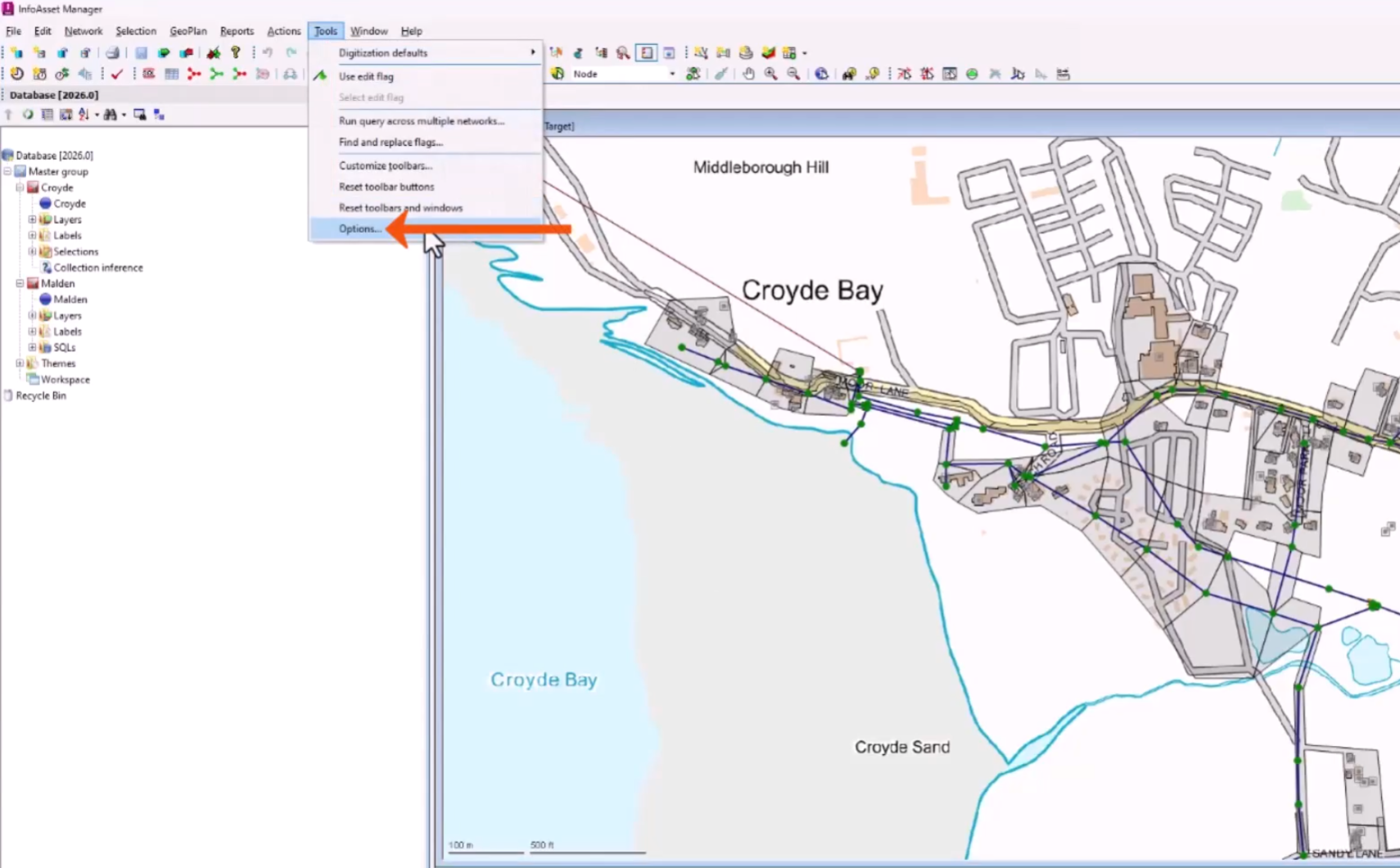
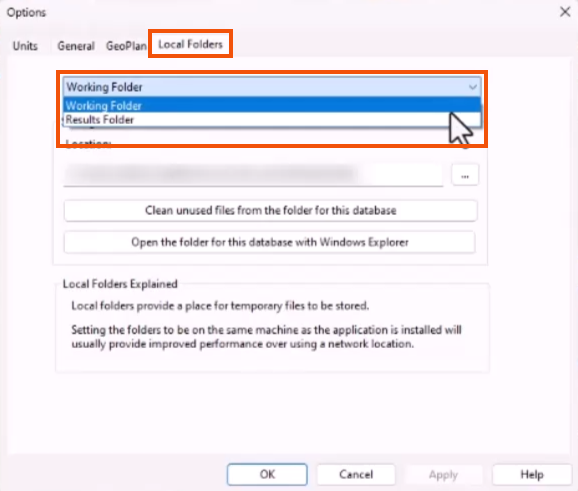
- In the Options dialog, switch to the Local Folders tab.
- From the drop-down, select either Working Folder or Results Folder to review and change the location, if needed.
You should not need to access these local folders and files directly. Doing so may compromise the correct functioning or data integrity of InfoAsset Manager.




