View and compare object commit history in InfoAsset Manager
Step-by-step guide
In InfoAsset Manager, every time changes are committed to the database, they are recorded permanently and are not overwritten by new changes. A complete history of each version-controlled item is available for review, including the ability to view the history of individual network objects.
To view the commit history of individual objects:
- Open the property sheet for an object in the network, such as a node or pipe.
- From the property sheet toolbar, click Commit history.
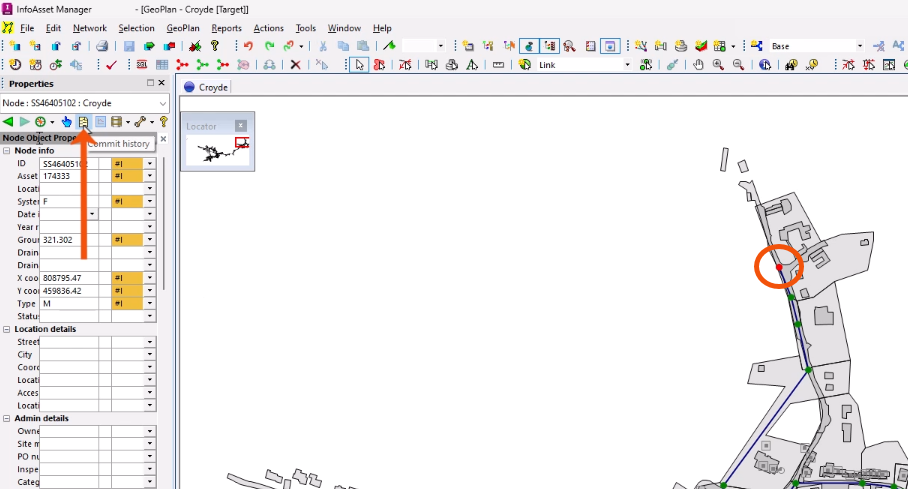
This opens the Commit history dialog for that object.
To view more information:
- Select one of the rows in the list.
- Click Details.
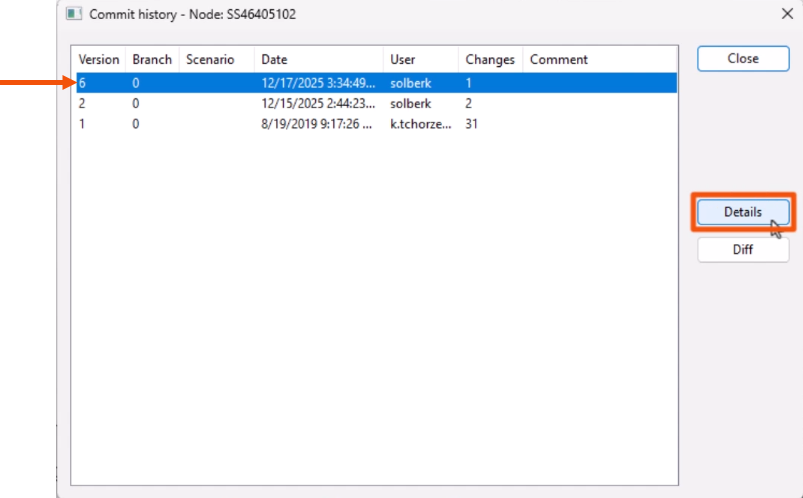
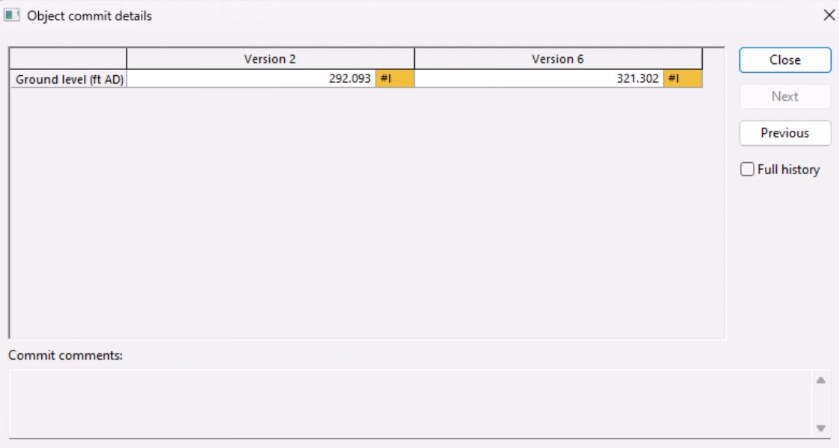
In the Object commit details dialog displays details of the commit, such as the number of changed objects and any comments made at the time.
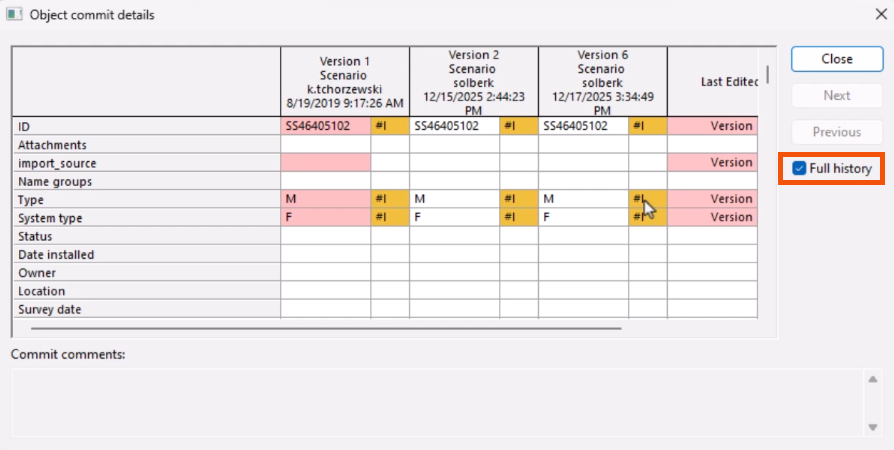
- Select Full history to access the full commit history for the network object.
Note that there must be more than two commit changes to an object to display the full history details.
- Click Close to return to the Commit history dialog.
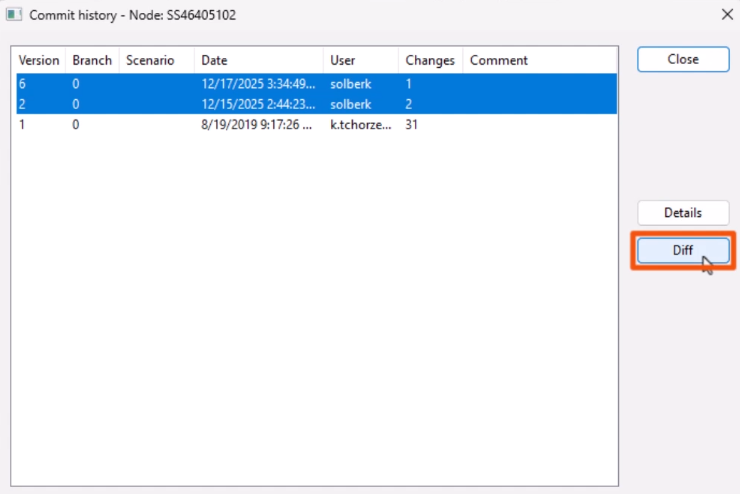
To view the differences between two versions:
- Select two rows.
- Click Diff.
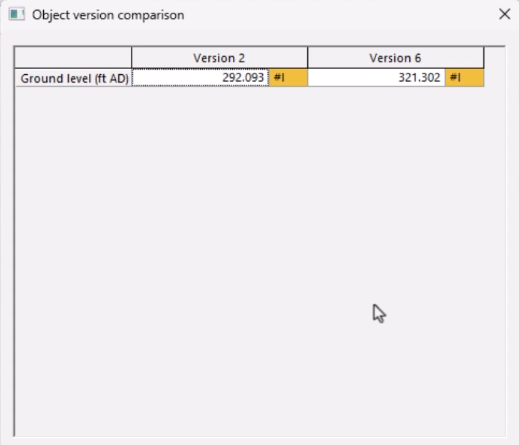
The Object version comparison dialog displays.
To view differences between a selected commit and its current version, including any uncommitted changes:
- Select a row.
- Click Diff.
The Object version comparison dialog will list each difference on a separate row, with the old and new values listed.
If needed, data can be copied from the Commit history dialog.




