Adding a new cover setting

Add a new cover setting - Exercise

Let's add a new cover setting.

  1. Open Revit, then the file STRUCTURAL.RVT (or open any Revit project you are working in).
  2. On the Structural tab, click the arrow on the Reinforcement tab.
  3. Select the Reinforcement Cover button (see below).

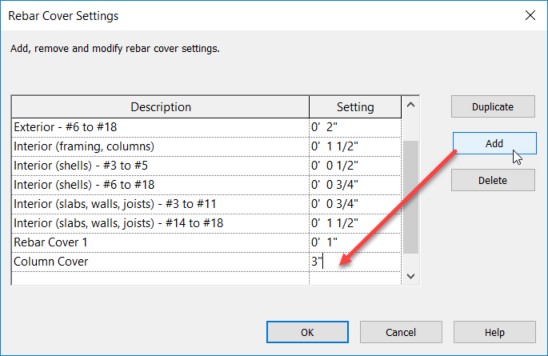
  4. With the Rebar Settings dialog open, click the Add button.
  5. Add a new cover called Column Cover and make it 3" (see below).

Now when you add rebar to a concrete element, you will have this additional setting.