Adding rebar

Add rebar - Exercise

  1. Open Revit, then the file STRUCTURAL.RVT (or open any Revit project you are working in).
  2. Go to section 13.
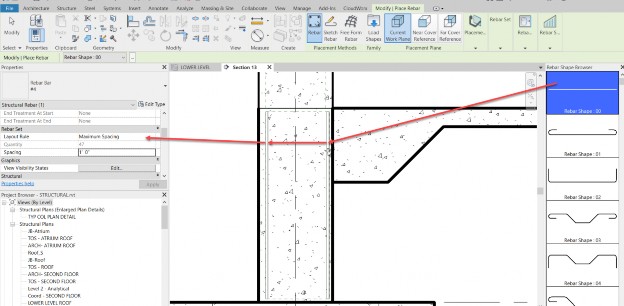
  3. Select the wall as shown below.
  4. Click the Rebar button.
  5. Make sure Rebar_00 is selected.
  6. In the properties, set the spacing to Maximum Spacing.
  7. Set the spacing increment to 1'-0".
  8. Place the bars in, as shown.

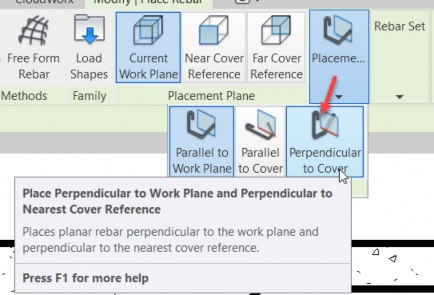
  9. With the command still running, select the Placement to Perpendicular to Cover, as shown below.

  10. Place the bars vertically, as shown below.

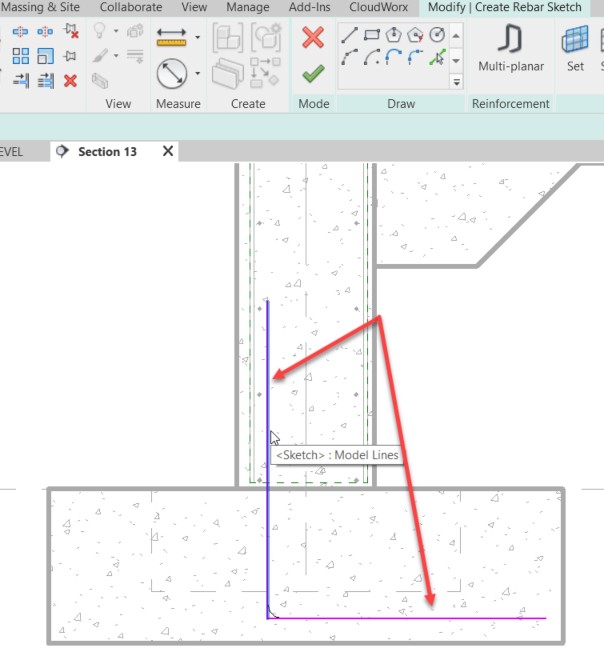
  11. Click the Sketch button.
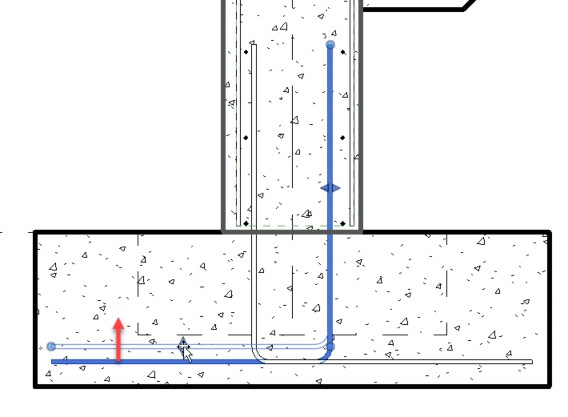
  12. Select the wall (again).
  13. Sketch a dowel, as shown.

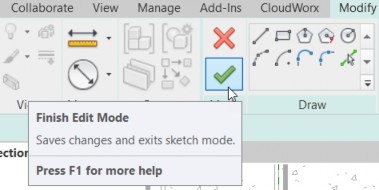
  14. Click Finish Edit Mode.

  15. Mirror the dowel.
  16. Select the new dowel and adjust it by moving the grips that appear.