
CNC machine programming software
CNC machining software
CNC machining software
Get the most out of your machine with advanced CNC software.
 A controller uses Autodesk Fusion to refine a milling project.
What is CNC machining?
What is CNC machining?
“CNC” stands for computer numerical control. CNC machines come in a various shapes and sizes and frequently perform the first stage of fabricating a component or part by removing material. After developing a part in CAD (computer-aided design) software, CAM (computer-aided manufacturing) software is used to generate toolpaths – instructions for a CNC machine on how to generate toolpaths that will control the motion and behaviour of the machine, cutting tool and workpiece during the manufacturing process.
CAM software, such as Autodesk Fusion, creates a digital file (NC program) containing all the necessary instructions to control how the CNC machine will function. A configurable post processor is used to control the precise contents of the NC program, including different G- and M-codes to suit the NC controller type (such as Heidenhain, Siemens or Fanuc) as well as different configurations of linear and rotary axes (for example 3-axis, 4-axis or 5-axis with rotary axes on the head and/or table).
“CNC” stands for computer numerical control. CNC machines come in a various shapes and sizes and frequently perform the first stage of fabricating a component or part by removing material. After developing a part in CAD (computer-aided design) software, CAM (computer-aided manufacturing) software is used to generate toolpaths – instructions for a CNC machine on how to generate toolpaths that will control the motion and behaviour of the machine, cutting tool and workpiece during the manufacturing process.
CAM software, such as Autodesk Fusion, creates a digital file (NC program) containing all the necessary instructions to control how the CNC machine will function. A configurable post processor is used to control the precise contents of the NC program, including different G- and M-codes to suit the NC controller type (such as Heidenhain, Siemens or Fanuc) as well as different configurations of linear and rotary axes (for example 3-axis, 4-axis or 5-axis with rotary axes on the head and/or table).
Benefits of CNC software
Learn about some of the top benefits of CNC software from Autodesk
Learn about some of the top benefits of CNC software from Autodesk
Precision and accuracy
Combining CNC software with CNC machines makes the same precision and accuracy of 3D CAD models physically possible. Some CNC software, such as Autodesk Fusion, also includes simulation abilities that test the machining process virtually to identify potential errors and waste ahead of time.
Combining CNC software with CNC machines makes the same precision and accuracy of 3D CAD models physically possible. Some CNC software, such as Autodesk Fusion, also includes simulation abilities that test the machining process virtually to identify potential errors and waste ahead of time.
Improved workflow
CNC software from Autodesk integrates CAD and CAE capabilities with its CAM functions, making manufacturing smoother overall. CNC machines can also run efficiently all day, every day, with the flexibility to make quick changes straight from the CNC software.
CNC software from Autodesk integrates CAD and CAE capabilities with its CAM functions, making manufacturing smoother overall. CNC machines can also run efficiently all day, every day, with the flexibility to make quick changes straight from the CNC software.
Workplace safety
CNC machining automates much of its fabrication behind the machines’ enclosures, so human operators and programmers are less directly involved in machining operations. While this step does not eliminate the potential for accidents, it greatly reduces the risk of injury.
CNC machining automates much of its fabrication behind the machines’ enclosures, so human operators and programmers are less directly involved in machining operations. While this step does not eliminate the potential for accidents, it greatly reduces the risk of injury.
Flexibility
CNC machines can be programmed to create a vast array of parts, making it versatile across various applications and industries.
CNC machines can be programmed to create a vast array of parts, making it versatile across various applications and industries.
Reproducibility
CNC machine programming software makes sure that quality is consistent across multiple parts, as the same CNC machine programme can be used to produce identical pieces.
CNC machine programming software makes sure that quality is consistent across multiple parts, as the same CNC machine programme can be used to produce identical pieces.
Prototyping
CNC machining offers quick setup and programming capabilities, thus making it well suited for rapid prototyping and small batch production.
CNC machining offers quick setup and programming capabilities, thus making it well suited for rapid prototyping and small batch production.
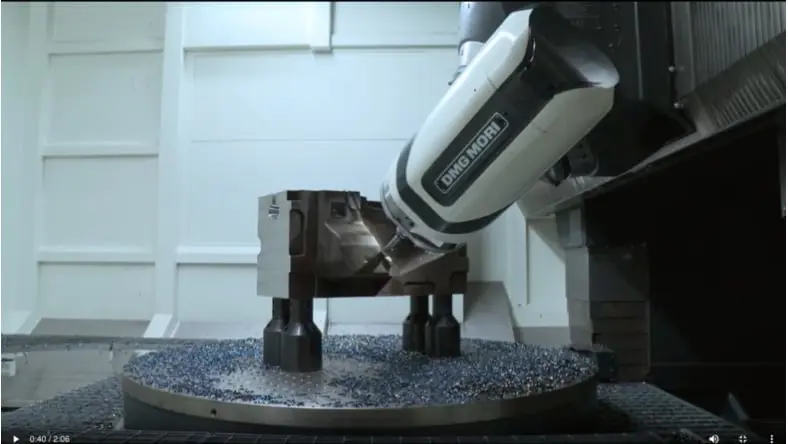
New software and machines for a veteran manufacturer
New software and machines for a veteran manufacturer
Hear how Precision Mould & Machining improved productivity, quality and the bottom line since switching its legacy CAD/CAM software to Autodesk PowerShape and PowerMill for its 3-axis and 5-axis CNC machining.
Hear how Precision Mould & Machining improved productivity, quality and the bottom line since switching its legacy CAD/CAM software to Autodesk PowerShape and PowerMill for its 3-axis and 5-axis CNC machining.
{{PRICE}}/{{TERM}}
Image courtesy of Precision Mould & Machining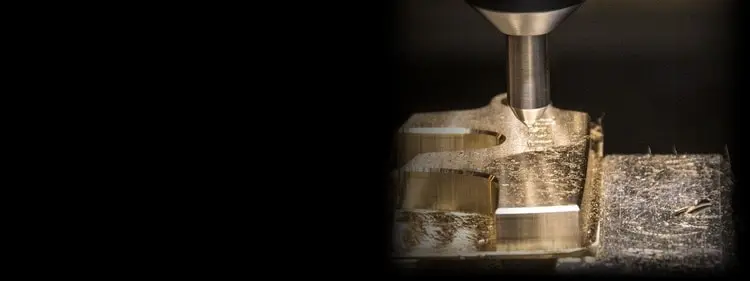
Autodesk Fusion
Autodesk Fusion
Integrated cloud CAM, CAM, CAE, PCB and PDM core capabilities ideal for designers, engineers, machinists and teams working across the product development lifecycle.
Includes:
Fully integrated CAD/CAM
Real-time team collaboration
PCB design alongside mechanical part creation
Drawing automation and design configurations
Try Autodesk Fusion for free for 30 days
/year
Integrated cloud CAM, CAM, CAE, PCB and PDM core capabilities ideal for designers, engineers, machinists and teams working across the product development lifecycle.
Includes:
Fully integrated CAD/CAM
Real-time team collaboration
PCB design alongside mechanical part creation
Drawing automation and design configurations
Try Autodesk Fusion for free for 30 days
/year
{{PRICE}}/{{TERM}}
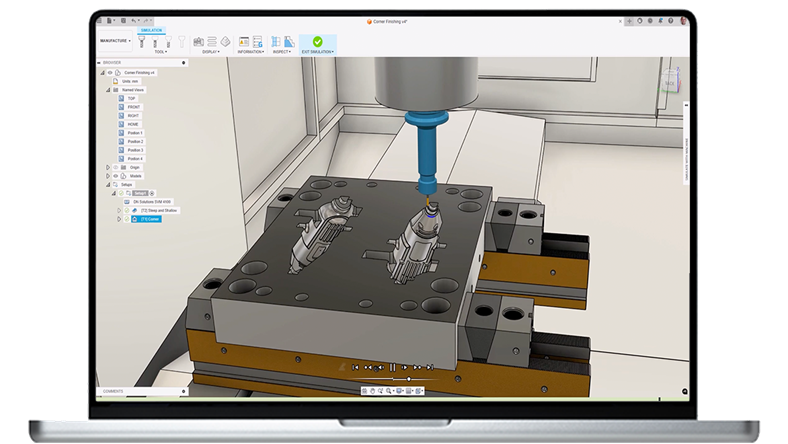
Autodesk Fusion Manufacturing Extension
Autodesk Fusion Manufacturing Extension
Unlock additional capabilities for 3 to 5-axis CNC machining, sheet-based nesting and fabrication, and metals-based additive manufacturing.
Includes advanced manufacturing capabilities:
Comprehensive 2D to 5-axis machining
Cutting, milling, turning and turn-mill
Manufacturing automation
Part inspection and probing
Free and editable post-processors
*Requires an Autodesk Fusion subscription
/year
Unlock additional capabilities for 3 to 5-axis CNC machining, sheet-based nesting and fabrication, and metals-based additive manufacturing.
Includes advanced manufacturing capabilities:
Comprehensive 2D to 5-axis machining
Cutting, milling, turning and turn-mill
Manufacturing automation
Part inspection and probing
Free and editable post-processors
*Requires an Autodesk Fusion subscription
/year
{{PRICE}}/{{TERM}}
CNC machining methods
Roughing
Roughing
The first step in many CNC machining operations, roughing, removes as much material as possible from the stock before zeroing in on details. The Adaptive Clearing capability in Autodesk CNC software produces collision-free roughing and reduces the need for long repositioning moves so manufacturers can deliver high-quality parts in less time.
The first step in many CNC machining operations, roughing, removes as much material as possible from the stock before zeroing in on details. The Adaptive Clearing capability in Autodesk CNC software produces collision-free roughing and reduces the need for long repositioning moves so manufacturers can deliver high-quality parts in less time.
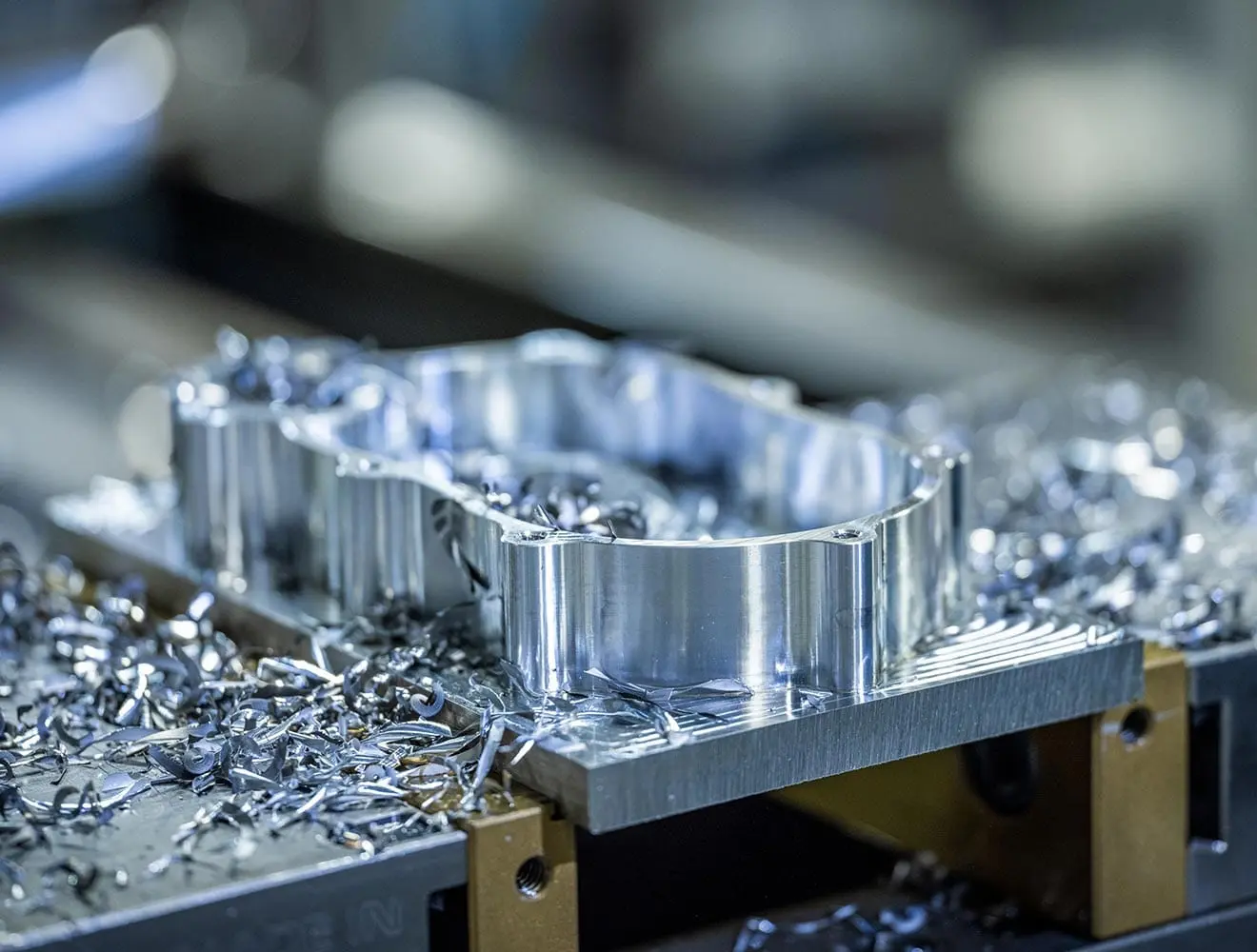
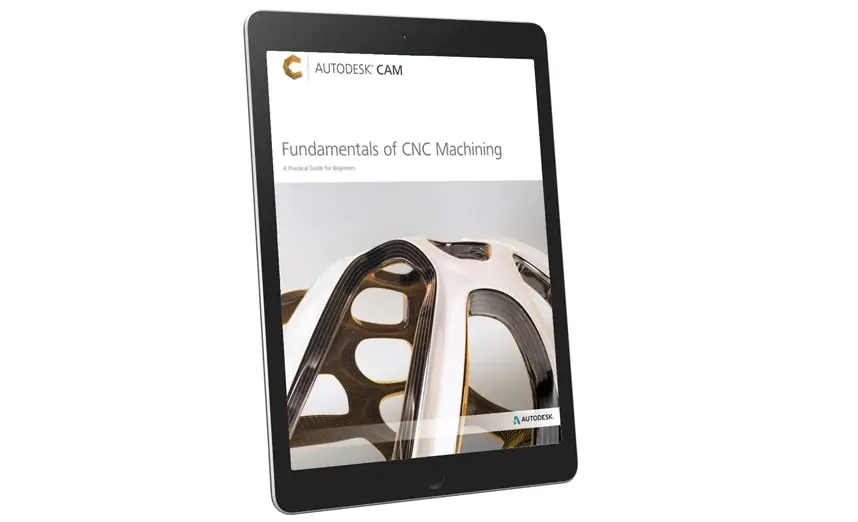
Adaptive clearing for high-efficiency roughing in Autodesk Fusion
Adaptive clearing for high-efficiency roughing in Autodesk Fusion
Adaptive clearing in Fusion is a high-efficiency roughing strategy design to remove large amounts of material quickly and consistently. It uses a toolpath that flows smoothly, maintaining an optimal tool load by taking deeper, lighter passes at faster speeds.
Adaptive clearing dynamically adjusts to the part geometry, clearing cavities and open pockets with efficient arcs and smooth transitions, which helps minimise tool deflection and heat buildup. By optimising cutting conditions and balancing chip load, this strategy enhances both material removal rates and tool life, making it ideal for roughing complex 3D models efficiently.
Adaptive clearing in Fusion is a high-efficiency roughing strategy design to remove large amounts of material quickly and consistently. It uses a toolpath that flows smoothly, maintaining an optimal tool load by taking deeper, lighter passes at faster speeds.
Adaptive clearing dynamically adjusts to the part geometry, clearing cavities and open pockets with efficient arcs and smooth transitions, which helps minimise tool deflection and heat buildup. By optimising cutting conditions and balancing chip load, this strategy enhances both material removal rates and tool life, making it ideal for roughing complex 3D models efficiently.
 The right CNC software can help optimise your workflow by integrating CAD, CAM, CAE and simulations in one package.
How to choose the right CNC software
How to choose the right CNC software
Before choosing a CNC software, first assess the types of CNC machines, operations and materials you want to use and the complexity of the parts you will create. Different CNC software will have varying compatibility for specific CNC machines – and varying utility for CNC operations, such as milling, turning, plasma cutting or 3-axis vs. 5-axis toolpaths. Make sure any CNC software options will work well with your entire workflow, including compatibility with CNC machines and their controllers, the necessary file formats and any software extensions or plug-ins.
Next, consider how comprehensive and robust you want the CNC software to be. For example, some CNC software integrates CAD, CAM and CAE (computer-aided engineering) and full simulation features into one package. In comparison, other program may be as simple as sending G-code to a CNC machine. Also, differing software capabilities and levels of customer support come at varying prices. CNC software may range in cost from free to thousands of dollars and may require ongoing costs for support, upgrades and/or subscriptions. Consider your budget compared to each CNC software program’s features, quality and tech support. If in doubt, try a free trial or demo before you buy.
Before choosing a CNC software, first assess the types of CNC machines, operations and materials you want to use and the complexity of the parts you will create. Different CNC software will have varying compatibility for specific CNC machines – and varying utility for CNC operations, such as milling, turning, plasma cutting or 3-axis vs. 5-axis toolpaths. Make sure any CNC software options will work well with your entire workflow, including compatibility with CNC machines and their controllers, the necessary file formats and any software extensions or plug-ins.
Next, consider how comprehensive and robust you want the CNC software to be. For example, some CNC software integrates CAD, CAM and CAE (computer-aided engineering) and full simulation features into one package. In comparison, other program may be as simple as sending G-code to a CNC machine. Also, differing software capabilities and levels of customer support come at varying prices. CNC software may range in cost from free to thousands of dollars and may require ongoing costs for support, upgrades and/or subscriptions. Consider your budget compared to each CNC software program’s features, quality and tech support. If in doubt, try a free trial or demo before you buy.
 CNC software can help develop prototypes for CAD/CAM projects like the automated pipe bender developed by Kenyan engineer William Maluki.
Autodesk Fusion is CAD/CAM software for CNC
Autodesk Fusion is CAD/CAM software for CNC
CNC software/platforms such as Autodesk Fusion integrate CAD and CAM to keep design and manufacturing processes as connected as possible; when creating a design, engineers must keep the manufacturing process in mind from the beginning. Once loaded with stock material, the CNC machine performs the programmed operations, including cutting or using other tools during the machining process. Finally, the toolpaths are turned into G-code, which controls the machine movements and generates the finished product. The manufacturing workspace in Autodesk Fusion is responsible for interpreting toolpaths and exporting them as G-code for a CNC machine.
CNC software/platforms such as Autodesk Fusion integrate CAD and CAM to keep design and manufacturing processes as connected as possible; when creating a design, engineers must keep the manufacturing process in mind from the beginning. Once loaded with stock material, the CNC machine performs the programmed operations, including cutting or using other tools during the machining process. Finally, the toolpaths are turned into G-code, which controls the machine movements and generates the finished product. The manufacturing workspace in Autodesk Fusion is responsible for interpreting toolpaths and exporting them as G-code for a CNC machine.
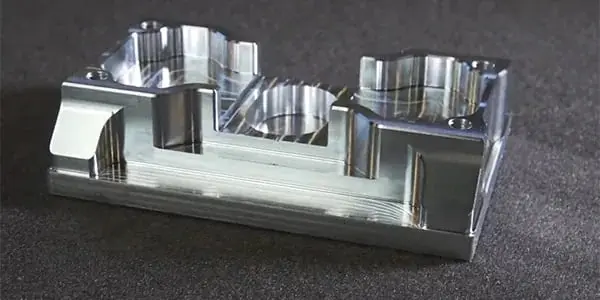
2-axis vs 3-axis milling
2-axis vs 3-axis milling
Learn how 2-axis milling compares to 3-axis, and the advantages that 3-axis CNC machining has to offer.
Learn how 2-axis milling compares to 3-axis, and the advantages that 3-axis CNC machining has to offer.
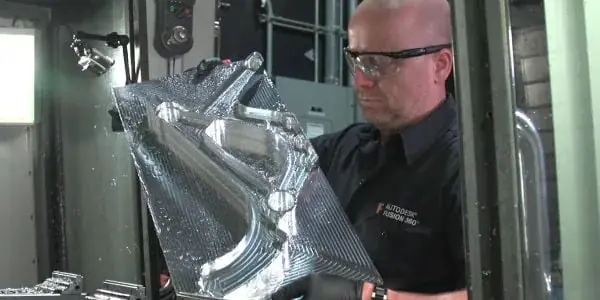
Adaptive clearing
Adaptive clearing
The first step in many CNC machining operations is to remove as much material as possible. See how 'Adaptive Clearing' helps.
The first step in many CNC machining operations is to remove as much material as possible. See how 'Adaptive Clearing' helps.
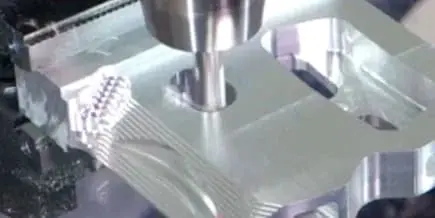
3+2-axis machining
3+2-axis machining
Positional 5-axis or 3+2, can offer advantages of simultaneous 5-axis without the additional complexity or high cost.
Positional 5-axis or 3+2, can offer advantages of simultaneous 5-axis without the additional complexity or high cost.

Turning
Turning
Turning, while still CNC machining, is different from milling. Learn about the five subfeatures of turning in Autodesk Fusion.
Turning, while still CNC machining, is different from milling. Learn about the five subfeatures of turning in Autodesk Fusion.
Autodesk CNC software
Autodesk Fusion
Autodesk Fusion
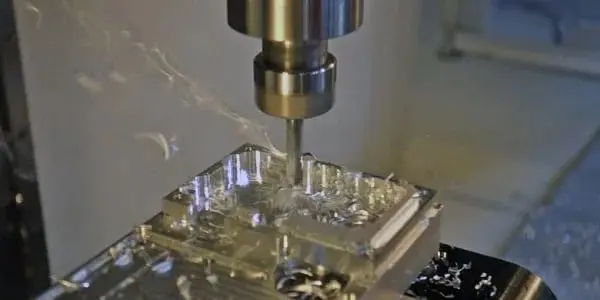
2.5-axis milling creates prismatic features at distinct Z levels. Even though the machine is only moving in two axes simultaneously, the CAM software is still used as the shapes created can be complex and high precision.
2.5-axis milling creates prismatic features at distinct Z levels. Even though the machine is only moving in two axes simultaneously, the CAM software is still used as the shapes created can be complex and high precision.
Fusion Manufacturing Extension
Fusion Manufacturing Extension
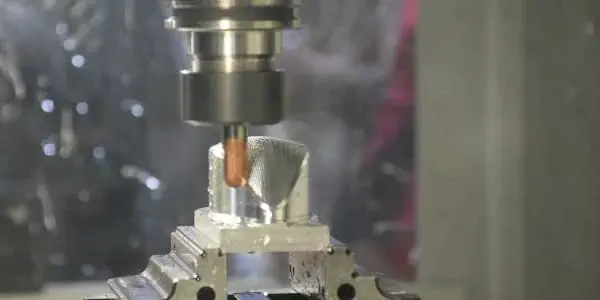
3-axis milling uses all three axes simultaneously. Software is used to generate these toolpaths since the surfaces are often complex.
3-axis milling uses all three axes simultaneously. Software is used to generate these toolpaths since the surfaces are often complex.
PowerMill
PowerMill
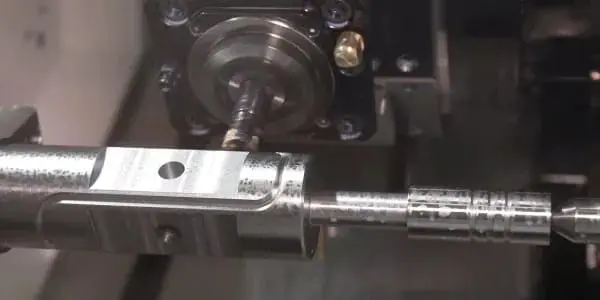
4-axis milling adds one rotational axis to 3-axis milling. This is useful when parts are near cylindrical and can be used to create complex geometry or access multiple parts around workholding like a tombstone.
4-axis milling adds one rotational axis to 3-axis milling. This is useful when parts are near cylindrical and can be used to create complex geometry or access multiple parts around workholding like a tombstone.
5-axis
5-axis
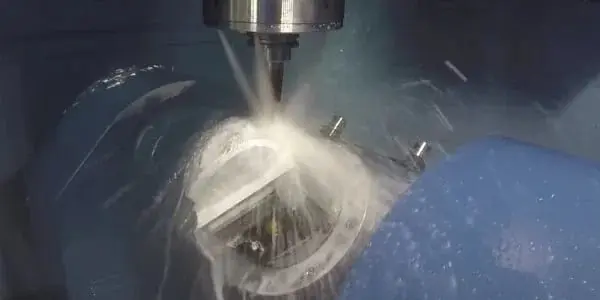
Simultaneous 5-axis machining uses all five axes at the same time to allow milling of complex shapes at high precision. CAM software is all but required to programme these CNC machines, as the motion is complex.
Simultaneous 5-axis machining uses all five axes at the same time to allow milling of complex shapes at high precision. CAM software is all but required to programme these CNC machines, as the motion is complex.
Examples of CNC machining software in action
Discover how Autodesk customers use CNC software in their projects.
Discover how Autodesk customers use CNC software in their projects.
CNC software for complex prototypes
CNC software for complex prototypes
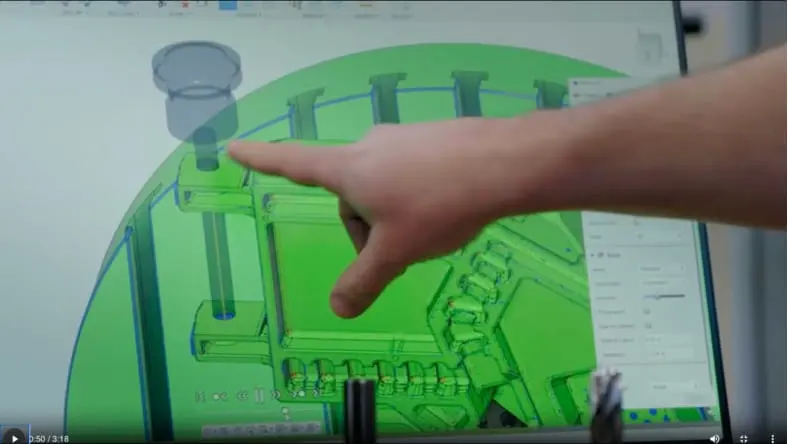
To make the CNC machining of complex parts faster, less expensive and more practical, Conturo Prototyping uses the "Autodesk Fusion Manufacturing Extension" to simplify part design, collaborate more effectively, automate setup and ultimately programme multiple parts per day for 5-axis machining.
To make the CNC machining of complex parts faster, less expensive and more practical, Conturo Prototyping uses the "Autodesk Fusion Manufacturing Extension" to simplify part design, collaborate more effectively, automate setup and ultimately programme multiple parts per day for 5-axis machining.

Generative design and CNC milling
Generative design and CNC milling
Generative design is not only for additive manufacturing. Find out how engineering company Evolve used Autodesk Fusion’s generative design capabilities and 2.5-axis CNC machining to reduce the weight of an electric hypercar component by 40%.
Generative design is not only for additive manufacturing. Find out how engineering company Evolve used Autodesk Fusion’s generative design capabilities and 2.5-axis CNC machining to reduce the weight of an electric hypercar component by 40%.
CNC software for manufacturing
CNC software for manufacturing
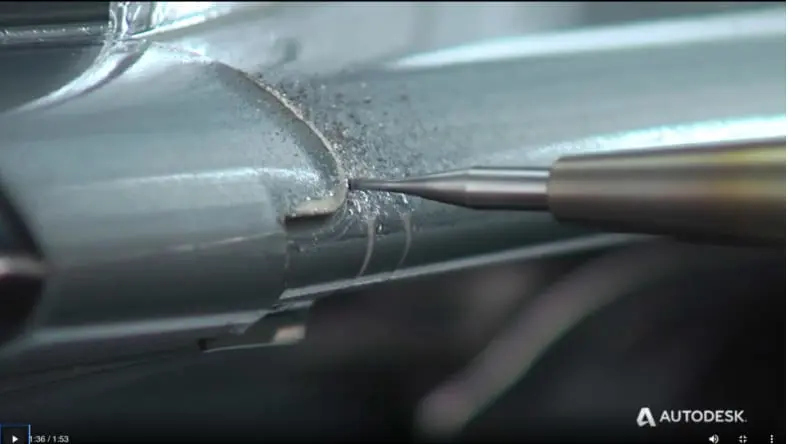
As “metal-removal experts”, Cavalier relies on the powerful and user-friendly Autodesk PowerMill CNC software to optimise the company’s spindle utilisation, allowing it to use smaller cutters with consistent cutter paths and significantly reducing machine time.
As “metal-removal experts”, Cavalier relies on the powerful and user-friendly Autodesk PowerMill CNC software to optimise the company’s spindle utilisation, allowing it to use smaller cutters with consistent cutter paths and significantly reducing machine time.
CAD + CAM integration for CNC machinists with Haas machines
Autodesk Fusion works with Haas CNC machines due the library of Haas CNC post processors and the integrated Haas Tooling database directly within Autodesk Fusion manufacturing workspace.
Autodesk Fusion works with Haas CNC machines due the library of Haas CNC post processors and the integrated Haas Tooling database directly within Autodesk Fusion manufacturing workspace.
Get started with Fusion for CNC software
Get started with Fusion for CNC software
Installation and Setup: Download and install Fusion and set up your account. Explore the interface and familiarise yourself with the software's navigation.
Designing Your Part: Use the robust 3D modelling tools in Fusion to create your part's geometry. Parametric modelling tools can help you iterate and refine your design as needed.
CAM Toolpath Creation: Dive into the CAM environment to generate toolpaths that suit your machining needs. Experiment with various strategies and optimise your toolpaths for efficiency and quality.
Simulation and Verification: Before hitting "start," simulate your machining operations to identify and resolve any issues. Make sure that your tools, stock & toolpaths are well-defined and error-free.
Post-Processing and G-Code Generation: Generate accurate G-code for your CNC machine. Fusion supports a wide range of CNC controllers that are compatible with your equipment.
Installation and Setup: Download and install Fusion and set up your account. Explore the interface and familiarise yourself with the software's navigation.
Designing Your Part: Use the robust 3D modelling tools in Fusion to create your part's geometry. Parametric modelling tools can help you iterate and refine your design as needed.
CAM Toolpath Creation: Dive into the CAM environment to generate toolpaths that suit your machining needs. Experiment with various strategies and optimise your toolpaths for efficiency and quality.
Simulation and Verification: Before hitting "start," simulate your machining operations to identify and resolve any issues. Make sure that your tools, stock & toolpaths are well-defined and error-free.
Post-Processing and G-Code Generation: Generate accurate G-code for your CNC machine. Fusion supports a wide range of CNC controllers that are compatible with your equipment.
CNC machining software resources
Learn more about CNC machining software with these helpful resources from Autodesk.
Learn more about CNC machining software with these helpful resources from Autodesk.
CNC programming with G-code
CNC software like Autodesk Fusion translates its CAD 3D models into G-code and toolpaths that instruct CNC machines how to create the part physically. Find out more about the types and benefits of CNC programming.
CNC software like Autodesk Fusion translates its CAD 3D models into G-code and toolpaths that instruct CNC machines how to create the part physically. Find out more about the types and benefits of CNC programming.
Intro to CAD, CAM and practical CNC machining for milling (US Site)
This skill-building course for digital manufacturing takes you through the entire part-creation process, from blueprint reading to CAD modelling, CNC machine setup, programming CAM toolpaths with Autodesk Fusion CNC software and digital verification.
This skill-building course for digital manufacturing takes you through the entire part-creation process, from blueprint reading to CAD modelling, CNC machine setup, programming CAM toolpaths with Autodesk Fusion CNC software and digital verification.
CNC milling coordinate system made easy (US Site)
Explore the work coordinate system (WCS) principles used to control CNC machining and how work and tool offsets account for different tool lengths.
Explore the work coordinate system (WCS) principles used to control CNC machining and how work and tool offsets account for different tool lengths.
Toolpath template libraries
Learn how to save recurring CNC machining toolpaths for recall in just a few short video tutorials.
Learn how to save recurring CNC machining toolpaths for recall in just a few short video tutorials.
Machining Fundamentals for Autodesk Fusion
This YouTube playlist dives deep into essential machining techniques, tools and strategies that drive modern machining processes.
This YouTube playlist dives deep into essential machining techniques, tools and strategies that drive modern machining processes.
CNC toolpaths for multi-axis milling (US Site)
Ready to step up? Dive into this expert-level CNC machining course for recognising multi-axis geometry and controlling the toolpaths for 3-axis, 4-axis and 5-axis machines.
Ready to step up? Dive into this expert-level CNC machining course for recognising multi-axis geometry and controlling the toolpaths for 3-axis, 4-axis and 5-axis machines.
Frequently asked questions (FAQ) on CNC machining software
What are the main types of CNC software?
The main types of CNC software include computer-aided design (CAD) software, which creates 2D and 3D models of parts and assemblies and computer-aided manufacturing (CAM) software, which translates CAD models into G-code or another code that informs CNC machines how to produce the part. CNC simulator software simulates the CNC machining of parts to identify potential errors before physically attempting fabrication. Some CNC software, such as Autodesk Fusion, includes CAD, CAM, simulation and more in a single package.
Also, CNC software is available as offline and online programming. Offline programming permits the creation of NC code as the machine is in operation, increasing productivity and shop-floor throughput. In contrast, online programming does not allow the machine to produce parts while the operator writes CNC software code.
How do I ensure the CNC software I choose is compatible with my machinery?
To ensure the CNC software of your choice is compatible with your machinery, you can check the machine manufacturer’s manual and/or website for recommendations on the software, operating systems, communication protocol and hardware interfaces that can be used with the machines. Check the software company’s technical support to ensure the software supports G-code or other file types that work with your machines.
If it’s still unclear, check with online user groups, forums or reviews for first-hand feedback on your CNC machine and software pairing. If available, try a free trial or demo of the software before buying to test it with your CNC machinery.
How much does CNC machining cost?
One of the most significant costs associated with CNC machining is the CNC machine itself. Entry-level machines start at around $5,000 USD, with high-end machines reaching upward of $500,000 USD. The cost depends on factors like size, power, spindle speed, multi-axis capabilities, accuracy, the capacity of tool changers, multi-pallet for increased automation, high-pressure through spindle coolant and more. Once you have a machine, you must purchase cutting tools to machine parts. To generate the instructions required for CNC machining, it’s also common to subscribe to computer-aided manufacturing (CAM) software. So, while there’s no one-size-fits-all answer, CNC machining requires some upfront investment.
What is the difference between CNC machining and milling?
Milling is one style of CNC machining. CNC machining is any process where a machine controlled by a computer manufactures a part. In milling, a cutting tool spins at high speeds and advances into or across the workpiece to remove material. Other types of CNC machining include turning, routing, plasma cutting and water jetting. Turning and milling can be combined into a single machine, as can additive and subtractive operations, creating even more complex , such as hybrid manufacturing, which combines subtractive and additive manufacturing.
How is CNC machining different from 3D printing?
3D printing or additive manufacturing, is the process of depositing layers of material to build up the desired geometry. Generally speaking, CNC machining refers to subtractive processes where the material is removed from the workpiece, resulting in the desired geometry. While 3D printing processes can create more complex geometry like internal latticing, parts need support during printing to prevent failure. CNC machining generally produces more accurate parts and can be significantly faster, especially when manufacturing single parts.
Many manufacturers are using additive and subtractive manufacturing together. In simple cases, they 3D print a part, then use CNC milling to machine critical features such as holes, slots and mating faces that need additional precision. In more niche applications, hybrid manufacturing can inter-weave additive and subtractive processes to combine the best of both technologies. For example, a manufacturer may print a hollow part and include CNC machining steps at regular intervals throughout the 3D print process instead of doing all the printing followed by all the CNC machining.
How does CNC machining software work?
CNC stands for Computer Numerical Control, which means that a computer controls what the machine does, including (but not limited to) the spindle speed, feed rate and position. To program the computer — often called a control — a person can use computer-aided manufacturing (CAM) software. CAM software for CNC generates a series of instructions called toolpaths and then generally uses a post-processor to translate that toolpath data into code the machine can read. A person would then transfer that code onto the machine and run it to produce the final part.
Can I use Autodesk Fusion as CNC software?
Yes — Autodesk Fusion includes a powerful and easy-to-use CNC software solution that can control various CNC machines, including mills, lathes, routers, mill/turn machines, plasma cutters, water jets and lasers. Autodesk Fusion also integrates CAD, CAE, ECAD and CAM into a single solution to reduce data loss and improve process reliability for CNC machining and other downstream processes.
How much does CNC machining cost?
CNC stands for Computer Numerical Control. This means that a computer controls what the machine does, including but not limited to the spindle speed, feed rate, and position. To programme the computer, often called a control, a person can use computer-aided manufacturing (CAM) software. CAM software generates a series of instructions called toolpaths and then generally uses a post-processor to translate that toolpath data into code the machine can read. Then a person would transfer that code onto the machine and run it to produce the final part.
How does CNC machining work?
CNC stands for Computer Numerical Control. This means that a computer controls what the machine does, including but not limited to the spindle speed, feed rate, and position. To programme the computer, often called a control, a person can use computer-aided manufacturing (CAM) software. CAM software generates a series of instructions called toolpaths and then generally uses a post-processor to translate that toolpath data into code the machine can read. Then a person would transfer that code onto the machine and run it to produce the final part.
Can I use Autodesk Fusion to CNC machine?
Yes! Fusion includes a powerful and easy-to-use CAM solution that can control a wide variety of CNC machines. This includes mills, lathes, routers, mill/turn machines, plasma cutters, water jets, and lasers. Fusion also integrates CAD, CAE, and ECAD along with CAM into a single solution to reduce data loss and improve process reliability for CNC machining and other downstream processes.