Explore the basic user interface elements
- Open drawing Intro-1.dwg, which is available in the tutorial drawings folder (C:\Program Files\Autodesk\AutoCAD 2023\C3D\Help\Civil Tutorials\Drawings).
This drawing contains an existing ground surface, two corridors that intersect, a storm sewer pipe network, and property parcels.
- Examine the elements at the top of the Autodesk Civil 3D window. Click the buttons as described in the following paragraphs to examine the tools that are contained in each element.
 Application Menu—Provides access to file-related commands, such as open, print, export, and publish.
 Quick Access Toolbar—Contains frequently used commands. Click
  and then More Commands to add an unlimited number of tools to the Quick Access toolbar.
Note:
You also can right-click a tool on the ribbon to send it to the Quick Access toolbar.
-
 InfoCenter—Enables you to search for information through key words.
- Ribbon—Provides a single, compact location for commands that are relevant to the current task. The ribbon eliminates the need to display multiple toolbars, which reduces clutter in the application and maximizes the drawing space. In the top row, click
 to successively minimize the ribbon display.
Explore the ribbon
- On the Home tab, on the Create Design panel, click the bar at the bottom of the panel.
The panel expands to display additional tools. If  is displayed in the bottom bar of a ribbon panel, then additional tools are available.
- Click the Modify and Analyze tabs.
Each of these tabs contains tools that are relevant to a category of tasks.
- Click the Home tab.
The Home tab contains commands that are commonly used to create AutoCAD and Autodesk Civil 3D objects.
- In the drawing, click one of the contour lines to select the surface.
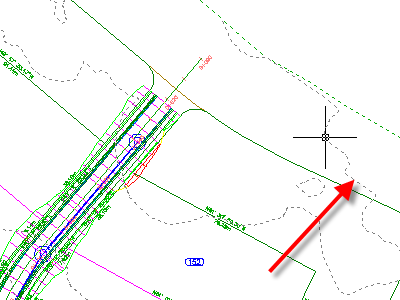
The TIN Surface tab is displayed on the ribbon. This is known as a contextual tab, and it contains all the tools related to surfaces. Depending on the type of object that is selected, different tools are displayed on the contextual tab. The tools on all Autodesk Civil 3D contextual tabs are arranged in a similar series of panels:
-
- Labels and Tables
- General Tools
- Modify
- Analyze
- Surface Tools
- Launch Pad
- Touch
- Press Esc.
- Select the corridor.
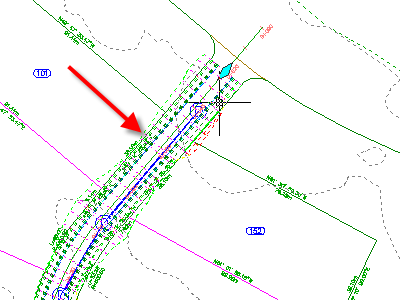
The Corridors tab is displayed on the ribbon. When an object is selected, the appropriate object contextual tab is available on the ribbon.
- Press Esc.
The corridor is deselected, and the Home tab is active, and the contextual tab is removed.