& Construction

Integrated BIM tools, including Revit, AutoCAD, and Civil 3D
& Manufacturing

Professional CAD/CAM tools built on Inventor and AutoCAD
Configure auto label settings.
Tutorial resources
These downloadable resources will be used to complete this tutorial:
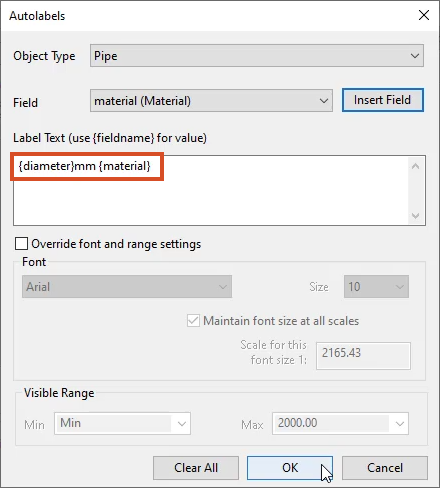
InfoWorks WS Pro’s auto labels are simple, read-only labels that can be shown or hidden for all or selected objects in a GeoPlan, making it easy to review model data. Because auto labels are created with user-defined text, they can be configured to meet the unique needs of any user.
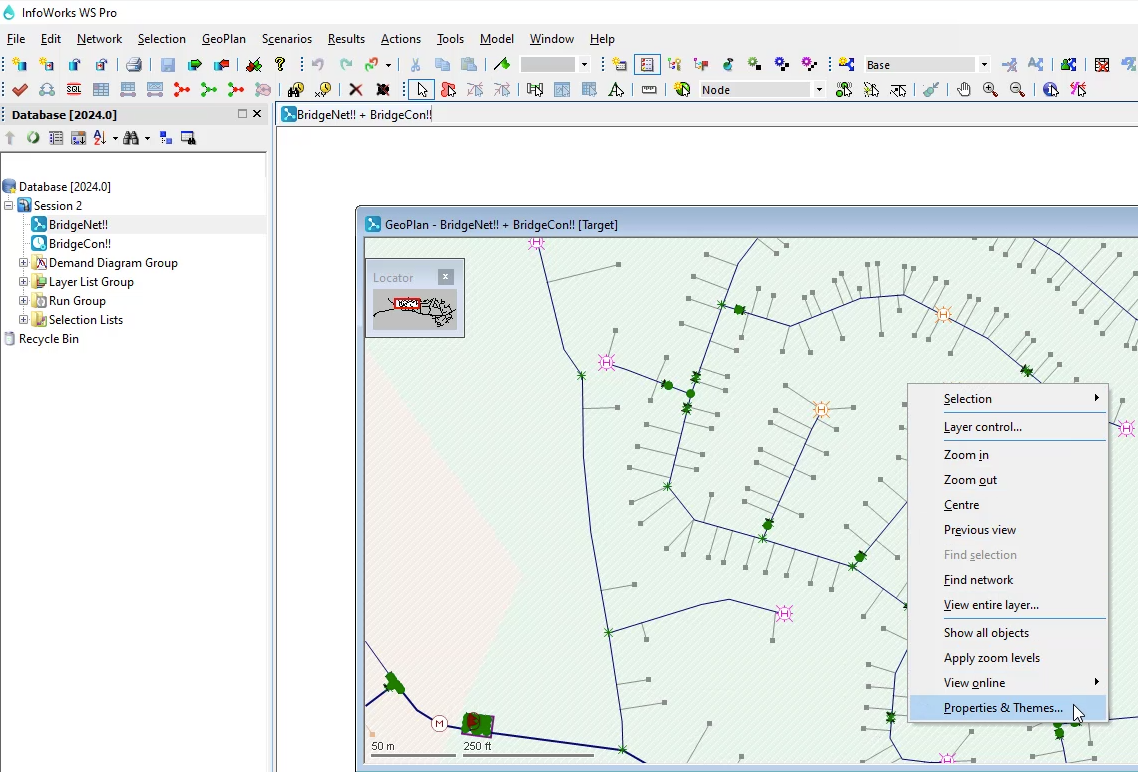
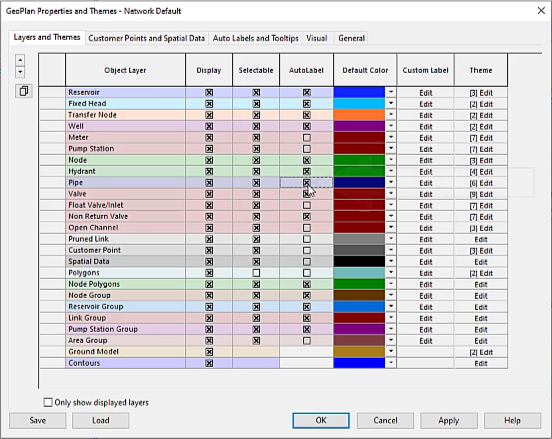
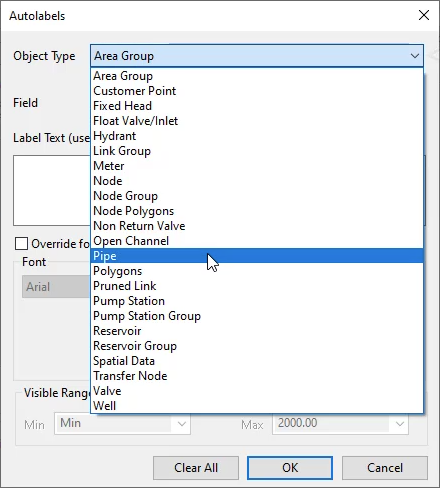
To configure auto labels:

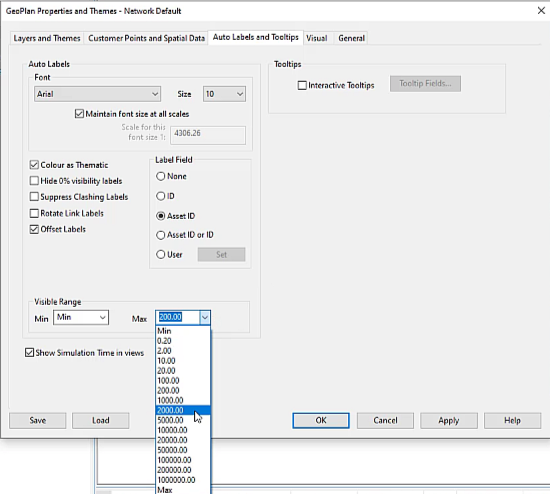
To set the visible range over which auto labels are applied:

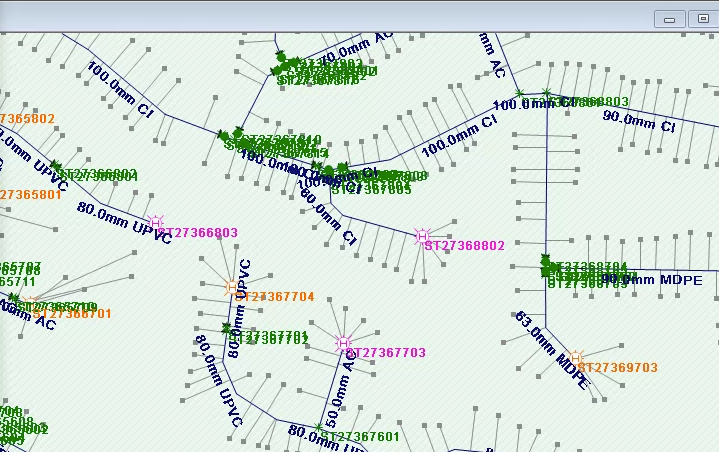
Labels now display in the GeoPlan.

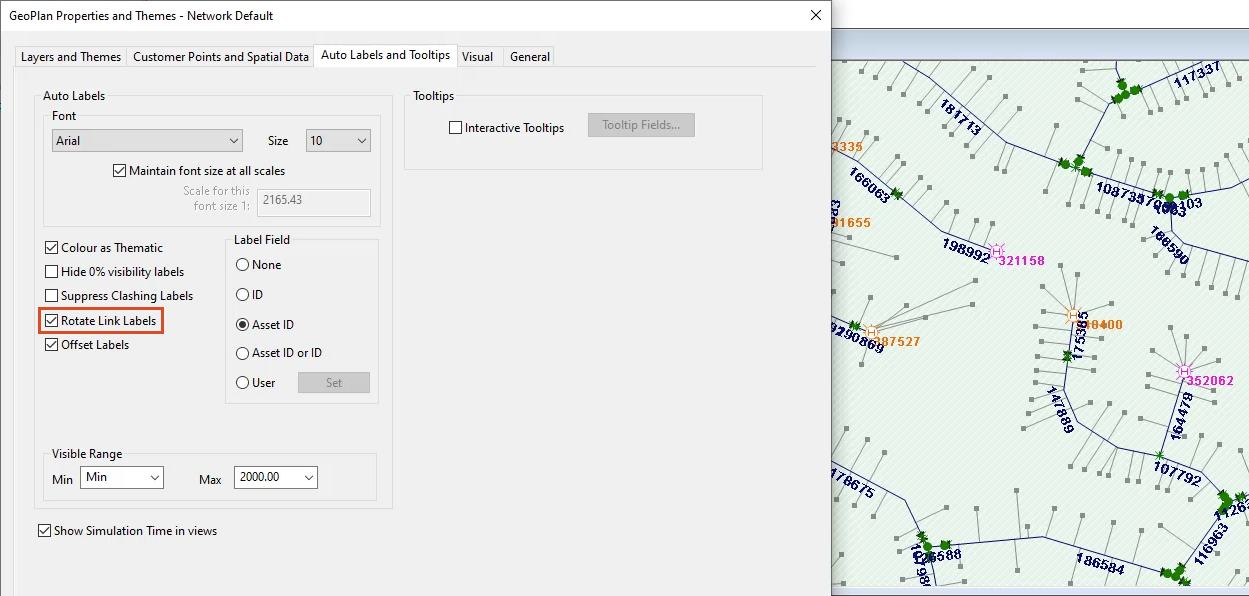
To further configure how labels display:
In the GeoPlan, the labels align with the network display.

To set user-defined label fields:


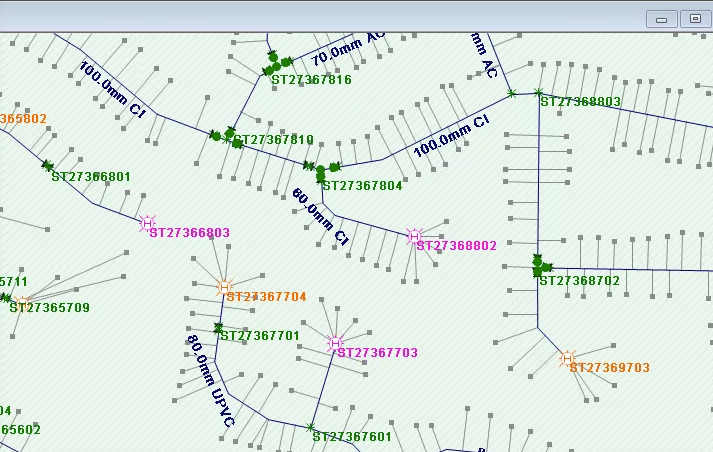
With more information displayed on the GeoPlan, it can become difficult to read. To remove visual clutter: