Step-by-step guide
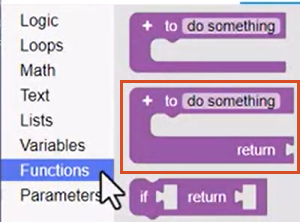
The Function code blocks include two primary Function block types, as well as a Function Conditional block. Functions are self-contained modules of code that are set up to accomplish a specific task. Functions are called on demand from a Calling block. When called, a function is often given data from the Calling block to perform the specified task. The function can be called throughout the rule as many times as needed. It can even be given different data each time it is called.
In this example, create a function to calculate an area parameter value.
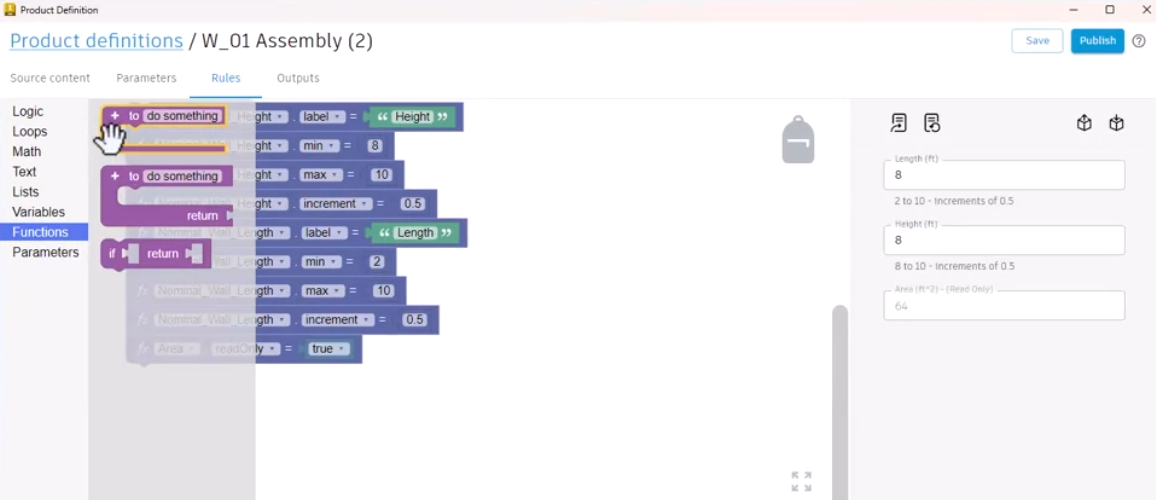
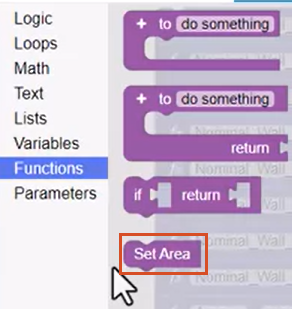
- From the Functions library, add the first Functions block to the canvas, and name it "Set Area".
When a Function block is added to the canvas, a Calling block is automatically created and added to the Functions library.
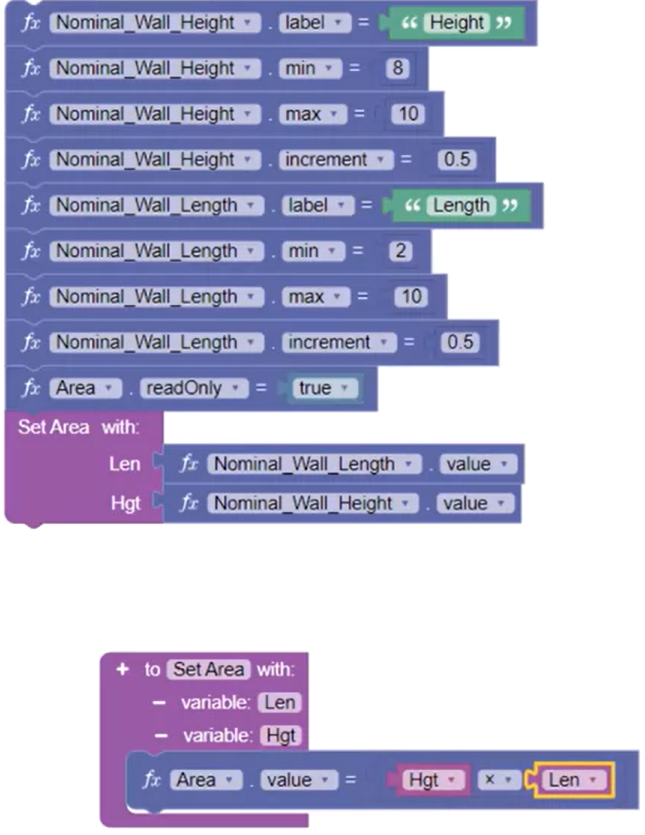
- Add the Calling block where the function should be called; in this case, below the Area read-only block.
- In the Function, click plus (+) to add a variable, and name it "Len", for Length.
This variable is automatically added to the Calling block as well; in effect, connecting the two blocks.
- Click plus (+) to add a second variable named "Hgt". Add the Nominal Wall Length and Height parameters to the Calling block.
The Length and Height values will be passed to the Function through the variables.
- Add an Area parameter to the Function, snap a Math block to it, and set the operation to multiplication for the Area calculation.
- From the Variables library, note the newly added Len and Hgt variables, and add them to the Math block.
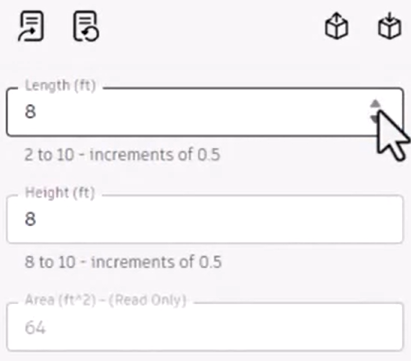
- In the form, use the up and down arrows to test different Length and Height values. The Area updates accordingly.
Next, create a function using the Function Return block, which is set to return an output.
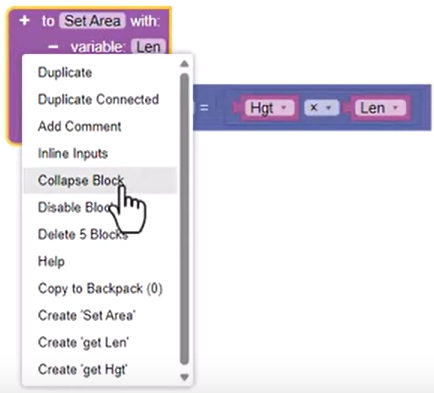
- Right-click the existing Function blocks and select Collapse Block to make space in the canvas.
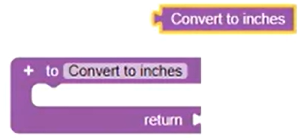
- Add the Function Return block to the canvas, and name it "Convert to inches".
- From the Functions library, add the corresponding Calling block, Convert to inches, to the canvas.
This type of Function block expects a parameter to call the Function and receive the Function output.
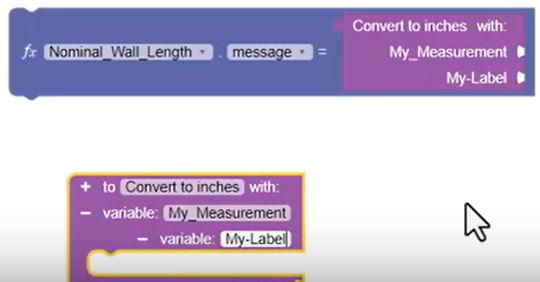
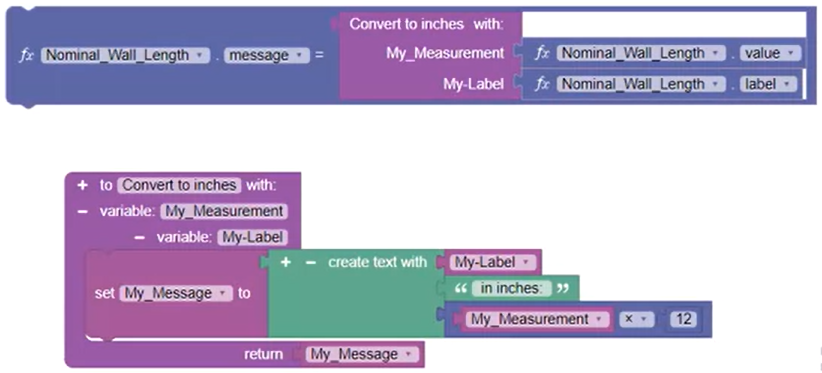
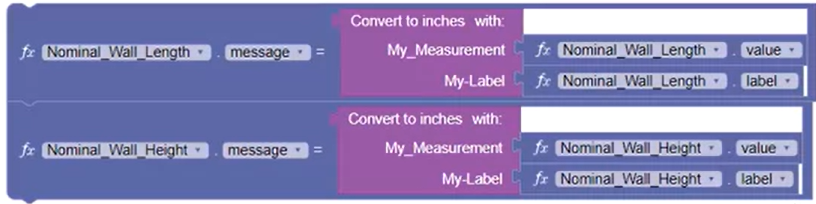
- Add a Nominal Wall Length value equals parameter to the canvas and add the Calling block to it. Set the parameter drop-down to message.
- Add two variables to the Function, and name them "My Measurement" and "My Label".
Note that these variables are automatically added to the Calling block.
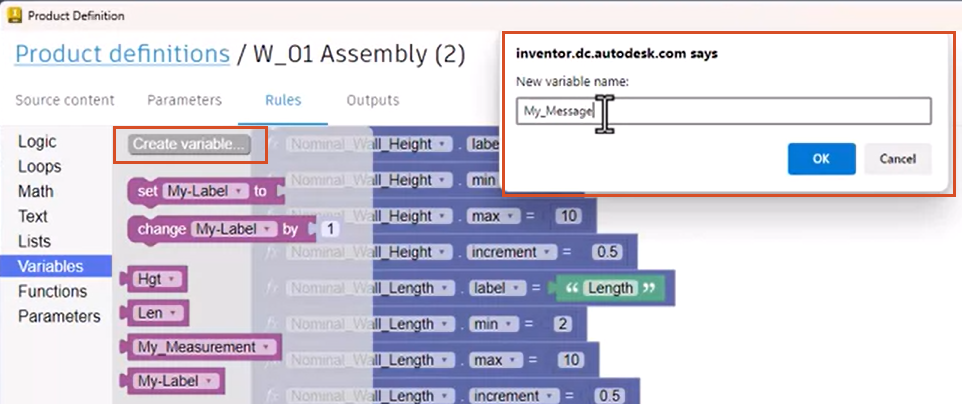
- In the Variables library, click Create variable. In the popup, type the name "My_Message", then click OK.
This adds a new variable that acts as a container for the Function information before passing it to the Calling block.
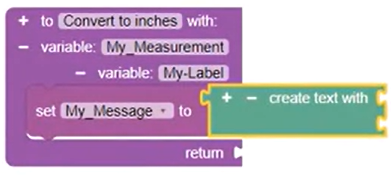
- Add the My_Message variable block to the Function, along with a Create Text With block.
Set the Create Text With block to display a form message with the Length in inches.
- Add the My_Label variable and a Text block set to read "in inches:".
- Add a Math block with the My_Measurement variable, the operation set to multiplication, and a Number block set to 12.
- Add the My_Message variable, to be returned from the Function back up to the Calling block.
- Add Nominal Wall Length value and label parameters to the Calling block, to pass information of the correct data type to the Function.
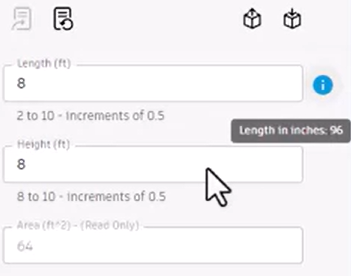
- Click Update form, then place the pointer over the message to view the Length in inches.
To create the same message for the Height parameter:
- Duplicate the Calling block, update the parameters to Nominal Wall Height, and snap the two Calling blocks together.
- Click Update form, then test different Length and Height values to verify that the Function displays the inch conversion for both parameters.
In summary, functions are self-contained, reusable modules of code that are set up to accomplish a task. Functions are called from a Calling block and run on demand when called. Functions are often given data from the Calling block to perform the specified task.