Set display units in InfoAsset Manager

Change measurement units according to the project needs and local standards.


Set display units in InfoAsset Manager

Step-by-step guide

The measurement units used on InfoAsset Manager displays, such as grid windows and property sheets, can be adjusted.

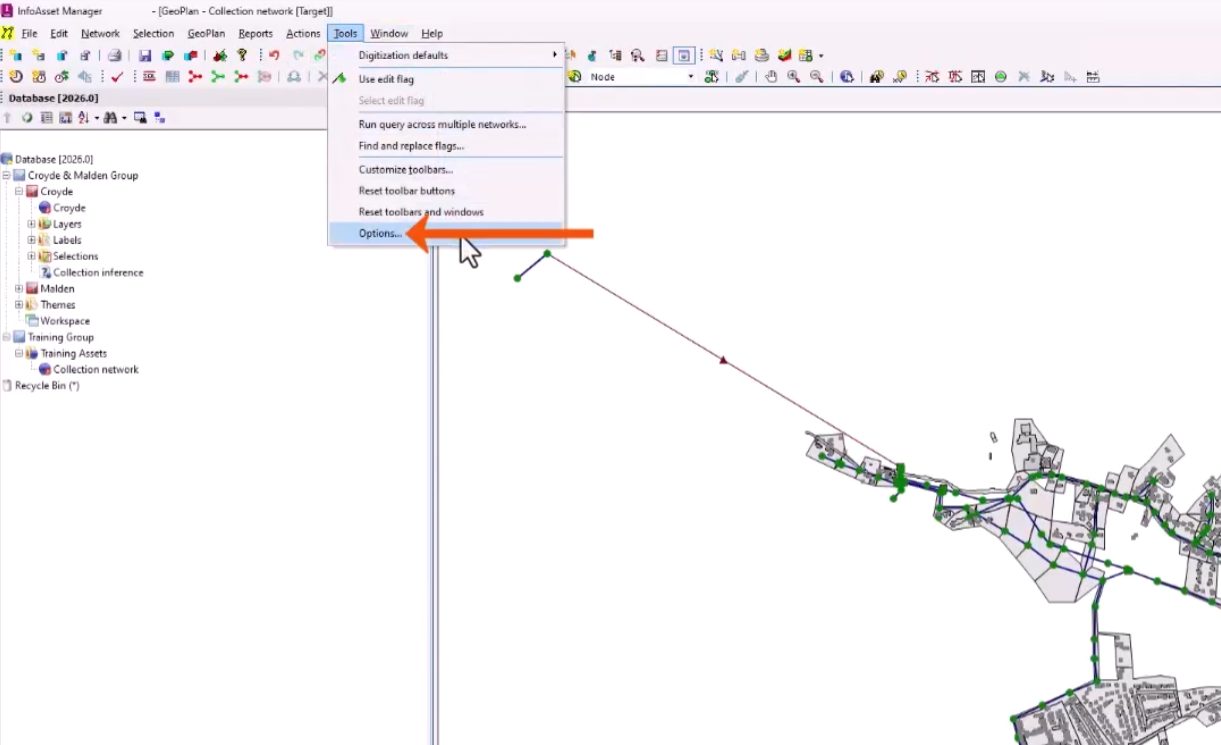
  1. From the Tools menu, select Options.
    In the InfoAsset interface, the Tools menu expanded, with Options selected and called out with a red arrow.
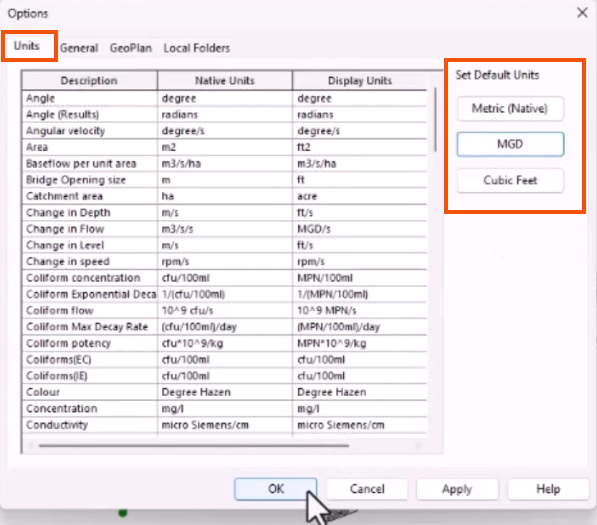
  2. In the Options dialog, select the Units tab to view the list of items for which data is held in the database, along with their respective native and display units.

The Native Units are used for storing data and cannot be changed. The Display Units are used for all display and data-entry purposes.

  1. Under Set Default Units, select a set of default display units from the following options:
  • Metric (Native) sets the display to all native units.
  • MGD sets the display to imperial units with flows, change in flow, and volume units based on Mega Gallons per Day. This option is mainly used in the United States for sanitary and combined sewer modeling.
  • Cubic Feet sets the display to imperial units with flows, change in flow, and volume units based on cubic feet. This option is mainly used in the United States for storm water and water modeling.

The Options dialog, with the Units tab highlighted in red, and the Set Default Units options highlighted in red, with MGD selected.

  1. For this example, select MGD.
  2. Click OK to start using the new units.

The Display Units can also be changed for individual fields, which can be useful for different network types. For example, some regions use US Survey ft instead of ft for X and Y coordinate values.

  1. In the Display Units column, expand the drop-down for a specific field to select an option.
    In the Options dialog, the Display Units drop-down for the first field expanded and called out with a red arrow.
  2. Click OK to save any changes.

Any values entered in grids and property sheets or imported into the network are displayed using the Display Units, but they are converted to the corresponding Native Units for storage in the database.