& Construction

Integrated BIM tools, including Revit, AutoCAD, and Civil 3D
& Manufacturing

Professional CAD/CAM tools built on Inventor and AutoCAD
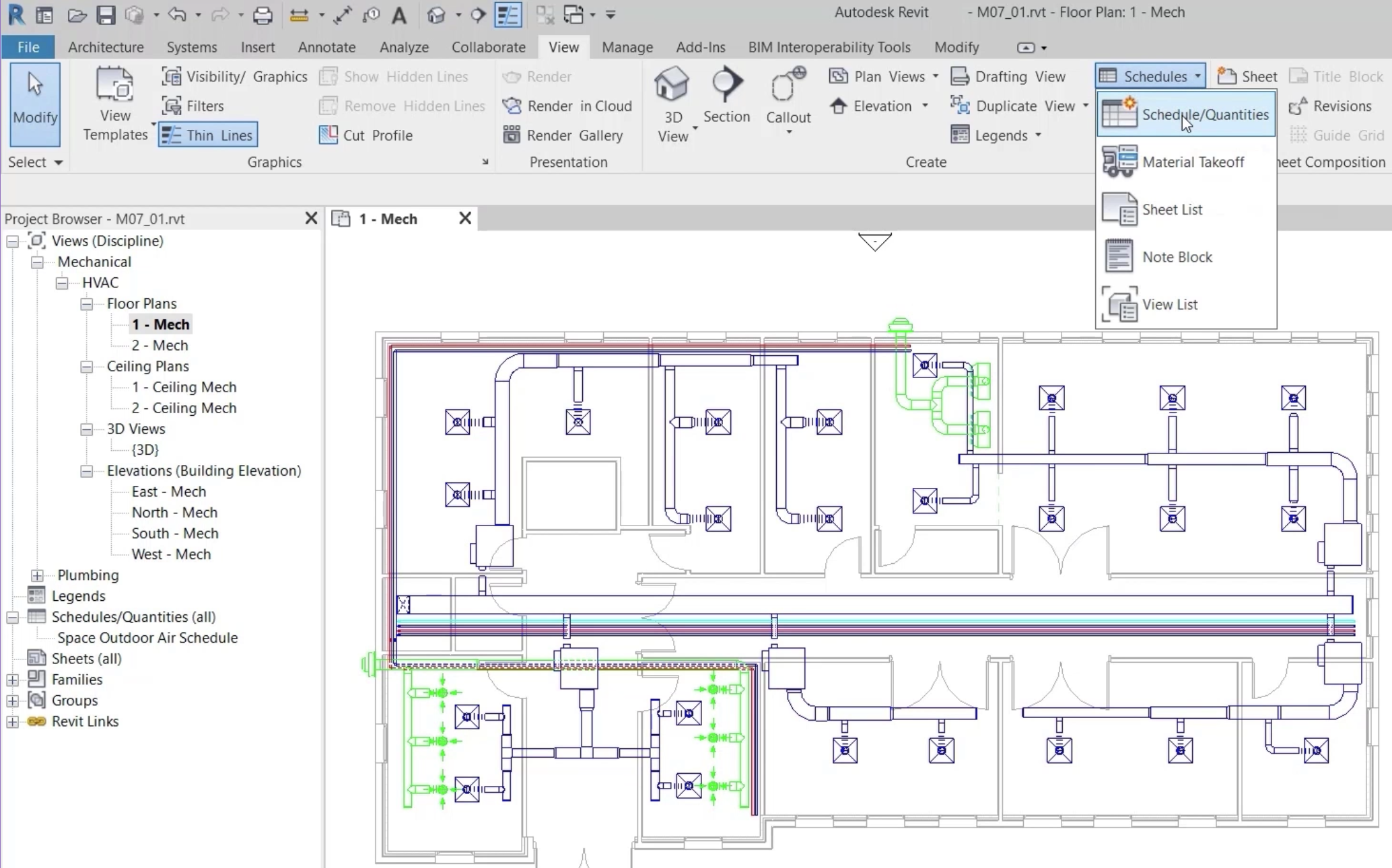
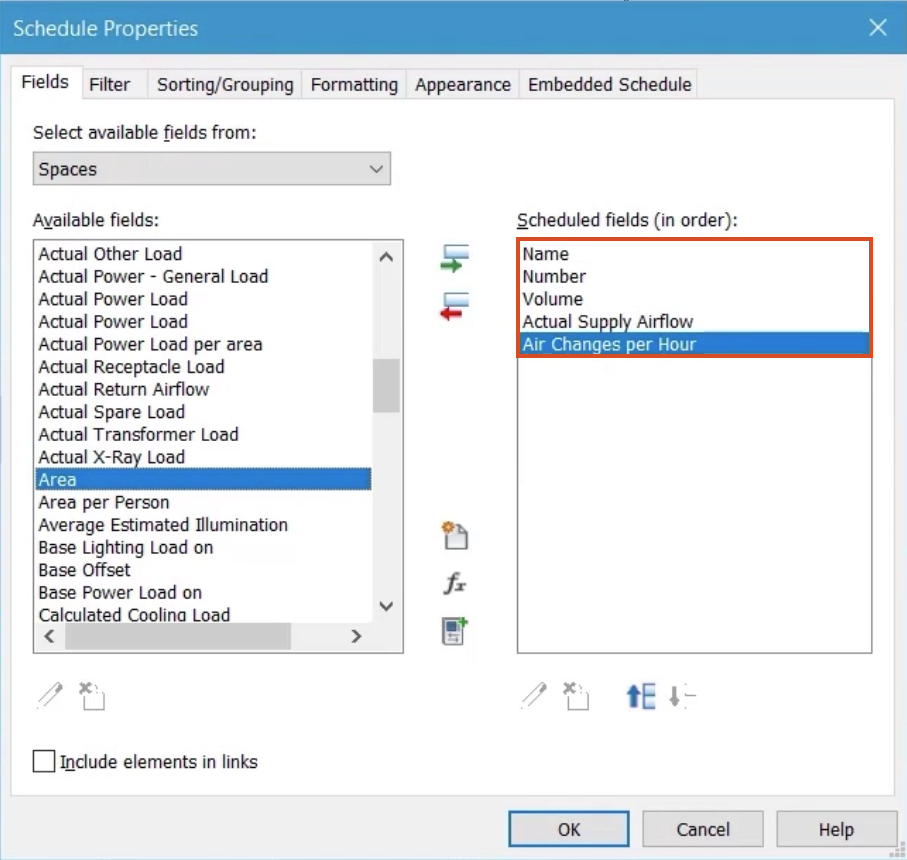
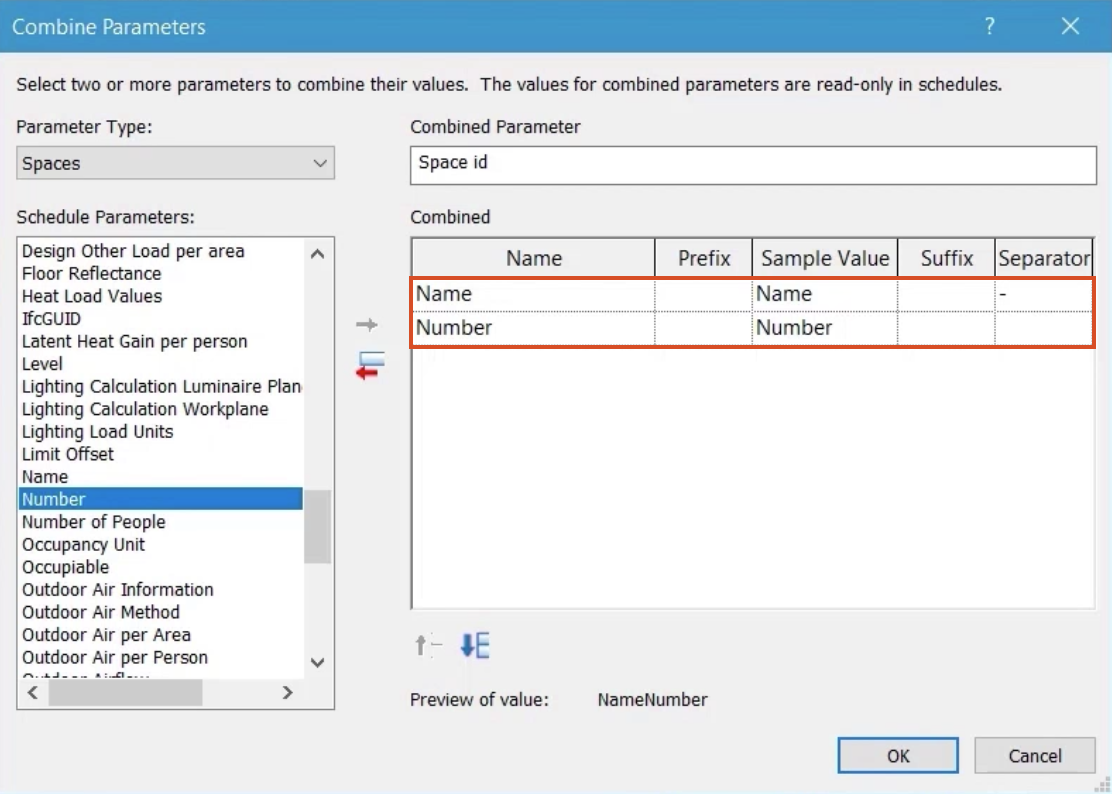
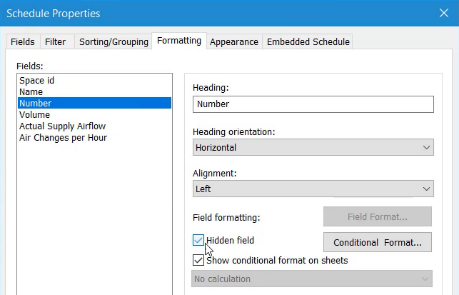
Create a schedule and use parameters to control its appearance.
Tutorial resources
These downloadable resources will be used to complete this tutorial:
Create a schedule and use parameters to control its appearance.


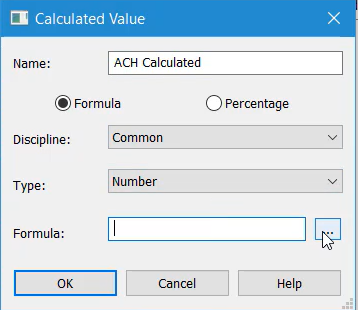
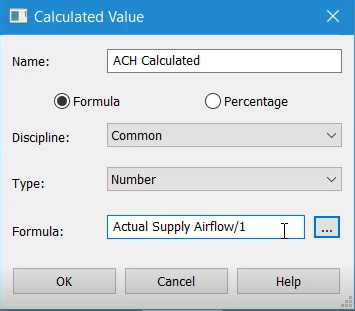
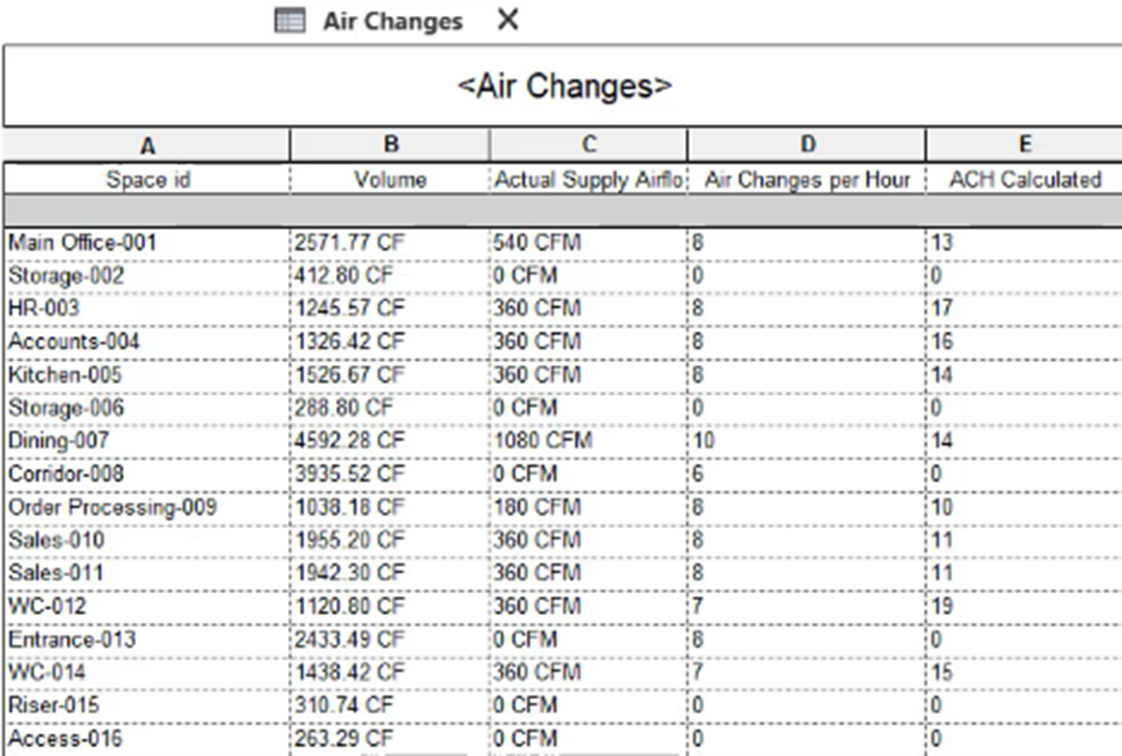
Next, build a formula to calculate the actual number of air changes per hour based on the volume of the space and the actual supply airflow. This can then be compared against the allocated value for the space.


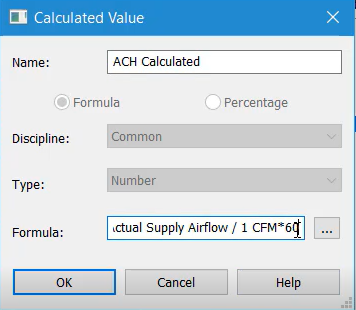
Notice that the unit of measure CFM is added to the formula.

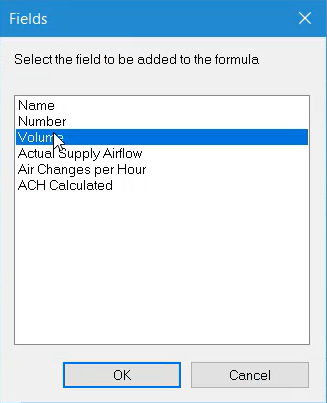
Next, divide by the space volume:

The completed formula reads: Actual Supply Airflow/1CFM*60/Volume.

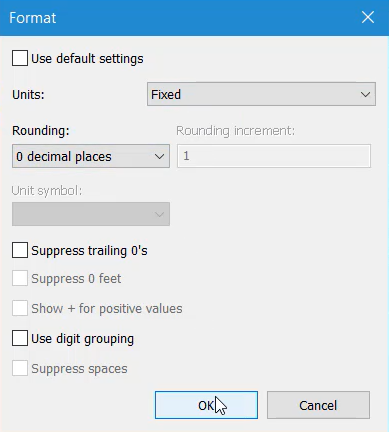
To set the number of decimal places to zero:

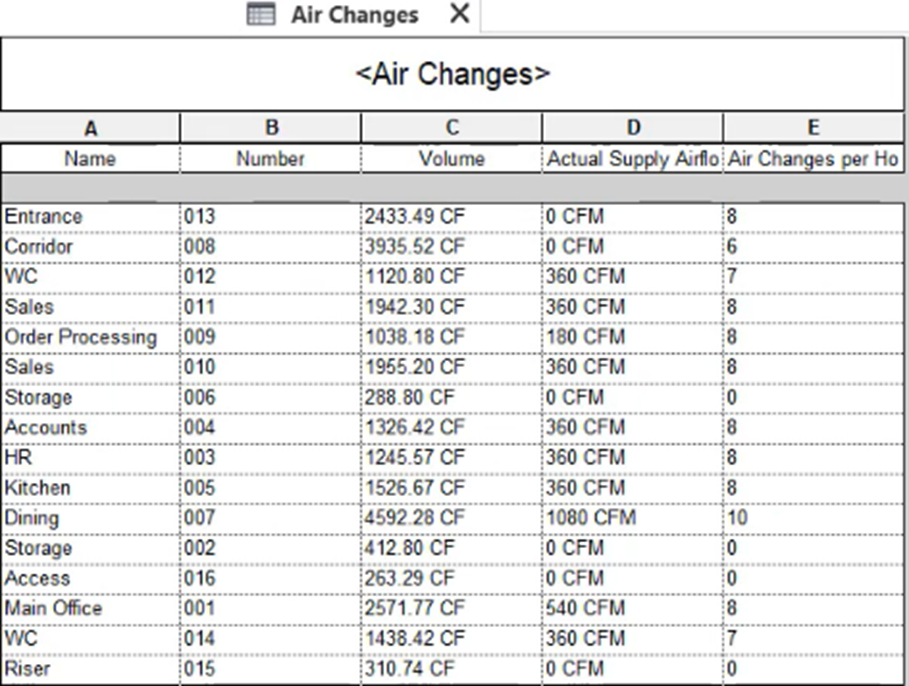
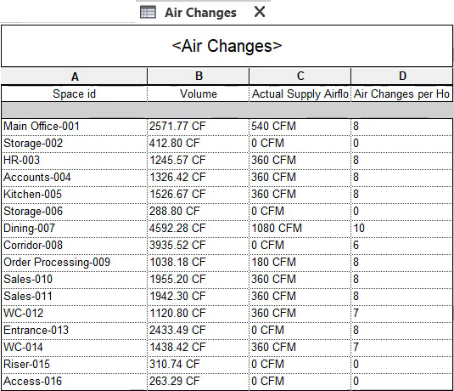
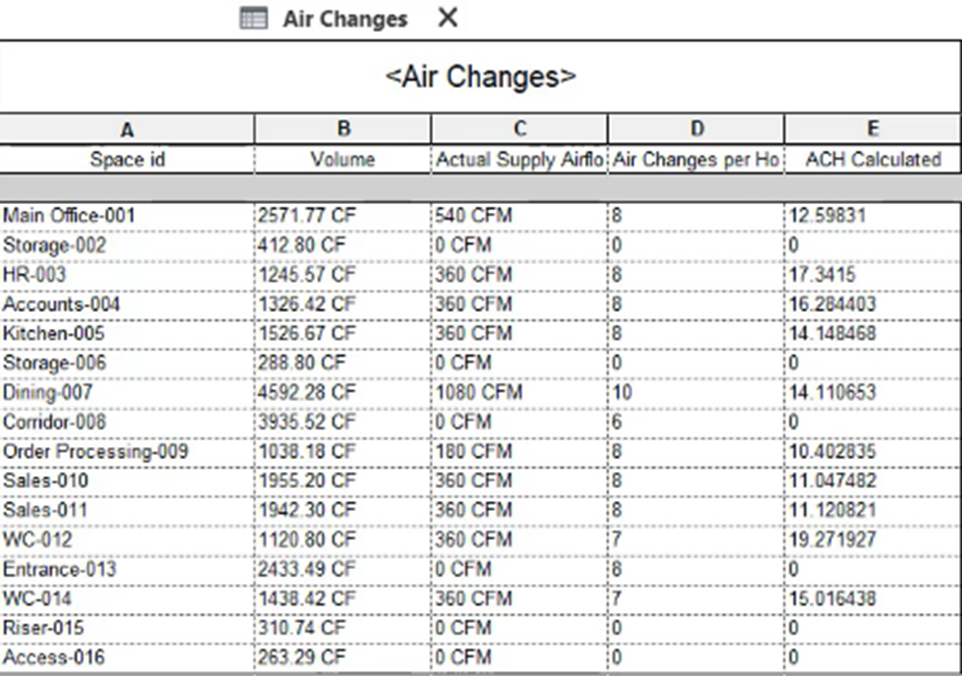
The final schedule provides a comparison between: