 Markus Cueva
What is warehouse and factory simulation? Learn how Autodesk FlexSim helps manufacturers and warehouse operators optimize layouts, improve throughput, reduce bottlenecks, and make better operational decisions.
FlexSim: 3D Discrete Event Simulation Software
Easy-to-use 3D simulation modeling and analysis software with high-end capabilities. Predict and optimize production processes with realistic 3D visuals and data-driven scenarios.
Whether you’re designing a new distribution center, expanding a production line, or trying to eliminate bottlenecks in an existing facility, one reality remains constant: changing a warehouse or factory is expensive. Once equipment is installed, conveyors are running, and inventory is flowing, mistakes become difficult and costly to correct.
That is why more manufacturers and logistics organizations are turning to simulation. Rather than relying solely on spreadsheets, assumptions, and best guesses, they are building virtual models of their operations to understand how changes might perform before investing time and money in the real world. Autodesk FlexSim is one of the leading solutions helping organizations simulate, analyze, and optimize factories, warehouses, distribution centers, and supply chains before physical changes are made.
What is warehouse simulation?
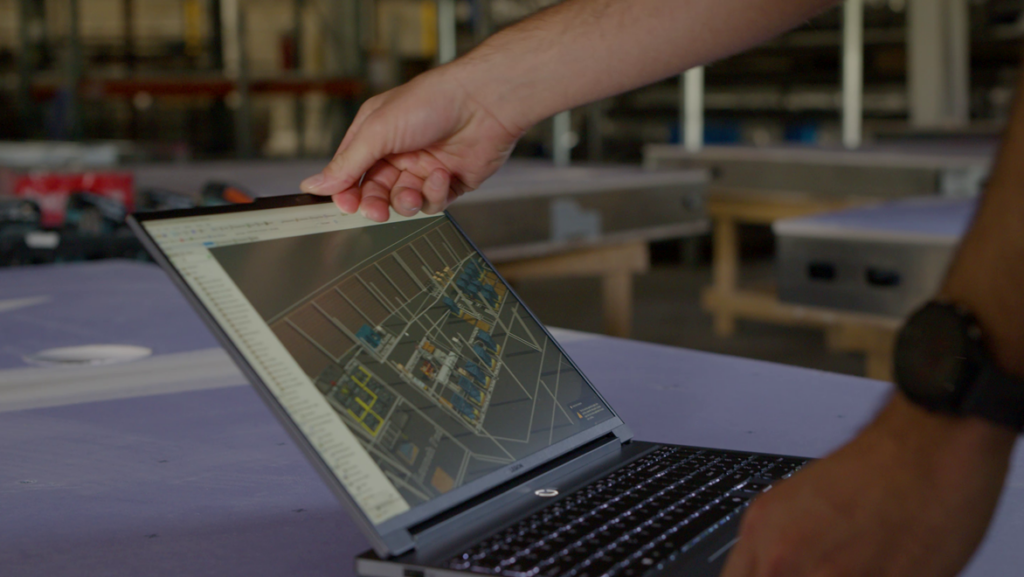
Warehouse simulation is the process of creating a digital model of a warehouse or distribution operation to analyze how products, people, equipment, and processes interact over time.
Unlike static warehouse layouts, simulation allows organizations to see how operations actually behave under real-world conditions. Teams can test different scenarios, evaluate process changes, and identify performance constraints before implementing modifications in the facility.
With Autodesk FlexSim, companies can build virtual warehouse models and experiment with different operating strategies in a risk-free environment. This helps leaders understand how changes may affect throughput, labor utilization, inventory flow, and overall efficiency before making investments.
What warehouse processes can be simulated?
Modern warehouses contain hundreds of interconnected processes. Small changes in one area often create unexpected consequences somewhere else.
Simulation can be used to model:
- Receiving operations
- Put-away processes
- Inventory storage strategies
- Order picking operations
- Replenishment workflows
- Packing and shipping
- Dock scheduling
- Yard management
- Material handling systems
- Conveyor operations
- Automated guided vehicles (AGVs)
- Labor allocation and scheduling
Autodesk FlexSim can simulate warehousing, logistics, and material flow scenarios, helping organizations understand how process changes influence operational performance across the entire system.
What problems can warehouse simulation software address?
Many warehouse challenges share a common problem: leaders know something is wrong but cannot confidently identify the root cause.
Simulation helps organizations investigate issues such as:
- Shipping delays
- Inventory congestion
- Labor shortages
- Long picking times
- Dock bottlenecks
- Excessive work-in-process inventory
- Low equipment utilization
- Poor storage layouts
- Capacity constraints
Rather than implementing costly trial-and-error changes, simulation provides a safe environment to evaluate multiple solutions before disrupting operations. Organizations can experiment virtually and compare outcomes using operational data rather than assumptions.
What is factory simulation software?
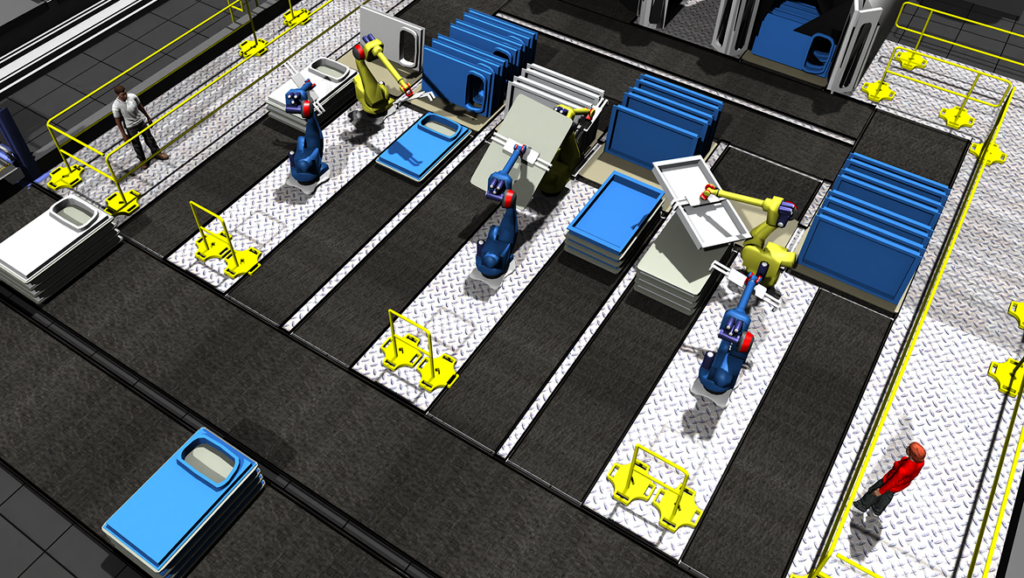
Factory simulation software creates a virtual representation of a manufacturing system that can be used to analyze, test, and optimize production performance.
Unlike spreadsheets or static planning tools, simulation accounts for:
- Time
- Variability
- Equipment downtime
- Labor availability
- Product mix
- Material flow
- System interactions
Autodesk FlexSim uses discrete-event simulation technology to help manufacturers predict how factories will perform under different conditions. Teams can evaluate factory layouts, staffing models, production schedules, automation strategies, and capital investments before changes reach the shop floor.
Why is factory simulation used in manufacturing?
Manufacturing systems are complex. Adding capacity to one area does not always increase throughput. Hiring additional employees does not automatically solve labor constraints. Expanding a facility does not guarantee greater efficiency.
Simulation allows manufacturers to understand how an entire system behaves rather than evaluating individual assets in isolation.
Manufacturers use simulation to:
- Validate factory designs
- Increase throughput
- Improve labor utilization
- Reduce operational risk
- Support expansion projects
- Optimize production lines
- Evaluate automation investments
- Reduce bottlenecks
- Improve decision-making
This ability to test scenarios before implementation is why simulation has become an increasingly important component of digital factory initiatives.
Can factory simulation model people, machines, and materials?
Yes. One of the most important advantages of simulation is the ability to represent how people, equipment, inventory, and operational rules interact simultaneously.
Manufacturing performance is rarely determined by machines alone. Labor availability, transportation delays, inventory flow, work instructions, equipment utilization, and operating schedules all influence results.
Autodesk FlexSim allows organizations to model these interactions and evaluate their impact on factory performance within a digital environment before making physical changes.
Can factory simulation predict the impact of layout changes?
Yes. Factory layouts influence everything from throughput and travel distances to inventory levels and staffing requirements.
Without simulation, layout planning often relies on assumptions. With simulation, teams can compare multiple facility designs, identify bottlenecks, and understand how material flow changes affect overall performance.
Autodesk has expanded interoperability between FlexSim and Factory Design Utilities, allowing manufacturers to leverage layout and design data when evaluating simulation scenarios. This helps organizations move from concept to implementation with greater confidence and fewer surprises.
What problems does factory simulation solve?
Factory simulation helps address some of the most common manufacturing challenges, including:
- Throughput limitations
- Production bottlenecks
- Capacity planning uncertainty
- Labor allocation challenges
- Inventory instability
- Material handling inefficiencies
- Factory expansion risk
- Capital equipment evaluation
- Production scheduling issues
Instead of discovering problems through costly production disruptions, manufacturers can investigate and solve them virtually first.
How does factory simulation work?
Factory simulation begins with operational data.
Organizations gather information about production processes, equipment, staffing, routing logic, capacity limits, schedules, and workflows. That information is then used to create a digital model that represents how the factory operates.
Once a model has been built and validated, teams can test different scenarios to understand how proposed changes might affect performance.
Examples include:
- Adding equipment
- Changing staffing levels
- Reconfiguring layouts
- Introducing automation
- Modifying inventory policies
- Expanding production capacity
Simulation makes it possible to compare alternatives and understand likely outcomes before implementing real-world changes.
What industries use factory simulation software most?
Simulation is valuable anywhere complex systems, constrained resources, and operational variability exist.
Organizations commonly use Autodesk FlexSim across:
- Manufacturing
- Automotive
- Consumer products
- Electronics
- Warehousing and distribution
- Logistics
- Supply chain operations
- Packaging operations
- Healthcare systems
Any industry seeking to improve throughput, reduce risk, optimize resources, or support digital transformation can benefit from simulation-driven decision-making.
How do I choose the right warehouse simulation software?
Not all simulation solutions provide the same capabilities. When evaluating warehouse simulation software, look for a platform that offers:
- Realistic 3D visualization
- Scenario testing and what-if analysis
- Scalability for complex operations
- Detailed performance analytics
- Support for warehousing and manufacturing workflows
- Easy model creation and configuration
- Integration with operational data
- Digital twin support
Autodesk FlexSim combines these capabilities into a single platform, allowing organizations to model warehouses, factories, supply chains, and material handling systems while supporting both short-term process improvements and long-term digital factory strategies.
The shift from reactive to predictive operations
For decades, organizations improved facilities through observation and experience. The challenge is that learning from mistakes becomes increasingly expensive as operations grow more complex.
Simulation changes the equation.
By creating a virtual environment where layouts, staffing models, equipment investments, workflows, and operational strategies can be tested before implementation, manufacturers and warehouse operators can make decisions with greater confidence and less risk.
Autodesk FlexSim helps organizations move beyond assumptions and toward data-driven planning, allowing teams to predict outcomes, identify bottlenecks, and optimize performance long before changes reach the physical operation.
Frequently asked questions
Autodesk FlexSim is a 3D discrete-event simulation software platform used to model, analyze, and optimize factories, warehouses, supply chains, and manufacturing operations. It allows organizations to create digital representations of real-world systems, test “what-if” scenarios, identify bottlenecks, evaluate layout alternatives, and predict how operational changes may impact throughput, labor utilization, inventory flow, and overall performance before making physical changes.
Autodesk FlexSim is designed to make simulation accessible to a broad range of users, including industrial engineers, manufacturing engineers, operations teams, and process improvement professionals. Features such as drag-and-drop modeling, object libraries, pre-built logic, and visual 3D environments help reduce the complexity traditionally associated with simulation software. While advanced modeling capabilities support sophisticated analysis, many users can begin building and testing simulations without extensive programming knowledge.
Yes. Autodesk FlexSim combines a user-friendly interface with powerful simulation capabilities. Users can build models using drag-and-drop controls, visualize operations in realistic 3D environments, run scenario comparisons, and analyze results through dashboards and reporting tools. The platform is designed to help teams quickly model real-world systems, test alternatives, and make data-driven decisions without disrupting actual operations. Its visual approach also makes it easier for stakeholders to understand simulation results and collaborate on improvement initiatives.
Yes. Simulation is a natural complement to lean initiatives. Rather than running physical experiments that disrupt live production, teams can test proposed improvements — reduced batch sizes, revised work cell configurations, new material flow routes — virtually before committing to changes. This accelerates improvement cycles and reduces the risk of implementing a lean change that creates a new problem elsewhere in the system.
The primary risk is discovering problems after physical commitments have been made. Equipment installed in the wrong sequence, a layout that creates material flow congestion, a staffing model that cannot meet throughput targets. All of these are expensive to correct once a facility is built or a production line is running. Simulation identifies these failure modes when they are still inexpensive to fix.
Validated digital layouts allow teams to confirm equipment clearances, access requirements, utility routing, and material flow paths before installation. When layout data is connected to simulation, teams can also validate throughput performance — ensuring that what gets built will perform as intended.
FlexSim is used by industrial engineers, manufacturing planners, operations analysts, supply chain teams, facility designers, and logistics professionals. Organizations ranging from discrete manufacturers and automotive suppliers to distribution center operators and healthcare systems use FlexSim to support planning and optimization decisions.