 Markus Cueva
Discover the top factors for choosing discrete event simulation software, from execution speed and optimization to digital twins and Industry 4.0, with insights on Autodesk FlexSim.
FlexSim: 3D Discrete Event Simulation Software
Easy-to-use 3D simulation modeling and analysis software with high-end capabilities. Predict and optimize production processes with realistic 3D visuals and data-driven scenarios.
Discrete event simulation (DES) has become a critical decision‑making tool for organizations designing, operating, and optimizing complex systems. From factories and warehouses to healthcare facilities and logistics networks, simulation enables teams to test changes virtually, before committing time, capital, or risk in the real world.
But not all discrete event simulation software is created equal. Choosing the right platform requires evaluating more than just modeling features. It means assessing performance, scalability, integration, usability, and long‑term strategic fit.
This guide outlines 10 essential factors for choosing discrete event simulation software, helping you select a solution that supports digital twins, Industry 4.0 initiatives, manufacturing simulation, and process optimization, today and into the future.
Autodesk FlexSim is Autodesk’s purpose-built platform for discrete event simulation and is part of the Autodesk manufacturing software portfolio. Organizations use Autodesk FlexSim to model production systems, warehouses, healthcare operations, transportation networks, and digital twins, helping teams evaluate decisions before making costly real-world changes.
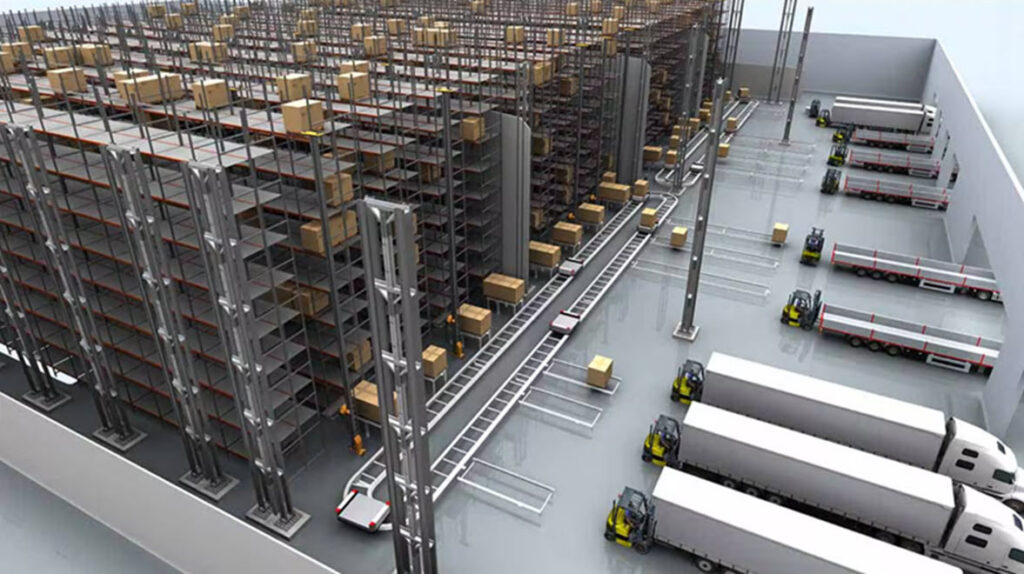
What is discrete event simulation?
Discrete event simulation models a system as a sequence of discrete events in time. Each event, such as a machine starting, a part arriving, or a resource becoming available, changes the state of the system.
Unlike static analysis or spreadsheets, DES captures variability, randomness, and interdependencies, making it ideal for evaluating real‑world operations such as production lines, material handling systems, and service processes.
Discrete event simulation serves as the foundation for data‑driven decision‑making, enabling organizations to explore scenarios, uncover bottlenecks, and optimize performance before physical changes are made.
Why Autodesk FlexSim is a leading discrete event simulation solution
Autodesk FlexSim is a 3D discrete event simulation solution for manufacturing, logistics, warehousing, healthcare, and operational optimization. Organizations use Autodesk FlexSim to create virtual models of real-world systems, evaluate operational changes, identify constraints, and improve performance before making investments or process changes.
Autodesk FlexSim at a Glance
| Capability | Why It Matters |
|---|---|
| 3D Visualization | Create realistic representations of factories, warehouses, and operational systems to improve understanding and stakeholder alignment. |
| Digital Twin Support | Build virtual representations of real-world operations to test changes before implementation. |
| Cloud-Connected Workflows | Connect simulation to broader digital transformation initiatives and operational data strategies. |
| Optimization & Experiments | Compare scenarios and identify opportunities to improve throughput, utilization, and efficiency. |
| Industry-Specific Applications | Support manufacturing, warehousing, logistics, healthcare, transportation, and facility operations. |
Top factors when choosing discrete event simulation software
1. Modeling paradigm and methodology
A modeling paradigm is the fundamental approach used to simulate and analyze system behavior.
Most simulation tools support one or more of the following:
- Discrete event simulation: Best for process flows, queues, resources, and throughput analysis
- Agent‑based modeling: Useful when individual entities behave autonomously
- System dynamics: Effective for high‑level policy and feedback analysis
For manufacturing, logistics, and operations planning, discrete event simulation is the dominant paradigm, especially in Industry 4.0 environments where production changes must be validated virtually.
2. Execution speed and scalability
Execution speed is the time it takes for a simulation to run and produce results.
Speed matters when:
- Models are large and detailed
- Multiple scenarios must be tested
- Design‑of‑experiments (DOE) workflows are required
Scalability depends on how well software uses:
- Multi‑core CPUs
- Parallel processing
- Efficient event scheduling
High‑performance simulation engines allow teams to explore more alternatives in less time. This is especially important in manufacturing simulation, where small changes can have system‑wide effects.
Autodesk FlexSim is designed to support large-scale models and experimentation workflows efficiently. Its experimenter tools help teams automate the evaluation of multiple scenarios, enabling engineers and operations leaders to compare alternatives, analyze performance, and accelerate design-of-experiments studies.
3. Optimization and experiment design features
Simulation answers “what if?” Optimization answers “what’s best?”
Modern DES platforms should include:
- Optimization engines to automatically adjust variables
- Design of experiments (DOE) to compare alternatives
- Sensitivity analysis to understand which factors matter most
These capabilities help organizations:
- Balance throughput, cost, and utilization
- Test staffing or layout changes
- Identify hidden constraints
Autodesk FlexSim includes experimenter and optimization capabilities that help users identify the best system configurations based on defined objectives. Rather than manually comparing alternatives, teams can automate scenario evaluation to improve throughput, utilization, service levels, and resource allocation.
4. Data connectivity and real‑time integration
Real‑time integration is the ability to connect simulation models to live or external data sources such as:
When connected to live data, DES models evolve into digital twins—continuously reflecting current system behavior.
This is a cornerstone of Industry 4.0, where simulation supports ongoing optimization rather than one‑time analysis.
5. Visualization and 2D/3D model libraries
Visualization is more than aesthetics—it’s a communication tool. Strong DES platforms provide:
- Rich 2D and 3D graphics
- Prebuilt object libraries
- CAD import and alignment
- Animation and playback
High‑quality visualization:
- Improves stakeholder buy‑in
- Makes results easier to interpret
- Helps cross‑functional teams collaborate
6. Ease of use and onboarding experience determines how quickly teams can realize value.
Key usability factors include:
- Drag‑and‑drop modeling
- Prebuilt templates
- Clear workflows
- Accessible learning resources
Some tools prioritize coding flexibility; others emphasize low‑code onboarding. The best platforms strike a balance, supporting both power users and new modelers.
Autodesk FlexSim combines drag-and-drop modeling with extensive learning resources and templates, reducing onboarding time for new users. As projects become more sophisticated, users can extend models with advanced logic, custom interfaces, and scripting capabilities without switching platforms.
7. Extensibility and customization options
Extensibility is the ability to expand software beyond its out‑of‑the‑box capabilities.
Look for support for:
- Scripting and APIs
- SDKs
- Custom logic and dashboards
- Integration with other platforms
This is critical for organizations with unique processes or evolving needs.
Autodesk FlexSim provides scripting, APIs, customizable dashboards, and extensible object behaviors that allow organizations to tailor simulations to unique operational requirements. This flexibility helps simulation investments remain valuable as business processes evolve.
8. Statistics, reporting, and analytics capabilities
Simulation only delivers value if insights can be measured and shared.
Effective DES platforms provide:
- Built‑in KPIs and statistics
- Dashboards and charts
- Data export to BI tools
- Custom reporting
These analytics support continuous process optimization, enabling teams to track improvements over time and justify investment decisions.
Autodesk FlexSim includes built-in dashboards, performance metrics, experiment comparison tools, and reporting capabilities that help teams transform simulation outputs into measurable business insights. Results can also be integrated into broader operational reporting and continuous improvement initiatives.
9. Industry fit and prebuilt component availability
Industry fit reflects how well a simulation platform aligns with your specific domain.
Many enterprise DES tools offer:
- Manufacturing libraries
- Warehouse and logistics components
- Healthcare workflows
- Transportation models
10. Pricing and licensing models
Finally, evaluate total cost of ownership, not just license price.
Consider:
- Subscription vs perpetual licensing
- Per‑user vs enterprise pricing
- Cloud vs on‑prem options
- Access to advanced features
Why organizations choose Autodesk FlexSim
Across all ten evaluation factors, Autodesk FlexSim consistently emerges as a purpose‑built discrete event simulation platform designed for real‑world complexity. From high‑performance execution and scalable experimentation to rich 3D visualization, optimization, and deep industry libraries, FlexSim enables teams to model, test, and refine operations in a risk‑free digital environment. Its balance of ease of use and extensibility allows both new users and advanced practitioners to build accurate simulations quickly, while still supporting sophisticated logic, data integration, and long‑term growth.
FlexSim also plays a critical role in Industry 4.0 and digital twin strategies, connecting simulation to live data, manufacturing systems, and enterprise workflows. This integration transforms discrete event simulation from a one‑time analysis tool into an ongoing decision‑support capability, helping organizations uncover bottlenecks, validate investments, and drive measurable process optimization before changes reach the shop floor. For teams evaluating discrete event simulation software, FlexSim represents a future‑ready choice built to deliver confidence, clarity, and ROI at scale.
Frequently asked questions
Discrete event simulation focuses on processes, queues, resources, and events that occur over time. Agent-based modeling focuses on autonomous entities that make independent decisions. Autodesk FlexSim primarily supports discrete event simulation while also supporting advanced logic that can represent individual agent behaviors when needed.
Discrete event simulation provides the operational logic needed to evaluate and predict system performance. When simulation models are connected to real-world data sources, they can function as digital twins that reflect current operating conditions and support ongoing optimization.
Discrete event simulation is widely used in manufacturing, warehousing, logistics, healthcare, transportation, ports, airports, and service operations. Organizations use simulation to reduce risk, improve throughput, optimize resources, and evaluate investments before implementation.
Autodesk FlexSim is used to model, visualize, analyze, and optimize complex operational systems. Common applications include manufacturing simulation, warehouse design, supply chain analysis, hospital operations, transportation modeling, and digital twin development.
Modern simulation software is significantly easier to learn than earlier generations of modeling tools. Autodesk FlexSim provides visual drag-and-drop workflows, templates, training resources, and prebuilt libraries that help new users begin developing models quickly.
Discrete event simulation (DES) is a method for modeling manufacturing operations as a sequence of events over time. Manufacturers use DES to analyze production flow, resource utilization, throughput, bottlenecks, and operational performance before making physical changes. Autodesk FlexSim helps organizations simulate and optimize manufacturing systems in a 3D environment.
Bottlenecks are modeled by representing machines, resources, queues, material flow, and process constraints within a simulation. By simulating operations over time, teams can observe where work accumulates, resources become constrained, or throughput slows. Autodesk FlexSim is commonly used to identify bottlenecks and evaluate process improvements before implementation.
The required data depends on the process being modeled but often includes cycle times, production rates, staffing information, equipment availability, process flows, resource constraints, and material movement data. Accurate inputs help create a more representative simulation.
Discrete event simulation is commonly used in manufacturing, warehousing, logistics, transportation, healthcare, retail, and facility operations. Organizations use DES to evaluate processes, improve efficiency, and reduce operational risk. Autodesk FlexSim supports simulation across these industries through specialized workflows and use cases.
Discrete event simulation models how a process behaves over time. A digital twin extends this concept by connecting simulation with real-world operational data. Autodesk FlexSim is used in digital twin workflows that allow organizations to evaluate performance, test changes, and support continuous optimization.
Organizations use discrete event simulation to identify inefficiencies, improve throughput, optimize resource allocation, and evaluate operational alternatives before making investments. By testing changes virtually, teams can reduce risk and improve decision-making. Autodesk FlexSim supports these optimization objectives through simulation and experimentation capabilities.