 Markus Cueva
Learn how factory and warehouse simulation software helps manufacturers identify bottlenecks, validate automation investments, improve capacity planning, and reduce operational risk. Explore key features, common use cases, and what to look for in a simulation platform like Autodesk FlexSim.
FlexSim: 3D Discrete Event Simulation Software
Easy-to-use 3D simulation modeling and analysis software with high-end capabilities. Predict and optimize production processes with realistic 3D visuals and data-driven scenarios.
Every operations leader eventually faces the same question:
How do we know this change will actually work before we spend the money?
Maybe it’s a new production line. A warehouse expansion. Additional automation. More labor. New conveyors. Different inventory strategies.
The problem isn’t generating ideas. It’s predicting what happens after those ideas are implemented.
A change that looks great in a spreadsheet can create congestion somewhere else. An expensive automation investment can shift a bottleneck instead of eliminating it. A warehouse expansion can add capacity without improving throughput.
That’s why manufacturers, logistics providers, and warehouse operators increasingly use simulation software. Instead of guessing, they can test decisions in a virtual environment first.
What is factory and warehouse simulation software?
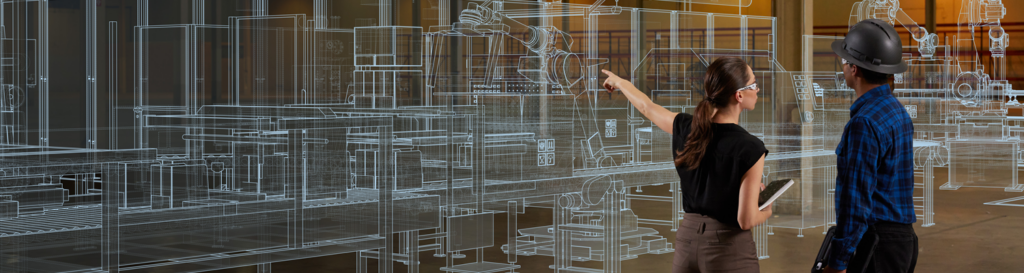
Factory and warehouse simulation software creates a digital model of an operation, allowing teams to test scenarios before making real-world changes.
Think of it as a flight simulator for manufacturing and logistics.
Rather than experimenting on your actual facility, you can model people, equipment, inventory, and workflows in a virtual environment to see how changes affect performance.
The goal isn’t simply visualization. It’s answering important business questions before investments are made.
Questions like:
- Will this automation project increase throughput?
- Do we have enough capacity to meet future demand?
- Should we add equipment or change the workflow?
- Are labor shortages causing delays?
- Where is the real bottleneck?
What is discrete-event simulation?
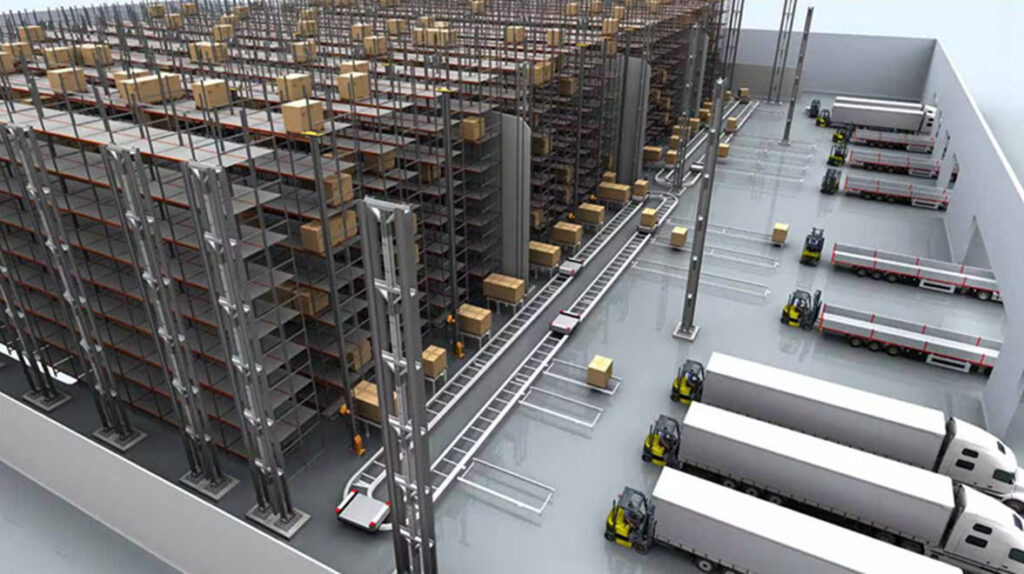
The technology behind most manufacturing and warehouse simulation tools is called discrete-event simulation (DES).
DES models operations as a series of events that happen over time: a machine finishes a cycle, a forklift moves material, an operator completes a task, or an order enters a picking queue.
This makes it possible to see how resources interact across an entire system rather than in isolation.
For example, increasing the speed of one machine might seem beneficial until the simulation reveals it overwhelms downstream processes and creates a larger bottleneck elsewhere.
This is where platforms like Autodesk FlexSim provide value. FlexSim uses 3D discrete-event simulation to model manufacturing, warehousing, and logistics operations, helping teams understand how changes affect throughput, resource utilization, cycle times, and overall performance before making physical changes.
Common problems simulation helps solve
Most organizations don’t buy simulation software because they want a digital model.
They buy it because they need answers.
“We’re planning an automation project.”
Simulation helps validate whether robotics, AGVs, conveyors, or automated storage systems will actually improve performance and where the greatest return on investment exists.
“We’re running out of space.”
A warehouse simulation can reveal whether additional space is truly needed or whether existing capacity can be used more effectively.
“We can’t find the bottleneck.”
Many operational constraints are hidden. Simulation helps visualize how work, materials, and resources move through a system to identify where delays originate.
“Demand is growing.”
Teams can model future scenarios to understand when capacity limits will be reached and what investments should happen first.
“We’re redesigning a facility.”
Rather than relying on static layouts, companies can evaluate multiple factory or warehouse configurations and compare performance before construction begins.
What to look for in simulation software
Not all simulation tools are equally useful. The best platforms make it easy to answer business questions, not just build models.
When evaluating software, look for:
Fast model creation
The value comes from insights, not months spent building simulations.
Scenario testing
You should be able to compare multiple options and understand tradeoffs quickly.
3D visualization
Decision makers are more likely to trust and act on results when they can clearly see how an operation performs.
Actionable analytics
Look beyond animations. The software should provide meaningful metrics like throughput, utilization, wait times, resource performance, and capacity constraints.
Scalability
The platform should support everything from a single production line to an entire warehouse, factory, or supply chain.
The bottom line
The biggest benefit of simulation software isn’t better models. It’s better decisions.
The cost of making an incorrect operational decision has never been higher. Whether you’re investing in automation, expanding a facility, redesigning workflows, or planning for growth, simulation helps reduce uncertainty before resources are committed.
Tools like Autodesk FlexSim allow teams to explore alternatives, uncover constraints, and understand the likely impact of decisions before they affect production, customers, or profitability.
That’s why simulation is increasingly becoming a standard part of how manufacturers and warehouse operators plan for the future, not after problems appear, but before they happen.
Frequently asked questions
Factory and warehouse simulation software creates a digital model of an operation so teams can test process changes, facility layouts, staffing plans, and automation investments before implementing them in the real world. This helps organizations reduce risk and make more informed operational decisions.
Discrete-event simulation (DES) is a modeling method that represents operations as a series of events occurring over time, such as machine cycles, material movements, order arrivals, or worker activities. It helps organizations understand how changes in one part of a system affect overall performance.
Simulation software helps organizations address common challenges such as production bottlenecks, warehouse congestion, capacity constraints, inefficient layouts, labor shortages, and uncertainty surrounding automation investments. It enables teams to test solutions before spending time or capital.
Warehouse simulation is used to evaluate storage strategies, picking processes, material flow, labor requirements, dock operations, and automation technologies. Companies use it to improve throughput, reduce travel time, increase storage utilization, and support growth planning.
Factory simulation helps organizations identify bottlenecks, balance workloads, optimize resource utilization, and evaluate process improvements. By understanding how the entire system performs, teams can make changes that improve throughput and reduce waste.
Autodesk FlexSim uses 3D discrete-event simulation to model manufacturing, warehousing, and logistics operations. Organizations use it to identify bottlenecks, evaluate automation initiatives, optimize facility layouts, improve capacity planning, and test operational changes before making real-world investments.