 Shannon McGarry
If you’re evaluating Autodesk Fusion, one of the first questions you’ll ask is: how much does it cost—and what subscription do I actually need?
The answer depends on how you use Fusion.
Some customers need an all-in-one platform for product design and engineering. Others need advanced manufacturing capabilities, simulation, lifecycle management, or product data management. Autodesk offers several Fusion subscriptions and extensions so teams can start with the capabilities they need today and scale as requirements evolve.
This guide explains what’s included with Fusion, how pricing works, which capabilities require extensions, and how to determine the right option for your business.
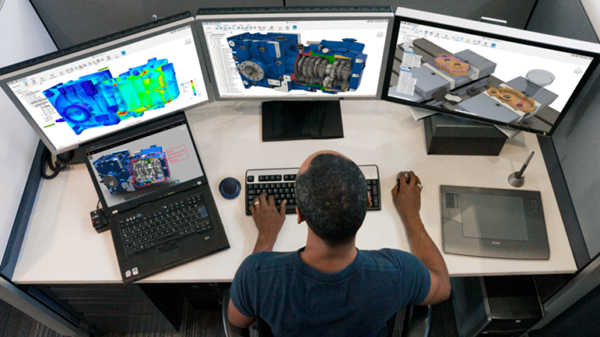
How Autodesk Fusion pricing works
Autodesk Fusion uses a subscription-based pricing model.
Most users begin with a standard Fusion subscription, which includes integrated design, engineering, electronics, manufacturing, and data management tools in a single platform.
Organizations with more advanced requirements can add specialized capabilities through extensions or choose subscriptions tailored to specific workflows, such as Fusion for Manufacturing, Fusion for Design, or Fusion Manage.
This approach allows businesses to invest in the capabilities they need without purchasing and maintaining multiple disconnected software systems.
| If you need… | Consider |
|---|---|
| Product design, engineering, CAD, CAM, electronics, and collaboration | Autodesk Fusion |
| Advanced CNC programming and production workflows | Fusion for Manufacturing |
| Advanced simulation, generative design, and product development workflows | Fusion for Design |
| Product lifecycle management and change control | Fusion Manage |
👉 For current pricing and subscription options, see here.
What’s included with an Autodesk Fusion subscription?
A commercial Autodesk Fusion subscription provides access to an integrated platform that supports the full product development lifecycle. Depending on how your team works, Fusion can be used for design, manufacturing, or both, without breaking data continuity.
With Fusion, you get:
- Integrated CAD, CAM, CAE, and PCB tools in a single platform
- Built‑in data management and collaboration
- Cloud‑connected workflows that keep teams aligned
- Access to Fusion extensions and cloud‑based services, when needed
- Access to Autodesk technical support
Unlike traditional workflows that require separate software for design, manufacturing, and data management, Fusion connects these capabilities in a single environment.
Is CAM included in Autodesk Fusion?
Yes. Fusion includes integrated CAM capabilities as part of a standard subscription.
Users can create CNC toolpaths, generate NC code, simulate machining operations, and manage manufacturing data without purchasing separate CAD and CAM systems.
Organizations that require advanced machining workflows such as complex multi-axis programming, automated part machining, advanced simulation, production optimization, or factory-scale processes may choose to subscribe to Fusion for Manufacturing.
If you already own a subscription to Autodesk Fusion, subscribe to the Manufacturing Extension for advanced manufacturing capabilities.
Why does Autodesk Fusion offer extensions?
Not every user needs advanced simulation, generative design, manufacturing automation, or lifecycle management tools.
Extensions allow organizations to add specialized capabilities when needed without requiring every user to purchase higher-cost software they may never use.
Autodesk Fusion extensions include:
- Autodesk Fusion Simulation Extension
- Autodesk Fusion Manufacturing Extension
- Autodesk Fusion Design Extension
This allows teams to scale capabilities as projects become more sophisticated.
Autodesk Fusion: How much does it cost?
Autodesk Fusion is available through a subscription‑based pricing model, giving individuals and teams access to a unified platform for product design, engineering, electronics, and manufacturing—all in one environment.
AnAutodesk Fusion subscription includes:
- Integrated CAD, CAM, CAE, and PCB tools
- Built‑in cloud data management and collaboration
- Ongoing access to updates, improvements, and new features
Rather than purchasing separate tools for design and manufacturing, Fusion combines core capabilities into a single subscription, helping teams reduce software sprawl and simplify workflows.
Autodesk offers multiple subscription terms so teams can choose the option that best fits their needs. Pricing may vary by region and term length, so Autodesk recommends checking the official pricing page for the most current details.
👉 View Fusion plans and pricing for up‑to‑date costs and options
Fusion for Manufacturing: What does it cost?
Fusion for Manufacturing expands Fusion with advanced manufacturing and CNC programming capabilities while maintaining the same connected design and data environment.
Designers, engineers, and machinists work from the same source of product data, reducing communication gaps and manual file transfers.
What does the Fusion Manufacturing Extension include:
Manufacturing Extension adds advanced production-focused capabilities beyond the CAM tools included with a standard Fusion subscription. Key capabilities include:
- 2D, 2.5‑axis, and 3‑axis machining with a wide range of roughing and finishing strategies
- Automated hole recognition and drilling using configurable templates
- Whole‑part machining with steep and shallow, deburr, and corner toolpaths
- Positional 5‑axis (3+2) and simultaneous 4‑ and 5‑axis machining for complex parts and fewer setups
- Post‑calculation toolpath edits without full recalculation
- Process simulation to detect collisions, over‑travel, and print failures
- In‑cycle probing and part alignment for accurate setup and inspection
- Sheet‑based fabrication with automatic nesting to optimize material use
- Additive manufacturing for plastics and metals with automated orientation, supports, and process parameters
Because everything runs on the same Fusion platform, manufacturing teams always work from the latest design data.
👉 View Fusion plans and pricing
👉 Learn more about Fusion for Manufacturing
Fusion for Design: How much does it cost?
Fusion for Design is intended for organizations that require advanced product development capabilities, simulation, and optimization tools.
It builds on the core Fusion platform while expanding what design teams can accomplish before prototypes are manufactured.
Key capabilities include:
- Advanced mesh and surfacing tools for prismatic, organic, parametric, and surface‑based designs
- Simulation for real‑world performance, including structural, thermal, electronics cooling, injection molding, and event‑based analysis
- Generative design to explore weight reduction and performance‑optimized outcomes
- Plastic design rules with built‑in guidance for draft, wall thickness, ribs, and material flow
- Product lifecycle management tools for BOMs, release management, automated part numbering, and change orders
Because Fusion for Design is fully connected to manufacturing and data management, designs move downstream without translation or rework.
👉 View Fusion plans and pricing
👉 Learn more about Fusion for Design
Fusion Manage: How much does it cost?
As products, teams, and processes become more complex, many organizations need more than file storage and version control.
Fusion Manage provides cloud-based product lifecycle management (PLM) capabilities that help businesses control product information, manage change, and maintain compliance.
Key capabilities include:
- Change management with controlled workflows, approvals, and full revision traceability
- Bill of materials (BOM) management to keep engineering, manufacturing, and supply chain aligned
- Quality management for non‑conformance, CAPA, inspections, and supplier quality
- Project and process workflows for NPI, stage‑gate, and cross‑team coordination
- Supplier collaboration with secure access to the right data—no CAD licenses required
- Integration and extensibility through APIs and connections to PDM, ERP, and other systems
Fusion Manage helps teams maintain control and visibility without slowing innovation.
👉 View Fusion Manage plans and pricing
👉 Learn more about Fusion Manage
Is a free trial available for Autodesk Fusion?
Yes. Autodesk offers a free trial of Fusion, allowing you to explore core design and manufacturing workflows before committing to a subscription. During the trial, you can work with real projects and data to evaluate fit for your team. Fusion Manage is not included in the free trial. Connect with an expert to explore PLM capabilities and options.
👉 Start a free trial of Autodesk Fusion
Are free or discounted versions of Autodesk Fusion available?
In addition to commercial subscriptions, Autodesk provides special licensing options for:
- Personal, non‑commercial use: Eligible individuals may access Fusion for personal, non-commercial projects.
- Education: Students, educators, and qualifying educational institutions can access Fusion through Autodesk Education offerings for learning and instructional use.
- Qualifying startups: Eligible startups may qualify for Autodesk startup programs that provide access to professional design and engineering software while growing their business.
These options are designed for learning, experimentation, and early‑stage product development, while commercial subscriptions support professional and production use cases.
How does Fusion pricing work for teams?
Every Fusion user requires a subscription.
Organizations often mix subscription types based on role and responsibility.
For example:
- Product designers may use Fusion or Fusion for Design.
- Manufacturing engineers may use Fusion for Manufacturing.
- Quality and operations teams may use Fusion Manage.
- Leadership and stakeholders may access product information through connected workflows.
Because all offerings share the same connected platform, teams can collaborate using a common source of product data throughout the entire product development process.
What are you waiting for? Get started with Fusion today
Frequently asked questions
Fusion pricing depends on the subscription type, term length, and region. Visit Autodesk’s pricing pages for the latest information.
Yes. Fusion includes integrated CAM capabilities as part of a standard subscription.
Fusion includes core CAD, CAM, engineering, electronics, and data management capabilities. Manufacturing Extension adds advanced machining, automation, simulation, and production-oriented workflows.
Fusion for Manufacturing includes advanced CAM capabilities, multi-axis machining workflows, simulation tools, manufacturing automation, additive workflows, and integrated product data management.
Yes. Autodesk offers multiple subscription terms depending on region and offering.
Users who actively use Fusion require a subscription. Organizations often mix subscription types based on individual roles and responsibilities.
If you primarily need design, engineering, electronics, and manufacturing in a single tool, Fusion is typically the starting point. Organizations that require advanced manufacturing workflows, product simulation, or lifecycle management may benefit from Fusion for Manufacturing, Fusion for Design, or Fusion Manage.