 Josh Reader
Learn how Autodesk Fusion helps job shops and contract manufacturers manage high-mix production with connected CAD/CAM workflows, automation, and scalable manufacturing tools.

Elevate your design and manufacturing processes with Autodesk Fusion
For many manufacturers, success isn’t defined by producing thousands of identical parts. It’s about handling a constant stream of unique jobs, customer requirements, engineering revisions, and delivery deadlines without sacrificing efficiency.
One customer needs a prototype. Another needs a custom fixture. A third requires a short-run production order by the end of the week. Meanwhile, machines need to stay productive, programmers need to keep work moving, and teams need to respond quickly when designs change.
This is the reality of modern high-mix manufacturing.
Whether you’re a contract manufacturer, CNC machine shop, tooling supplier, or custom equipment builder, competitive advantage increasingly comes from your ability to process diverse work efficiently, standardize workflows, and adapt quickly to changing customer needs.
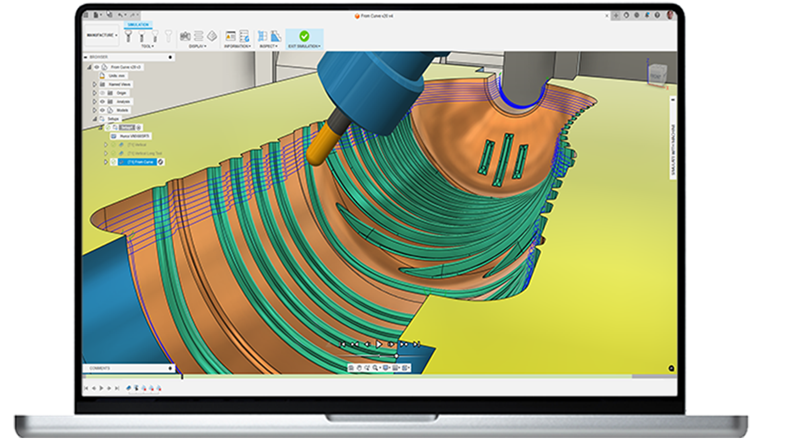
Autodesk Fusion for Manufacturing helps manufacturers address these challenges through connected CAD, CAM, simulation, and manufacturing workflows that reduce handoffs and help teams move from design to finished part more efficiently.
What is high-mix manufacturing?
High-mix manufacturing refers to production environments that regularly build a wide variety of products, components, and assemblies rather than focusing on a limited range of repeat parts.
Common examples include:
- Contract manufacturers
- CNC machine shops
- Prototype and R&D facilities
- Custom machinery builders
- Industrial equipment manufacturers
- Tool and fixture suppliers
These businesses compete on flexibility, responsiveness, and the ability to handle changing customer requirements.
The challenge is that every new job introduces decisions around programming, tooling, setup, materials, revisions, and scheduling. Without efficient processes, complexity can quickly become a bottleneck.
Why agility matters more than volume
Many manufacturers assume growth requires adding more machines, more programmers, or more resources. In reality, growth often depends on something else: the ability to process work efficiently despite increasing complexity.
Customer expectations continue to rise. Design revisions arrive faster. Product customization is becoming more common. Manufacturers are expected to quote quickly, respond rapidly, and maintain quality while managing dozens of unique jobs simultaneously.
This is where disconnected workflows often become a competitive disadvantage as they create unnecessary rewor, setup delays, and programming inefficiencies when design changes occur.
The manufacturers that succeed are often those that can standardize processes, automate repetitive tasks, and maintain a connected workflow from design through production.
How Autodesk Fusion for Manufacturing supports high-mix manufacturing
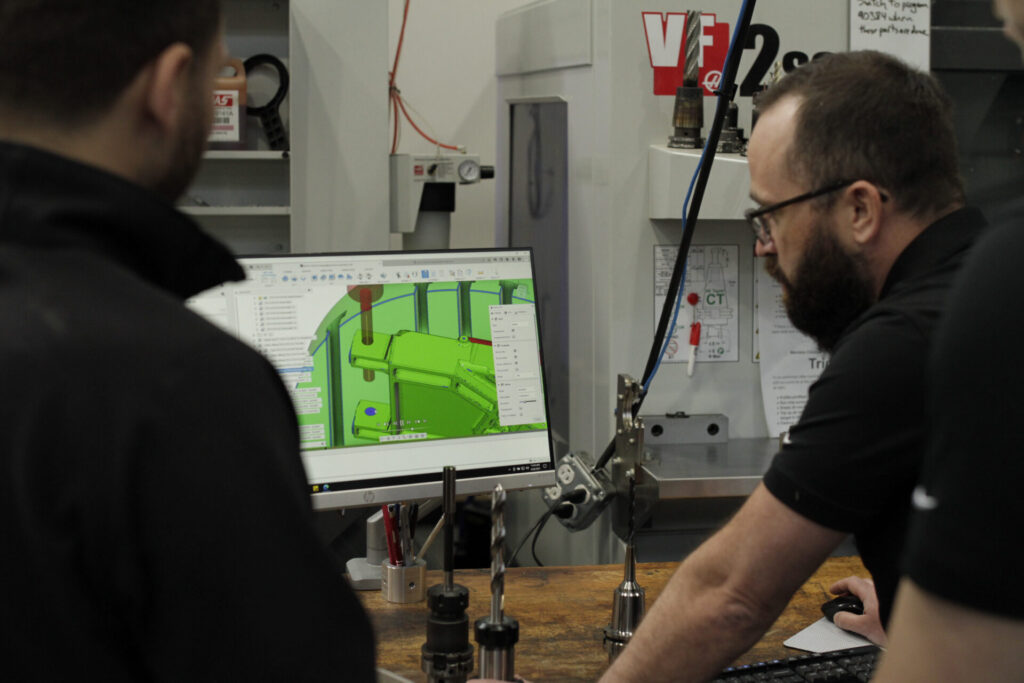
Fusion for Manufacturing approaches the problem differently by connecting design, CAM, simulation, and manufacturing preparation within a single platform. Rather than rebuilding manufacturing data every time a change occurs, teams can work from a connected model throughout the process.
Stay connected to design changes
Revision management is one of the biggest challenges for job shops. When customer models change, disconnected systems often require programmers to manually recreate CAM operations.
Fusion for Manufacturing maintains associativity between design and manufacturing workflows, allowing toolpaths to update with model changes while keeping manufacturing connected to the latest design data.
This can help reduce the disruption caused by late-stage engineering revisions.
Standardize programming across the shop
Many job shops rely on experienced programmers to maintain consistency. The problem arises when programming methods vary between individuals.
The use of templates, automated machining strategies, process standardization, automated hole recognition, and AI-assisted workflows in Fusion for Manufacturing help reduce repetitive programming work and establish more consistent machining practices.
For growing shops, standardization becomes increasingly important for scalability.
Reduce setup complexity
Setup reduction is often one of the fastest ways to improve throughput.
Autodesk Fusion for Manufacturing supports a range of machining workflows, including 2D, 2.5D, 3-axis, 4-axis, and 5-axis operations, helping manufacturers consolidate work within a single environment. By reducing refixturing and minimizing unnecessary setups, machine shops can improve efficiency when handling diverse work.
The ability to manage multiple machining workflows from a connected platform helps teams move jobs through production more efficiently.
Supporting the modern contract manufacturer
Contract manufacturers face unique pressures. Customers expect shorter lead times. Labor remains difficult to find. Margins are tight. Product complexity continues to increase. Yes, manufacturers still need to focus on:
- Increasing throughput
- Standardizing workflows
- Reducing reliance on specialist expertise
- Scaling operations without adding unnecessary complexity
These outcomes are particularly relevant for manufacturers operating in high-mix environments where efficiency improvements often have a direct impact on profitability.
High-mix manufacturing requires flexible systems
The most successful job shops are rarely the ones with the most machines. They’re the ones that can adapt the fastest.
They can onboard new work quickly. Handle design changes efficiently. Standardize processes across teams. Reduce programming bottlenecks. And keep work flowing from quote to finished part.
For manufacturers operating in high-mixenvironments, connected workflows can play a critical role in achieving those goals.
Autodesk Fusion for Manufaturing is designed to help manufacturers bring design, programming, simulation, and production preparation together in a single environment, helping teams spend less time managing software handoffs and more time making parts.
Get started today with a 30-day free trial.
Frequently asked questions
Fusion for Manufacturing supports connected CAD and CAM workflows, manufacturing automation, process standardization, revision management, simulation, and manufacturing preparation within a single platform. These capabilities help manufacturers handle diverse work while reducing repetitive programming and workflow inefficiencies.
Autodesk Fusion for Manufacturing is best suited for contract manufacturers, CNC machine shops, fabrication businesses, manufacturing engineers, CAM programmers, and production teams that need efficient workflows and flexible manufacturing capabilities.
Yes. Fusion for Manufacturing supports individual machinists and programmers through larger manufacturing and operations teams, with connected workflows designed to support growth and increasing operational complexity.
Autodesk Fusion for Manufacturing supports milling, turning, turn-mill, multi-axis machining, cutting, probing, inspection, nesting, and additive manufacturing workflows within a connected manufacturing environment