AUTOMATIONS

Trusted innovations designed to keep you working faster

Get information fast with Count, bring uniformity to your drawings with Smart Blocks, access help resources with the built-in Autodesk Assistant, and run automations with AutoLISP.

DWG DRAFTING

2D drafting and documentation

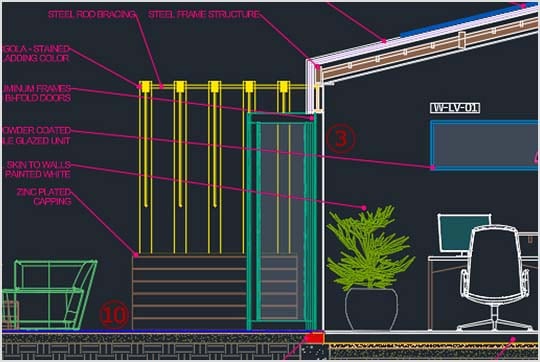
Create DWG™ files with precision using enhanced features to help you focus on the design process while staying connected with your peers.

Cloud storage connectivity

Stay connected to your designs anywhere, anytime

Access the AutoCAD experience on desktop, web, or mobile to capture, share, and review ideas on the go.

AUTOMATIONS

Trusted innovations designed to keep you working faster

Get information fast with Count, bring uniformity to your drawings with Smart Blocks, access help resources with the built-in Autodesk Assistant, and run automations with AutoLISP.

DWG DRAFTING

2D drafting and documentation

Create DWG™ files with precision using enhanced features to help you focus on the design process while staying connected with your peers.

Cloud storage connectivity

Stay connected to your designs anywhere, anytime

Access the AutoCAD experience on desktop, web, or mobile to capture, share, and review ideas on the go.

Features to support your creativity

Enhanced

Autodesk Assistant

Access helpful support and solutions related to AutoCAD LT features and your design challenges.

New

Connected Support Files

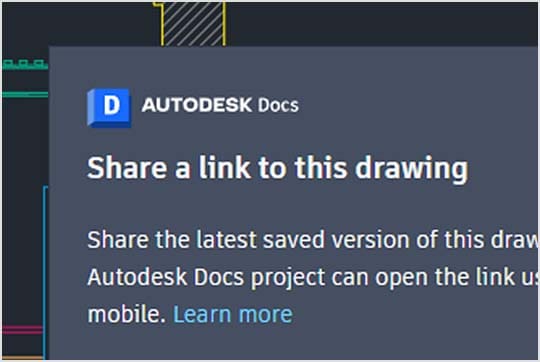
Define project-aware support files/settings in Autodesk Docs, enabling teams to view/edit DWGs without configuring individual users or setups.

AutoLISP

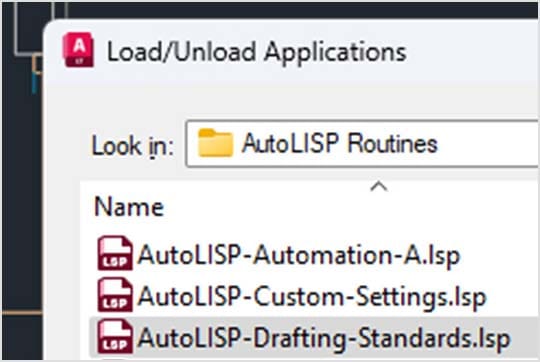
Use AutoLISP in AutoCAD LT to streamline workflows and enforce CAD standards through automation. Supports file types LSP, FAS, and VLX.

Enhanced

Smart Blocks: Search and Convert

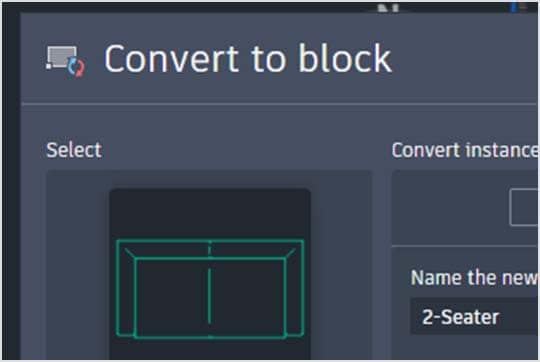
Easily find and convert objects in your drawings with Autodesk AI, creating new, existing, or recently used blocks for efficiency.

CUSTOMER SUCCESS

"It’s amazing how much detail you can get with AutoCAD LT. I have a template for all the layers that go into each drawing. It’s like a rhythm that I’ve established. I can’t imagine how I could design and make my bags without it."

–Wendy Stevens, Founder and Designer

Image courtesy of Wendy Stevens

CUSTOMER SUCCESS

"It’s amazing how much detail you can get with AutoCAD LT. I have a template for all the layers that go into each drawing. It’s like a rhythm that I’ve established. I can’t imagine how I could design and make my bags without it."

–Wendy Stevens, Founder and Designer

Image courtesy of Wendy Stevens

CUSTOMER SUCCESS

"It’s amazing how much detail you can get with AutoCAD LT. I have a template for all the layers that go into each drawing. It’s like a rhythm that I’ve established. I can’t imagine how I could design and make my bags without it."

–Wendy Stevens, Founder and Designer

Image courtesy of Wendy Stevens

Advance your craft with AutoCAD LT community and learning

Discover a living library of community-contributed knowledge, projects, and insights. Join in by sharing your own.

Questions? We have answers.

AutoCAD LT is CAD software that is used for precise 2D drafting, design, and documentation. It includes features to automate tasks and increase productivity such as comparing drawings, counting, adding objects, creating tables, as well as customizing commands and routines using AutoLISP. AutoCAD LT enables users to create, edit, and annotate drawings with desktop, web, and mobile devices.

AutoCAD LT is used by architects, engineers, construction professionals, and designers who need to:

  • Design, draft, and document with precise 2D geometry

  • Access a comprehensive set of editing, design, and annotation tools

  • Work faster in an intuitive and customizable interface

One of the biggest differences between AutoCAD and AutoCAD LT is that AutoCAD LT provides precision 2D drafting and documentation capabilities, while AutoCAD also provides 3D functionalities. AutoCAD LT supports some customization through capabilities like AutoLISP. It does not include third party connections, development tools, or the seven specialized toolsets. Compare AutoCAD and AutoCAD LT.

AutoCAD LT can run on Microsoft® Windows® and Apple® macOS®. See AutoCAD LT system requirements for details.

Every AutoCAD LT subscription includes AutoCAD on the web and mobile. AutoCAD on mobile can run on iOS, Android, and Windows. See AutoCAD on mobile system requirements (US site) for version details. AutoCAD on the web is supported by 64-bit Google Chrome, 64-bit Mozilla Firefox, and 64-bit Microsoft Edge on Windows or Mac. See AutoCAD on the web system requirements for version details.

Your AutoCAD LT subscription gives you access to install and use the current version and three previous versions of AutoCAD LT. Available downloads are listed in your Autodesk account after subscribing. See also previous releases available for subscribers.

With a subscription to Autodesk AutoCAD LT software, you can install it on different computers; however, you can only actively use the software on one computer at a time. Please refer to the Software License Agreement (US site) for more information.

Launch your trial software and click Subscribe Now on the trial screen or buy AutoCAD LT here. When buying your subscription, enter the same email address and password combination you used to sign in to your trial. Learn more about converting a trial to a paid subscription.

The price of an annual Autodesk AutoCAD LT subscription is {{price.ACDLT.1year}} and the price of a monthly AutoCAD LT subscription is {{price.ACDLT.month}}. If you are interested in a pay-as-you-go option, please visit www.autodesk.com/flex to learn more.

This amount is Autodesk's suggested retail price (SRP) excluding freight, handling, and taxes for the specified product in your region. SRP is used for reference purposes only. Actual retail price may be subject to currency fluctuation. All Autodesk pricing is subject to change without notice.

Autodesk provides download and installation instructions for individuals and administrators. Your available downloads appear in Autodesk account. Find your product, select a version, platform, language, and download method. For more information, visit Autodesk Support.

AutoCAD and AutoCAD LT subscriptions come with an installer for both Windows and Mac. Go to your Autodesk account and locate the product AutoCAD or AutoCAD LT for Mac and select Download.

AutoCAD

Level up with AutoCAD

Add 3D modeling to your workflow

Extend your capabilities beyond 2D drafting with additional 3D modeling, rendering, and documentation toolsets in AutoCAD.

AutoCAD

Level up with AutoCAD

Add 3D modeling to your workflow

Extend your capabilities beyond 2D drafting with additional 3D modeling, rendering, and documentation toolsets in AutoCAD.

AutoCAD

Level up with AutoCAD

Add 3D modeling to your workflow

Extend your capabilities beyond 2D drafting with additional 3D modeling, rendering, and documentation toolsets in AutoCAD.