
Integrated Cad and cam software
Unified CAD/CAM for precision and efficiency
Unified CAD/CAM for precision and efficiency
Autodesk Fusion is integrated CAD/CAM software that eliminates the need for multiple tools, driving better innovation, productivity, and outcomes.
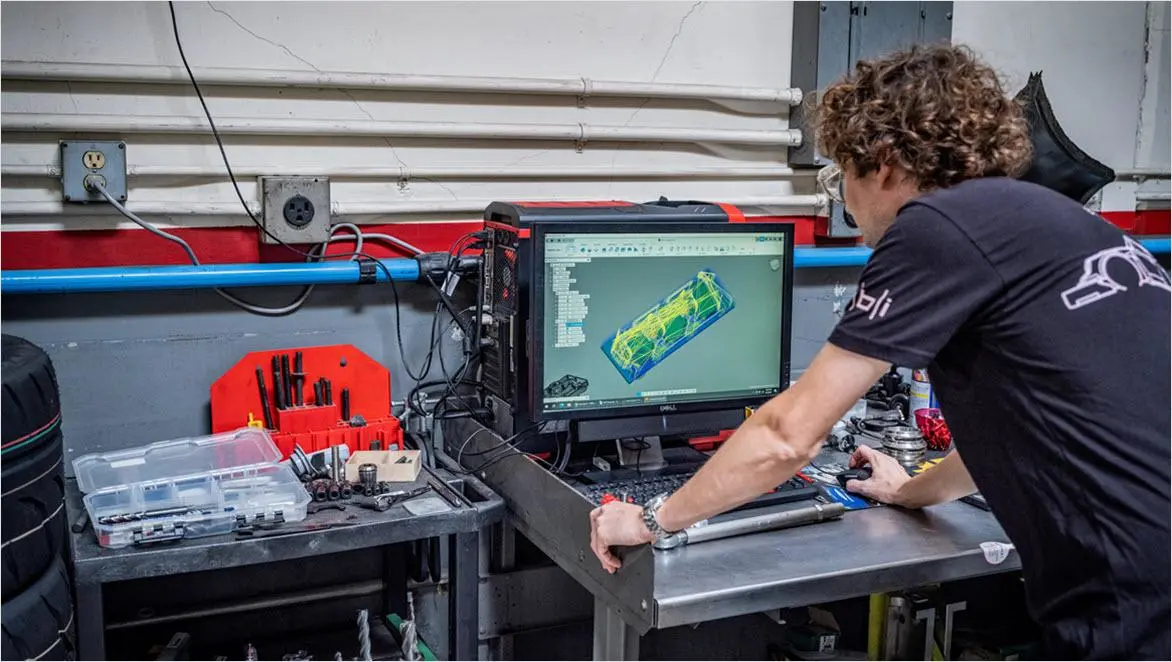
Autodesk Fusion for CAD/CAM
Autodesk Fusion for CAD/CAM
Fusion replaces fragmented design-to-manufacturing processes with unified CAD-to-CAM workflows. While maintaining communication with customers, suppliers, and internal stakeholders, you can create your parts correctly the first time and on schedule. Integrated CAD/CAM in Fusion allows you to:
Easily import designs using a broad range of data translators for over 50 different file types
Quickly change existing features or model fixtures directly on imported models
Rapidly generate multiple design iterations and toolpaths in minutes
Maintain complete control over who has access to view, comment on, and edit projects
Fusion replaces fragmented design-to-manufacturing processes with unified CAD-to-CAM workflows. While maintaining communication with customers, suppliers, and internal stakeholders, you can create your parts correctly the first time and on schedule. Integrated CAD/CAM in Fusion allows you to:
Easily import designs using a broad range of data translators for over 50 different file types
Quickly change existing features or model fixtures directly on imported models
Rapidly generate multiple design iterations and toolpaths in minutes
Maintain complete control over who has access to view, comment on, and edit projects
Design and manufacture more intelligently with one integrated CAD/CAM solution
Eliminate disconnected workflows
Eliminate disconnected workflows
Design, simulate, and manufacture in one platform—Fusion’s all-in-one environment removes data translation headaches and keeps your product development cycle fast, error-free, and focused.
Design, simulate, and manufacture in one platform—Fusion’s all-in-one environment removes data translation headaches and keeps your product development cycle fast, error-free, and focused.
Boost collaboration and streamline data
Boost collaboration and streamline data
Collaborate instantly and securely with team members and stakeholders anywhere thanks to Fusion’s cloud-native data management and real-time sharing—your designs are always current, accessible, and protected.
Collaborate instantly and securely with team members and stakeholders anywhere thanks to Fusion’s cloud-native data management and real-time sharing—your designs are always current, accessible, and protected.
Enhance manufacturing precision and flexibility
Enhance manufacturing precision and flexibility
Program advanced CNC machining, additive manufacturing, and complex assemblies with Fusion’s parametric modeling and powerful CAM features—adapt rapidly from prototype to production and maintain high-quality results every time.
Program advanced CNC machining, additive manufacturing, and complex assemblies with Fusion’s parametric modeling and powerful CAM features—adapt rapidly from prototype to production and maintain high-quality results every time.
Improve design-to-manufacturing traceability
Improve design-to-manufacturing traceability
Fusion’s integrated approach keeps the entire design-to-manufacturing workflow visible and traceable. Every change, feedback, and approval is captured so teams can track progress, resolve issues faster, and maintain quality from concept to finished part.
Fusion’s integrated approach keeps the entire design-to-manufacturing workflow visible and traceable. Every change, feedback, and approval is captured so teams can track progress, resolve issues faster, and maintain quality from concept to finished part.
CAD/CAM solutions fit for your needs
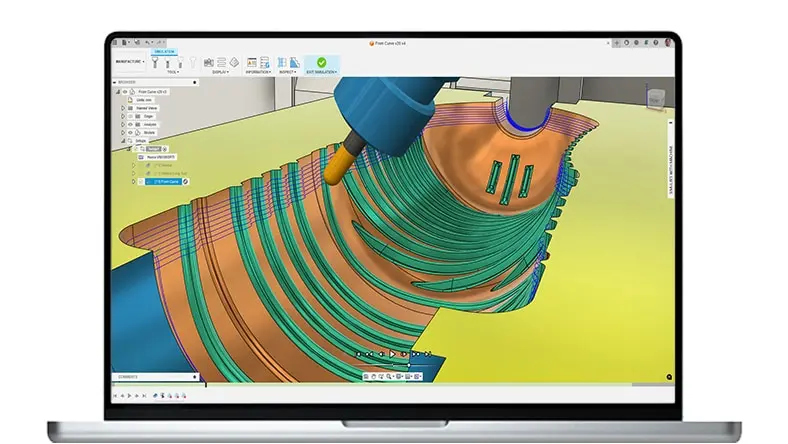
Autodesk Fusion for Manufacturing
Autodesk Fusion for Manufacturing
Advanced CAD + CAM tools for manufacturers, machinists, engineers, and teams needing precise high-performance CAM solutions.
Includes a subscription to Fusion + advanced manufacturing capabilities:
Comprehensive 2D to 5-axis machining
Cutting, milling, turning, and turn-mill
Manufacturing automation
Part inspection and probing
Free and editable post-processors
Advanced CAD + CAM tools for manufacturers, machinists, engineers, and teams needing precise high-performance CAM solutions.
Includes a subscription to Fusion + advanced manufacturing capabilities:
Comprehensive 2D to 5-axis machining
Cutting, milling, turning, and turn-mill
Manufacturing automation
Part inspection and probing
Free and editable post-processors
{{PRICE}}/{{TERM}}
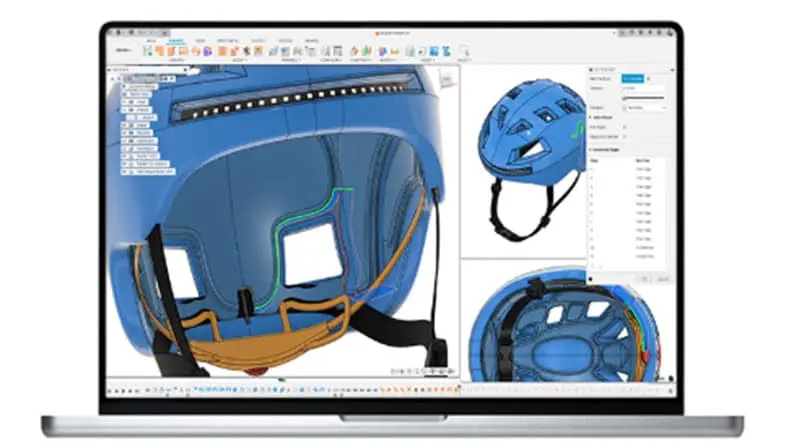
Autodesk Fusion
Autodesk Fusion
Integrated cloud CAM, CAM, CAE, PCB, and PDM core capabilities ideal for designers, engineers, machinists, and teams working across the product development lifecycle.
Includes:
Fully integrated CAD/CAM
Real-time team collaboration
PCB design alongside mechanical part creation
Drawing automation and design configurations
Integrated cloud CAM, CAM, CAE, PCB, and PDM core capabilities ideal for designers, engineers, machinists, and teams working across the product development lifecycle.
Includes:
Fully integrated CAD/CAM
Real-time team collaboration
PCB design alongside mechanical part creation
Drawing automation and design configurations
{{PRICE}}/{{TERM}}
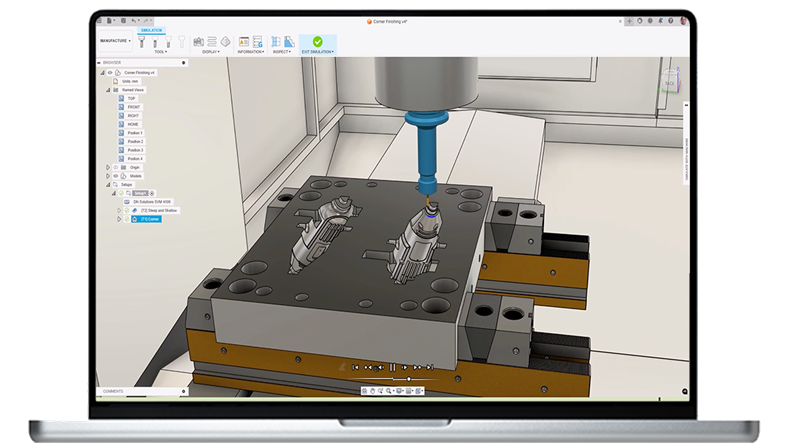
Autodesk Fusion Manufacturing Extension
Autodesk Fusion Manufacturing Extension
Unlock additional capabilities for 3 to 5-axis CNC machining, sheet-based nesting and fabrication, and metals-based additive manufacturing.
Includes advanced manufacturing capabilities:
Comprehensive 2D to 5-axis machining
Cutting, milling, turning, and turn-mill
Manufacturing automation
Part inspection and probing
Free and editable post-processors
*Requires an Autodesk Fusion subscription
Unlock additional capabilities for 3 to 5-axis CNC machining, sheet-based nesting and fabrication, and metals-based additive manufacturing.
Includes advanced manufacturing capabilities:
Comprehensive 2D to 5-axis machining
Cutting, milling, turning, and turn-mill
Manufacturing automation
Part inspection and probing
Free and editable post-processors
*Requires an Autodesk Fusion subscription
{{PRICE}}/{{TERM}}
Why Autodesk Fusion for Manufacturing
Why Autodesk Fusion for Manufacturing
Autodesk Fusion for Manufacturing is a comprehensive CAD/CAM platform that integrates parametric modeling, design for manufacturing, drawings, and cloud-based collaboration. It features robust 3-axis machining, 4 and 5-axis milling, part inspection, turn-mill operations, advanced toolpaths, and numerous technical integrations with leading OEMs, including Kennametal, Okuma, Sandvik Coromant, Haas, Mazak, Formlabs, and Ultimaker.
Autodesk Fusion for Manufacturing is a comprehensive CAD/CAM platform that integrates parametric modeling, design for manufacturing, drawings, and cloud-based collaboration. It features robust 3-axis machining, 4 and 5-axis milling, part inspection, turn-mill operations, advanced toolpaths, and numerous technical integrations with leading OEMs, including Kennametal, Okuma, Sandvik Coromant, Haas, Mazak, Formlabs, and Ultimaker.
Drive manufacturing efficiency with built-in cloud data management
Drive manufacturing efficiency with built-in cloud data management
Experience the power of unified design and manufacturing tools with integrated product data management with Autodesk Fusion.
Fusion manages data in the background while teams stay focused on product development. Eliminate time spent searching for files or losing work. With Fusion, data is always centralized, accessible, and secure.
Experience the power of unified design and manufacturing tools with integrated product data management with Autodesk Fusion.
Fusion manages data in the background while teams stay focused on product development. Eliminate time spent searching for files or losing work. With Fusion, data is always centralized, accessible, and secure.
Fusion resources for CAD/CAM
Get started with CAD/CAM with these tutorials, guides, and tips.
Get started with CAD/CAM with these tutorials, guides, and tips.
Benefits of integrated CAD/CAM
Learn how Fusion, a cloud-based, integrated CAD/CAM software, can transform your design process.
Learn how Fusion, a cloud-based, integrated CAD/CAM software, can transform your design process.
Streamline product development
This article expands upon CAD, CAM, and CAE, advantages across crucial touchpoints in the end to end product development process.
This article expands upon CAD, CAM, and CAE, advantages across crucial touchpoints in the end to end product development process.
Cloud-based CAD software
Learn about how cloud-based CAD software makes collaboration easy, with an all-in-one repository for data that works faster and smarter than other solutions.
Learn about how cloud-based CAD software makes collaboration easy, with an all-in-one repository for data that works faster and smarter than other solutions.
Fusion certifications
Make your CAD/CAM experience official with a Fusion certification. Explore the six different certification options and registration process.
Make your CAD/CAM experience official with a Fusion certification. Explore the six different certification options and registration process.
Shop floor digitization
Read about the importance of digitally upgrading the manufacturing shop floor, the benefits of digital product development, and how it can improve your company’s manufacturing process.
Read about the importance of digitally upgrading the manufacturing shop floor, the benefits of digital product development, and how it can improve your company’s manufacturing process.
CAD/CAM self-paced learning
Access video tutorials and self-guided courses for 3D modeling, CAD/CAM design and programming, cloud CAM software, and manufacturing through the Fusion Learn & Support Hub.
Access video tutorials and self-guided courses for 3D modeling, CAD/CAM design and programming, cloud CAM software, and manufacturing through the Fusion Learn & Support Hub.
Frequently asked questions (FAQ) on CAD/CAM software
What is the best free CAD CAM software?
There are many different types of CAD/CAM software available today. The one you choose very much depends on the work you typically do and the tools you're going to need to be successful. One excellent choice for those wanting to design and manufacture products is Autodesk Fusion for personal use.
The free version of Fusion for personal use combines powerful 2D and 3D CAD modeling tools with entry-level CAM programming capabilities. This is the ideal choice for hobbyists, startups, and small businesses to drive various 2- and 3-axis CNC machines.
As your business needs change, you can choose from various subscription options to unlock more advanced CAD/CAM capabilities.
Can I run simulations and analysis directly within Fusion?
Fusion offers built-in simulation tools for stress, thermal, and motion analysis, letting you validate designs before manufacturing and ensure your parts perform as intended.
What is the price of CAD/CAM software?
Autodesk offers various CAD/CAM subscription options to meet your needs. You can choose from monthly, annual, and 3-year subscription options for various CAD/CAM needs. For more information see the Fusion plans and pricing page.
What is the best CAD/CAM software for CNC?
Autodesk Fusion seamlessly integrates both CAD and CAM into a single product development and manufacturing platform. This integration allows for a streamlined workflow, as users can design their products and generate toolpaths for manufacturing within the same software.
Eliminate the need for multiple tools and get rid of the headache of data translation issues. Start streamlining your workflows, optimizing designs for manufacture, and produce higher-quality, cost-effective parts today.
What is the best CAD/CAM software for woodworking?
There are many different software tools that can be used for woodworking, including Autodesk Fusion. Fusion is easy-to-use 3D modeling software that allows you to design, test, modify, and visualize your projects in 3D before bringing them to life. Each phase of the product journey is integrated into one CAD/CAM solution. Fusion is cloud-based, which greatly improves collaboration within your business and across your supply chain, helping you be more productive and bring your products to market faster.
For design, Fusion provides parametric tools, advanced 3D modeling, sculpting, advanced nesting and arrange functionality to help optimize material utilization and reduce waste. Fusion also provides highly efficient CAM programming tools for manufacturing to simplify the process of generating NC machining code for a range of 2D and 3-axis routers.
What is the best CAD/CAM software for manufacturing?
Autodesk Fusion is considered one of the best CAD/CAM software solutions for manufacturing due to several reasons:
Comprehensive features: Fusion offers a wide range of features that cover the entire product development process, from concept design to manufacturing. It includes 3D modeling, simulation, rendering, CAM toolpaths, and collaboration tools, all in one platform.
Integrated CAD/CAM: Fusion seamlessly integrates both CAD (Computer-Aided Design) and CAM (Computer-Aided Manufacturing) functionalities. This integration allows users to design their products and generate toolpaths for CNC machining or additive manufacturing within the same software.
Cloud collaboration: Fusion is a cloud-based software, enabling real-time collaboration and data sharing among team members. This feature is useful for distributed teams or when working with external stakeholders.
Accessibility and affordability: Fusion offers flexible subscription plans, including free options for students, educators, and startups. This accessibility makes it a popular choice for individuals and small businesses looking for a cost-effective CAD/CAM solution.
Regular updates and support: Autodesk regularly updates Fusion with new features and improvements based on user feedback. They also provide comprehensive documentation, tutorials, and a supportive community, making sure that users have the resources they need to succeed.
what is the difference between CAD and CAM
CAD (Computer-Aided Design) and CAM (Computer-Aided Manufacturing) are two different but related technologies used in the design and production of products.
CAD primarily focuses on the design and creation of digital 2D or 3D models and drawings of products or structures. It helps engineers, architects, and designers create detailed visual representations of their concepts. CAD software allows users to create and manipulate geometry, define materials, add annotations, and simulate how the designed object will function or look. It's primarily used for drafting, modeling, and visualization.
CAM, on the other hand, focuses on the manufacturing and production aspects. It involves using computer software and machinery to automate and control the manufacturing process based on the CAD design. CAM translates the digital design into instructions for machines and tools. CAM software takes the CAD design and generates toolpaths and instructions for CNC (Computer Numerical Control) machines, 3D printers, and other manufacturing equipment. It determines how to cut, shape, or build the physical object based on the digital model.
Together, CAD and CAM streamline the product development workflow and help bring digital designs to life in the physical world.
What is CAD/CAM?
CAD or computer-aided design and drafting (CADD), is the technology for design and technical documentation, which replaces manual drafting with an automated process. If you are a designer, drafter, architect, or engineer, you have probably used 2D or 3D CAD programs such as AutoCAD or AutoCAD LT software. These widely used software programs can help you draft construction documentation, explore design ideas, visualize concepts through photorealistic renderings, and simulate how a design performs in the real world.
CAM or computer-aided manufacturing is the use of software and computer-controlled machinery to automate a manufacturing process. CAM software is used to create 3D toolpaths that instruct a machine how to make a product. These instructions are converted into machine-specific NC code that is then sent to the CNC machine. The CNC machinery is then used to turn raw material into a finished product either by subtracting material from it (CNC machining) or by depositing material onto it (additive manufacturing or 3D printing).
What is CAD and CAM used for?
CAD/CAM software is used to design (CAD) and manufacture (CAM) products that we all use in our daily lives. From the chair that you're sitting on, to the desk that you're sitting at, to the computer that you're using to read this article. All of these products have been designed using CAD software and then converted into physical objects using some kind of computer-aided manufacturing (CAM) process.
What companies use CAD/CAM?
Autodesk CAD/CAM software is widely used by many of the worlds leading designers and manufacturers in diverse industries, including; aerospace, automotive, construction, medical, consumer goods, and more. You can learn more about Autodesk customers, and how they are partnering with Autodesk to design and make a better world.
What is integrated CAD/CAM software and how does it benefit my workflow?
CAD/CAM refers to the integration of computer-aided design and computer-aided manufacturing. CAD/CAM software is used to design and manufacture prototypes, finished products, and production runs of products using a single development tool.
The integration of CAD and CAM software streamlines the entire production process, from initial concept to final product. CAD/CAM improves productivity by reducing the time and cost associated with the design and manufacturing process. It also helps improve accuracy and consistency, minimizing errors and waste.
How do I use CAD/CAM software?
CAD/CAM software is used to both design a product and program manufacturing processes, specifically, CNC machining. CAM software uses the models and assemblies created in CAD software, like Fusion, to generate toolpaths that drive machine tools to turn designs into physical parts. CAD/CAM software is used to design and manufacture prototypes, finished parts, and production runs.
Does Fusion support collaboration and version control for distributed teams?
Yes—Fusion’s cloud-based system allows real-time collaboration, secure data storage, version control, and easy sharing, so teams can work together and track changes wherever they are.
What manufacturing processes can I program with the CAM tools in Fusion?
Fusion supports 2D, 2.5D, 3-, 4-, and 5-axis machining, additive manufacturing, sheet metal fabrication, and injection molding. It provides robust CAM programming suitable for everything from prototypes to production.