 Josh Reader
Choosing between 3-axis vs. 5-axis machining isn’t just about machine cost. Learn how part geometry, setup requirements, and manufacturing goals influence the right CNC strategy and how Fusion for Manufacturing helps support each approach.

Elevate your design and manufacturing processes with Autodesk Fusion
When manufacturers compare 3-axis and 5-axis machining, the conversation usually starts with machine cost. Five-axis machines require a larger investment, so it’s easy to assume that 3-axis machining is always the more economical option.
However, the most important question is: What does the part geometry require?
A relatively simple part can often be machined efficiently on a 3-axis machine with excellent results. More complex components may benefit from indexed 5-axis or simultaneous 5-axis machining because they reduce setups, improve access to features, and simplify manufacturing workflows.
The ultimate goal is to choose the machining strategy that produces the part most efficiently and accurately.
Start with the geometry
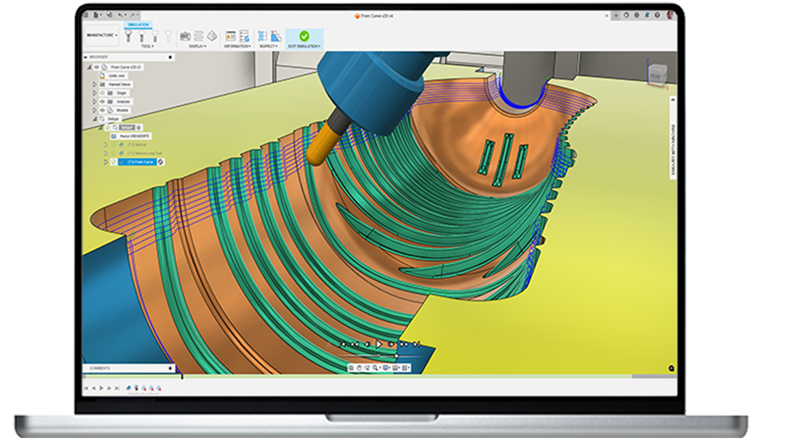
Part geometry should drive machining decisions.
For components with flat faces, pockets, drilled holes, and features accessible from a single direction, 3-axis machining is often the most practical choice. These parts can frequently be produced with straightforward setups, familiar programming workflows, and excellent productivity.
As geometry becomes more complex, however, manufacturing challenges begin to emerge. Parts with multiple faces, angled features, deep cavities, sculpted surfaces, or difficult-to-reach areas may require numerous setups on a 3-axis machine. Each additional setup increases labor, inspection requirements, and opportunities for error.
This is where multi-axis machining becomes valuable.
Understanding the three main approaches
Many manufacturers think machining is a choice between 3-axis and full simultaneous 5-axis. In reality, there is an important middle ground: indexed 5-axis machining, often called 3+2 machining.
| Capability | 3-Axis Machining | Indexed 5-Axis (3+2) | Simultaneous 5-Axis |
|---|---|---|---|
| Machine movement | X, Y, Z axes only | Rotary axes position the part, then machining occurs in 3 axes | All five axes move continuously during cutting |
| Best for | Brackets, plates, fixtures, housings, and prismatic parts | Parts with features on multiple faces or angled geometry | Complex freeform surfaces, impellers, molds, aerospace, and medical components |
| Setup requirements | Often requires multiple setups | Significantly fewer setups | Frequently completed in a single setup |
| Access to difficult geometry | Limited | Good | Excellent |
| Surface finishing on complex contours | Can be challenging on difficult geometry | Improved access for angled features | Well suited for complex surface machining |
| Programming complexity | Low | Moderate | High |
| Machine investment | Lowest | Moderate | Highest |
| Operator skill requirements | Lowest | Moderate | Highest |
| Typical value proposition | Simplicity and affordability | Reduced setups without full 5-axis complexity | Maximum flexibility for complex parts |
| Ideal question | “Can I reach everything from one direction?” | “Can I reduce setups by indexing the part?” | “Does this geometry require continuous tool orientation?” |
For many manufacturers, indexed 5-axis machining often provides the best balance between capability and complexity. It delivers many of the setup reduction benefits of 5-axis machining without requiring full simultaneous tool motion.
When 3-axis machining makes the most sense
Three-axis machining remains the foundation of modern manufacturing for a reason. It’s particularly effective for:
- Plates and brackets
- Fixtures and workholding devices
- Enclosures and housings
- Blocks and prismatic components
- Parts that can be machined efficiently from one primary direction
- Production work involving relatively simple geometry
For these applications, a 5-axis machine may not provide meaningful advantages.
A well-programmed 3-axis workflow can deliver high accuracy, excellent surface quality, and efficient cycle times. Adding machine complexity where it isn’t needed can increase programming effort without creating additional value.
When geometry pushes you toward 5-axis
Some parts simply become difficult to manufacture efficiently using traditional 3-axis strategies. Common examples include:
- Aerospace components
- Impellers and blisks
- Medical implants
- Mold and die tooling
- Consumer products with organic surfaces
- Components requiring machining from multiple angles
In these situations, multiple setups are often required on a 3-axis machine. Operators may need to repeatedly remove and reposition the part to access different features.
Each repositioning introduces additional setup time and increases the potential for alignment issues and tolerance stack-up.
Multi-axis machining helps address these challenges by allowing the machine to orient either the part or the cutting tool to improve access to the geometry.
Tool access often drives the decision
One of the most practical reasons manufacturers adopt 5-axis machining is improved access to difficult features.
When machining deep cavities or steep walls using 3-axis strategies, programmers may need longer cutting tools to reach the necessary geometry. Depending on the application, these longer tools can be more susceptible to deflection and vibration.
With indexed or simultaneous 5-axis machining, the machine can orient the tool more effectively relative to the workpiece. This often improves access to difficult areas and can simplify the machining strategy for complex parts.
While better access does not guarantee improved machining results, it is often one of the primary reasons manufacturers choose a multi-axis approach.
Setup time matters more than machine cost
Many shops evaluate machining strategies based primarily on machine hourly rates. However, setup time can have a major impact on overall production costs.
Consider a component that requires machining on five different sides.
Using a traditional 3-axis process might require:
- Machine the first side
- Remove the part
- Re-fixture it
- Reset work coordinates
- Repeat for additional sides
Even if spindle time remains reasonable, labor and setup costs can increase significantly.
Indexed 5-axis and simultaneous 5-axis machining can often consolidate many of these operations, reducing the number of setups required to complete the job.
For high-mix manufacturers and job shops, setup reduction is frequently one of the strongest business cases for adopting multi-axis machining.
How Fusion for Manufacturing supports multi-axis workflows
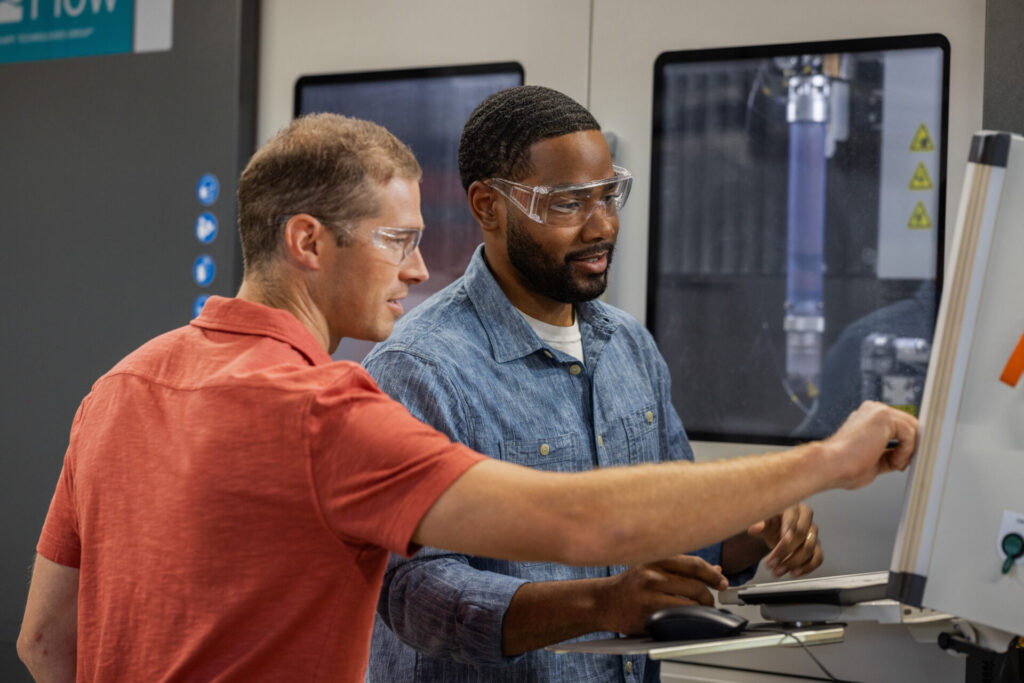
Fusion for Manufacturing supports a range of machining workflows, including 2D, 2.5D, 3-axis, 4-axis, and 5-axis machining operations. This allows manufacturers to create traditional 3-axis toolpaths, indexed 5-axis strategies, and advanced multi-axis operations within the same CAM environment.
One advantage of Fusion’s integrated CAD and CAM workflow is that design and manufacturing data are connected to the same model. When designs change, manufacturers can update and regenerate manufacturing workflows without moving data between separate CAD and CAM systems, helping reduce manual file transfers and revision-management challenges.
This makes it easier to compare alternative machining approaches during process planning and determine whether a part truly requires simultaneous 5-axis machining or whether a simpler indexed 5-axis or 3-axis strategy is sufficient.
The right choice depends on the part
There is no universal winner in the 3-axis versus 5-axis debate.
Many components can be manufactured efficiently on a 3-axis machine. Others benefit significantly from indexed 5-axis machining, while the most complex geometries may justify full simultaneous 5-axis toolpaths.
The most successful manufacturers start with the requirements of the part rather than the capabilities of the machine.
If the geometry can be reached easily and setup complexity is low, 3-axis machining is often the best choice. If multiple setups, difficult tool access, or complex surfaces begin driving cost and complexity, multi-axis machining may provide a more efficient path to production.
The smartest machining strategy is not necessarily the most advanced one. It’s the one that best matches the geometry, tolerances, and manufacturing requirements of the part.
Frequently asked questions
Is 5-axis machining always better than 3-axis machining?
What is the difference between indexed and simultaneous 5-axis machining?
Simultaneous 5-axis machining allows all five axes to move continuously during cutting, making it suitable for highly complex surfaces and geometries that require constant tool orientation.
Many manufacturers find indexed 5-axis machining provides much of the setup reduction benefit of 5-axis machining without the added programming complexity of simultaneous motion.
When should I use 3-axis machining?
-Features can be accessed from a single direction
-The part is primarily prismatic
-Multiple setups are not required
-Complex tool orientations are unnecessary
-Production efficiency is more important than geometric complexity
Common examples include brackets, plates, fixtures, housings, and many production components.
When does a part require 5-axis machining?
-Multiple machining orientations
-Deep cavities
–Angled features
Complex contours
-Organic surfaces
-Tight-tolerance geometry that would otherwise require numerous setups
The more difficult a part is to access using traditional machining approaches, the more likely it is to benefit from a 5-axis strategy.
How do I choose between 3-axis and 5-axis machining?
Ask:
-Can all features be reached from one direction?
-How many setups will be required?
-Does the part contain complex surfaces?
-Are there difficult-to-access features?
-Will multiple setups create tolerance concerns?
If the answer to these questions suggests increasing complexity, indexed or simultaneous 5-axis machining may be worth evaluating. Fusion for Manufacturing allows programmers to compare different machining approaches from the same model and manufacturing environment.
What parts benefit most from 5-axis machining?
-Aerospace components
-Impellers
-Turbine components
-Medical implants
-Mold and die tooling
-Consumer products with freeform surfaces
Components requiring machining from multiple angles
These geometries often benefit from fewer setups and improved access to critical features.
Is indexed 5-axis machining good enough for most manufacturers?
Does Autodesk Fusion support 5-axis machining?
Can Fusion program 3+2 and simultaneous 5-axis toolpaths?
What types of parts require 5-axis machining? How does 5-axis differ from 3-axis or 4-axis machining?
The primary difference is movement capability:
–3-axis: X, Y, Z movement only
–4-axis: Adds one rotary axis
–5-axis: Adds two rotary axes, providing significantly greater flexibility and access to complex geometry
This additional motion often helps manufacturers reduce setups and machine more complex parts efficiently.
What factors should I consider when choosing 5-axis machining software?
-3-axis through 5-axis support
-Integrated CAD and CAM workflows
-Efficient handling of design revisions
-Machine simulation capabilities
-Post processor availability
-Ease of programming
-Scalability as your manufacturing needs grow
Many manufacturers prefer integrated CAD/CAM solutions to reduce data transfers and revision-management challenges. Fusion for Manufacturing combines design and manufacturing workflows in a connected environment.
What software is best for 5-axis machining?
Many manufacturers evaluate solutions based on:
-Multi-axis toolpath capabilities
-Ease of programming
-CAD integration
-Data management
-Cost of ownership
-Manufacturing workflow support
Fusion for Manufacturing is commonly used because it brings CAD, CAM, collaboration, and data management together in a single platform while supporting advanced multi-axis machining workflows.
How can I reduce CNC setup time?
-Consolidating operations
-Using standardized workholding
-Reducing part repositioning
-Using indexed or simultaneous 5-axis machining where appropriate
-Connecting CAD and CAM workflows to reduce revision-related rework
Fusion for Manufacturing helps reduce manual file transfers and keeps manufacturing workflows connected to design data, making it easier to manage engineering changes.
What is the best software for 3-axis machining?
Manufacturers generally look for:
-Reliable toolpath generation
-Easy programming
-Strong post-processing support
-CAD integration
-Efficient revision management
Fusion for Manufacturing supports 3-axis machining alongside more advanced machining workflows, giving manufacturers flexibility as their needs evolve.
What is simultaneous 5-axis machining?
This approach is commonly used for:
-Complex freeform surfaces
-Aerospace components
-Impellers
-Medical implants
-Mold and die applications
Fusion for Manufacturing supports advanced multi-axis machining workflows that allow manufacturers to program highly sophisticated CNC operations within a connected CAD/CAM environment.