 Shannon McGarry
This post is also available in:
Small manufacturing teams can’t afford workarounds. See how Autodesk Fusion reduces friction across CAD, CAM, CAE, and data management to keep work moving.

Elevate your design and manufacturing processes with Autodesk Fusion
In smaller manufacturing teams, there’s no such thing as “extra time.”
Every minute spent chasing files, switching tools, fixing broken workflows, or dealing with licensing issues is a minute not spent designing, machining, or delivering for customers. And when teams are lean, often balancing production, engineering, and business operations at the same time, those interruptions add up fast.
That’s why workarounds aren’t just annoying for small manufacturing teams. They’re costly.
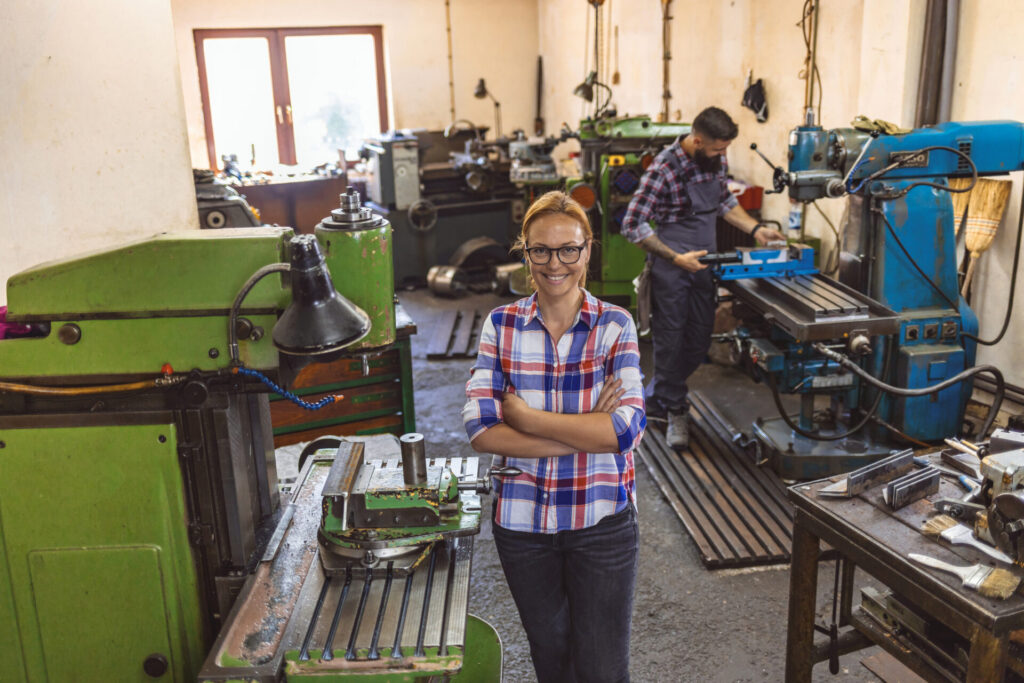
Small inefficiencies become major costs
Small manufacturing teams often assume workflow friction is simply part of the job. But when the same engineers responsible for design, programming, quoting, and production support are also managing file transfers, software compatibility issues, revision questions, and manual updates, those interruptions compound quickly.
A few minutes spent hunting for the latest design version. An hour reworking CAM programming after a design change. Multiple software logins and disconnected workflows throughout the day. Individually, these may seem minor. Collectively, they can consume valuable engineering capacity that could otherwise be spent designing products, improving processes, or supporting customers.
For small teams, the real cost of friction isn’t just lost time. It’s fewer opportunities to take on new work, slower response to customer requests, and increased pressure on already stretched resources.
The hidden cost of workarounds in small teams
In many small manufacturing environments, workarounds quietly become part of daily life:
- Exporting files between disconnected tools
- Re‑creating geometry because formats don’t translate cleanly
- Manually updating CAM setups after late design changes
- Managing licenses instead of focusing on production
- Pausing work to troubleshoot software issues that “shouldn’t happen”
Individually, these tasks might feel manageable. Collectively, they erode flow.
For teams with fewer than 20 people, interruptions hit harder because there’s no buffer. There’s no dedicated IT team. No spare engineer waiting in the wings. When something breaks or slows down, the same people responsible for delivering the work are the ones forced to fix it.
The result is a constant tradeoff between getting work done and managing the tools meant to support it.
Why “good enough” software breaks down as teams grow
Many small manufacturers start out with tools that are “good enough” for a single role or a narrow task. That can work until the business grows even slightly.
As soon as teams take on more complex jobs, tighter timelines, or multiple handoffs between design and manufacturing, the cracks start to show:
- Design changes arrive late and don’t propagate cleanly to manufacturing
- CAM updates require manual rework
- Simulation and validation happen too late—or not at all
- Teams rely on tribal knowledge instead of shared workflows
At that point, the issue isn’t a lack of skill. It’s friction in the system.
Software that’s fragmented or overly rigid forces teams to spend time managing transitions instead of moving work forward. And for small manufacturing businesses, that time comes straight out of margins, delivery schedules, and customer trust.
Has your team outgrown disconnected tools?
Many manufacturers don’t realize how much operational friction exists until they step back and evaluate their day-to-day processes.
Your current workflow may be slowing growth if:
✓ Engineers regularly move files between multiple software systems
✓ Design revisions require manual updates downstream in manufacturing
✓ Team members spend time searching for the latest version of a model or drawing
✓ Simulation, validation, or manufacturability checks happen late in the process
✓ CAM programmers frequently need to recreate work after design changes
✓ Knowledge lives with individual employees instead of within shared processes
If several of these challenges sound familiar, the issue may not be your team, it may be the disconnected systems supporting them.
How integrated CAD, CAM, CAE and Data management change daily work
When design, manufacturing, simulation, and data live in disconnected systems, every handoff creates friction. Files get duplicated. Versions drift. Changes don’t reach everyone who needs them. Teams spend valuable time confirming what’s current instead of moving work forward.
When those workflows are connected and the data behind them is managed in one place, teams spend less time translating intent and more time executing it.
Autodesk Fusion was built around that idea: keeping design, manufacturing, and data connected so work stays accurate, up to date, and in flow.
With integrated CAD, CAM, CAE, and built‑in data management in a single platform, manufacturing teams can:
- Move from design to toolpaths without exporting, rebuilding, or hunting for the right file
- Automatically propagate design changes through manufacturing and validation workflows
- Validate designs earlier, using the same data set that drives production
- Keep teams aligned around the latest version—without manual tracking or file policing
- Reduce rework caused by version mismatches, broken links, or outdated data
Instead of stitching together workflows with spreadsheets, email threads, and local file copies, teams work from a shared source of truth where designs, manufacturing strategies, and revisions stay connected as work evolves.
That kind of integration isn’t about adding more systems or process.
It’s about removing steps, reducing uncertainty, and letting teams stay focused on the work that matters.
Elevate your design and manufacturing processes with Autodesk Fusion
Fewer tools, fewer steps, fewer interruptions
For busy manufacturing teams, productivity isn’t about doing more. It’s about getting out of the way of the work.
Fusion helps reduce friction by minimizing the things that slow teams down:
- Fewer tools to manage: Design, manufacturing, and simulation workflows live in one environment, reducing context switching and file chaos.
- Fewer handoffs: Changes flow through the process without requiring rework or manual updates.
- Less license friction: Teams spend less time managing access and more time producing results.
- Fewer interruptions: When software works predictably, teams stay focused on delivering for customers—not troubleshooting.
For operators running small teams and business owners responsible for long‑term growth, that consistency matters. Reliable workflows protect both daily output and future scalability.
The longer workarounds stay in place, the harder they become to fix
Most manufacturers don’t wake up one day overwhelmed by workflow complexity. The challenges build gradually.
A new software tool gets added to solve a specific problem. A manual process fills a gap. Teams create their own methods for sharing files and communicating changes. Over time, these workarounds become embedded in the business.
As products become more complex and customer expectations increase, those same processes begin creating delays, rework, and unnecessary costs. What once felt manageable becomes difficult to scale.
Reducing friction early helps manufacturers create a stronger foundation for growth without increasing operational complexity.
Built for teams that need to keep work moving
Small manufacturing teams don’t measure software value by feature counts. They measure it by what doesn’t happen:
- Fewer surprises
- Fewer delays
- Fewer moments where work grinds to a halt
Fusion supports that reality by keeping teams focused on the work itself. By removing unnecessary friction across design, manufacturing, and data, it helps teams stay in flow instead of managing tools.
Because when your business depends on staying in flow, there’s no time for workarounds.
FAQ: Design & manufacturing software for small manufacturing businesses
Professional manufacturing software that doesn’t require large upfront costs typically uses a subscription‑based model rather than perpetual licenses and expensive hardware investments.
Autodesk Fusion is designed for small manufacturing businesses that need professional‑grade CAD, CAM, engineering, and data management tools without enterprise‑level capital expense. Fusion offers flexible subscriptions, cloud‑based access, and the ability to start with core capabilities and expand as needed, making it accessible for startups and growing shops.
The best all‑in‑one design and manufacturing software for small manufacturing businesses is a platform that combines product design, engineering, and manufacturing workflows in a single system.
Autodesk Fusion is widely used by small manufacturers because it integrates CAD, CAM, simulation, electronics, and documentation in one platform. This reduces the need for multiple tools, minimizes file translation issues, and helps small teams move from concept to production faster with fewer handoffs.
Modern all‑in‑one product development software replaces multiple point tools by unifying design, engineering, and manufacturing workflows around a shared data model.
Autodesk Fusion replaces separate CAD, CAM, simulation, and data management tools by enabling teams to design parts, generate toolpaths, validate designs, and manage revisions in one environment. For small businesses, this consolidation reduces software costs, simplifies training, and eliminates the productivity loss caused by switching between disconnected systems.
Manufacturing software reduces rework when design changes occur by keeping design and manufacturing data connected and automatically updating downstream processes.
Autodesk Fusion reduces rework by linking design changes directly to manufacturing workflows, such as toolpaths and drawings. When a design is updated, dependent manufacturing data can be adjusted without starting over, helping small manufacturers avoid costly errors, outdated files, and manual re‑entry when iterations are frequent.
Yes. Autodesk Fusion offers a 30-day free trial, allowing manufacturers to evaluate design, engineering, manufacturing, and collaboration workflows before making a purchasing decision.
Teams can create and edit designs, generate toolpaths, perform simulations, collaborate across projects, and evaluate integrated data management workflows using the same platform.
Many manufacturers adopt Fusion to reduce workflow friction created by disconnected CAD, CAM, simulation, and data management tools. By working in a connected environment, teams can spend less time managing software and more time delivering products.