 Shannon McGarry
Autodesk Fusion, formerly Fusion 360, is a platform for 3D CAD, CAM, CAE, PCB design, data management, and manufacturing. Learn what Autodesk Fusion includes, who it’s for, and how to get started.

Elevate your design and manufacturing processes with Autodesk Fusion
Autodesk Fusion, formerly Fusion 360, is an integrated product development platform for 3D CAD, modeling, manufacturing, industrial design, electronics, mechanical engineering, and data management.
Unlike traditional product development software that requires separate tools for design, engineering, manufacturing, and data management, Autodesk Fusion brings these workflows together in a single cloud-connected platform. Engineers can design parts and assemblies, manufacturing teams can create CNC toolpaths, electronics teams can develop printed circuit boards (PCBs), and stakeholders can collaborate on the same product data without constantly moving files between disconnected systems.
For organizations evaluating modern product development software, Autodesk Fusion is often considered an alternative to maintaining separate CAD, CAM, CAE, PCB, and PDM systems. By connecting design, engineering, manufacturing, and data management workflows, Fusion helps teams reduce software complexity while maintaining continuity across the product development process.
What does Autodesk Fusion do?
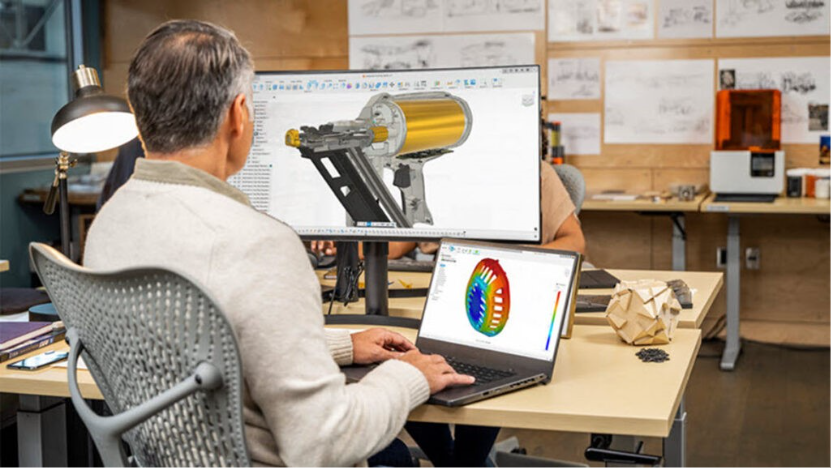
Autodesk Fusion supports the entire product development lifecycle, from initial concept through manufacturing. The platform combines mechanical design, industrial design, simulation, electronics design, manufacturing, and product data management in a unified environment.
Designers can create conceptual product models. Mechanical engineers can develop detailed assemblies and production-ready designs. Manufacturing engineers can generate CNC programs. Electronics engineers can create PCB layouts and integrate them with mechanical designs. Teams can then manage revisions, collaborate on designs, and share data without leaving the platform.
Rather than serving a single discipline, Autodesk Fusion connects multiple engineering and manufacturing functions around a common product model.
What does Autodesk Fusion replace?
Many organizations have historically relied on a collection of separate engineering software tools. Product design often required one CAD system, manufacturing required a separate CAM application, simulation was handled in a dedicated CAE environment, electronics teams used independent PCB software, and product data management was managed through a separate PDM system.
Autodesk Fusion consolidates many of these workflows into a single platform. Instead of transferring files between disconnected applications, teams can work from shared product data across design, engineering, electronics, and manufacturing activities.
This integration can help improve collaboration, reduce duplicate work, and simplify the management of product information throughout development.
Who is Autodesk Fusion designed for?
Mechanical Engineers and Product Designers
Autodesk Fusion is designed for mechanical engineers and product designers who create parts, assemblies, and production-ready products.
Engineers use Fusion for parametric modeling, surface modeling, sheet metal design, drawing creation, simulation, and product documentation. Product designers use the platform to move from concepts to detailed engineering models while maintaining design intent throughout development.
Manufacturing Engineers and CNC Programmers
Autodesk Fusion is designed for manufacturing engineers, machinists, and CNC programmers responsible for turning designs into physical products.
The platform includes integrated CAM capabilities that support machining, toolpath generation, machine simulation, and manufacturing documentation. By connecting manufacturing workflows directly to the design model, teams can reduce the need to translate geometry between separate systems.
Cross-Functional Product Development Teams
Autodesk Fusion is designed for teams that span design, engineering, electronics, and manufacturing.
Modern products increasingly require collaboration between multiple disciplines. Fusion brings mechanical and electronics development together while enabling stakeholders to work from shared product data, helping improve communication and reducing disconnects between design and manufacturing teams.
What’s included in Autodesk Fusion?
Autodesk Fusion includes integrated capabilities for product development and manufacturing. Users can create 3D models, develop manufacturing toolpaths, generate engineering drawings, perform design studies, and collaborate with team members using shared cloud-connected project data.
Fusion also supports electronics workflows through PCB design and electromechanical integration, helping teams coordinate mechanical and electronic product development. Built-in collaboration and data management capabilities allow teams to manage revisions, share designs, review concepts, and maintain project continuity throughout development.
Design automation tools, configurable workflows, and drawing generation capabilities help organizations standardize processes while reducing repetitive work.
Autodesk Fusion subscription offerings
Fusion
Fusion is the foundational Autodesk Fusion offering and includes core capabilities for CAD, CAM, CAE, PCB design, and product data management essentials.
It is designed for engineers, product designers, small manufacturers, and teams looking to manage design and manufacturing workflows within a single platform. Users can create parametric models, generate CNC toolpaths, perform engineering analysis, develop electronic designs, and collaborate across projects.
For many organizations, Fusion provides the capabilities needed to move from concept through production without investing in multiple standalone engineering applications.
Fusion for Design
Fusion for Design expands upon the core Fusion platform with advanced capabilities focused on engineering analysis and product development.
This offering is intended for engineering teams that require more sophisticated simulation workflows, generative design technologies, and enhanced support for design-to-manufacturing continuity. Organizations developing complex products can use these advanced capabilities to evaluate performance, optimize designs, and improve decision-making earlier in the design process.
Fusion for Design is typically suited for teams looking to deepen simulation-driven engineering workflows while maintaining a connected product development environment.
Fusion vs. Fusion for Design
| Capability | Fusion | Fusion for Design |
| Core design & modeling | ||
| Parametric modeling and assemblies | Yes | Yes |
| Standard sketching and feature patterns | Yes | Yes |
| Standard mesh editing | Yes | Yes |
| Configuration & automation | ||
| Configuration rules (logic-driven product configuration) | No | Yes |
| Low-code rules engine for design logic | No | Yes |
| Parameter-driven configuration control | Yes | Yes |
| PLASTIC DESIGN | ||
| Plastic design rules (material, thickness control) | No | Yes |
| Plastic feature automation (rule libraries) | No | Yes |
| Plastic design tools (bosses, snap fits, ribs, webs) | No | Yes |
| Draft angle and manufacturability controls | Yes | Yes |
| DESIGN REUSE & PRESETS | ||
| Reusable design presets | Limited | Yes |
| Standard parameter reuse | Yes | Yes |
| ADVANCED GEOMETRY & PATTERNS | ||
| Standard sketch and feature patterns | Yes | Yes |
| Advanced geometric patterning (gradients, distribution control) | No | Yes |
| MESH & ORGANIC MODELING | ||
| Standard mesh editing | Yes | Yes |
| Organic mesh to solid/surface/T-Spline conversion | No | Yes |
| LATTICE & LIGHTWEIGHTING | ||
| Volumetric lattice generation | No | Yes |
| Lightweight structure design tools | Limited | Yes |
| DESIGN ANALYSIS & GUIDANCE | ||
| Standard design validation tools | Yes | Yes |
| Automated design advice (manufacturability feedback) | No | Yes |
| Built-in recommendations for performance and manufacturability | No | Yes |
| Simulation | ||
| Linear static stress simulations | Yes | Yes |
| Modal frequencies (vibration) | Token-based | Yes |
| Nonlinear static stress | Token-based | Yes |
| Structural buckling | Token-based | Yes |
| Thermal (steady state) | Token-based | Yes |
| Thermal stress | Token-based | Yes |
| Electronics cooling | Token-based | Yes |
| Injection molding simulation | Token-based | Yes |
| Quasistatic event simulation | Token-based | Yes |
| Dynamic event simulation | Token-based | Yes |
| Generative design | Token-based | Yes |
| Electronics | ||
| Unified ECAD MCAD design | Yes | Yes |
| Real-time PCB/mechanical sync | Yes | Yes |
| 3D PCB enclosure validation | Yes | Yes |
| PLM & data management | ||
| Cloud data management | Yes | Yes |
| BOM (bill of materials) management | Yes | Yes |
| Change order and revision control | No | Yes |
| Workflow and approval management | No | Yes |
| Change and release management | No | Yes |
| Configurable item numbering schemes | No | Yes |
| Custom properties | No | Yes |
| Supplier and sourcing management | No | Yes |
| Quality management | No | Yes |
| Requirements management | No | Yes |
| Comprehensive process template library | No | Yes |
| Dashboards and KPIs | No | Yes |
| Open API for integrations | Yes | Yes |
Fusion for Manufacturing
Fusion for Manufacturing extends the core Fusion platform with advanced manufacturing capabilities designed for professional and production environments.
It is intended for manufacturers, CNC programmers, machine shops, and production engineering teams that require more advanced machining functionality and automation. Capabilities support a broad range of manufacturing workflows, from 2-axis operations through complex multi-axis machining strategies.
Fusion for Manufacturing is designed for organizations seeking to streamline production processes while maintaining a direct connection between engineering and manufacturing data.
Fusion vs. Fusion for Manufacturing
| Capability | Fusion | Fusion for Manufacturing |
| Drilling | ||
| Hole drilling (3-axis) | Yes | Yes |
| Automatic hole recognition and drilling (3-axis + multi-axis) | No | Yes |
| MILLING | ||
| 2D and 2.5-axis milling | Yes | Yes |
| 3-axis milling | Yes | Yes |
| 3+1 and 3+2 positional milling | Yes | Yes |
| Machine simulation | Yes | Yes |
| Automated whole part strategies (3-axis + multi-axis) | No | Yes |
| 4- and 5-axis simultaneous milling | No | Yes |
| Multi-axis collision avoidance | No | Yes |
| TURNING | ||
| 2-axis turning | Yes | Yes |
| Turn-mill machining | Yes | Yes |
| TOOLPATH MODIFICATIONS | ||
| Modify toolpaths (trim, delete passes, leads and links, replace tool, move entry positions) | No | Yes |
| INSPECTION & PART ALIGNMENT | ||
| Work coordinate system (WCS) probing | Yes | Yes |
| Manual inspection | Yes | Yes |
| Geometry probing | No | Yes |
| Surface inspection | No | Yes |
| Part alignment | No | Yes |
| POST PROCESSING | ||
| Generate NC code (post-processing) | Yes | Yes |
| SHEET-BASED NESTING | ||
| Basic single-sheet nesting | Yes | Yes |
| Associative nesting updates | Yes | Yes |
| Nest preparation tools | No | Yes |
| Advanced nesting (multi-sheet, auto detection) | No | Yes |
| Advanced part and material controls | No | Yes |
| Process material library | No | Yes |
| Custom nest reports | No | Yes |
| Nest comparison | No | Yes |
| Part labeling | No | Yes |
| SHEET-BASED FABRICATION | ||
| Toolpath generation (laser, plasma, router, waterjet) | Yes | Yes |
| Workflow automation | Yes | Yes |
| Automatic remnant cutting | No | Yes |
| DXF export with layer mapping | No | Yes |
| ADDITIVE MANUFACTURING | ||
| 2D/3D part nesting and arrangement | Yes | Yes |
| FDM and binder jetting | Yes | Yes |
| 3MF file export | Yes | Yes |
| Metal Powder Bed Fusion (MPBF) | No | Yes |
| Directed Energy Deposition (DED, multi-axis) | No | Yes |
| MPBF process simulation | No | Yes |
Fusion Manage
Fusion Manage is Autodesk’s cloud-based product lifecycle management (PLM) solution for managing product data, engineering change processes, quality workflows, and cross-functional collaboration.
It is designed for organizations that need greater control and visibility over the product lifecycle beyond engineering design alone. Teams use Fusion Manage to coordinate change orders, approvals, quality management processes, bill of materials (BOM) workflows, and product release activities across departments.
Fusion Manage is often adopted by growing manufacturers and enterprise organizations looking to connect engineering, operations, quality, and manufacturing teams around a common product record and structured business processes.
What are Autodesk Fusion extensions?
Autodesk Fusion is designed to scale with a product development organization. While the core platform includes integrated CAD, CAM, CAE, electronics, and collaboration capabilities, teams with an existing base Fusion subscription can add specialized Fusion Extensions to access advanced workflows without purchasing entirely separate software products.
Extensions allow organizations to unlock additional capabilities only when they need them, helping teams match software investments to project requirements and business growth.
Note: A subscription to Fusion is required to access the capabilities in Fusion extensions.
Autodesk Fusion Design Extension
The Fusion Design Extension adds advanced product development capabilities for engineers working on complex designs and performance-driven products.
Capabilities include advanced surfacing, automated design exploration, generative design studies, and additional tools for creating optimized, lightweight, and manufacturable components. Design Extension is often used by engineering teams looking to reduce product weight, improve performance, or evaluate multiple design alternatives early in development.
Fusion vs. Fusion Design Extension
| Capability | Fusion | Fusion Design Extension |
|---|---|---|
| CONFIGURATION & AUTOMATION | ||
| Configuration rules (logic-driven product configuration) | No | Yes |
| Low-code rules engine for design logic | No | Yes |
| Parameter-driven configuration control | Yes | Yes |
| PLASTIC DESIGN | ||
| Plastic design rules (material, thickness control) | No | Yes |
| Plastic feature automation (rule libraries) | No | Yes |
| Plastic design tools (bosses, snap fits, ribs, webs) | No | Yes |
| Draft angle and manufacturability controls | Yes | Yes |
| DESIGN REUSE & PRESETS | ||
| Reusable design presets | Limited | Yes |
| Standard parameter reuse | Yes | Yes |
| ADVANCED GEOMETRY & PATTERNS | ||
| Standard sketch and feature patterns | Yes | Yes |
| Advanced geometric patterning (gradients, distribution control) | No | Yes |
| MESH & ORGANIC MODELING | ||
| Standard mesh editing | Yes | Yes |
| Organic mesh to solid/surface/T-Spline conversion | No | Yes |
| LATTICE & LIGHTWEIGHTING | ||
| Volumetric lattice generation | No | Yes |
| Lightweight structure design tools | Limited | Yes |
| DESIGN ANALYSIS & GUIDANCE | ||
| Standard design validation tools | Yes | Yes |
| Automated design advice (manufacturability feedback) | No | Yes |
| Built-in recommendations for performance and manufacturability | No | Yes |
Autodesk Fusion Simulation Extension
The Fusion Simulation Extension expands Fusion’s engineering analysis capabilities with more advanced simulation tools.
Engineers can evaluate product performance under real-world conditions using cloud-based simulation studies, helping identify potential issues earlier in development. The extension supports a broader range of analysis workflows and can help reduce physical prototyping requirements during the design process.
Fusion vs. Fusion Simulation Extension
| Capability / Study Type | Fusion | Fusion Simulation Extension |
| Linear static stress simulation | Included | Included |
| Modal frequencies | Pay-per-solve (token-based) | Included |
| Nonlinear static stress | Pay-per-solve (token-based) | Included |
| Structural buckling | Pay-per-solve (token-based) | Included |
| Thermal (steady state) | Pay-per-solve (token-based) | Included |
| Thermal stress | Pay-per-solve (token-based) | Included |
| Electronics cooling | Pay-per-solve (token-based) | Included |
| Injection molding simulation | Pay-per-solve (token-based) | Included |
| Quasistatic event simulation | Pay-per-solve (token-based) | Included |
| Dynamic event simulation | Pay-per-solve (token-based) | Included |
| Generative design | Pay-per-solve (token-based) | Included |
Autodesk Fusion Manufacturing Extension
The Fusion Manufacturing Extension is designed for professional manufacturing environments that require advanced machining capabilities and automation.
It includes sophisticated CAM functionality such as automated toolpath generation, advanced finishing strategies, machine-aware programming, probing workflows, and support for complex manufacturing operations. Manufacturers use the extension to help increase machining efficiency, reduce programming time, and improve part quality.
Fusion vs. Fusion Manufacturing Extension
| Capability | Fusion | Fusion Manufacturing Extension |
| Drilling | | |
| Hole drilling (3-axis) | Yes | Yes |
| Automatic hole recognition and drilling (3-axis + multi-axis) | No | Yes |
| MILLING | | |
| 2D and 2.5-axis milling | Yes | Yes |
| 3-axis milling | Yes | Yes |
| 3+1 and 3+2 positional milling | Yes | Yes |
| Machine simulation | Yes | Yes |
| Automated whole part strategies (3-axis + multi-axis) | No | Yes |
| 4- and 5-axis simultaneous milling | No | Yes |
| Multi-axis collision avoidance | No | Yes |
| TURNING | | |
| 2-axis turning | Yes | Yes |
| Turn-mill machining | Yes | Yes |
| TOOLPATH MODIFICATIONS | | |
| Modify toolpaths (trim, delete passes, leads and links, replace tool, move entry positions) | No | Yes |
| INSPECTION & PART ALIGNMENT | | |
| Work coordinate system (WCS) probing | Yes | Yes |
| Manual inspection | Yes | Yes |
| Geometry probing | No | Yes |
| Surface inspection | No | Yes |
| Part alignment | No | Yes |
| POST PROCESSING | | |
| Generate NC code (post-processing) | Yes | Yes |
| SHEET-BASED NESTING | | |
| Basic single-sheet nesting | Yes | Yes |
| Associative nesting updates | Yes | Yes |
| Nest preparation tools | No | Yes |
| Advanced nesting (multi-sheet, auto detection) | No | Yes |
| Advanced part and material controls | No | Yes |
| Process material library | No | Yes |
| Custom nest reports | No | Yes |
| Nest comparison | No | Yes |
| Part labeling | No | Yes |
| SHEET-BASED FABRICATION | | |
| Toolpath generation (laser, plasma, router, waterjet) | Yes | Yes |
| Workflow automation | Yes | Yes |
| Automatic remnant cutting | No | Yes |
| DXF export with layer mapping | No | Yes |
| ADDITIVE MANUFACTURING | | |
| 2D/3D part nesting and arrangement | Yes | Yes |
| FDM and binder jetting | Yes | Yes |
| 3MF file export | Yes | Yes |
| Metal Powder Bed Fusion (MPBF) | No | Yes |
| Directed Energy Deposition (DED, multi-axis) | No | Yes |
| MPBF process simulation | No | Yes |
Why did Fusion 360 become Fusion?
Fusion 360 is now Autodesk Fusion. The name change reflects the evolution of the platform beyond its original positioning as a 3D CAD application. Over time, Autodesk expanded the software to include manufacturing, electronics, simulation, collaboration, and product lifecycle capabilities that extend well beyond traditional CAD.
While many engineers and manufacturers still search for “Fusion 360,” they are referring to the same core platform. Autodesk Fusion is the current product name, while Fusion 360 remains a widely recognized legacy name and common search term.
For users researching “Fusion vs Fusion 360,” there is no separate product. Fusion 360 was renamed Autodesk Fusion as the platform grew to encompass a broader set of product development and manufacturing workflows.
Why companies choose Autodesk Fusion
Many organizations adopt Autodesk Fusion because it connects product development workflows that have historically been separated across multiple software systems.
Instead of managing different environments for design, manufacturing, simulation, electronics, collaboration, and data management, teams can work from a common platform and shared product data.
This connected approach helps improve visibility across teams, reduces manual file translation, and supports greater continuity between design intent and manufacturing execution.
For growing businesses, startups, and enterprise organizations alike, Fusion offers a scalable platform that can support a wide range of product development requirements.
How to get started with Autodesk Fusion
Organizations evaluating Autodesk Fusion can start with a free 30-day trial to explore the platform’s design, engineering, manufacturing, and collaboration capabilities.
After the trial period, Autodesk offers subscription options tailored to different business and workflow requirements. Teams can evaluate available plans, compare capabilities, and select the offering that best aligns with their design and manufacturing needs.
🟢➜ For current pricing and plan details, visit the Autodesk Fusion plans and pricing page.