 Shannon McGarry
Choosing rapid prototyping software isn’t about features, it’s about workflow. Learn how to evaluate tools based on speed, simulation, collaboration, and manufacturing to iterate faster and reduce rework.

Elevate your design and manufacturing processes with Autodesk Fusion
Most teams don’t struggle with ideas. They struggle with turning those ideas into something testable.
That’s where rapid prototyping comes in. And increasingly, the difference between a smooth iteration cycle and a stalled one comes down to the software underneath it.
Choosing prototyping software isn’t just about picking the tool with the longest feature list. It’s about how well that tool supports the messy, iterative reality of product development, where designs change daily, feedback is constant, and speed matters more than perfection.
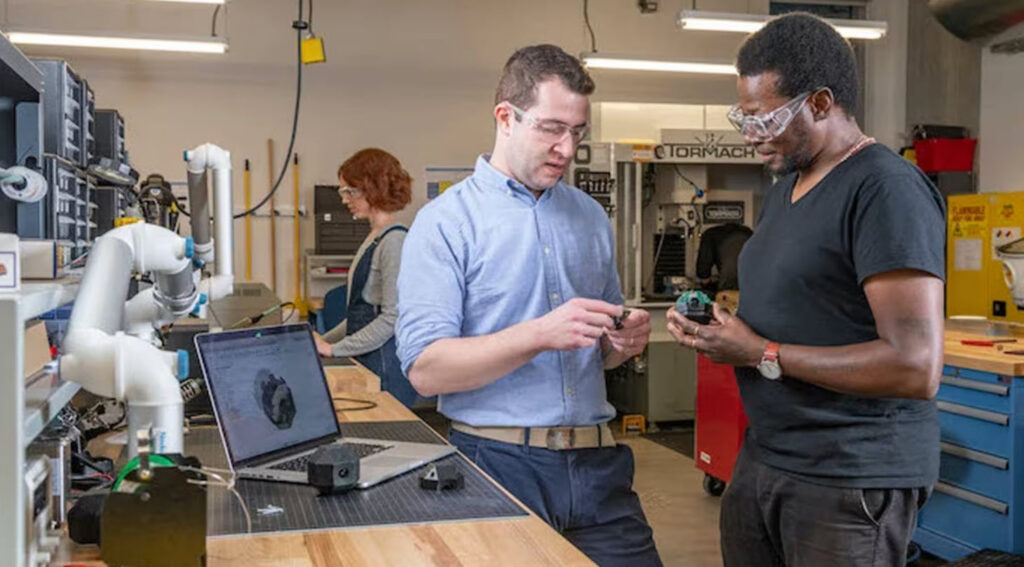
The reality of prototyping
Rapid prototyping is about learning fast. It’s the ability to move from concept to test, gather feedback, and iterate again.
That cycle depends on more than just creating a 3D model. It requires a connected workflow that spans:
- Design
- Validation
- And ultimately, some form of physical output
Modern prototyping software plays a significant role in all of those steps. It helps teams design, simulate, and refine before anything is built, reducing risk, cost, and rework along the way.
Where most rapid prototyping tools fall short
If you’ve worked in a fragmented toolchain, you’ve probably felt this already.
A model gets created in one system. Exported to another for simulation. Then translated again for manufacturing.
Each handoff introduces risk:
- Files break
- Versions drift
- Context gets lost
That’s why, when evaluating software, the most important question isn’t “what can this tool do?” It’s: “how many steps does it remove?”
Because prototyping doesn’t slow down in the design stage, it slows down in the transitions.
The factors actually matter when choosing software for rapid prototyping
1. How quickly can you move from idea to geometry?
At the beginning of any project, speed wins.
You need tools that let you sketch, shape, and iterate without overthinking structure. Whether that’s direct modeling, parametric workflows, or a hybrid approach, the key is flexibility.
If it takes too long to change something, you’ll stop exploring options, and that’s where innovation stalls.
2. Can you validate designs without leaving the environment?
One of the most important steps in rapid prototyping is simulation.
Instead of building five versions of a part, you can test performance digitally:
- Will it hold up under stress?
- Will it overheat?
- Will it fit?
The earlier you answer those questions, the less you pay for mistakes later. Simulation helps teams catch issues before physical prototypes are even made, saving both time and material.
But that only works if simulation is easy to access. If it’s buried in another tool, it tends to get skipped.
3. How connected is the path to manufacturing?
A prototype isn’t just a design exercise, it’s a bridge to production.
Whether you’re using CNC machining, 3D printing, or another method, your software should connect directly to those outputs.
When design and manufacturing are disconnected, teams end up rebuilding parts of the process just to get something made. That’s where delays—and errors—creep in.
Integrated CAD/CAM workflows help eliminate that gap by keeping everything in the same system.
4. Can your team work in the same environment at the same time?
Prototyping is inherently collaborative. Designers care about form. Engineers care about performance. Manufacturing teams care about feasibility.
If those perspectives live in separate tools or disconnected files, alignment becomes slow and rework becomes inevitable.
Software that supports shared access, version control, and real-time collaboration removes that friction and keeps everyone working from the same source of truth.
5. Will it scale past the prototype?
It’s easy to evaluate software based on early-stage needs. But prototypes don’t exist in isolation, they evolve into products.
So the real question is: What happens after the prototype works?
Can the same system support:
- Assemblies
- Documentation
- Manufacturing workflows
- Lifecycle tracking
If not, you’ll end up switching tools right when the work becomes more complex.
Why integrated tools are becoming the default
When you step back, all of these factors point in the same direction:
The best prototyping environments are the ones where design, validation, and manufacturing are connected, not separate.
That’s why many teams are moving away from fragmented toolchains toward unified platforms.
Because in a rapid prototyping workflow, every break in the process slows down iteration, and every delay compounds.
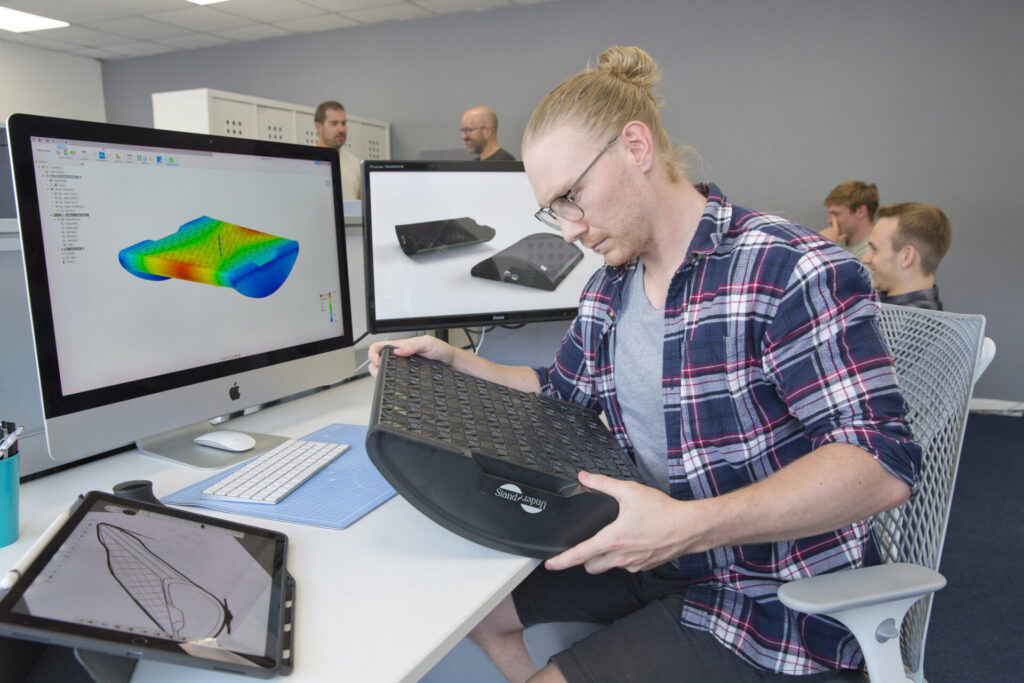
Autodesk Fusion for rapid prototyping
This is exactly the problem Autodesk Fusion is designed to solve. Instead of stitching together separate tools, Fusion brings core prototyping workflows into one place:
- 3D modeling for concept development
- Simulation tools for testing and validation
- CAM and additive workflows for producing physical prototypes
That means teams can move from idea to simulation to prototype without exporting, translating, or rebuilding along the way.
It also changes how iteration happens. Design updates can be tested immediately. Simulation results can directly inform geometry changes.
Manufacturing outputs can be generated without reworking files.
Fusion supports this with a connected, cloud-based environment where teams can collaborate in real time—keeping everyone aligned on the same version of a design.
The result isn’t just faster modeling, it’s a faster cycle.
Get started today with a 30-day free trial of Autodesk Fusion.