 James Krenisky
Learn how automotive part manufacturing teams design custom parts for fit, performance, and manufacturability using integrated workflows with Autodesk Fusion.

Elevate your design and manufacturing processes with Autodesk Fusion
Automotive part manufacturing, especially in the aftermarket, demands far more than simply modeling a part in 3D. Manufacturers must design components that fit precisely, perform reliably under real‑world conditions, and move efficiently from design to production.
Custom brackets, aerodynamic components, suspension parts, tooling, and restoration components all face the same challenge: there is little room for error once material meets machine. That’s why successful automotive part manufacturers rely on digital design and manufacturing tools that connect design intent directly to manufacturability.
Modern platforms like Autodesk Fusion are helping aftermarket teams close the gap between idea and production, without slowing down innovation.
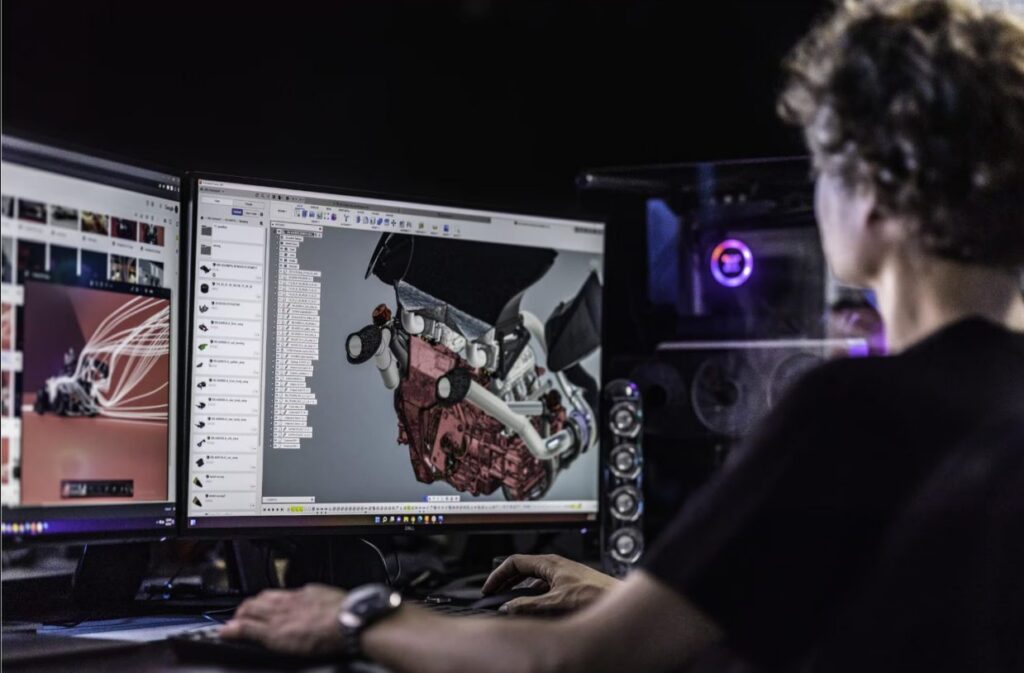
Automotive part manufacturing today
Unlike OEMs, most automotive aftermarket manufacturers don’t start with clean CAD data. Instead, teams frequently deal with:
- Missing or incomplete OEM drawings
- Legacy or discontinued parts
- Custom or low‑volume production runs
- Tight tolerances and performance requirements
- Fast iteration cycles driven by customer demand
Designing for automotive part manufacturing means accounting for how a part will actually be made, not just how it looks on screen. Tools that separate CAD from manufacturing workflows often introduce friction, errors, and costly rework.
Designing for fit: Precision starts with the digital model
Fit is non‑negotiable in automotive part manufacturing. Poor fit leads to installation issues, vibration, premature wear, or outright failure.
Fusion supports fit‑driven design by enabling manufacturers to:
- Build accurate parametric models that reflect real‑world geometry
- Reverse engineer physical parts when OEM CAD data isn’t available
- Validate assemblies digitally before cutting material
Scan‑to‑CAD workflows allow teams to capture complex, organic surfaces and convert them into editable solid geometry, ensuring replacement or custom parts integrate correctly with existing vehicle systems. This digital accuracy dramatically reduces trial‑and‑error during production.
Designing for performance: Validate before you build
Automotive parts rarely operate under ideal conditions. Heat, vibration, load, and fatigue all influence performance, especially in motorsports, off‑road, or high‑performance applications.
In automotive part manufacturing, performance‑driven design benefits from early validation. Fusion brings simulation directly into the design environment, allowing engineers and designers to:
- Analyze stress, deformation, and thermal behavior
- Iterate designs quickly without rebuilding models
- Reduce dependence on physical prototypes
By validating performance digitally, manufacturers can move forward with greater confidence, knowing the part is engineered to withstand real operating conditions.
Designing for manufacturability: Where most designs succeed or fail
A design that looks perfect but can’t be manufactured efficiently creates downstream costs. In automotive part manufacturing, manufacturability must be considered from the first sketch.
Fusion connects design and manufacturing in one environment, making it easier to:
- Design parts with machining, fabrication, or additive constraints in mind
- Generate manufacturing‑ready geometry without translation errors
- Produce associative 2D drawings directly from 3D models
Because CAD and CAM workflows share the same data, changes to a part automatically propagate through toolpaths and technical drawings. This reduces errors, setup time, and miscommunication between design and the shop floor.
“Complicated parts are hard to engineer, and they can take years to develop. But using generative design in Fusion, you can put multiple functions into one part, iterate, prototype, and it’s just a matter of weeks for a final product.”
—Robin Shute, Founder, Shute Dynamics
From custom design to production, without breaking the workflow
Automotive aftermarket manufacturers often wear multiple hats: designer, engineer, and manufacturer. Disconnected tools slow teams down and make collaboration harder.
Fusion supports automotive part manufacturing by unifying:
- 3D CAD design
- Automated 2D drawings
- CAM and CNC programming
- Data management and collaboration
This connected approach helps teams move from custom design to production faster, while maintaining accuracy at every stage of the process.
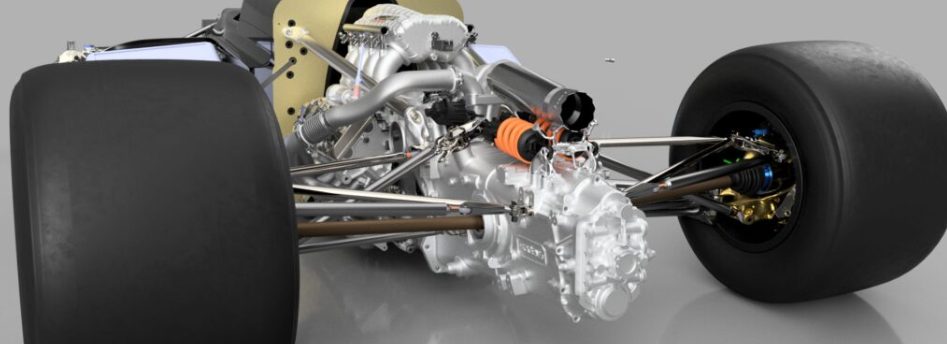
Why modern automotive part manufacturing is digital‑first
The most successful aftermarket manufacturers don’t separate design from manufacturing, they connect them. Designing for fit, performance, and manufacturability requires tools that reflect how parts are actually built, installed, and used.
By combining design, validation, and manufacturing workflows in a single platform, Autodesk Fusion helps automotive part manufacturers reduce risk, accelerate iteration, and deliver parts that perform as intended, on the road, on the track, or in the shop.
FAQs: Automotive part manufacturing, design, and production
What software is best for automotive part manufacturing?
This integrated approach helps manufacturers reduce errors, speed up iteration, and move more efficiently from design to production.
How do manufacturers design custom automotive parts for proper fit?
Design tools like Autodesk Fusion allow manufacturers to validate part fit digitally within assemblies before manufacturing, reducing the risk of installation issues or rework.
Why is manufacturability important in automotive part manufacturing?
Designing with manufacturability in mind helps prevent downstream issues like excessive machining time, tooling challenges, or unclear documentation. Integrated platforms like Fusion allow manufacturers to consider manufacturing constraints directly during the design process.
How do 2D drawings support automotive part manufacturing?
In modern workflows, manufacturers generate 2D drawings directly from 3D models. These drawings stay associative, meaning updates to the design automatically update the drawing, helping teams maintain accuracy throughout the manufacturing process.
How does simulation improve automotive part performance?
By incorporating simulation early in the design process, manufacturers can optimize strength, reduce material usage, and improve overall performance, while reducing the need for physical prototypes.
Can one tool handle both design and manufacturing for automotive parts?
Having design and manufacturing tools in one system helps maintain data continuity, reduces file translation errors, and enables faster collaboration between designers and the shop floor.
Why are connected design‑to‑manufacturing workflows important?
This is especially important in custom, low‑volume, or fast‑iteration automotive manufacturing environments