 Krystina Docil
Combine the connected manufacturing platform in Autodesk Fusion with physics-based machining intelligence to reduce cycle times, improve tool life, and eliminate roughing guesswork.
CNC programmers must balance material removal rates, tool wear, machine limits, and cycle times under tight deadlines. Traditional roughing often relies on manual tuning, test cuts, and operator experience, leading to inconsistent results and longer programming times.
Fusion brings design, engineering, CAM, simulation, and machining together in one manufacturing platform. The ModuleWorks SmartRoughing add-in for Autodesk Fusion extends the platform with automated, physics-based optimization for more efficient and predictable roughing.
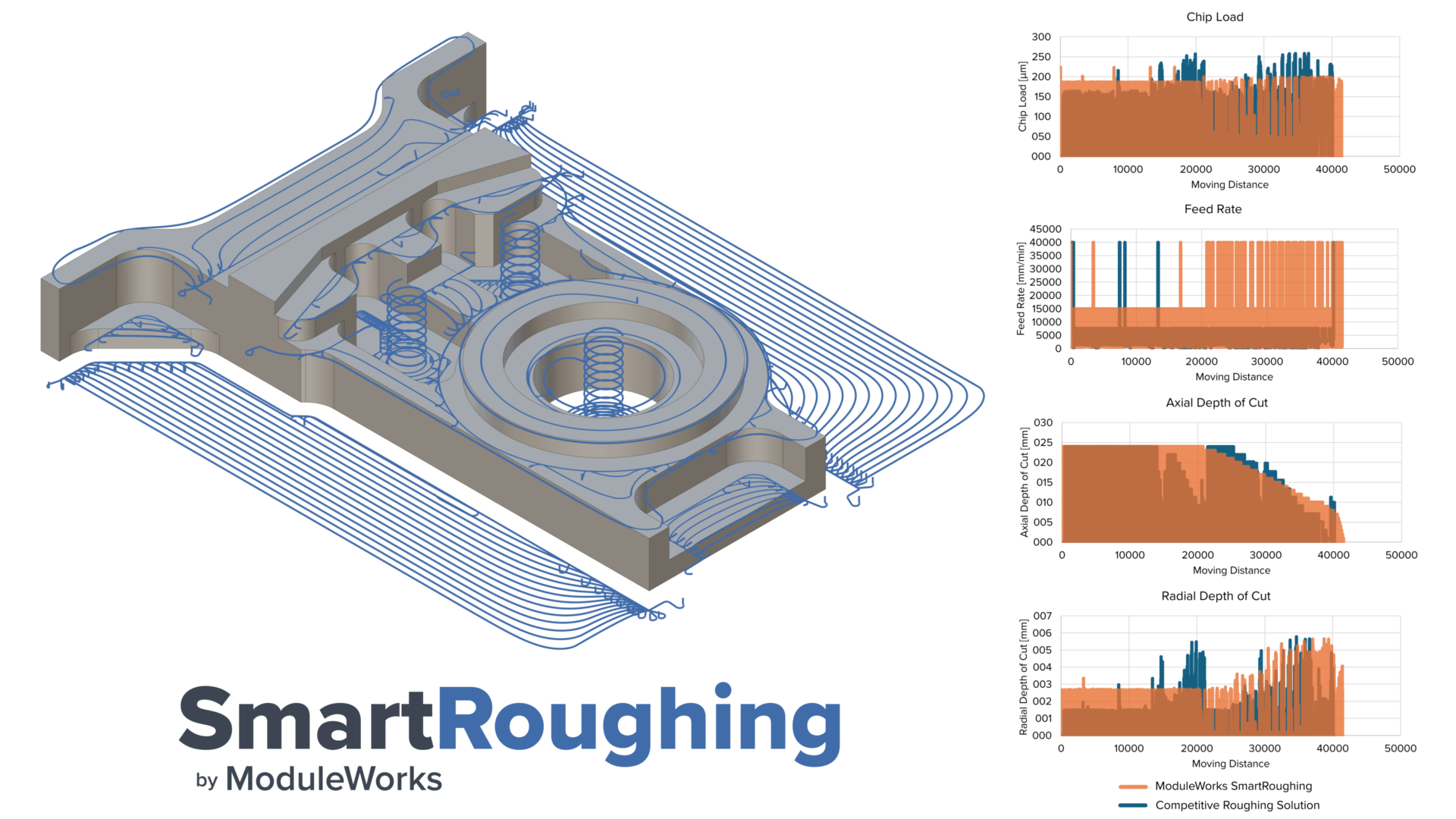
Move beyond trial-and-error roughing
Instead of relying on fixed feeds and speeds, SmartRoughing dynamically adjusts cutting conditions based on real machining behavior, including tool engagement, cutting forces, and machine constraints.
With SmartRoughing in Autodesk Fusion, manufacturers can:
- Reduce manual toolpath tuning
- Improve consistency across programmers and machines
- Generate more predictable roughing results
Powered by physics-based machining intelligence
Powered by ModuleWorks’ advanced machining physics engine and validated Kennametal tooling data, SmartRoughing continuously evaluates machining conditions to optimize cutting parameters throughout the toolpath. It analyzes:
- Machine capabilities and spindle power
- Cutting forces and tool load
- Validated Kennametal tooling data and tool geometry
- Part geometry and engagement conditions
By adapting to real machining conditions, SmartRoughing maximizes material removal while protecting tool life and machine stability.
“Manufacturing depends on accurate tooling information from the start. Integrating validated tooling data into Autodesk Fusion helps manufacturers improve programming consistency and stabilize tool load throughout the cut with greater confidence.”
— Carlona Reilly, Kennametal Vice President & Chief Technology Officer
Extend connected manufacturing workflows in Autodesk Fusion
Autodesk Fusion unifies design, CAM, simulation, and machining in a connected manufacturing platform. SmartRoughing extends that workflow by combining:
- Autodesk Fusion for connected design-to-manufacturing workflows
- ModuleWorks for physics-based toolpath optimization
- Kennametal for validated tooling data
Together, these technologies enable manufacturers to eliminate data translation, simplify programming, standardize roughing strategies across teams, and apply advanced machining intelligence without disrupting existing workflows.
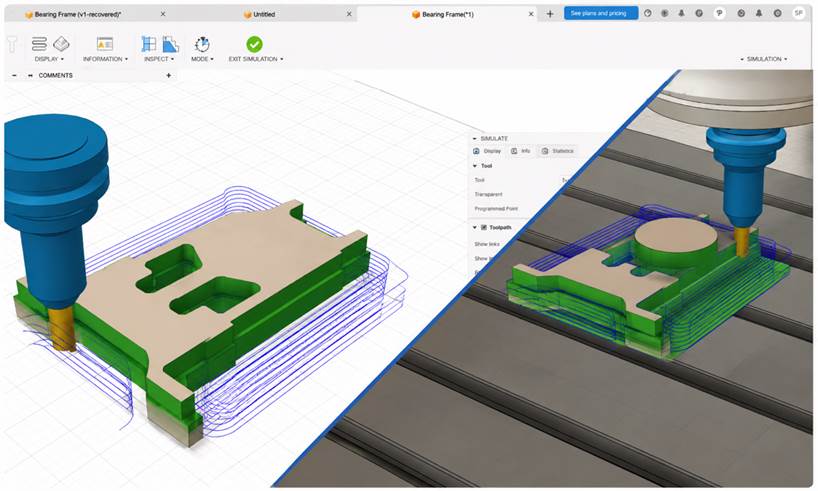
“At ModuleWorks, we believe the future of manufacturing lies at the intersection of cutting physics intelligence and machining context. SmartRoughing brings that vision into Autodesk Fusion by combining advanced physics models with Kennametal’s validated tooling data. The result is faster, more predictable roughing with less manual tuning, shorter cycle times, and better protection for tools and spindles. Through Fusion, we are making physics-based intelligent machining more accessible in everyday production workflows.”
— Miguel Johann, Product Director, ModuleWorks
Start optimizing roughing strategies in Fusion
SmartRoughing integrates directly into Fusion with no workflow changes required.
To get started:
- Download the ModuleWorks SmartRoughing add-in from the Design and Make Marketplace
- Install the add-in and launch Autodesk Fusion
- Open or create a roughing operation
- Select a supported Kennametal cutting tool
- Configure your roughing strategy and allow SmartRoughing to optimize
By combining physics-based roughing optimization with manufacturing workflows in Autodesk Fusion, SmartRoughing helps manufacturers reduce programming time, improve consistency, and increase machining efficiency.