 spencer.hardcastle
Learn how nesting boosts material utilization and efficiency in manufacturing and how Autodesk Fusion for Manufacturing delivers smarter workflows.
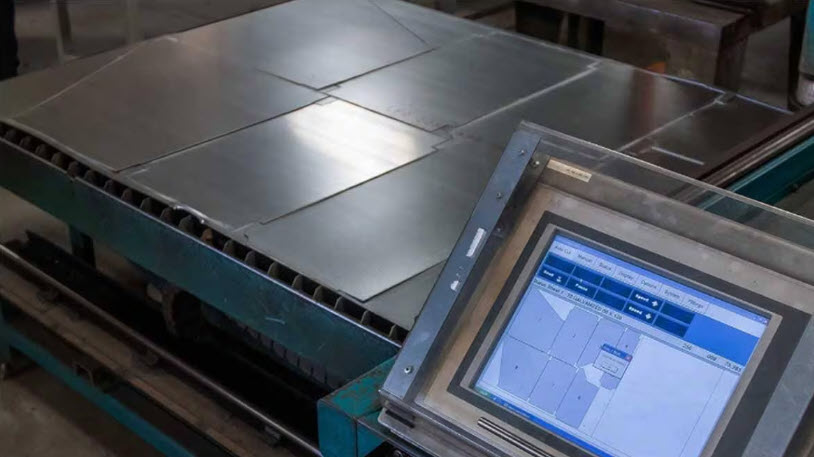
In manufacturing, raw material often accounts for 40–60% of total production costs. When margins are tight and demand is variable, every square inch of stock you save drops straight to the bottom line. That’s why nesting has become a critical lever for productivity, sustainability, and profitability. Done well, nesting reduces waste, shortens programming time, and streamlines CNC cutting across lasers, plasma, waterjet, routers, and punch presses. Done poorly, it creates scrap, rework, and schedule churn.
This guide explains the process end-to-end, how it works, why it matters, the features that drive results, and the industries that benefit most. Then we’ll close with why Autodesk Fusion for Manufacturing gives you everything you need to put best‑practice nesting into daily production.
What is nesting?
Nesting is the systematic placement of 2D profiles (and flattened 3D parts) onto raw material to maximize material utilization and minimize cutting time. It turns discrete CAD geometry into production‑ready layouts that respect manufacturing constraints: kerf width, lead‑ins/lead‑outs, pierce points, toolpaths, grain direction, part spacing, tabs, and collision avoidance.
In practice, the workflow looks like this:
- Import geometry (DXF/DWG, flattened sheet‑metal, or sketches/parts from CAD).
- Apply process parameters (material type, thickness, sheet sizes, kerf, cut rules).
- Generate nests (single or multi‑sheet, multi‑material) using optimization algorithms.
- Validate (check collisions/interference, grain orientation, part counts).
- Post‑process (machine‑specific code, labels, and reports).
- Run and iterate (compare strategies; reuse remnants; regenerate on design change).
When it’s part of a connected CAD/CAM process, associativity matters: if the design changs, the nest should regenerate automatically so your layouts stay in sync with engineering. That avoids manual rework and prevents cutting obsolete versions.
Why nesting matters to your business
- Material savings: Higher material utilization yields immediate cost reductions and less scrap handling/disposal.
- Programming speed: Automated nesting turns hours of manual layout into minutes, freeing programmers for higher‑value work.
- Shop throughput: Optimized nests reduce pierces, avoid unnecessary tool changes, and shorten cycle times.
- Quality consistency: Rules‑based orientations, separations, and lead‑ins improve edge quality and repeatability.
- Sustainability: Less waste and smarter remnant reuse shrink environmental footprint and inventory carrying costs.
Those gains compound in high‑mix, low‑volume environments, where frequent changeovers and short runs make manual processes impractical.
What is nesting software?
Nesting software calculates the most efficient arrangement of 2D or 3D part profiles on a sheet, plate, tube, or block of raw material, minimizing scrap and maximizing material yield. In manufacturing, it’s applied before cutting operations and CNC routing, where the layout of parts on the material sheet directly determines how much raw material is consumed and how much is wasted.
Autodesk Fusion for Manufacturing includes integrated nesting capabilities within its CAM environment, allowing engineers to move from part design to optimized cut layout to CNC toolpath generation without leaving the platform.
Core capabilities that drive best‑in‑class nesting
- Associativity across design and manufacturing: If your nest is associative to the design, any model update automatically propagates to the nests. This reduces rework, protects material yield, and keeps production aligned with engineering.
- Multi‑sheet, multi‑material nesting: A powerful nesting engine can separate parts by material type and thickness, then generate multi‑sheet nests per process library defaults, automatically. That lets teams standardize at scale and shorten setup across jobs.
- Process material library: When material presets (type, thickness, sheet sizes, cost, grain direction, spacing) live in a shared cloud library, programmers and planners work from the same rules. That consistency boosts utilization and speeds comparisons across strategies.
- Grain direction control: In wood, laminates, and certain metals, grain orientation is non‑negotiable for strength and aesthetics. Intelligent nesting respects stock grain and part‑level requirements while still maximizing yield.
- Compare dialog and costed studies: Side‑by‑side nesting studies help you test sheet sizes, packaging options, and quantities—then pick the most cost‑effective plan using consistent metrics (cost, component yield, sheets used).
- Customizable reports and labels: Production‑ready reports (by solution or per sheet) create clarity for quoting, purchasing, and shop execution. Automatic labels on individual components simplify downstream identification and kitting.
How nesting works under the hood
Nesting algorithms evaluate thousands of candidate layouts in seconds. The best systems blend:
- True‑shape nesting for irregular profiles, tight interlocks, and common‑line cutting.
- Constraint handling for spacing, tabs, keep‑out zones, and grain rules.
- Path optimization to minimize pierces and reduce heat input/distortion in thermal processes.
- Collision detection that accounts for toolpaths, lead‑ins, and machine limits as parts are placed.
The outcome is a layout that balances material yield with manufacturability, not simply the densest packing. That distinction is critical; a theoretical maximum often ignores the realities of cutting physics and machine dynamics.
Measuring nesting success: The metrics that matter
Manufacturers often evaluate nesting performance using a combination of:
| Metric | What It Measures |
|---|---|
| Material utilization | Percentage of sheet material converted into finished parts |
| Scrap rate | Percentage of unusable material remaining after cutting |
| Sheet usage | Total sheets required to complete an order |
| Cost per nest | Estimated material cost of a nesting strategy |
| Programming time | Time required to create production-ready layouts |
| Yield per sheet | Number of completed components produced from a sheet |
| Remnant reuse | Ability to reuse remaining material in future jobs |
Fusion’s nest comparison tools allow manufacturers to compare different nesting studies based on factors such as cost, component yield, material usage, and sheets consumed before selecting a production strategy.
Real-world impact of optimized nesting
The financial impact of nesting comes from improving material utilization and reducing scrap. For example, Ganas Manufacturing reported reducing expected scrap from 25% to 5% of a given sheet using Fusion’s nesting capabilities. Results vary by part geometry, material, machine type, and production workflow, but even modest improvements in material utilization can significantly reduce manufacturing costs at scale.
Practical ways to improve your nesting outcomes
- Standardize inputs: Keep CAD clean (no duplicates/overlaps), flatten sheet‑metal with correct bend allowances, and define part quantities in the source model.
- Codify process rules: Use shared libraries for material presets (stock sizes, costs, grain rules, separations, kerf).
- Compare strategies: Always run multiple nesting studies, then pick the best using a compare dialog with consistent cost metrics.
- Close the loop: Keep nesting associative with design; regenerate nests automatically after any engineering change to avoid cutting outdated parts.
- Report and label: Use customizable reports and labels to align purchasing, scheduling, and shop floor kitting.
Organizations typically realize payback quickly when they combine higher utilization, faster programming, and fewer errors. And because nesting improvements cascade, better yields mean fewer sheets purchased, fewer changeovers, and less scrap handling, the operational and financial gains magnify at scale.
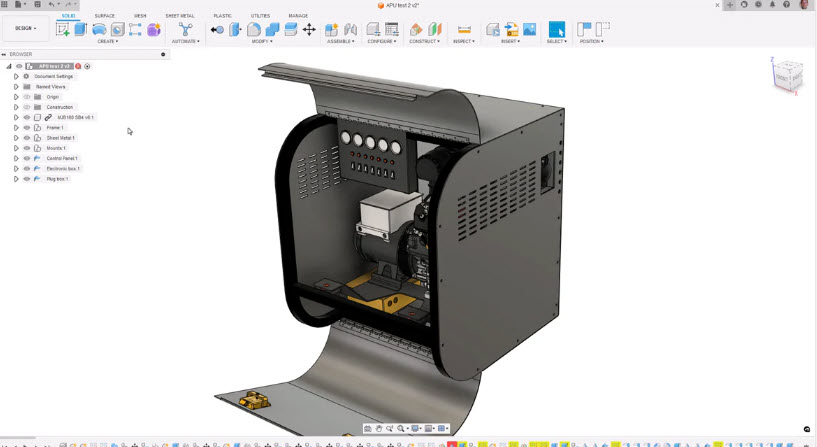
Fusion for Manufacturing: Built‑in nesting where it belongs
If you want the benefits of nesting without the pain of a siloed toolchain, Autodesk Fusion for Manufacturing brings the capability into the same cloud platform you use for design, CAM, and team collaboration.
- Associative nests that stay synced with the design—no more recutting obsolete parts after engineering changes.
- Automated detection of material, thickness, and component quantities straight from the model—nest once per component, not per instance
- Multi‑sheet, multi‑material nesting with intelligent filters for sheet‑metal and non‑sheet components.
- Grain direction control for both stock and part‑level orientation, handled automatically to meet structural/aesthetic requirements.
- Cloud‑based process material library to standardize presets (type, thickness, sheet size, cost, grain, spacing) across your team and hubs.
- Compare dialog and costed studies so planners can evaluate material cost, sheet sizes, and quantities, then choose the most economical plan.
- Production reports and labels (solution‑level or per sheet) to communicate clearly with purchasing, scheduling, and the shop floor.
Because Fusion connects CAD, CAM, simulation, and PDM on a single data model, your nesting is no longer an island. It becomes part of a closed‑loop manufacturing process. Design changes regenerate nests; cost comparisons guide purchasing; reports coordinate execution; labels streamline kitting.
The bottom line
If material costs are rising and schedules are tightening, nesting is one of the highest‑impact improvements you can make. But the real advantage comes when it’s integrated with everything else, so your layouts stay current, your costs are visible, and your shop can move faster with confidence.
Fusion for Manufacturing puts it at the heart of a connected, cloud‑based workflow that maximizes yield, reduces programming time, and simplifies execution from model to machine.
Fusion vs Fusion for Manufacturing – Capabilities
Note: Fusion and Fusion for Manufacturing include all core Fusion CAD, CAM, CAE, PCB , and data management capabilities. Fusion for Manufacturing also includes the advanced manufacturing capabilities listed below.
| Capability | Fusion | Fusion for Manufacturing |
| Drilling | ||
| Hole drilling (3-axis) | Yes | Yes |
| Automatic hole recognition and drilling (3-axis + multi-axis) | No | Yes |
| MILLING | ||
| 2D and 2.5-axis milling | Yes | Yes |
| 3-axis milling | Yes | Yes |
| 3+1 and 3+2 positional milling | Yes | Yes |
| Machine simulation | Yes | Yes |
| Automated whole part strategies (3-axis + multi-axis) | No | Yes |
| 4- and 5-axis simultaneous milling | No | Yes |
| Multi-axis collision avoidance | No | Yes |
| TURNING | ||
| 2-axis turning | Yes | Yes |
| Turn-mill machining | Yes | Yes |
| TOOLPATH MODIFICATIONS | ||
| Modify toolpaths (trim, delete passes, leads and links, replace tool, move entry positions) | No | Yes |
| INSPECTION & PART ALIGNMENT | ||
| Work coordinate system (WCS) probing | Yes | Yes |
| Manual inspection | Yes | Yes |
| Geometry probing | No | Yes |
| Surface inspection | No | Yes |
| Part alignment | No | Yes |
| POST PROCESSING | ||
| Generate NC code (post-processing) | Yes | Yes |
| SHEET-BASED NESTING | ||
| Basic single-sheet nesting | Yes | Yes |
| Associative nesting updates | Yes | Yes |
| Nest preparation tools | No | Yes |
| Advanced nesting (multi-sheet, auto detection) | No | Yes |
| Advanced part and material controls | No | Yes |
| Process material library | No | Yes |
| Custom nest reports | No | Yes |
| Nest comparison | No | Yes |
| Part labeling | No | Yes |
| SHEET-BASED FABRICATION | ||
| Toolpath generation (laser, plasma, router, waterjet) | Yes | Yes |
| Workflow automation | Yes | Yes |
| Automatic remnant cutting | No | Yes |
| DXF export with layer mapping | No | Yes |
| ADDITIVE MANUFACTURING | ||
| 2D/3D part nesting and arrangement | Yes | Yes |
| FDM and binder jetting | Yes | Yes |
| 3MF file export | Yes | Yes |
| Metal Powder Bed Fusion (MPBF) | No | Yes |
| Directed Energy Deposition (DED, multi-axis) | No | Yes |
| MPBF process simulation | No | Yes |
Frequently asked questions
How does nesting software determine the most efficient material layout?
Autodesk Fusion for Manufacturing or the Fusion Manufacturing Extension (for existing Fusion subscribers) includes associative and multi-sheet nesting capabilities that automatically generate layouts and update them as designs change, helping manufacturers improve material usage and streamline fabrication workflows
How does nesting reduce scrap and improve profitability?
Autodesk Fusion for Manufacturing and the Fusion Manufacturing Extension combines nesting with CAD and manufacturing workflows to help improve efficiency across the production process
What is the best nesting software for manufacturing?
For manufacturers already working with CAD and CAM systems, Autodesk Fusion for Manufacturing or the Fusion Manufacturing Extension are strong options as they combine CAD, CAM, simulation, data management, and nesting capabilities within a single connected platform. This allows changes made during design to remain connected to fabrication planning and production workflows
How does nesting integrate with CAD and CAM systems?
Autodesk Fusion for Manufacturing and the Fusion Manufacturing Extension provide integrated CAD/CAM workflows, and its Manufacturing Extension add associative nesting capabilities that stay connected to design data, reducing manual file transfers and helping manufacturing teams maintain a single source of truth.
How does nesting software fit into end-to-end manufacturing workflows?
Autodesk Fusion for Manufacturing and the Fusion Manufacturing Extension bring CAD, CAM, CAE, data management, and nesting workflows into one connected platform, allowing teams to move from design through manufacturing preparation while maintaining connected product data and reducing workflow fragmentation.
How does nesting reduce manual programming and setup time?
Autodesk Fusion for Manufacturing and the Fusion Manufacturing Extension further streamline production by providing automatic layout updates, automated material grouping, and connected manufacturing workflows. Because it remains associated with design data, changes can be reflected without recreating layouts from scratch.
Can nesting software automatically group parts by material or thickness?
Does Autodesk Fusion for Manufacturing include nesting capabilities?
Because Fusion combines CAD, CAM, manufacturing planning, and data management in a single platform, nesting becomes part of an integrated design-to-production workflow rather than a separate process.
What is a good material utilization rate in nesting?
What is the difference between nesting and sheet metal design?
What industries benefit most from nesting software?
-Sheet metal fabrication
-Industrial machinery manufacturing
-Furniture and woodworking
-Aerospace and defense
-Electronics enclosures
-HVAC fabrication
-Sign making
-Architecture and construction components
Any industry that cuts parts from sheet stock can benefit from improved material utilization and reduced waste.
What is associative nesting?
What metrics should manufacturers use to evaluate nesting performance?
-Material utilization
-Scrap rate
-Component yield
-Sheets consumed
-Material cost per nest
-Programming time
-Remnant reuse
-Throughput
The most effective nesting strategies balance material savings with manufacturability and production efficiency.