 Shannon McGarry
This post is also available in:
Autodesk Fusion is a cloud-based 3D CAD, CAM, CAE, and PCB software platform for product design and manufacturing. Fusion integrates design, manufacturing, electronics, and data management in a single platform, enabling designers, engineers, and manufacturers to streamline their product development process. Explore flexible Fusion subscription plans fit for every budget below.

Elevate your design and manufacturing processes with Autodesk Fusion
Quick facts: Fusion plans and pricing at a glance
Plan | Best for | Includes | Key differentiators | Annual price (USD) |
Early-stage teams and professional designers, engineers, and machinists | Core Fusion capabilities: CAD, basic CAM, basic simulation, electronics, data management, collaboration | All‑in‑one product development platform with low barrier to entry and cloud collaboration in a single unified workspace | $680/year | |
Manufacturing teams, machinists, and production‑focused organizations | Core Fusion + Manufacturing Extension (advanced 3‑, 4‑, and 5‑axis machining, nesting & fabrication, additive) | Best value bundle for CAM‑heavy workflows; professional‑grade CNC and fabrication tools in one license | $2,040/year | |
Manufacturing teams, machinists, and production‑focused organizations | Core Fusion + Design Extension, Simulation Extension, and Fusion Manage (PLM) | End‑to‑end design, simulation, and change management in a single cloud platform | $2,190/year | |
Existing Fusion subscribers that need advanced capabilities | Individual extensions (Manufacturing, Simulation, Design, Manage) added à la carte | Access to advanced workflows and functionality beyond those offered in a base Fusion subscription | $595-$1,465 per extension/year | |
Hobbyists, makers, and non‑commercial users | Limited Fusion functionality for personal, non‑commercial projects | Free access to professional‑grade CAD with usage and feature limits | Free | |
Early‑stage startups and entrepreneurs | Full commercial Fusion access (if eligible) | Deeply discounted commercial license to support early growth | ~$150 for 3 years (qualified startups) |
Table of Contents
- Quick facts: Fusion plans and pricing at a glance
- What does a Fusion subscription include?
- What are Fusion extensions?
- Is Fusion more affordable than buying separate CAD, CAM, and CAE software?
- Fusion subscription pricing frequently asked questions (FAQs)
What does a Fusion subscription include?
Autodesk Fusion
Autodesk Fusion is the standard commercial subscription providing full access to cloud-based product design software for CAD, CAM, CAE, PCB, and data management. Pricing starts at $85/month or $680/year. Advanced design, simulation, CAM, and PLM capabilities require paid extensions or a subscription to Fusion for Design or Fusion for Manufacturing, depending on your specific needs.
A Fusion subscription provides users with access to a comprehensive cloud-based product design software for CAD, CAM, CAE, PCB, and data management. Key aspects of a Fusion subscription include:
- 3D design and modeling: Create and edit 3D models with powerful parametric, surface, mesh, freeform and direct modeling tools.
- 2D drawings: Generate detailed 2D drawings from 3D models for documentation and manufacturing purposes.
- Simulation: Test the performance of designs under real-world conditions with static stress simulation tools.
- Manufacturing: Plan and execute CNC machining operations with integrated CAM tools including 2, 2.5, and 3-axis machining, multi-axis positional milling, turning, turn-mill, and more.
- Data management and collaboration tools: Share and collaborate on projects in real-time with centralized data and modern communication, review, and markup tools.
Note: Autodesk Fusion is available by subscription only; perpetual licenses are not offered.
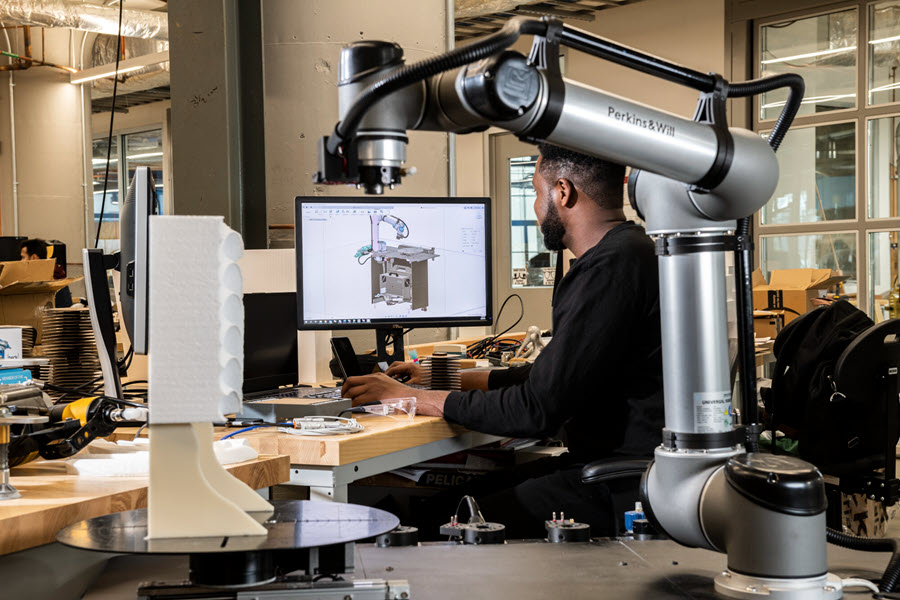
Autodesk Fusion for Manufacturing
Fusion for Manufacturing includes the powerful CAD, CAE, and data management tools that Fusion offers, in addition to the CAM tools needed for advanced manufacturing including:
- 2D, 2.5-axis, 3-axis machining: Rough and finish component parts safely and efficiently with a vast array of machining strategies.
- Automated hole recognition and drilling: Automatically identify all holes on 3D models then use configurable templates to produce high-quality templates.
- Whole part machining strategies: Reduce CAM programming times, and improve surface finish with steep and shallow, deburr, and corner toolpaths.
- Positional 5-axis machining (3+2): Reorient the cutting tool in relation to the workpiece, enabling 3+2 machining to produce complex parts with fewer setups and machining of hard-to-reach features.
- Simultaneous 4- and 5-axis machining: Create efficient, collision-free 4- and 5-axis machine motion with advanced swarf and tool axis controls.
- Toolpath modifications: Save time with post-calculation toolpaths modifications such as limiting to a plane and modifying leads and links without recalculating.
- Process simulations: Accurate 3D machine models of the machine identify collisions, axis over-travel, and other issues. For additive manufacturing, simulations identify print failures.
- In-cycle probing and part alignment: Setup machine datums, measure the accuracy of parts, and automate the setup of large, heavy, or non-prismatic shaped parts with a variety of inspection routines.
- Sheet-based fabrication: Automatically nest multiple component parts into sheet-stock, helping to maximize material utilization.
- Additive manufacturing: Produce components using plastics and metals-based 3D printing hardware and processes with automatic part orientation, associative support structures, and materials-based process parameters.
Autodesk Fusion for Design
Fusion for Design includes all the powerful tools in Fusion, while allowing you to accelerate your design process with advanced modeling, simulation, and change management tools, including:
- Advanced mesh and surfacing tools: Create prismatic, organic, and parametric mesh models or stitch, offset and form surfaces with advanced design tools.
- Simulation: Test the performance of designs under real-world conditions with simulation tools including modal frequencies, electronics cooling, thermal, thermal stress, structural buckling, nonlinear static stress, quasi-static event simulation, dynamic event simulation, and injection molding simulation.
- Generative design: Discover weight reduction and performance enhancements with generative design outcomes from user-specified parameters.
- Plastic design rules: Unlock automatic limits and recommendations for designing plastic parts, such as draft angles, wall thickness, rib design, and material flow to ensure manufacturability and performance.
- Product lifecycle management: Create bill of materials, release management, automated part numbering, and execute change orders.
Autodesk Fusion Manage
Fusion Manage is a cloud PLM tool that helps teams keep product data, changes, and processes as things scale. Instead of juggling spreadsheets, emails, and disconnected systems, everyone works from the same source of truth. Key features include:
- Change management: Governed workflows for change requests, change orders, approvals, and full traceability across revisions.
- Bill of materials (BOM) management: Centralized, structured BOMs that keep engineering, manufacturing, and supply chain aligned on the latest product definitions.
- Quality management: Built‑in processes for non‑conformance, CAPA, inspections, and supplier quality tracking.
- Project and process workflows: Configurable, out‑of‑the‑box workflows for NPI, stage‑gate processes, and cross‑team coordination.
- Supplier collaboration: Secure access for suppliers and partners to the right data at the right time, without the need for CAD licenses
- Integration and extensibility: Open APIs and integrations with PDM, ERP, and other business systems to support connected, end‑to‑end processes
Note: A free 30-day trial is available to evaluate all capabilities and features of Fusion, excluding Fusion Manage. If you’re interested in Fusion for Manufacturing, Fusion for Design or Fusion Manage you can subscribe directly at the links above or connect with an expert to discuss more.

What are Fusion extensions?
Fusion extensions are add-on subscriptions that unlock advanced design and manufacturing technologies for existing Fusion subscribers. Extensions start at $595/year and offer flexible payment options to best suit your needs.
Existing Fusion subscribers functionality with Fusion extensions; offering a range of flexible payment options to best suit your needs.
Fusion Manufacturing Extension
The Fusion Manufacturing Extension gives you access to advanced manufacturing capabilities including:
- Advanced CAM tools: Simplify 3-, 4-, and 5-axis milling and turning, generating high-quality NC code for mills and turn-mill machines.
- Automated machining: Program complex components using intelligent strategies like steep & shallow, deburr, hole recognition, and rotary. Toolpath modifications improve CAM programming efficiency without recalculation, while CAD-based probing strategies and spindle-mounted probes streamline part inspection and setup.
- Associative nesting: Convert 3D assemblies into precise 2D nests for CAM programming, automatically updating with design changes. Multi-sheet nesting groups parts by material-specific parameters for efficient costing, quoting, and ordering.
- Integrated 3D printing: Prepare models for metal-based additive manufacturing with automatic orientation, support structures, and file exports. 3D print simulation uses thermal tools to validate processes, preventing costly failures and ensuring high-quality parts.
Fusion Simulation Extension
The Fusion Simulation Extension gives you access to advanced functionality to analyze part performance and manufacturability, including:
- Nonlinear static stress simulations: Analyze large deformation, motion, contact, and load change behaviors on nonlinear materials.
- Structural buckling insights: Refine designs to prevent structural failure.
- Event simulation: Predict how time-dependent forces impact 3D design performance.
- Injection molding simulation: Reveal how design influences manufacturability and quality for plastic injection molded parts.
- Electronics cooling: Identify the risk of electronic component and part failure due to overheating in PCB assemblies.
- Generative design: Explore multiple outcomes that meet design specifications while reducing weight and improving performance.
- Thermal simulation: Trace heat transfer and temperature-induced stresses with thermal steady state and thermal stress simulations.
Fusion Design Extension
The Fusion Design Extension is a set of advanced 3D and modeling tools including:
- Manufacturing-aware functionality: Provides capabilities tailored to improve efficiency and outcomes.
- Feature-based automation: Focus more on product design with specialized tools for your industry.
- Geometric patterning: Apply highly customizable patterns using user-defined or pre-defined objects, facilitating multiple iterations.
- Volumetric lattice: Modify existing solid or mesh bodies to create complex lattices, altering the shape and appearance of your designs.
Note: As an existing subscriber, all extension types can be trialed. You can download a free 14-day trial of the extensions here. If you’d like to speak with someone about the best options for your business, connect with an expert here.
Is Fusion more affordable than buying separate CAD, CAM, and CAE software?
Yes—Fusion can be more affordable when you need CAD, CAM, and basic simulation in one subscription.
Cost comparison: integrated vs. separate tools
| Software stack | Typical annual cost (per user) |
|---|---|
| Autodesk Fusion (base) | $680/year |
| Separate CAD tool | $1,200–$3,000/year |
| Separate CAM tool | $1,500–$5,000/year |
| Separate CAE/simulation tool | $2,000–$6,000/year |
| Electronics or PCB tools | $500–$2,000/year |
| Collaboration/PDM tools | $500–$2,000/year |
| Total (separate tools) | $5,700–$18,000+/year |
Example small-business stack
A small shop using separate tools for CAD, CAM, and simulation could spend $6,000–$10,000+ per user annually, compared to $680/year for Fusion with core capabilities.
Why an integrated platform reduces costs
- One subscription instead of multiple licenses
- No integration or data translation tools required
- Lower IT/admin overhead
- Fewer compatibility issues between tools
Bottom line: Fusion is often more cost-effective when teams need design + machining + basic simulation in one workflow. Specialized tools may still be required in highly advanced or niche workflows.
Fusion subscription pricing frequently asked questions (FAQs)
Fusion pricing is typically per user, per year.
Base pricing (annual)
–Fusion: $680/year (~$85/month)
–Fusion for Manufacturing: $2,040/year
–Fusion for Design: $2,190/year
–Extensions: $595–$1,465/year
When to choose each option:
–Fusion (base): General design, light CAM, basic simulation
–Fusion for Manufacturing: Advanced machining, automation, nesting
–Fusion for Design: Advanced modeling, simulation, and PLM
Note: Pricing may vary by region, taxes, and promotions. See plans and pricing for most up to date pricing.
Yes. A Fusion subscription includes CAD, CAM, and basic simulation tools.
Included in standard Fusion:
–CAD: Parametric modeling, assemblies, drawings
–CAM: 2.5-axis, 3-axis milling, turning, toolpaths
–Simulation: Linearstatic stress analysis
Advanced capabilities require extensions or higher-tier plans.
Yes, but only linear static stress is included in standard Fusion.
Advanced simulation (requires the Fusion Simulation Extension or Fusion for Design), including:
-Nonlinear static stress
-Structural buckling
-Thermal and thermal stress
-Electronics cooling
-Modal analysis
-Injection molding simulation
-Event-based simulation
-Quasistatic event simulation
-Dynamic event simulation
-Shape omptimization
-Generative design
No, the Fusion Design Extension is not included with standard Fusion. It is a paid add-on that can be purchased separately, once you have a base Fusion subscription. The Design Extension adds advanced capabilities such as surface and mesh modeling, automated feature recognition, parametric patterning and automation, and volumetric lattice and advanced geometry tools.
Yes, Fusion is designed as a modular platform, allowing teams to start with standard Fusion, add extensions like Manufacturing, Simulation, or Design as needed, upgrade to Fusion for Manufacturing or Fusion for Design, and add Fusion Manage (PLM) as the business grows. Projects and data are preserved throughout this process, extensions can be assigned per user, teams can mix different subscription levels, and administrators can manage licenses centrally.
Yes. Standard Fusion includes integrated CAM tools.
-2.5-axis milling
-3-axis machining
-Turning operations
-Toolpath generation
Advanced capabilities (4/5-axis, automation, nesting) require Fusion for Manufacturing or the Manufacturing Extension.
No, Fusion is subscription-based only with monthly, annual, and 3-year billing options. No perpetual license options are available. See plans and pricing here.
Yes. Extensions are add-ons you can purchase anytime.
-Assigned per user
-Can be mixed across teams
-Expand functionality without changing plans