 Jim Byrne
Boost efficiency, cut costs, and accelerate production by adding Autodesk Fusion to PDMC workflows for a fully connected design-to-manufacturing process.
If you’re already using Autodesk’s Product Design and Manufacturing Collection (PDMC), you know the value of having a comprehensive suite of tools for design and engineering. But what if you could take that workflow even further—streamlining processes, improving collaboration, and accelerating production? That’s where Autodesk Fusion comes in.
Fusion isn’t just another CAD tool. It’s a connected platform designed to unify design, engineering, and manufacturing in one intuitive environment. For PDMC customers, adding Fusion is a strategic move toward a fully connected digital process. Here’s why.
Manufacturing is changing
Manufacturers today face unprecedented challenges:
- Rapid product innovation: Customers expect smarter products delivered faster.
- Skills gap: Millions of manufacturing jobs remain unfilled globally, putting pressure on teams to do more with less.
- Global competition and supply chain complexity: Businesses must stay agile to maintain profitability and meet demand.
Traditional workflows—built on disconnected tools and siloed data—can’t keep up. They create friction, slow decision-making, and increase the risk of errors. Fusion addresses these pain points by delivering a unified, cloud-connected platform that keeps your team aligned and your processes efficient.
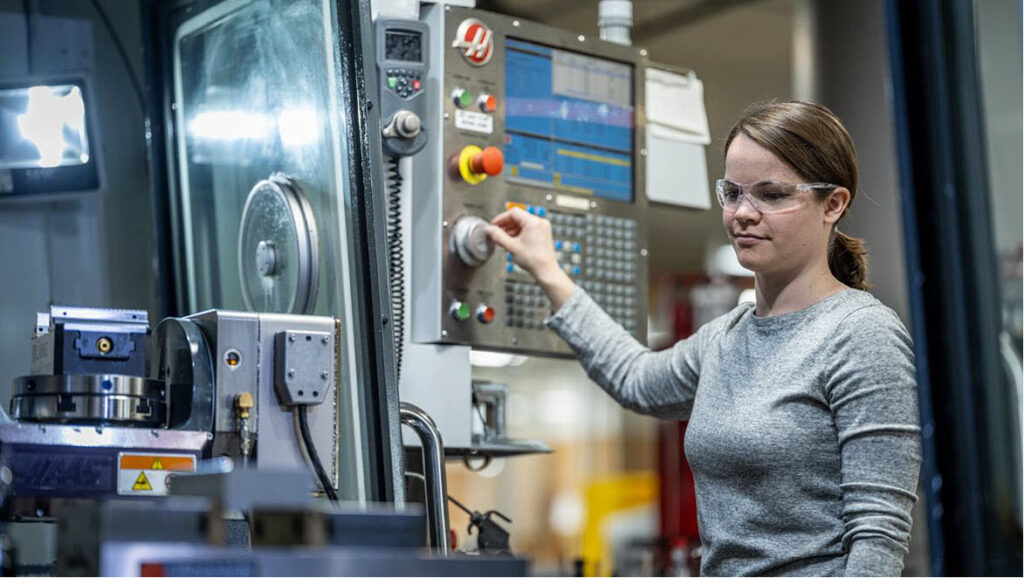
1. A single platform for all manufacturing needs
One of Fusion’s biggest advantages is its ability to consolidate multiple manufacturing workflows into a single environment. Instead of juggling separate tools for CNC programming, sheet metal, and additive manufacturing, Fusion brings everything together:
- CNC machining: From 2D strategies to simultaneous 5-axis machining, Fusion offers adaptive roughing and advanced toolpath optimization to reduce cycle times.
- Sheet metal fabrication: Associative nesting, grain-aware layouts, and detailed material utilization reports help minimize waste and control costs.
- Additive manufacturing: Hybrid workflows allow you to combine 3D printing with machining for precision finishing. Fusion supports powder bed and directed energy deposition for metals and polymers.
- Inspection and validation: Integrated probing and simulation ensure accuracy before production begins.
This integrated approach means fewer handoffs, less risk of data loss, and faster turnaround times.
2. Seamless data integration with AnyCAD
Working with customer-supplied models? Fusion supports nearly every CAD format on the market. Its AnyCAD technology lets you open files from other systems without losing fidelity or design intent. Whether you’re importing from Inventor, SolidWorks, or another platform, Fusion keeps your workflow smooth and connected.
3. Speed and automation that drive productivity
Fusion is built for efficiency:
- Intelligent templates and automation strategies help beginners ramp up quickly while giving experts powerful customization options.
- Multi-threaded processing delivers high-quality NC code fast, so you can iterate and innovate without delays.
- Local toolpath edits allow quick adjustments without recalculating entire programs—saving hours on complex jobs.
The result? Faster programming, fewer bottlenecks, and more time for innovation.
4. Advanced capabilities when you need them
Core Fusion covers a lot, but if your projects demand more, Fusion extensions unlock advanced features such as:
- Advanced CNC machining – Simultaneous 4- and 5-axis strategies, automated deburring, and in-process probing for precision manufacturing.
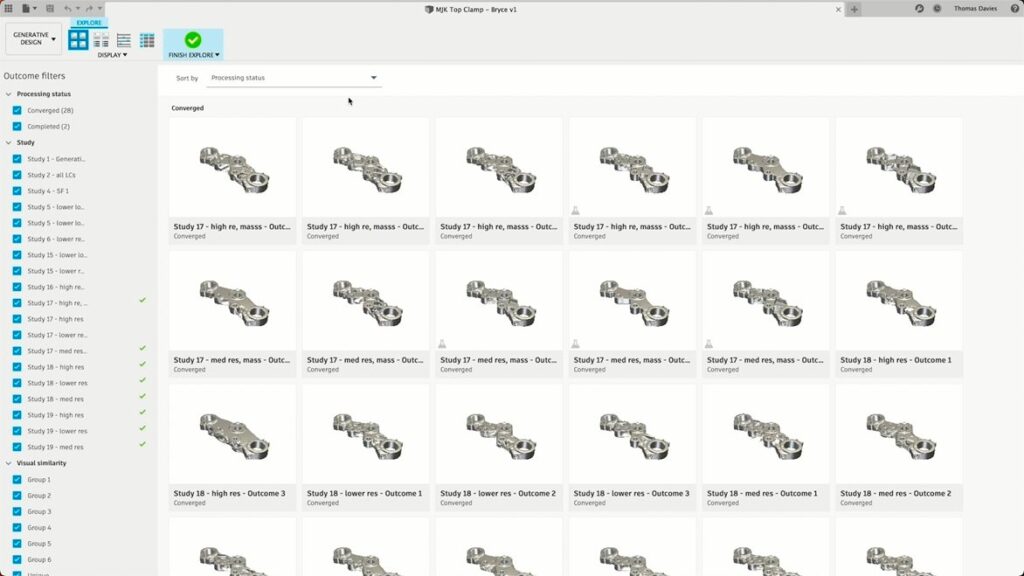
- Generative design – AI-driven design exploration with manufacturing-aware optimization for lightweight, high-performance parts.
- Simulation tools – Non-linear stress, thermal, and vibration analysis to predict real-world performance and reduce risk.
- Nesting & fabrication – Associative nesting and material utilization reporting to minimize waste and optimize sheet layouts. Additive
- Additive manufacturing – Metal powder bed workflows, automatic support generation, and hybrid additive/subtractive strategies for complex components.
The best part? These extensions are available on flexible terms—subscribe for a year, a month, or even just a few days. This pay-as-you-go model ensures you only invest when you need the capability.
5. Collaboration without boundaries
Fusion’s cloud-based environment makes teamwork effortless:
- Share designs securely with internal and external stakeholders.
- Manage permissions, track versions, and centralize feedback.
- Access projects from anywhere—desktop, browser, or mobile.
For distributed teams, this means real-time collaboration without the headaches of file transfers or version conflicts. Everyone works from a single source of truth, reducing errors and accelerating decision-making.
6. Integrated partnerships for confidence and quality
Fusion doesn’t exist in isolation. Autodesk partners with leading machine tool and tooling manufacturers—Mazak, Haas, and Sandvik, and more—to ensure seamless integration. From machine models to cutting tool libraries, these partnerships help you validate processes, optimize feeds and speeds, and avoid costly errors.
7. AI-powered automation for the future
Fusion is embracing AI to make manufacturing smarter. Tools like CAM Assist from CloudNC automate NC programming, reducing programming time by up to 80%. This frees your team to focus on complex, high-value tasks while AI handles repetitive work.
Amplify your PDMC investment
If you’re already using PDMC, you have a powerful foundation for design and engineering. Adding Fusion amplifies that value by:
- Connecting design and manufacturing in a single platform.
- Reducing friction between teams and processes.
- Accelerating time-to-market with automation and cloud collaboration.
- Providing flexibility through modular extensions and subscription options.
Fusion helps you move from a linear, disconnected workflow to a fully integrated digital process—one that’s agile, efficient, and ready for the demands of modern manufacturing.