 Markus Cueva
Digital factory strategies allow product teams to predict performance and reduce expansion risk. By incorporating Autodesk FlexSim, manufacturers can model logistics and workflows in a risk-free virtual environment.
FlexSim: 3D Discrete Event Simulation Software
Easy-to-use 3D simulation modeling and analysis software with high-end capabilities. Predict and optimize production processes with realistic 3D visuals and data-driven scenarios.
Factory expansion is a massive undertaking fraught with uncertainty about process efficacy and resource utilization. Discrete-event simulation (DES) is a helpful tool that allows manufacturers to model and plan processes before making physical changes on the floor. DES treats a system as a sequence of individual, distinct events to help teams understand how operations function over time. When each event represents a change in the system’s state, such as a machine cycle initiation or a labor distribution adjustment, teams get a more granular analysis of throughput and potential bottlenecks. With Autodesk FlexSim, manufacturers can harness the power of DES in factory expansion plans.
Using DES for factory expansion
Predicting traffic efficiently requires a deep understanding of system complexity and material flow. Industrial engineering teams use simulation to identify inefficiencies and foresee problems before they arise in a physical facility. A high degree of granular simulation enables manufacturing leaders to better understand operations and perform pilot tests with greater confidence. Without these forecasting methods, organizations risk making expensive mistakes that impact long-term scalability and return on investment.
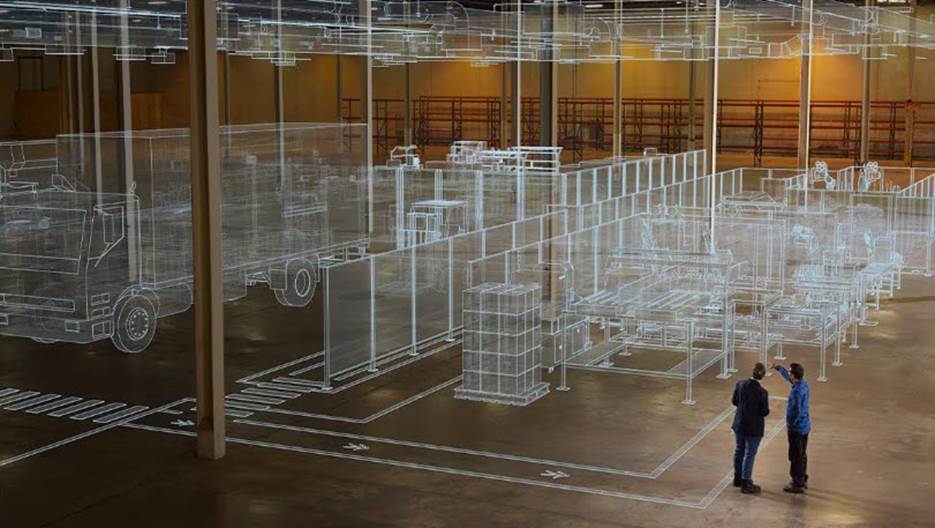
Meanwhile, strategic planning for new layouts involves a delicate balance between operating efficiency and future growth. Throughput modeling allows managers to precisely predict production rates and run stress tests to assess how systems handle peak loads. These virtual environments offer a space to experiment with different configurations without disturbing actual operations. By validating designs in a digital sandbox, development teams can identify dependency conflicts and optimize material handling equipment early in the planning phase.
Within this, a persistent challenge is that systems that are difficult to access or understand are frequently abandoned as a sunk cost for the company. Successful implementation of new systems, therefore, requires an in-depth understanding of the system and accurate, up-to-date measurements of the full system state. When machine learning models falter due to a lack of clean data, rule-based heuristics within a simulation can fill in as an initial decision-making framework.
Optimizing production with Autodesk FlexSim
Autodesk FlexSim offers tools that help designers model production, material flow, and logistics processes to improve throughput. With FlexSim, teams can build digital representations of manufacturing lines or warehouses to test how layout changes impact overall performance. For example, product teams can use the built-in scenario manager to run experiments and make accurate predictions about future operations.
FlexSim offers an intuitive 3D interface that development teams can use to build large-scale digital factory models without coding. For instance, the tool includes pre-packaged modules to add conveyor systems, automated guided vehicles (AGVs), and warehousing systems to their models. These realistic 3D visuals help stakeholders in multiple departments understand potential outcomes and align on high-stakes decisions. With a blend of quantitative precision and visual storytelling, FlexSim brings management clarity to the sometimes confusing engineering detail.
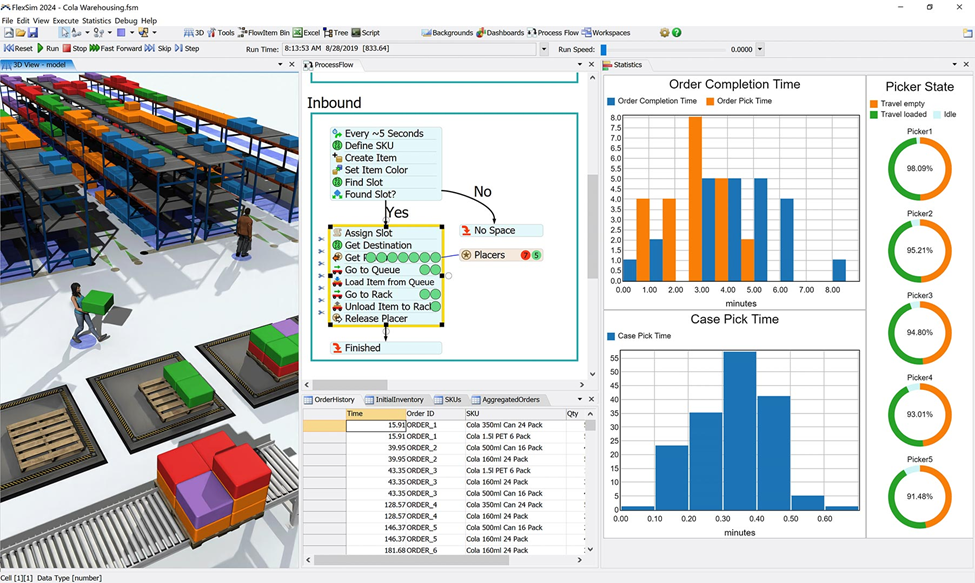
With FlexSim, teams can also pull in data at regular intervals to create a digital twin that mimics the behavior of an existing system. Manufacturing engineers could use these models to address bottlenecks on the production floor or to validate reconfiguration plans. Similarly, the software can help identify optimal batch sizes and equipment utilization rates, enabling engineers to fine-tune scheduling parameters. By simulating a variety of scenarios, product teams can then use the results to refine factory designs, increasing manufacturing throughput and reducing production risks.
The tool is also always improving, with recent feature adds that enable interoperability between simulation models and AutoCAD, Inventor, or Revit. By integrating 2D and 3D CAD tools into workflows, teams can better visualize and improve production processes, generate analytics dashboards for KPI monitoring, and develop smarter, more connected systems.
Securing the future of manufacturing
A digital factory strategy changes how organizations approach growth and capital investment. By identifying bottlenecks and optimizing resource allocation in a virtual space, companies can prevent overinvestment in capacity and accelerate their time-to-market. Autodesk FlexSim empowers users to visualize the future of their production environment and build more resilient, efficient factories with total confidence.