AU Class
AU Class
class - AU

GIS for Civil Design

Share this class
Search for keywords in videos, presentation slides and handouts:

    Description

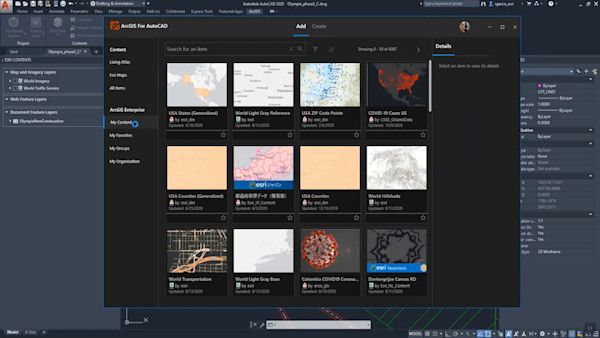
    Learn how to add, edit, represent, analyze and create GIS Data. Understand how to use Civil 3D, Infraworks and ArcGIS connection.

    Key Learnings

    • Know about the inbuilt Civil 3D features for drawing production automation
    • Learn how to apply some tips and tricks to save on the time required to generate the required model documentation
    • Gain insight on how to best produce pressure networks profile bands
    • Unlock the full potential of Civil 3D in drawings production

    Downloads

    Tags

    Product
    Civil 3D
    AutoCAD
    InfraWorks
    Industries
    Architecture
    MEP engineering
    Structural engineering
    Topics
    Geographic Information Systems (GIS)
    Design
    People who like this class also liked
    Citywide Reality Capture for Infrastructure Design Using InfraWorks and AutoCAD Civil 3D
    Instructional Demo

    Citywide Reality Capture for Infrastructure Design Using InfraWorks and AutoCAD Civil 3D

    Bring Geospatial Data into Your Workspace: An Alternative Way for AutoCAD LT
    Instructional Demo

    Bring Geospatial Data into Your Workspace: An Alternative Way for AutoCAD LT

    Update of Esri’s Integration Work in 2020
    Instructional Demo

    Update of Esri’s Integration Work in 2020

    Using Autodesk® Infrastructure Design Suite for Data Collection and Preliminary Design Work
    Industry Talk

    Using Autodesk® Infrastructure Design Suite for Data Collection and Preliminary Design Work

    25 Tools and Tricks from 25 Years of AutoCAD Experience
    Instructional Demo

    25 Tools and Tricks from 25 Years of AutoCAD Experience

    Using the Architecture, Engineering & Construction Collection Tools for Land Development Projects
    Instructional Demo

    Using the Architecture, Engineering & Construction Collection Tools for Land Development Projects