 Mike Smell
Generative design uses AI to create and test hundreds of manufacturing‑ready designs. See how Autodesk Fusion helps teams innovate faster and reduce cost.
No matter how you slice it, creating an optimized design takes ample planning and experimentation. It’s essential that products meet certain performance (and durability) requirements under specific operating conditions, and teams must also balance these goals with cosmetic standards. The design process has always been collaborative and iterative.
Generative design helps automate and accelerate the prototyping process. As great as the traditional collaborative design process is, it can often become time-consuming and limiting. If you’re looking for a plethora of design options, the generative approach is a good look.
What is generative design?
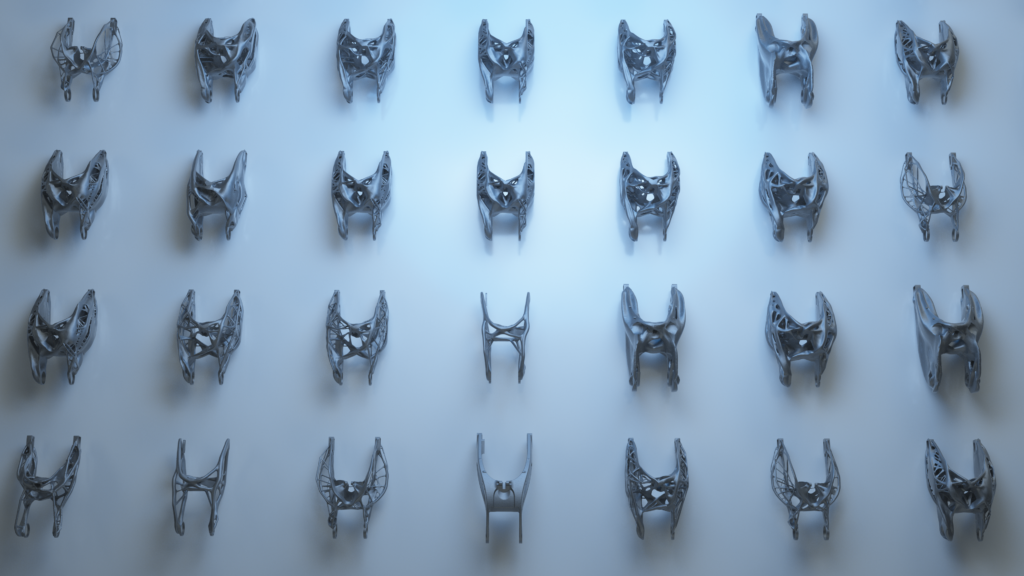
Generative design is an AI-driven design exploration process that automatically generates multiple design solutions based on specified goals, constraints, and manufacturing requirements. The software you use accepts these inputs, or design parameters, and generates hundreds of design alternatives to satisfy them. Your design team will choose the best option from there. You can specify new parameters if those options don’t suit your project.
Essential design factors
- Performance requirements: Structural strength, weight limits, and durability specifications the design must meet
- Spatial specifications: Physical dimensions and geometric boundaries the design must fit within
- Materials: Available material options such as steel, aluminum, titanium, or composites
- Manufacturing methods: Production processes including CNC machining, casting, or additive manufacturing
- Budget constraints: Cost limitations for materials, production, and tooling
Generative design is genuinely adaptive to your evolving needs, with designs optimized for specific manufacturing constraints. Going back to the drawing board is simple; it doesn’t involve hours of concept creation. We can offload challenging prototyping tasks to applications, which complete them in small fractions of the time. That keeps teams agile and helps products get to market faster.
Industries applications
- Automotive: Lightweighting components like brackets and suspension parts
- Aerospace: Optimizing aircraft components for weight reduction while maintaining structural integrity
- Architecture & construction: Creating complex structural elements and building facades
- Consumer goods: Designing ergonomic products with optimized material usage
- Industrial machinery: Developing high-performance machine components with reduced weight
Generative software doesn’t just create these variations; it also tests them for viability. These designs would have little value without practicality, making automated testing essential. Your program learns with every batch of models.
Key benefits of generative design
- Faster time-to-market through automated design generation and testing
- Reduced prototyping costs by evaluating multiple options simultaneously
- Automated design testing with detailed performance data for each iteration
- Cloud-based collaboration enabling teams to access designs from anywhere
- Multiple design options generated simultaneously rather than sequential manual iterations
Additional benefits
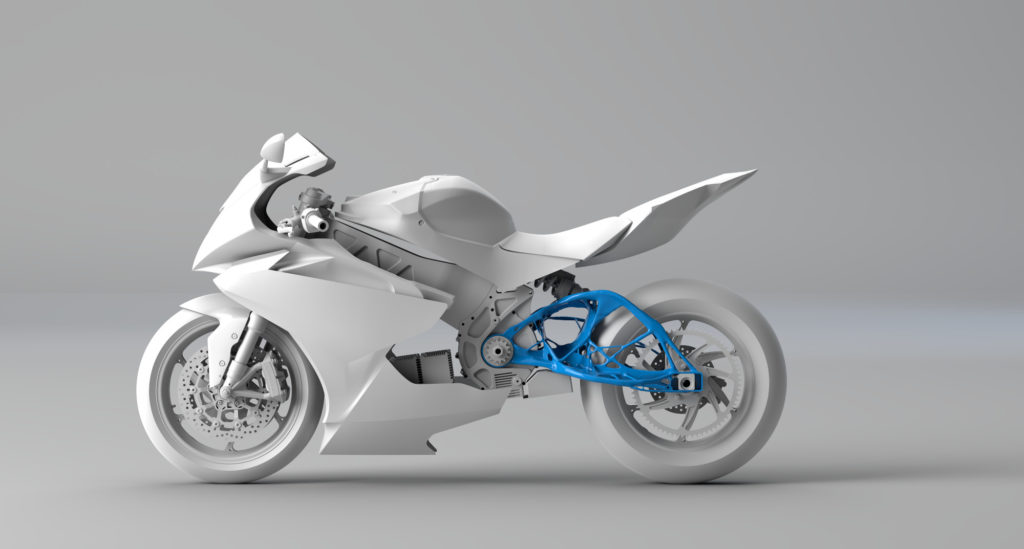
Automated design creation and testing aside, what does generative design offer? For one, testing extends beyond “yes or no” validation for each prototype. Your application will provide detailed data based on each design’s successes and failures. Teams can harness this information and tweak inputs accordingly. Fast-tracking optimization becomes that much easier, especially since team members can access the cloud-based data from anywhere.
Cost savings
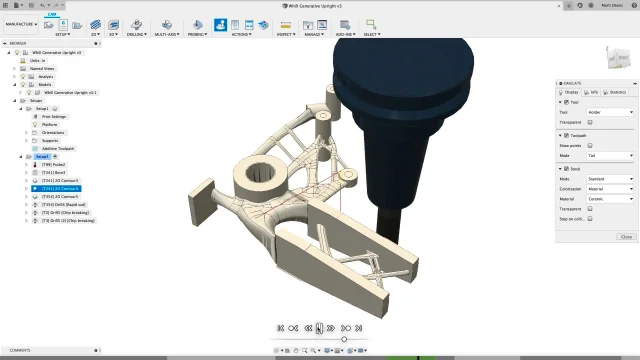
Getting things done quicker saves working hours, which, in turn, saves money. On a deeper level, each traditional prototype (physical or otherwise) costs money to create. Generating multiple options simultaneously saves money that one might otherwise pour into separate engineering or prototyping processes.
Consider those older solutions required specialized design software, which siloed conception from testing. Modern, generative software offers a unified experience. Forget obtaining expensive licenses or making unneeded purchases, Autodesk Fusion bundle everything together under a single platform.
Generative design in Fusion will also help you select the most cost-effective designs. Great design incorporates both feasibility and scalability, while material costs, and availability play massive roles. For example, the unit cost for steel might be too costly. What if you could extract similar results with aluminum, and secure ample quantities from your supply chain? Making these changes can help your bottom line.
Traditional design vs. generative design
| Aspect | Traditional design | Generative design |
|---|---|---|
| Design creation | Manual, one concept at a time | Automated, hundreds of options simultaneously |
| Testing | Separate process, often physical prototypes | Integrated simulation and validation |
| Iteration speed | Days to weeks per revision | Hours for multiple iterations |
| Expertise required | Deep domain knowledge for each option | Define goals and constraints, software explores solutions |
| Optimization | Limited by designer’s experience | Explores solutions beyond human intuition |
Redefining which designs are possible
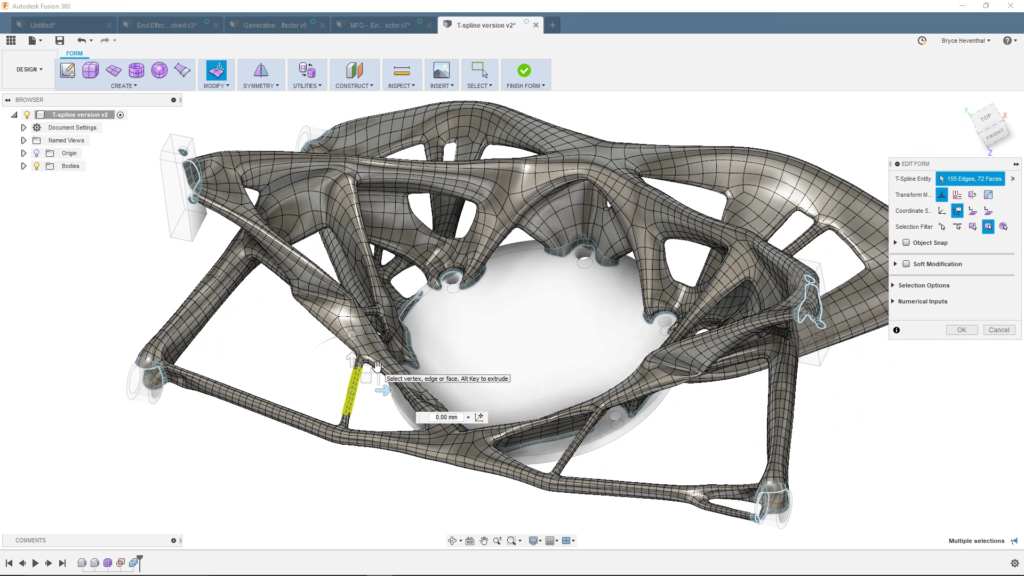
Intricate designs are complicated, and often sometimes too complicated for traditional methods. Today’s structures incorporate non-linear components, lattices, and shapes. Generative designs account for modern manufacturing, including additive manufacturing and subsets like 3D printing. Generative design in Fusion 360 can incorporate these complex geometries with little trouble, eliminating certain steps used when creating physical designs, like building molds or dies, and leading to more significant cost savings.
Frequently asked questions
How does generative design work? Generative design works by taking your design goals, constraints, and manufacturing requirements as inputs. The software then uses AI algorithms to explore thousands of possible solutions, automatically generating and testing designs that meet your specifications. You review the results and select the best option or refine your parameters.
What software supports generative design? Autodesk Fusion is the leading solution for generative design. Fusion offers cloud-based processing and integrates design generation with CAD/CAM capabilities.
How is generative design different from topology optimization? Topology optimization starts with an existing design and removes material to optimize it. Generative design starts from scratch, exploring entirely new design possibilities based on your goals and constraints. Generative design can produce multiple distinct solutions, while topology optimization typically produces one optimized version of an existing concept.
What manufacturing methods does generative design support? Autodesk Fusion supports multiple manufacturing methods including additive manufacturing (3D printing), CNC machining (2.5-axis, 3-axis, and 5-axis), casting, and die casting. You can specify your manufacturing method as a constraint, and the software generates designs optimized for that production process.
Download a free trial of Fusion today to start experiencing generative design capabilites.