 Emily Suzuki
This post is also available in:
Check out this tutorial to understand surface modeling in Autodesk Fusion, how it relates to solid modeling, and its advantages.
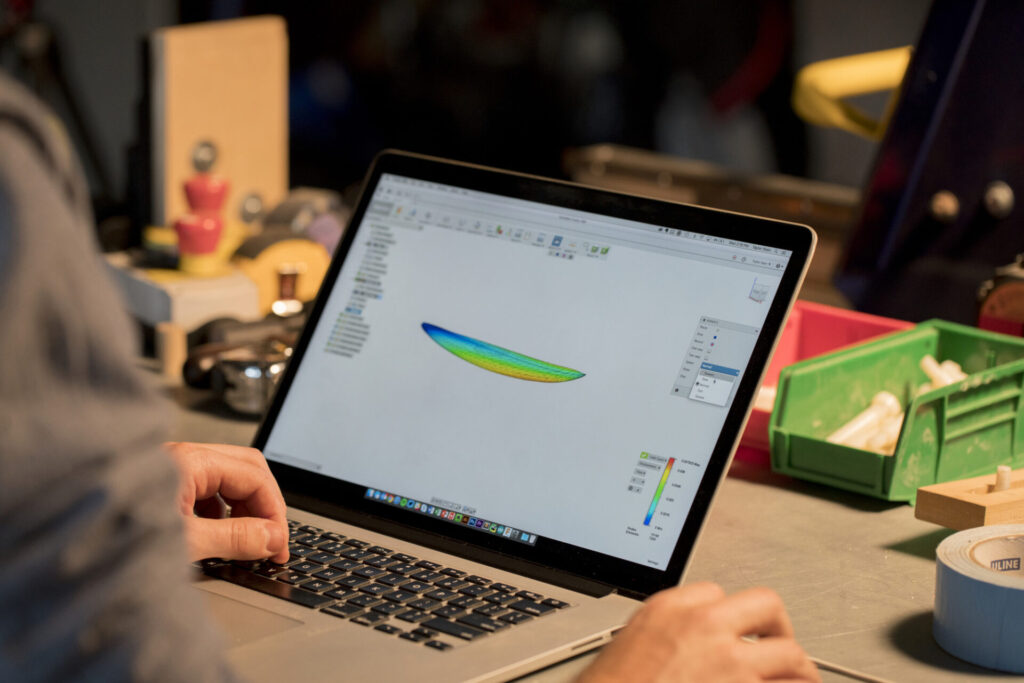
Most 3D designs begin as a 2D sketch, but how does a 2D sketch become a 3D design? Traditionally, 3D modeling was achieved by creating a 3D skeleton or wireframe. The wireframe geometry consisted of lines, arcs, and splines. Then, the designer could create a surface patch over the lines, arcs, and splines to create a 3D model.
This wireframe process is still used as the basis for most CAD software. Industry standard modeling software like AutoCAD has long been a staple in the market, offering a user friendly interface and a wide range of modeling features for users across the world.
But there are other and sometimes better ways to produce 3D designs. Cloud based solutions, like Autodesk Fusion are becoming increasingly popular, enabling collaboration in a digital environment and allowing users to work from anywhere in the world.

Elevate your design and manufacturing processes with Autodesk Fusion
What is surface modeling?
Surface modeling is a way to display 3D objects in a CAD environment that is at times easier than solid modeling and more robust than wireframes. You can create and edit surfaces for repairing, patching, or designing geometry. Designers and engineers use this modeling method for product design, part design, mechanical design, sheet metal design, organic form modeling, 3D gaming animations, and more. Unlike solid modeling, surface modeling requires the designer to define exterior curves and shapes.
Without properties of thickness or mass, surface modeling gives the designer the unique ability to adjust the 3D model in ways solid modeling will not allow. However, this means that you can not slice surface models open as they are virtually hollow.
Modern surface modeling software often integrates advanced modeling features such as simulation, rendering, and reverse engineering. Thse features enhance the design process and enabling more complex workflows.
Solid and surface modeling are complementary approaches. They both support workflows like cnc machining, the integration of other objects into assemblies, and offer a range of modeling features for diverse industry needs.
What is solid modeling in computer aided design?
You’ve heard us mention surface and solid modeling a few times already, but what’s the actual difference between the two?
Surface and solid modeling represent 3D objects as a collection of triangles or polygons. However, solid modeling is a more complex method of creating a 3D model. The core objective of solid modeling is to ensure geometric correctness across all surfaces. Modern modeling software provides a wide range of modeling features to support both solid and surface modeling techniques. This gives users to choose the best approach for their specific needs.
Naturally, neither method is better or worse than the other because each has its applications within the design process. Experienced designers learn how to utilize both surface and solid modeling for their projects, taking advantage of the advanced modeling features available in today’s modeling software.
Benefits of surface modeling
The advantages of employing surface modeling techniques include:
- Enhanced visualization: Detailed and realistic representations give designers clearer insights into the design’s final look.
- Improved flexibility: Complex and organic shapes are more achievable compared to traditional sketch-based or solid approaches.
- High precision: Mathematical representations guarantee accuracy in contours and curves.
- Efficient iteration: Designers can easily modify and refine surfaces to fine-tune appearances before advancing to production stages.
Surface modeling and surfacing tools in Autodesk Fusion
One of the biggest advantages of surface modeling in Autodesk Fusion is the CAD software’s ability to automate the workflow for repairing troublesome surfaces. This means you don’t have to spend your time troubleshooting an imported file that opened as a bunch of disjointed surface bodies. Fusion’s workflow also streamlines processes like reverse engineering and the integration of other objects into assemblies. The last thing you would want to do is have to send the file back to the customer in exchange for a different file format.
Fusion also has parametric surfacing tools to design aesthetic surfaces that also fit a specific function. Continuity is important, so Fusion provides tools to maintain contact, tangent, and curvature to a continuous adjacent surface. Fusion supports advanced part design, simulation, and rendering capabilities for comprehensive product development.
You can also use a tool called Boundary Fill, which allows you to intersect, cut, and combine all in one. This is all great for multibody Boolean regardless of whether it’s a solid body, surface body, plane, or another geometric tool. These features also facilitate workflows for cnc machining and manufacturing.
Surface modeling techniques
Surface modeling techniques are at the heart of modern computer aided design (CAD), allowing designers and engineers to create the complex curves and organic shapes that define today’s most innovative products. While traditional CAD software often relies on solid modeling for precise geometric forms, surface modeling stands out when it comes to crafting intricate surfaces—making it indispensable in fields like industrial design, automotive design, and mechanical engineering.
Unlike solid modeling, which is ideal for straightforward, prismatic shapes, surface modeling excels at producing the flowing lines and boundary surfaces found in car bodies, airplane fuselages, and consumer products. Advanced surfacing tools in the best CAD software, such as Autodesk Fusion, CATIA, and Siemens NX, empower professional designers to tackle complex models with a high degree of precision, especially during the manufacturing stage.
A variety of surface modeling techniques are used in CAD software to meet the diverse needs of industries:
- NURBS (Non-uniform rational B-spline) modeling: This mathematical approach allows for the creation of smooth, highly controllable curves and surfaces, making it a staple in automotive and aerospace design where precision and flexibility are paramount.
- Parametric modeling: By defining models through parameters and relationships, designers can quickly update and refine their creations. This technique is especially valuable in engineering and manufacturing, where design changes are frequent and must be managed efficiently.
- Polygonal modeling: Widely used in game design and digital art, polygonal modeling builds 3D models from polygons, offering flexibility for creating both organic and hard-edged shapes.
- Freeform surfacing: For projects that demand truly unique, organic shapes—such as jewelry design or advanced architecture—freeform surfacing tools allow designers to sculpt surfaces without strict geometric constraints.
The power of these techniques is amplified by cutting-edge features like generative design, which leverages algorithms to automatically generate optimized shapes based on specific engineering requirements. This not only accelerates the design process but also leads to innovative solutions that might not be discovered through traditional methods.
Common applications
Surface modeling is essential in various industries where precision surface design drives performance and aesthetics:
- Consumer goods: Design of electronics, appliances, and furniture benefits from detailed surface features that enhance product appeal.
- Automotive: Surface modeling sculpts vehicle body panels, grilles, and lighting features, enhancing aerodynamics and style.
- Aerospace: Accurate surface representation ensures aerodynamic efficiency and structural integrity of aircraft exteriors.
- Medical devices: Surface modeling assists in designing medical implants and devices requiring exact surface contours for proper fit and function within the human body.
Surface modeling in Fusion
Fusion offers a comprehensive suite of surface modeling tools that enhance productivity and design quality:
- T-spline technology: T-splines enable the creation of smooth, organic shapes with seamless transitions between solid and surface modeling environments, providing versatility in design.
- Parametric surfacing: Users can edit and manage surface geometries parametrically, allowing easy adjustments and updates as the design evolves.
- Automation tools: Fusion automates many aspects of repairing and patching disjointed surfaces from imported files, reducing troubleshooting and rework.
- Continuity controls: Tools maintain surface continuity — contact, tangent, and curvature — ensuring smooth, visually appealing joins between surfaces.
- Boundary fill: This powerful tool enables intersection, cutting, and combination of solids, surface bodies, planes, or other geometry into multibody Boolean operations, expanding design flexibility.
Ready to explore surface modeling in Autodesk Fusion? Eelevate your 3D design workflow to the next level today.
Surface modeling frequently asked questions (FAQs)
Surface modeling is the process of creating 3D shapes using curves and surfaces instead of solid geometry, allowing designers to build complex, smooth, and highly controlled forms.
Unlike solid modeling, which defines an object by its volume, surface modeling lets you:
-Precisely control curvature and continuity (G1, G2, etc.)
-Build organic or freeform shapes
-Modify and refine geometry without being constrained by solid features
Surface modeling in Autodesk Fusion is a way to create and edit 3D geometry using thin, exterior surfaces without thickness or mass. It sits between wireframe and solid modeling, offering more flexibility than solids while providing far more control than wireframes
Surface models represent the outer skin of a shape and do not contain volume, mass, or thickness, while solid models are fully enclosed and defined by physical properties. Surface modeling tools, like Autodesk Fusion allows designers to modify complex shapes in ways that solid modeling alone often cannot. Try it free today.
Surface modeling is useful when designing complex curvature, organic geometry, or shapes that are difficult to control with standard extrudes and revolves. It is also commonly used for repairing, patching, or refining imported geometry. Solid and surface modeling are often used together. Get started with the solid and surface modeling tools in Autodesk Fusion with a 30-day free trial.
Designers use surface modeling tools, like Autodesk Fusion for product design, mechanical components, sheet metal concepts, organic forms, and aesthetic or ergonomic parts. It is also used in workflows such as industrial design, gaming, and animation where smooth curvature is required.
No. Surface and solid modeling are complementary approaches in Autodesk Fusion. Surfaces can be used to define complex shapes that are later converted into solid bodies, making them suitable for downstream manufacturing workflows
Surface models themselves are hollow and cannot be machined directly, but they are often converted into watertight solid bodies. Once converted, they can support manufacturing workflows such as CNC machining and assemblies.
Because surface models are defined by exterior curves rather than volume, designers can make subtle shape adjustments without rebuilding entire features. This makes surface modeling especially useful for refining form and aesthetics.
Surface modeling tools are available in the Design workspace in Autodesk Fusion. Designers can switch to the Surface tools to create, edit, patch, and convert surfaces as part of a broader modeling workflow.
Surface modeling builds on basic sketching concepts, but it introduces new ways of thinking about shape and geometry. Many designers start with solid modeling and gradually use surface tools as designs require more complex or organic forms.
The main advantage is control. Surface modeling gives designers precise control over complex geometry, allowing them to edit and refine shapes that would be difficult or impossible to achieve with solid modeling alone. Get started today with a 30-day free trial.