 James Krenisky
Design for manufacturing tips to reduce cost, simplify production, and improve quality. Learn practical DFM strategies engineers can apply early in design.

Elevate your design and manufacturing processes with Autodesk Fusion
Design for manufacturing is the discipline of ensuring a product can be built repeatedly, at quality, and at cost, before any chips are made or tooling is cut. By treating design for manufacturing as a core design requirement rather than an afterthought, engineering teams can shorten time to market, avoid costly late‑stage changes, and stabilize quality across production. Strong design for manufacturing practices align design intent with real‑world production from the earliest concept stages.
Design for manufacturing starts with the right processes and materials
Effective DFM begins with a clear understanding of the processes and materials that will bring a product to life. Engineers who commit early to a primary manufacturing process, such as CNC machining, injection molding, casting, or additive manufacturing can shape geometry, tolerances, and features around realistic process capabilities. This includes validating minimum wall thicknesses, achievable feature sizes, draft angles, and surface finish limits early, instead of discovering issues during tooling design or first article inspection.
Material selection plays an equally important role in design for manufacturing. Beyond mechanical properties and environmental performance, engineers should verify that materials are readily available in the required forms, grades, and stock sizes, with predictable lead times and stable supply. Early collaboration with manufacturing teams and key suppliers helps uncover practical constraints—such as preferred bar diameters, sheet gauges, resin grades, or heat‑treat conditions—so designs reflect how parts will actually be sourced and produced on the shop floor.
Simplify geometry and reduce part count
Unnecessary complexity is one of the biggest obstacles to good design for manufacturing. Each additional part, interface, or feature increases cost, variation, and risk. Reducing part count where functionally possible eliminates tolerance stacks, assembly steps, and potential failure points. Consolidating brackets, spacers, and fasteners into a single, multifunctional component can improve assembly efficiency while also simplifying supply chain and inventory management.
Part geometry has a direct impact on manufacturability. Deep pockets, thin walls, sharp internal corners, and undercuts often require extra setups, specialty tooling, or complex mold actions. Design for manufacturing favors accessible features, consistent wall thicknesses, generous fillets, and simple profiles that are easier to machine, mold, and inspect. Symmetric or self‑locating designs further improve manufacturability by reducing orientation errors and minimizing reliance on complex fixturing or highly skilled manual assembly.
Applying design for manufacturing with realistic tolerances and standard features
Over‑specifying tolerances is one of the most common and costly mistakes in DFM. Tight tolerances increase machining time, scrap rates, and inspection effort without necessarily improving product performance. A manufacturable design focuses tight tolerances only on truly critical features—those that directly affect function, safety, or interchangeability—while allowing looser limits elsewhere.
Standard features are another cornerstone of design for manufacturing. Using common drill sizes, thread forms, fits, and surface finishes allows manufacturers to rely on standard tools, cutters, and gauges. Clear, functional GD&T that reflects how the part locates and operates in assembly ensures inspection results align with real‑world performance. When drawings communicate intent through a logical datum structure, suppliers can manufacture parts more consistently and with fewer questions or revisions.
Design for assembly, fixturing, and production flow
A design that machines well but assembles poorly is not truly manufacturable. Design for manufacturing must include assembly, fixturing, and production flow considerations, especially as volumes scale. Engineers should think through how parts will be held, oriented, transferred, and assembled at every stage of production, and then design features that support those steps.
Robust datum surfaces and clamping areas enable stable fixturing without distorting critical geometry. Reducing the number of re‑orientations and handling steps improves cycle time and dimensional consistency. Equally important is ensuring clear access to fasteners, connectors, seals, and inspection points. When design for manufacturing accounts for production flow early, the result is a more predictable line, lower rework, and higher first‑pass yield.
Communicate clearly with robust documentation
Even the best design for manufacturing can fail if documentation is unclear. Drawings and 3D models serve as the contract between engineering and manufacturing, and they must communicate intent unambiguously. This includes well‑chosen views, logically placed dimensions, consistent notes, and standardized callouts across related parts and assemblies.
Strong configuration control and structured design reviews reinforce design for manufacturing goals. Regular design‑for‑manufacturing reviews give manufacturing, quality, and suppliers the opportunity to identify risks while changes are still inexpensive. Clear revision histories and controlled release processes reduce the risk of building from outdated data, helping keep scrap, rework, and delays under control.
How Autodesk Fusion supports design for manufacturing
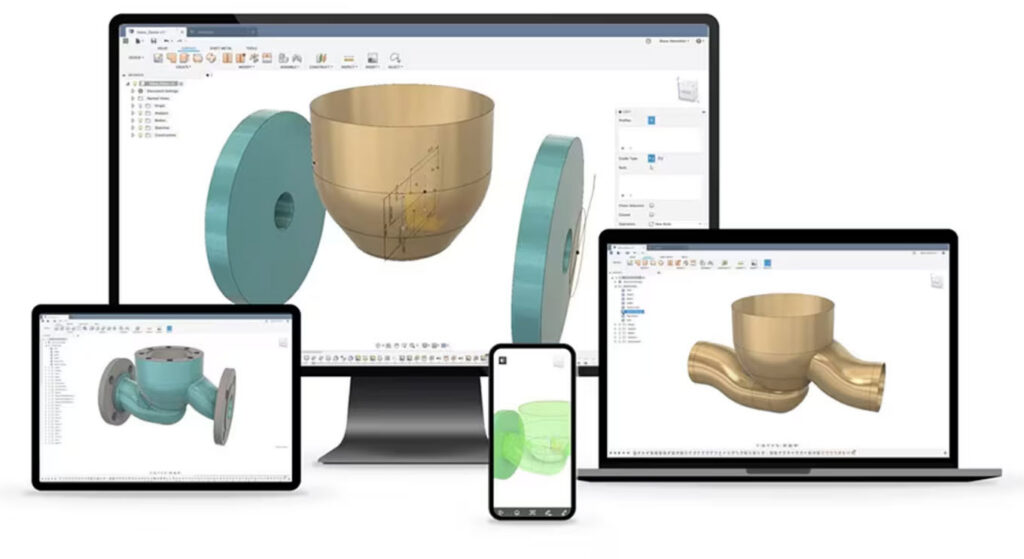
Autodesk Fusion helps teams embed design for manufacturing directly into their workflow instead of treating it as a downstream check. By combining CAD, CAM, simulation, PDM, and PLM in a single platform, Fusion enables engineers to evaluate manufacturability while designs are still evolving. Toolpaths, fixturing strategies, and process constraints can be explored alongside geometry changes, making potential issues visible earlier.
With integrated simulation, generative design, and cloud‑based collaboration, Fusion supports optimization for both performance and production. Manufacturing, quality, and suppliers can engage earlier with shared models and assumptions, strengthening design for manufacturing decisions across the product lifecycle. For engineering teams focused on moving smoothly from concept to stable production, Autodesk Fusion provides a unified environment to design, validate, and prepare parts for manufacturing.