 Shannon McGarry
Explore Autodesk Fusion for personal use, including what’s free, feature limitations, and when it’s time to upgrade. Compare Fusion for Personal Use vs. Autodesk Fusion and discover the advanced design, manufacturing, simulation, collaboration, and data management tools available with a full subscription.

Elevate your design and manufacturing processes with Autodesk Fusion
Maybe you’re designing parts for a 3D printer, building custom furniture in your garage, restoring a classic car, creating RC components, or simply learning CAD for the first time. Whatever brought you here, Autodesk Fusion for personal use gives hobbyists and makers access to professional-grade design tools at no cost.
And for many users, it’s more than enough. But as projects become more ambitious, skills improve, and ideas turn into businesses, many makers discover they’re ready for something bigger: the full Autodesk Fusion experience.
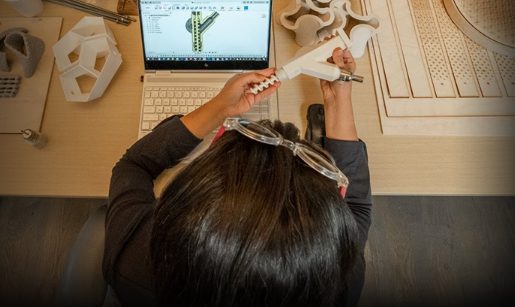
What is Autodesk Fusion for personal use?
Autodesk Fusion for personal use is a free version of Fusion designed for home-based, non-commercial projects. It’s intended for hobbyists, makers, DIY enthusiasts, and anyone generating less than $1,000 USD annually from their work.
Unlike many free CAD tools that require users to compromise on capabilities, Fusion for personal use gives you access to the same modern cloud-based design environment used by professional engineers, product designers, and manufacturers around the world.
Whether you’re:
- Designing parts for 3D printing
- Creating woodworking projects
- Building robots or drones
- Designing custom electronics enclosures
- Learning CAD as a new skill
- Prototyping inventions
Fusion for personal use provides a powerful way to bring ideas to life.
What’s included in Fusion for personal use?
Fusion for personal use includes the core design and modeling tools that have made Fusion one of the most popular product development platforms. Users gain access to:
Powerful 3D modeling
Create designs using:
- Parametric modeling
- Direct modeling
- Surface modeling
- Mesh modeling
- Freeform design tools
These capabilities allow users to design everything from simple brackets to highly complex consumer products.
Cloud data managment
Your projects are automatically stored in the cloud, making them accessible from multiple devices while maintaining version history.
Basic manufacturing tools
Personal users can generate toolpaths and prepare parts for manufacturing with limited CAM functionality. This makes Fusion a popular choice among CNC hobbyists and makers.
Electronics design
Fusion for personal use includes limited PCB and electronics functionality, allowing users to experiment with integrated electronic product design workflows.
A massive learning ecosystem
Fusion has one of the largest communities in CAD, with access to:
- Tutorials
- Forums
- Learning videos
- YouTube content
- User communities
- Fusion blog resources
Making it an excellent platform for beginners and self-taught designers.
Why so many makers start with Fusion
Many hobbyists begin their CAD journey looking for simple modeling software and what they find in Fusion is something far more valuable.
They gain experience using tools that mirror real-world engineering and manufacturing workflows.
Instead of learning a beginner-only application and later having to start over, Fusion users learn a platform used by startups, product designers, machine shops, manufacturers, and engineering teams.
As skills increase, Fusion grows alongside them. That means the time invested learning Fusion today continues paying dividends tomorrow.
When the free version starts to feel limiting
For many hobbyists, personal use licensing is the perfect fit.
But eventually a common pattern emerges.
Projects become larger.
Ideas become more sophisticated.
Friends ask you to build something.
Customers start reaching out.
A side project starts looking suspiciously like a business.
At that point, users often discover restrictions that exist to keep the personal license focused on hobby and educational use. These include limitations around commercial usage, advanced manufacturing functionality, some data management capabilities, advanced simulation workflows, collaboration tools, and access to Fusion extensions.
The question changes from:
“Can Fusion do this?”
to
“Which version of Fusion should I be using?”
What you gain when you upgrade to Autodesk Fusion
Upgrading unlocks the complete Fusion platform, giving users access to professional-grade workflows across design, engineering, electronics, manufacturing, collaboration, and data management. See flexible plans and pricing options here.
Full CAD, CAM, CAE, and PCB capabilities
Commercial subscribers receive access to the complete product development platform, including:
- Advanced CAD workflows
- Complete manufacturing functionality
- Simulation and engineering analysis
- Unified PCB design
- Advanced documentation tools
Advanced simulation
Want to test how a product performs before building it?
Fusion enables engineers and designers to validate designs digitally through simulation workflows that help reduce physical prototypes and accelerate development.
Collaboration and data management
As projects become more complex, version control matters. The commercial version of Fusion provides multi-user collaboration and enhanced data management capabilities that help teams stay organized and work together efficiently.
Automated documentation
Generate drawings, manufacturing documentation, and design outputs more efficiently with professional workflows designed to reduce repetitive work.
Fusion extensions
Commercial users can further expand Fusion with specialized extensions that provide advanced capabilities for manufacturing, simulation, design, nesting, and more. Personal users do not have access to these extensions.
From hobby to business without changing platform
One of Fusion’s biggest advantages is continuity. The same platform you use to design your first 3D printed gadget can help power your first Etsy shop, launch your startup, support manufacturing workflows, and eventually manage product development at scale.
You don’t need to switch tools as your ambitions grow. You simply unlock more of the platform.
Instead of learning a new system when success arrives, you’re already working in the environment professional teams use every day.
Ready for what’s next?
Fusion for personal use is one of the best ways to start designing, prototyping, and building for free. It provides the core tools needed to turn ideas into reality while helping users develop skills that transfer directly into professional product development.
But when projects become commercial, collaboration becomes important, or advanced manufacturing and engineering workflows become necessary, Autodesk Fusion provides a natural next step..
Autodesk Fusion for personal use vs. Autodesk Fusion
| Feature | Fusion for Personal Use | Autodesk Fusion |
|---|---|---|
| Intended Use | Personal, non-commercial projects only | Commercial and professional product development |
| Eligibility | Individuals generating less than $1,000 USD annually | Available to businesses, freelancers, startups, and professional users |
| 3D Design | ✅ Included | ✅ Included with advanced capabilities |
| CAM / Manufacturing | Limited CAM functionality | Comprehensive CAM functionality |
| CAE / Simulation | Limited | Full simulation capabilities and advanced simulation options |
| Elect | Limited electronics and PCB design | Unified electronics and PCB design workflows |
| Data Management | Single-user data management | Multi-user collaboration and data management |
| 2D Drawings | Limited documentation and drawings | Automated drawings and documentation workflows |
| Import / Export Formats | Limited file types | All supported import and export file types |
| Support | Community forum support | Phone, email, forum, and in-product support |
| Configurations | Not included | CAD, CAM, and CAE configurations |
| Bill of Materials (BOM) | Not included | ✅ Included |
| Cloud Rendering | Not included | ✅ Included |
| Cloud Simulation | Not included | ✅ Included |
| Fusion Extensions | Not available | Available for advanced design, manufacturing, and simulation workflows |
| Pricing | Free | $680/year or $85/month. For latest pricing, see here. |