 Shannon McGarry
This post is also available in:
Learn how AI is shaping real-world product design and manufacturing. See how Autodesk Fusion uses AI to improve decision-making, reduce iteration cycles, and help engineering teams work faster and more consistently.

Elevate your design and manufacturing processes with Autodesk Fusion
AI in manufacturing is embedded in how products get designed, tested, and built today. It isn’t about replacing engineers or automating creativity. It’s about turning complex data into faster, better decisions and removing the friction that slows teams down.
At its core, AI in manufacturing is the use of machine learning and data analysis to interpret information, such as design data, production constraints, and performance metrics, and translate it into actionable insights. Instead of reacting late in the process, teams can anticipate issues, optimize designs earlier, and move forward with more confidence.
This is exactly where solutions like Autodesk Fusion are redefining what AI looks like, by embedding AI directly into the workflows engineers already use.
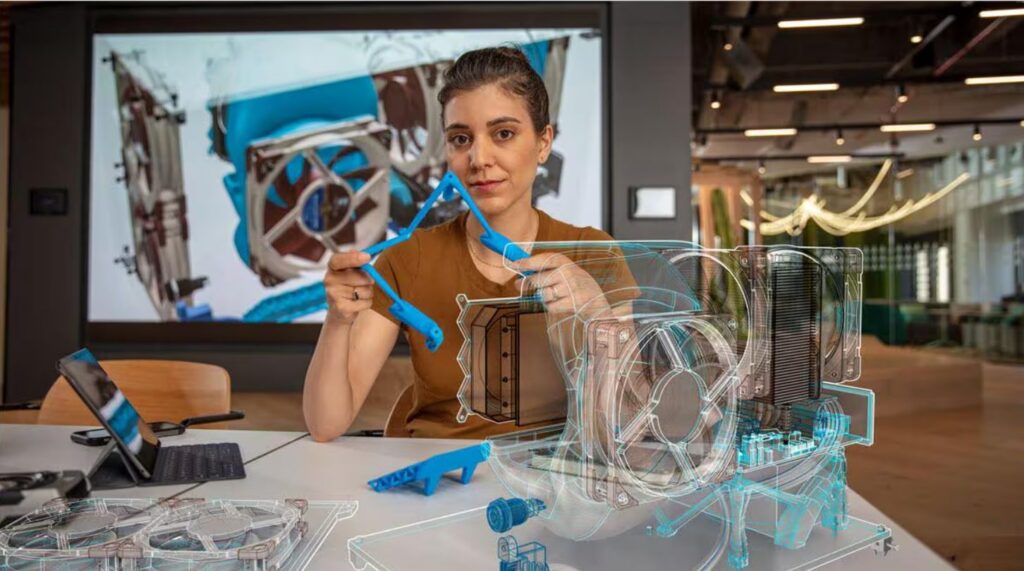
What AI actually means in product design
AI in product design isn’t about pressing a button and getting a finished model. It’s about expanding what’s possible in the design process itself.
Traditionally, design has been constrained by time. Engineers create a concept, test it, iterate, and repeat, often exploring only a small subset of possible solutions. AI fundamentally changes this by enabling teams to explore far more options in far less time.
With AI-powered capabilities like generative design in Autodesk Fusion, engineers define constraints like materials, performance, and cost and the system generates and evaluates multiple design options automatically.
Instead of manually building and revising one idea at a time, AI allows teams to:
- Explore hundreds of potential solutions
- Evaluate performance, manufacturability, and cost simultaneously
- Identify patterns and trade-offs that would be difficult to see manually
The result isn’t automated design. It’s augmented decision-making.
How AI reduces iteration cycles
Iteration has always been the bottleneck in product development. Each cycle takes time, and late-stage changes are expensive.
AI compresses this cycle by shifting iteration from physical or manual to digital and parallel.
Generative design and simulation tools can:
- Generate thousands of design variations in a fraction of the time
- Run simulations early, before physical prototypes exist
- Evaluate multiple scenarios simultaneously, not sequentially
This allows teams to move from a linear process to a more exploratory one, where ideas are tested rapidly and continuously. This means:
- Faster concept validation
- Fewer late-stage surprises
- Shorter time-to-market
AI doesn’t eliminate iteration. It makes iteration faster, broader, and more informed.
AI as a force multiplier, not a replacement
One of the biggest misconceptions about AI in engineering is that it replaces expertise. In reality, its value comes from doing the opposite.
AI handles the repetitive, structured work:
- Applying constraints
- Generating drawings
- Running simulations
- Evaluating design variations
This frees engineers to focus on interpreting results, making trade-offs, and solving complex problems.
- Interpreting results
- Making trade-offs
- Solving complex problems
Even industry research reinforces this. Accordingy to McKinsey, AI expands design possibilities and accelerates workflows, but human judgment remains essential to selecting and validating outcomes.
In tools like Autodesk Fusion, this shows up as:
- Automated drawings and AI-driven sketch constraints
- Intelligent suggestions and in‑context guidance during modeling
- Generative design and simulation workflows that help optimize designs earlier
The outcome isn’t fewer designers and engineers. It’s experts working at a higher level.
How AI improves productivity at scale
The real impact of AI isn’t just speed. It’s consistency and scalability.
In traditional workflows, productivity varies between engineers, across teams, and from project to project.
AI introduces a layer of standardization where, best practices can be applied automatically, repetitive steps are executed consistently, and outputs are more predictable.
Fusion’s AI capabilities already demonstrate this:
- Automated constraints improve sketch accuracy
- AI-assisted CAM automation helps accelerate toolpath creation
- Model-linked drawings reduce documentation errors
Bottom line – AI makes it possible to do more work with the same team, maintain quality across projects, and reduce variability in outcomes. This is what enables teams to scale without simply adding headcount.
How AI helps engineers make better decisions, faster
Perhaps the most important shift AI brings is when and how decisions are made.
Traditionally, many design decisions are reactive. Problems surface during prototyping or production, when changes are costly and timelines are tight.
AI moves decision-making earlier in the process by:
- Analyzing constraints and requirements upfront
- Predicting performance before testing
- Highlighting risks and trade-offs automatically
In Autodesk Fusion, this is especially visible in generative design where engineers compare multiple validated options side by side, decisions are based on performance, cost, and manufacturability, and trade-offs become explicit, not assumed.
The bigger picture: AI as an engineering workflow upgrade
The most compelling thing about AI in manufacturing today isn’t a single feature, it’s how it stitches workflows together.
Across the lifecycle, AI in Fusion helps:
- Explore more possibilities faster
- Validate decisions earlier
- Prepare for production with fewer surprises
And increasingly, with technologies like AI assistants and API-driven automation, teams can interact with these capabilities more naturally, using language, prompts, or connected systems to orchestrate workflows.
The takeaway
AI in manufacturing isn’t about replacing engineers or generating designs out of thin air. It’s about removing the friction that slows product development.
With platforms like Autodesk Fusion, AI is no longer experimental. It’s already embedded in the everyday work of designing and making products.
AI in Autodesk Fusion frequently asked questions
Fusion’s AutoConstrain uses AI to analyze sketch geometry and automatically apply dimensions and constraints. This helps ensure designs are fully defined, reduces manual errors, and improves consistency across iterations.
Yes. Fusion’s automated drawings feature creates 2D documentation directly from 3D models, reducing manual drafting work and minimizing the risk of inconsistencies between design and documentation.
AI removes repetitive, rules-based tasks, like applying constraints, generating drawings, or configuring toolpaths, so engineers can focus on higher-value decisions like design optimization and problem-solving.
Yes. By standardizing tasks like sketching, documentation, and machining setup, AI helps ensure that outputs are more consistent regardless of who is doing the work.
No. AI in Fusion is designed to assist engineers by automating repetitive work and surfacing insights. Engineers still define requirements, evaluate results, and make final decisions.