 Shannon McGarry
When should you use surface modeling vs solid modeling? Learn the differences, use cases, and how each approach supports modern product design and manufacturing.

Elevate your design and manufacturing processes with Autodesk Fusion
Choosing between solid modeling and surface modeling is one of the most common questions in product design and manufacturing. Both approaches are essential in modern 3D modeling workflows, but they serve different purposes depending on what you’re designing, how it will be manufactured, and what level of control you need over form versus function.
Most teams use both at different stages of the design process. Understanding when to rely on each method helps reduce rework, improve manufacturability, and speed up product development.
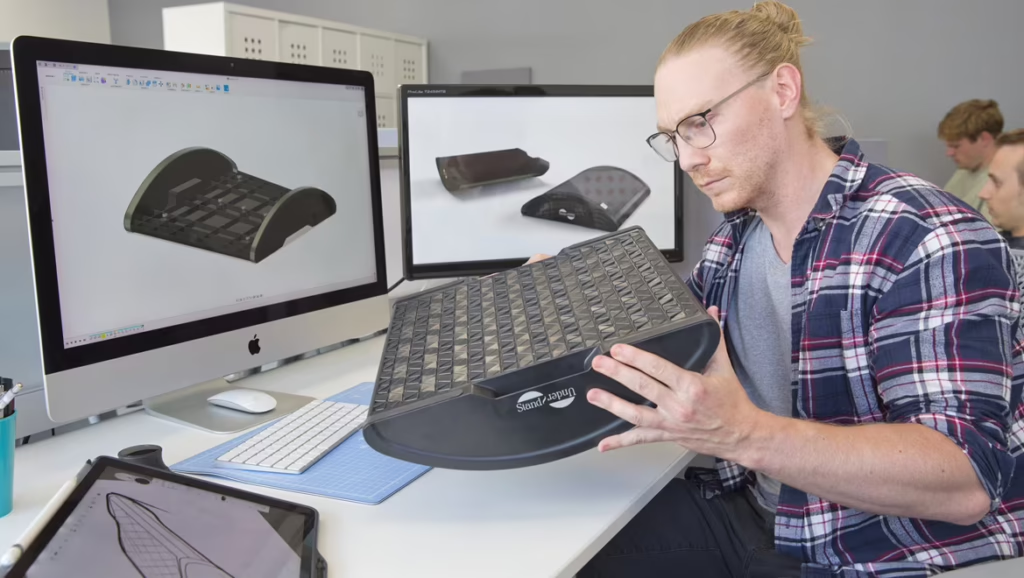
What is solid modeling?
Solid modeling is a 3D CAD method used to create digital models that represent a real, physical object with volume, mass, and fully enclosed geometry.
A solid model defines:
- The exterior shape
- The interior volume
- Physical properties such as mass, density, and center of gravity
Because the geometry is “watertight,” solid models behave like real parts inside the software. This makes them ideal for manufacturing and downstream workflows.
When solid modeling is used
Solid modeling is best suited for:
- Mechanical parts
- Components that will be machined, molded, or 3D printed
- Designs that require simulation, interference checks, or assemblies
- Parts that need accurate drawings and BOMs
Common examples include:
- Brackets, housings, gears, and fasteners
- Fixtures and tooling
- Injection‑molded or CNC‑machined components
Why solid modeling matters
Solid modeling enables:
- Accurate manufacturing outputs
- Automatic mass and material calculations
- Reliable fit and interference checks
- Direct connection to CAM, simulation, and drawing generation
If a part is going to be made, tested, or assembled, solid modeling is usually the foundation.
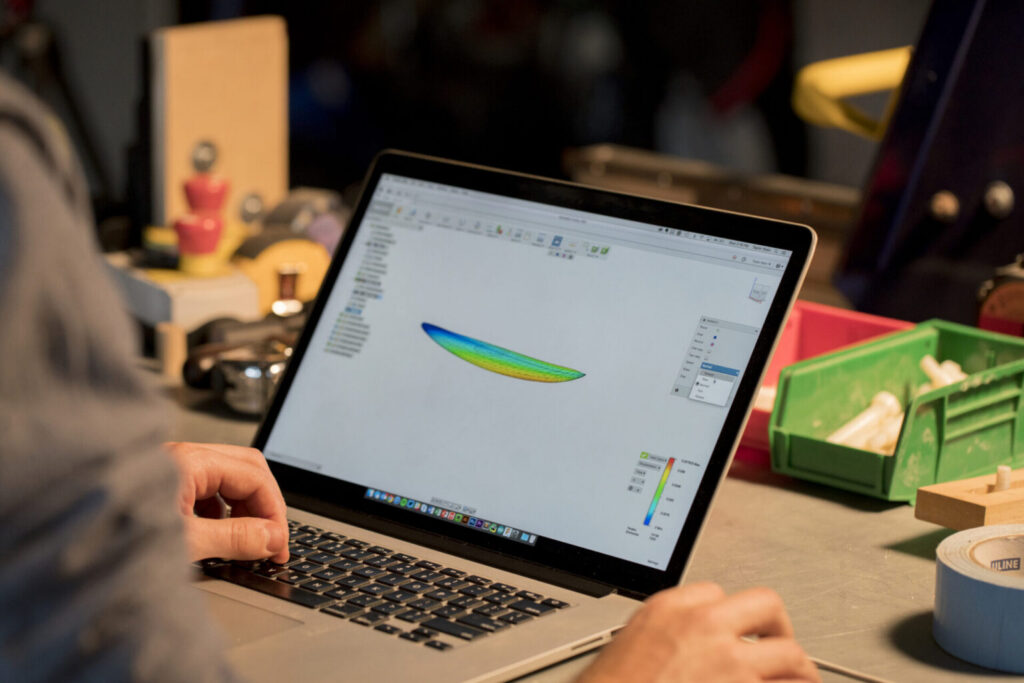
What is surface modeling?
Surface modeling focuses on defining the outer shape—or “skin”—of an object without defining its internal volume or thickness.
A surface model:
- Represents only the exterior geometry
- Has no mass or volume
- Prioritizes shape, smoothness, and curvature control
Surface modeling is especially useful when form, aesthetics, or complex curvature are critical.
When surface modeling is used
Surface modeling is commonly used for:
- Industrial design and product styling
- Organic or free‑form shapes
- Complex curves that are difficult to define with solids
Typical applications include:
- Consumer product enclosures
- Automotive or transportation surfaces
- Ergonomic grips and stylized housings
- Concept models and early design exploration
Why surface modeling matters
Surface modeling allows:
- Precise control over curvature and continuity
- Creation of smooth, flowing forms
- Editing geometry in ways solids can’t easily support
Designers often use surface tools to create or refine shapes before converting them into solid bodies for manufacturing.
Surface modeling vs. solid modeling: Key differences
| Aspect | Solid Modeling | Surface Modeling |
|---|---|---|
| Geometry | Fully enclosed, watertight | Exterior skin only |
| Mass & Volume | Yes | No |
| Best For | Manufacturing, simulation, assemblies | Aesthetic and complex shapes |
| Manufacturability | Directly manufacturable | Must be converted to solid |
| Shape Control | Dimension‑driven | Curve‑ and form‑driven |
When should you use solid modeling?
Use solid modeling when:
- You are designing a part that will be manufactured
- You need accurate dimensions and tolerances
- The design will be simulated, machined, or assembled
- You’re generating drawings or CAM toolpaths
In practical terms, most mechanical and production-ready parts should be solid models.
When should you use surface modeling?
Use surface modeling when:
- Shape and aesthetics are the primary challenge
- The design includes complex curves or organic forms
- You’re refining the exterior of a product
- You need flexibility to sculpt or repair geometry
Surface modeling is especially valuable early in the design process or when working on the outer shell of a product.
Do I have to choose one?
No—and in modern CAD workflows, you usually shouldn’t.
Most teams use a hybrid approach:
- Use surface modeling to create complex or aesthetic shapes
- Convert or thicken those surfaces into solid bodies
- Finish the design using solid modeling tools for manufacturing
This approach combines creative freedom with production accuracy.
Bringing solid and surface modeling together with Autodesk Fusion
Modern product development rarely relies on just one modeling approach. Most teams move fluidly between surface modeling for form and shape and solid modeling for validation and manufacturing—often within the same project, sometimes within the same design session. The challenge is maintaining continuity as designs evolve from early concepts into production‑ready parts.
Autodesk Fusion brings solid and surface modeling together in a single, connected environment. Designers can create and refine complex surfaces to achieve the right look and feel, then seamlessly transition those surfaces into solid bodies for engineering validation and manufacturing. Because both approaches live in the same platform, teams avoid translation errors, broken geometry, and duplicated work.
With Fusion, design intent stays intact throughout the process. Surface geometry, solid features, drawings, simulations, and manufacturing data remain linked, making it easier to iterate quickly while maintaining confidence that designs are accurate and manufacturable. This integrated workflow is especially valuable for small design and manufacturing teams that need flexibility without the overhead of managing multiple tools.
Whether you’re shaping an ergonomic enclosure, validating part performance, or preparing models for production, Autodesk Fusion supports both surface modeling and solid modeling, giving teams the freedom to design creatively and the precision required to build with confidence.
Final takeaway
- Use solid modeling for parts that need to be built, tested, or assembled
- Use surface modeling when shape, curvature, or aesthetics are the priority
- Use both together to balance creativity and manufacturability
Understanding when, and how, to apply each method helps teams design better products, reduce rework, and move from idea to production with confidence.